Johdanto
This manual provides essential information for the proper use and care of your GameSir USB-A to USB-C Cable. Please read these instructions carefully before use to ensure optimal performance and longevity of the product.
The GameSir USB-A to USB-C cable is designed for connecting GameSir controllers and other compatible USB-C devices to a USB-A port for data transfer and charging.
Tuotteen ominaisuudet
- Liittimen tyyppi: USB-A-USB-C
- Kaapelin pituus: 1.8 metriä (5.9 jalkaa)
- Materiaali: Durable PVC outer jacket
- Toiminnallisuus: Tiedonsiirto ja lataus
- Yhteensopivuus: Compatible with all GameSir controllers that support wired connection, and other USB Type-C devices.

Kuva: Lähikuva view of the USB-A and USB-C connectors of the GameSir cable.

Image: The GameSir USB-A to USB-C cable with "GAMESIR PVC CABLE" branding, highlighting its material.

Image: The GameSir USB-A to USB-C cable coiled, illustrating its 1.8-meter (5.9-foot) length.
Asennus
- Tunnista portit: Locate the USB-A port on your computer, gaming console, or power adapter, and the USB-C port on your GameSir controller or other compatible device.
- Liitä USB-A: Insert the USB-A end of the cable into the USB-A port of your host device (e.g., PC, console).
- Liitä USB-C: Insert the USB-C end of the cable into the USB-C port of your GameSir controller or other compatible device. Ensure the connection is firm.
- Plug and Play: The cable is designed for plug-and-play functionality. Your device should automatically recognize the connection for data transfer or charging.

Image: The GameSir USB-A to USB-C cable connected to various GameSir controllers, demonstrating wired connection support.
Käyttöohjeet
Once connected, the GameSir USB-A to USB-C cable facilitates two primary functions:
- Tiedonsiirto: For GameSir controllers, this enables a wired connection to your gaming platform, reducing input lag and ensuring a stable connection for gameplay. For other compatible devices, it allows for data synchronization.
- Lataus: When connected to a power source (e.g., a USB wall adapter or a powered USB port on a computer/console), the cable will charge your compatible USB-C device.
Ensure your device's drivers are up-to-date if experiencing connectivity issues with a computer.
Huolto ja hoito
To ensure the longevity and optimal performance of your GameSir USB-A to USB-C cable, follow these maintenance guidelines:
- Varastointi: Säilytä kaapelia viileässä, kuivassa paikassa, poissa suorasta auringonvalosta ja äärimmäisistä lämpötiloista. Vältä kaapelin tiukkaa kelaamista tai taivuttamista teräviin kulmiin.
- Puhdistus: Pyyhi kaapeli ja liittimet varovasti pehmeällä, kuivalla liinalla. Älä käytä voimakkaita kemikaaleja tai hankaavia puhdistusaineita.
- Käsittely: Tartu aina liittimen päähän kytkettäessä tai irrotettaessa kaapelia. Vältä vetämistä suoraan itse kaapelista, sillä se voi vahingoittaa sisäisiä johtoja.
- Kestävyys: The cable features a clean and durable PVC outer jacket, rigorously tested for durability through plugging, suspension, and bending simulations. However, excessive force or improper handling can still cause damage.
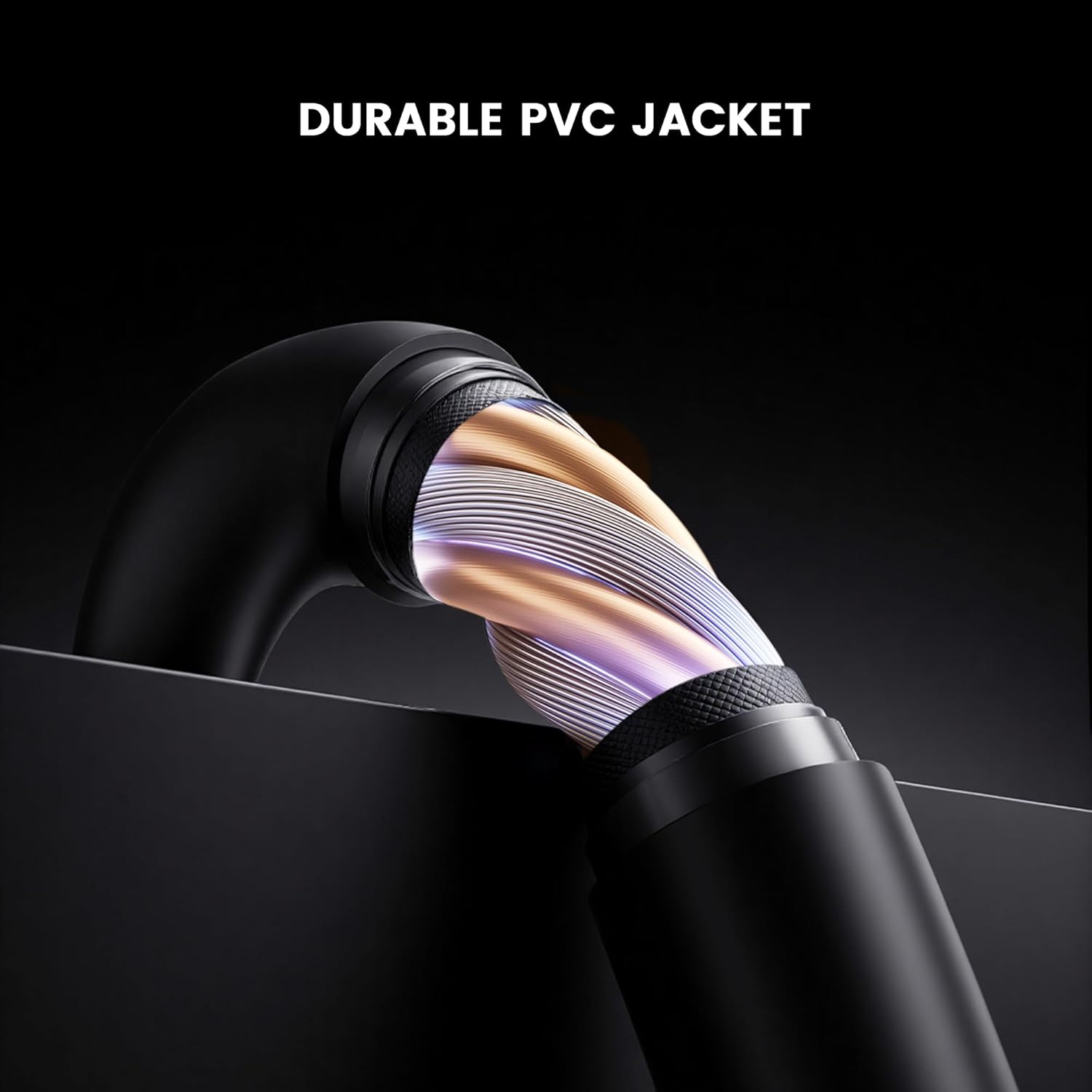
Kuva: Poikkileikkaus view of the GameSir USB-A to USB-C cable, highlighting its durable PVC jacket and internal construction.
Vianetsintä
If you encounter issues with your GameSir USB-A to USB-C cable, refer to the following common troubleshooting steps:
- Laitetta ei tunnisteta:
- Varmista, että kaapelin molemmat päät on kytketty kunnolla omiin portteihinsa.
- Try connecting the cable to a different USB-A port on your host device.
- Test the cable with another compatible USB-C device to rule out an issue with the original device.
- If connecting to a computer, ensure necessary drivers for your GameSir controller or device are installed and up-to-date.
- Hidas lataus tai ei latausta:
- Verify that the power source (e.g., wall adapter, computer USB port) is providing sufficient power.
- Ensure the cable is fully inserted into both the power source and the device.
- Try a different power source or wall adapter.
- Ajoittainen yhteys:
- Tarkista, onko kaapelissa tai liittimissä näkyviä vaurioita.
- Ensure there is no dust or debris in the USB ports of your devices or the cable connectors.
- Avoid bending or stressing the cable during use.
Tekniset tiedot
| Merkki | GameSir |
| Mallinumero | 6936685221581 |
| Liittimen tyyppi | USB Type C (Male) to USB Type A (Male) |
| Kaapelin tyyppi | USB |
| Kaapelin pituus | 1.8 metriä (5.9 jalkaa) |
| Väri | Musta |
| Yhteensopivat laitteet | GameSir Gaming Consoles/Controllers, other USB Type-C devices |
| Erikoisominaisuus | Tiedonsiirto |
| Ulkotakin materiaali | PVC |
| Sisä-/ulkokäyttö | Sisätiloissa |
| Tuotteen paino | 1.76 unssia |
Takuu ja tuki
For warranty information and technical support, please refer to the official GameSir website or contact GameSir customer service directly. Keep your purchase receipt for warranty claims.
GameSir Official Store US: Myyjän tiedot


