1. Johdanto
This manual provides detailed instructions for the Hyperkin Pixel Art Bluetooth Controller, Miraculous Cat Noir Edition. Please read this manual thoroughly before using the product to ensure proper operation and to maximize your gaming experience. This controller is designed for use with multiple platforms, offering wireless connectivity and a comfortable, ergonomic design.
2. Tuote ohiview
The Hyperkin Pixel Art Bluetooth Controller combines a retro aesthetic with modern functionality. It features a unique Miraculous Cat Noir design, wireless Bluetooth connectivity, and a built-in turbo function.
2.1 Tärkeimmät ominaisuudet
- Langaton Bluetooth-yhteys: Enjoy gaming freedom up to 30 feet away.
- Turbo-toiminto: Activate rapid-fire action for enhanced gameplay.
- Retro Design with Modern Ergonomics: A classic look combined with comfortable handling for extended play sessions.
- Matkaystävällinen: Kompakti muotoilu mahdollistaa helpon siirrettävyyden.
- High-Quality Symmetrical Sticks: Designed for precision and responsiveness.
2.2 Ohjaimen asettelu

Kuva 2.2.1: Edessä view of the Hyperkin Pixel Art Bluetooth Controller, Miraculous Cat Noir Edition. This image displays the D-pad, left and right analog sticks with paw print designs, A/B/X/Y buttons, Start/Select buttons, and the Cat Noir character art.

Kuva 2.2.2: Sivu view of the Hyperkin Pixel Art Bluetooth Controller, Miraculous Cat Noir Edition. This image shows the shoulder buttons (L1, R1) and triggers (L2, R2), along with the USB-C charging port and mode switch.

Kuva 2.2.3: Lähikuva view emphasizing the controller's retro design combined with modern ergonomic features for comfortable handling.
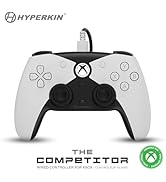
Kuva 2.2.4: Lähikuva view näyttelyasing the high-quality symmetrical analog sticks, designed for precise control during gameplay.
3. Asennus
3.1 Ohjaimen lataaminen
The controller includes a built-in Lithium Polymer battery. To charge, connect the supplied Type-C cable to the controller's charging port and the other end to a USB power source (e.g., a computer USB port, a USB wall adapter). The LED indicator on the controller will show charging status and turn off when fully charged.
3.2 Pariliitos Bluetoothin kautta
To pair the controller with your device:
- Varmista, että ohjaimessa on riittävästi virtaa.
- Käynnistä ohjain painamalla Koti-painiketta.
- Put the controller into pairing mode (refer to your device's specific instructions for Bluetooth pairing, as this may vary). Typically, this involves holding a small pairing button or a combination of buttons until the LED indicator flashes rapidly.
- On your device (Nintendo Switch, PC, Mac, Android, iOS, etc.), navigate to the Bluetooth settings.
- Etsi available devices and select "Hyperkin Pixel Art Controller" (or similar name) from the list.
- Once connected, the LED indicator on the controller will stabilize.
For Nintendo Switch, navigate to the 'Controllers' menu, then 'Change Grip/Order' to initiate pairing mode on the console.
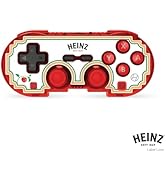
Kuva 3.2.1: Illustration of the controller connecting wirelessly via Bluetooth, indicating a range of up to 30 feet.
3.3 Langallinen yhteys
The controller can also be used via a wired connection. Connect the Type-C cable from the controller to a compatible USB port on your device. This mode is often plug-and-play, requiring no additional pairing.
4. Käyttöohjeet
4.1 Perusohjaimet
Ohjaimessa on tavalliset pelipainikkeet:
- D-pad: Suuntasyöttö.
- Analogiset sauvat: Left and Right symmetrical sticks for precise movement and camera control.
- Toimintopainikkeet (A, B, X, Y): Ensisijaiset vuorovaikutuspainikkeet.
- Olkapään painikkeet (L, R) ja liipaisimet (ZL, ZR): Additional input buttons, typically for actions like aiming, firing, or menu navigation.
- Käynnistä/Valitse-painikkeet: Pelin sisäisiä valikoita ja asetuksia varten.
- Koti näppäin: Palaa järjestelmän aloitusnäyttöön.
4.2 Turbotoiminto
The turbo function allows for rapid, repeated input of a button press without continuously pressing the button. To activate or deactivate turbo for a specific button:
- Paina ja pidä painettuna Turbo -painiketta.
- While holding the Turbo button, press the desired action button (e.g., A, B, X, Y, L, R, ZL, ZR) once to activate turbo for that button.
- Repeat the process (hold Turbo, press the same action button) to deactivate turbo for that button.
5. Yhteensopivuus
The Hyperkin Pixel Art Bluetooth Controller is compatible with a wide range of gaming platforms:
- Nintendo Switch
- Nintendo Switch OLED -malli
- Nintendo Switch Lite
- Windows 10/11 PC
- Mac
- Chromebook
- Android-laitteet
- Apple iOS -laitteet
- Steam
- Steam Deck
- ROG liittolainen
- Raspberry Pi
- Amazon Games/Amazon Luna
- Tesla
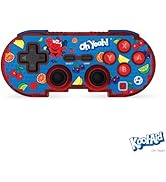
Kuva 5.1: Visual representation of the controller's broad compatibility across multiple gaming platforms and operating systems.
6. Huolto
Varmistaaksesi ohjaimesi pitkän käyttöiän ja optimaalisen suorituskyvyn, noudata näitä huolto-ohjeita:
- Puhdistus: Pyyhi ohjain pehmeällä, kuivalla liinalla. Pinttyneeseen likaan pyyhi kevyesti.ampKostuta liina vedellä. Vältä voimakkaita kemikaaleja tai hankaavia puhdistusaineita.
- Varastointi: Säilytä ohjainta viileässä, kuivassa paikassa, poissa suorasta auringonvalosta ja äärimmäisistä lämpötiloista.
- Akun hoito: Avoid fully discharging the battery frequently. Charge the controller regularly, even if not in use for extended periods, to maintain battery health.
- Vältä fyysistä vaikutusta: Do not drop or expose the controller to strong impacts, as this can damage internal components.
7. Vianmääritys
If you encounter issues with your Hyperkin Pixel Art Bluetooth Controller, refer to the following common problems and solutions:
| Ongelma | Mahdollinen ratkaisu |
|---|---|
| Ohjain ei käynnisty. | Ensure the controller is charged. Connect it to a power source using the Type-C cable. |
| Ohjain ei muodosta yhteyttä Bluetoothin kautta. |
|
| Painikkeet eivät reagoi tai toimivat viiveellä. |
|
| USB charging port does not work. |
|
| Vibration is too strong or loud. | Some games or systems may offer an option to adjust or disable vibration feedback within their settings. Consult your game or system's options menu. |
8. Tekniset tiedot
| Ominaisuus | Yksityiskohta |
|---|---|
| Mallinumero | M01328-MTCN |
| Yhteydet | Bluetooth (Wireless), USB Type-C (Wired) |
| Wireless Range | Jopa 30 jalkaa |
| Akun tyyppi | 1 litiumpolymeeriakku (mukana) |
| Pakkauksen mitat | 7.4 x 5.2 x 2.4 tuumaa |
| Tuotteen paino | 9.9 unssia |
| Valmistaja | Hyperkin |
9. Takuu ja tuki
This product is covered by the manufacturer's standard warranty. For specific warranty terms and conditions, please refer to the documentation included with your purchase or visit the official Hyperkin website. For technical support or further assistance, please contact Hyperkin customer service through their official channels.


