1. Johdanto
This manual provides detailed instructions for the installation, configuration, and operation of your Rebel KOM1031 Dual-Band Wireless Network Repeater. This device is designed to extend the coverage of your existing Wi-Fi network, providing a stronger and more reliable signal in areas with weak or no coverage. It supports both 2.4 GHz and 5 GHz wireless bands, offering flexible connectivity options and high data transfer rates.
2. Pakkauksen sisältö
Varmista, että pakkauksessasi on kaikki tarvittavat osat:
- Rebel KOM1031 Wireless Network Repeater
- Käyttöopas (tämä asiakirja)
- Ethernet Cable (may be included, check packaging)

Kuva 2.1: The Rebel KOM1031 Repeater packaging, showing the device and its key features.
3. Tuote ohiview
Familiarize yourself with the physical components and indicators of the Rebel KOM1031 Repeater.
3.1. Laitteen asettelu

Kuva 3.1: Edessä view of the Rebel KOM1031 Repeater, highlighting the LED indicators and Ethernet ports.

Kuva 3.2: Sivu view of the Rebel KOM1031 Repeater, showing the four external antennas in an extended position.

Kuva 3.3: Pohja view of the Rebel KOM1031 Repeater, illustrating the integrated power plug and two RJ45 Ethernet ports.
3.2. LED-ilmaisimet
| Ilmaisin | Status | Kuvaus |
|---|---|---|
| SYS/VIRTA | Palaa jatkuvasti | Laite on päällä ja toimii normaalisti. |
| 2.4G | Palaa jatkuvasti | 2.4 GHz Wi-Fi band is active. |
| 5.8G | Palaa jatkuvasti | 5 GHz Wi-Fi band is active. |
| LAN3 / LAN4 | Solid On/Flashing | Indicates an active Ethernet connection and data transfer on the respective LAN port. |
4. Asennusopas
Follow these steps to set up your Rebel KOM1031 Repeater.
4.1. Alkuasettelu ja virran kytkeminen
- Valitse sijainti: Plug the repeater into an electrical outlet in an area between your main router and the location where you need improved Wi-Fi coverage. Ensure it is within the range of your existing Wi-Fi signal.
- Virta päälle: Plug the device directly into a standard wall socket. The SYS/POWER LED should illuminate. Wait approximately 30-60 seconds for the device to boot up.
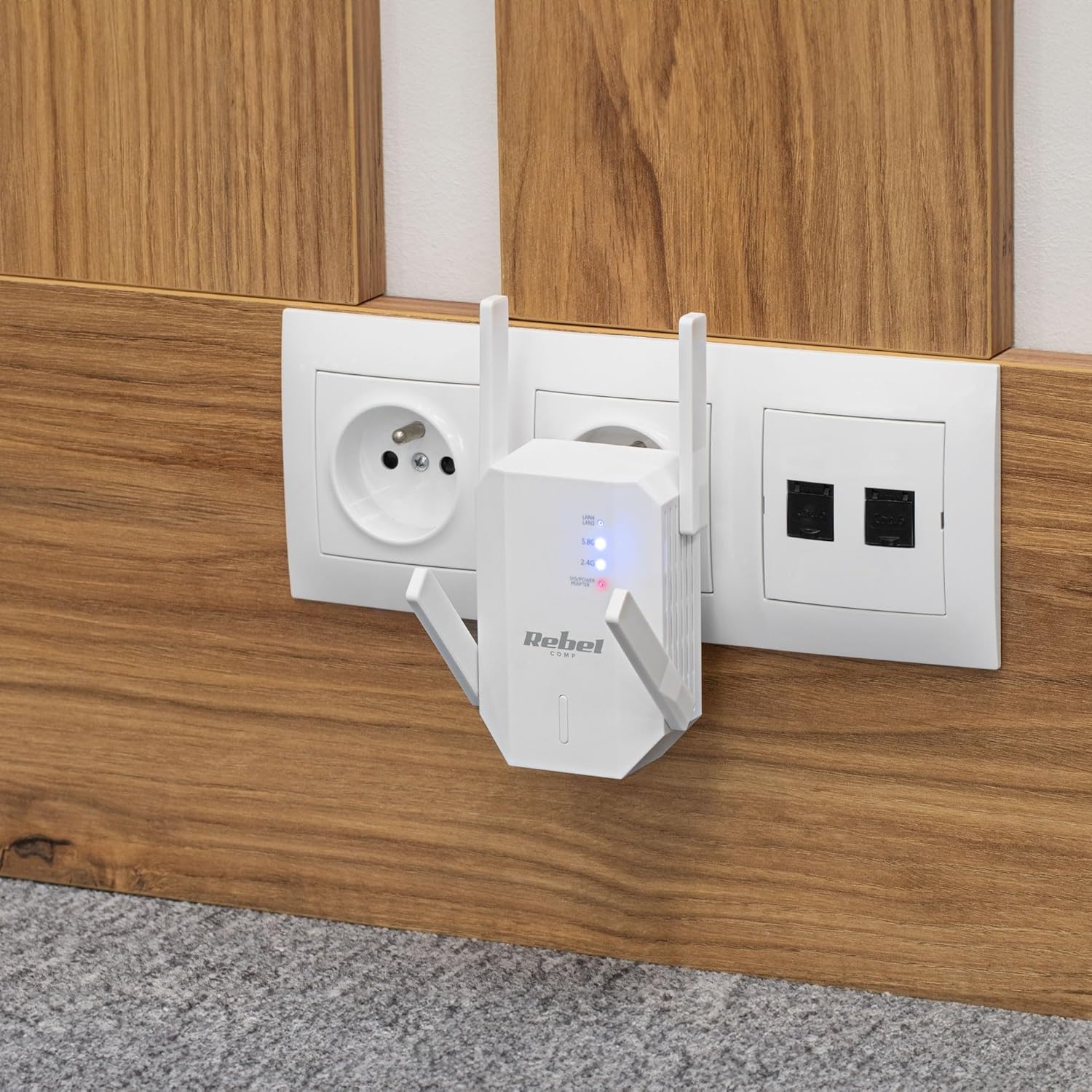
Kuva 4.1: The Rebel KOM1031 Repeater plugged into a wall outlet, ready for configuration.
4.2. Connecting to the Repeater
- Yhdistä langattomasti: On your computer or mobile device, search for available Wi-Fi networks. Connect to the network named "Rebel_XXXX" or similar (check the label on the device for the default SSID). No password is required for the initial connection.
- Pääsy Web Käyttöliittymä: Avaa a web browser (e.g., Chrome, Firefox, Edge) and enter the default IP address or domain name (usually 192.168.10.1 or rebelrepeater.net) osoiteriville. Paina Enter-näppäintä.
- Kirjaudu sisään: When prompted, enter the default username and password (usually järjestelmänvalvoja molemmille).
4.3. Configuration Wizard (Repeater Mode)
Most users will configure the device in Repeater Mode to extend an existing Wi-Fi network.
- Valitse toistintila: Käytössä web interface, select "Repeater Mode" or "Wi-Fi Repeater" from the available options.
- Verkkojen etsiminen: The device will scan for available Wi-Fi networks. Select your main Wi-Fi network (SSID) from the list.
- Anna salasana: Enter the Wi-Fi password (security key) of your main router.
- Configure Repeater SSID (Optional): You can choose to keep the same SSID as your main network or create a new one (e.g., "MyHome_EXT"). It is recommended to use a different SSID to easily distinguish between networks.
- Käytä asetuksia: Click "Apply" or "Save" to confirm your settings. The repeater will restart. This process may take a few minutes.
- Yhdistä uudelleen: After the repeater restarts, disconnect from the repeater's default Wi-Fi network and connect to your newly configured extended network (e.g., "MyHome_EXT") using the password you entered.
Your Rebel KOM1031 Repeater should now be extending your Wi-Fi network. Check the signal strength in previously weak areas.
5. Toimintatilat
The Rebel KOM1031 supports multiple operating modes to suit various networking needs.
5.1. Repeater Mode (Default)
In Repeater Mode, the device extends the coverage of an existing wireless network. It receives the wireless signal from your main router and re-transmits it, effectively expanding the Wi-Fi range. This is the most common mode for eliminating Wi-Fi dead zones.
5.2. Tukiasematila (AP)
In AP Mode, the device connects to a wired network (via an Ethernet cable) and broadcasts a new wireless network. This is useful for adding Wi-Fi capability to a wired-only network or creating a new Wi-Fi hotspot from a wired internet connection.
- Ethernet-yhteyden muodostaminen: Connect an Ethernet cable from your router or modem to one of the RJ45 ports on the KOM1031.
- Pääsy Web Käyttöliittymä: Follow steps 4.2 to access the web käyttöliittymä.
- Valitse AP-tila: Choose "AP Mode" or "Access Point" from the configuration options.
- Määritä Wi-Fi-asetukset: Aseta uusi SSID (verkon nimi) ja vahva salasana uudelle langattomalle verkollesi.
- Käytä asetuksia: Save the configuration. The device will restart and operate as an Access Point.
6. Huolto
Oikea huolto varmistaa laitteesi pitkän käyttöiän ja optimaalisen suorituskyvyn.
- Puhdistus: Puhdista laite pehmeällä, kuivalla liinalla. Älä käytä nestemäisiä puhdistusaineita tai aerosoleja.
- Ilmanvaihto: Varmista, että laite on hyvin ilmastoidussa tilassa. Älä tuki tuuletusaukkoja.
- Laiteohjelmistopäivitykset: Tarkista säännöllisesti valmistajan website for firmware updates. Updating firmware can improve performance and security.
- Nollaus: If the device malfunctions or you forget the login credentials, you can perform a factory reset. Locate the reset button (usually a small pinhole) and press it with a paperclip for 5-10 seconds while the device is powered on. The device will revert to factory default settings.
7. Vianmääritys
Jos kohtaat ongelmia, tutustu seuraaviin yleisiin ongelmiin ja ratkaisuihin.
7.1. Ei internetyhteyttä asennuksen jälkeen
- Tarkista pääreititin: Varmista, että pääreitittimessäsi on aktiivinen internetyhteys.
- Vahvista salasana: Double-check that you entered the correct Wi-Fi password for your main router during setup.
- Relocate Repeater: The repeater might be too far from your main router. Move it closer to ensure it receives a strong signal.
- Käynnistä laitteet uudelleen: Käynnistä pääreititin, toistin ja asiakaslaitteet uudelleen.
7.2. Ei pääsyä Web Hallintosivu
- Tarkista yhteys: Ensure your device is connected to the repeater's Wi-Fi network (either the default "Rebel_XXXX" or your configured extended network).
- Vahvista IP-osoite: Confirm you are using the correct IP address (e.g., 192.168.10.1) or domain name (rebelrepeater.net).
- Tyhjennä selaimen välimuisti: Kokeile tyhjentää web selaimen välimuistia tai käyttämällä toista selainta.
- Tehdasasetusten palautus: If all else fails, perform a factory reset (see Section 6. Maintenance) and try setting up again.
7.3. Weak Signal or Slow Speed
- Optimaalinen sijoitus: Ensure the repeater is placed optimally, roughly halfway between your router and the dead zone. Avoid physical obstructions like thick walls or metal objects.
- Häiriöt: Other electronic devices (microwaves, cordless phones) can cause interference. Try moving the repeater away from such devices.
- Antennin säätö: Adjust the external antennas for better signal reception and transmission.
8. Tekniset tiedot
| Ominaisuus | Yksityiskohta |
|---|---|
| Malli | KOM1031 |
| Merkki | Kapinallinen |
| Piirisarja | MTK7612 |
| Langattomat standardit | IEEE 802.11 a/b/g/n/ac |
| Taajuuskaistat | 2.4 GHz / 5 GHz (kaksikaistainen) |
| Tiedonsiirtonopeus | Jopa 300 Mbps (2.4 GHz), jopa 867 Mbps (5 GHz) |
| Antennit | 4 External (2 dBi each) |
| Suojausprotokollat | WEP, WPA/WPA2, WPS (64/128 bit) |
| Ethernet-portit | 2 x RJ45 (10/100 Mbps) |
| Wireless Range | Up to 100 meters (environment dependent) |
| Virtalähde | 110-240 V; 50/60 Hz; 2 A |
| Mitat | 87 x 63 x 55 mm |
| Paino | 76 g |
| Samanaikaiset käyttäjät | Tukee jopa 10 käyttäjää samanaikaisesti |
9. Turvallisuustiedot
Please read and follow these safety guidelines to prevent damage to the device or injury to yourself.
- Älä altista laitetta vedelle, kosteudelle tai äärimmäisille lämpötiloille.
- Älä yritä purkaa tai korjata laitetta itse. Jätä kaikki huoltotyöt pätevän henkilöstön tehtäväksi.
- Ensure the power outlet used is easily accessible and provides the correct voltage (110-240 V).
- Vältä sijoittamasta laitetta lämmönlähteiden lähelle tai suoraan auringonpaisteeseen.
- Pidä laite poissa lasten ja lemmikkien ulottuvilta.
10. Takuu ja tuki
For warranty information, technical support, or further assistance, please refer to the official Rebel website or contact your retailer. Please have your product model number (KOM1031) and purchase details ready when seeking support.