1. Johdanto
Thank you for choosing the Takstar V4 Wireless Video Microphone System. This system is designed to provide high-quality audio recording for various applications, including video production with DSLRs, smartphones, and cameras. It features 2.4GHz wireless transmission, real-time monitoring, noise reduction, and versatile compatibility. Please read this manual thoroughly before use to ensure proper operation and to maximize the performance of your device.
2. Pakkauksen sisältö
Varmista, että pakkauksessasi on kaikki alla luetellut tuotteet. Jos jokin tuote puuttuu tai on vaurioitunut, ota yhteyttä jälleenmyyjään.
- V4 Wireless Video Microphone (Transmitter and Receiver units)
- Latauskotelo
- Audio Cables (e.g., 3.5mm TRS for cameras, 3.5mm TRRS for smartphones, Lightning/USB-C adapters if included) - Note: Specific cable types may vary based on package version.
- USB-latauskaapeli
- Windscreen/Dead Cat (for outdoor use)
- Käyttöopas (tämä asiakirja)
3. Tuote ohiview
The Takstar V4 system consists of a transmitter, a receiver, and a portable charging case. Familiarize yourself with the components and their functions.
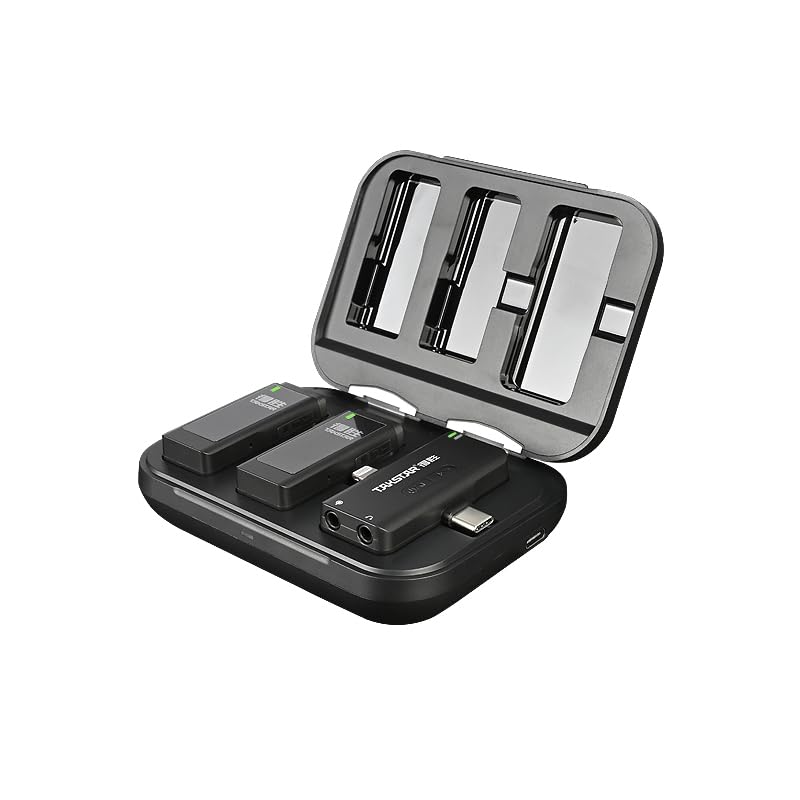
Kuva 3.1: Takstar V4 Wireless Microphone System (Charging Case Open)
This image displays the Takstar V4 wireless microphone system with its charging case open. Inside the case, two transmitter units and one receiver unit are visible, indicating a dual-channel system. The units are compact and designed to fit securely within the case for charging and storage.
3.1 lähetin (TX)
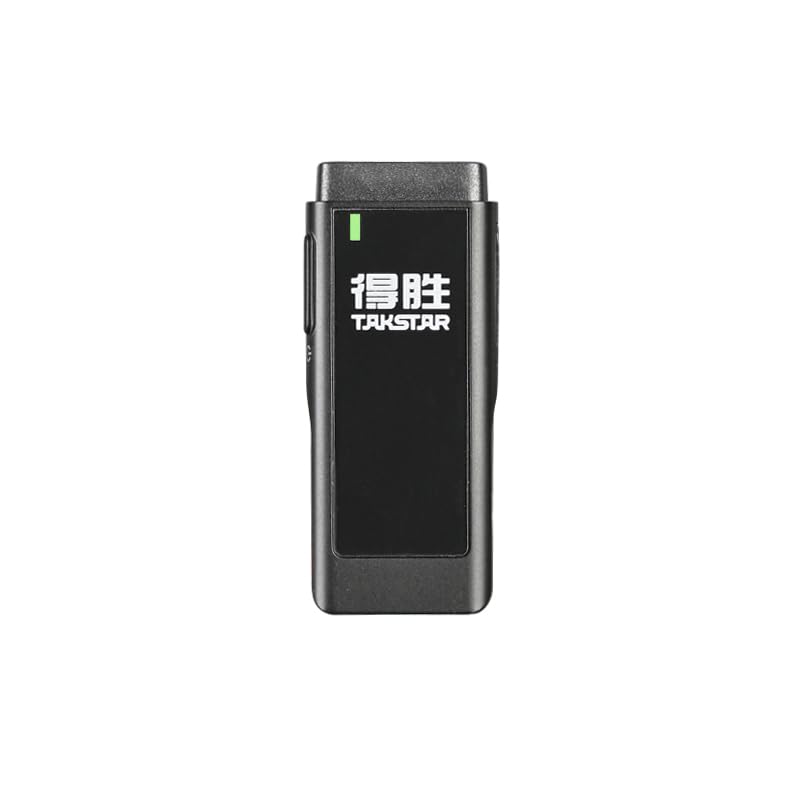
Kuva 3.2: Lähetinyksikkö
The transmitter unit features an integrated microphone, a power indicator, and controls for various functions. It is designed to be clipped onto clothing for discreet audio capture.
- Integroitu mikrofoni: Monisuuntainen nouto.
- Power/Status Indicator: Displays power status and connection.
- Virtapainike: On/Off, pairing.
- Kohinanvaimennuspainike: Cycles through noise reduction modes.
- TF-korttipaikka: For local audio storage.
- USB-C-portti: For charging and data transfer (if applicable).
3.2 vastaanotin (RX)
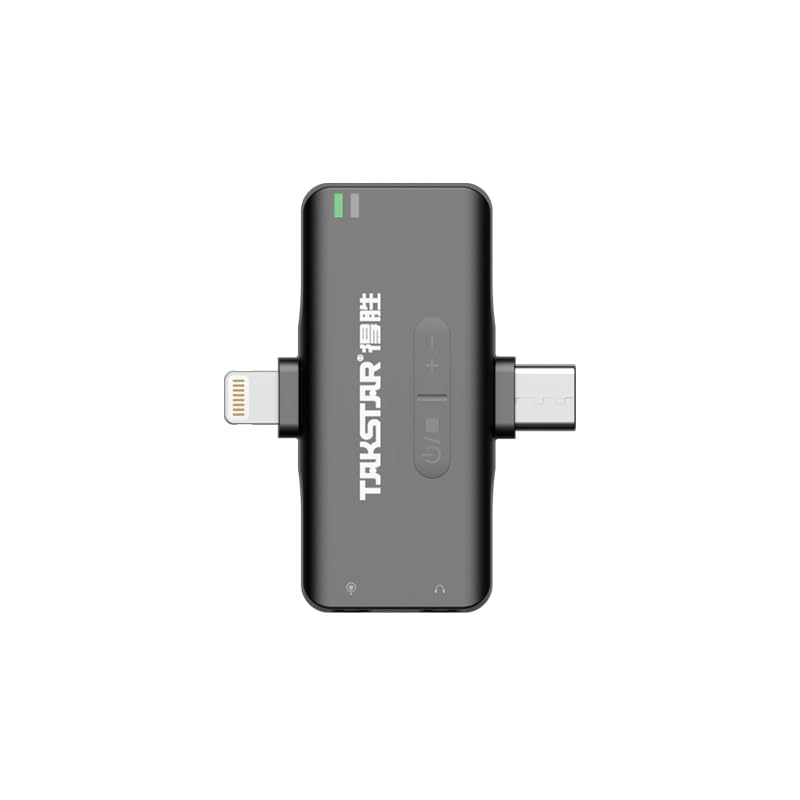
Kuva 3.3: Vastaanotinyksikkö
The receiver unit connects to your recording device (camera, smartphone). It features a connector for the device, volume controls, and a monitoring port.
- Laitteen liitin: USB-C, Lightning, or 3.5mm TRS/TRRS for connection to recording devices.
- Äänenvoimakkuuden säätöpainikkeet: Säädä ulostulon äänenvoimakkuutta.
- 3.5 mm valvontaportti: For real-time audio monitoring with headphones.
- Power/Status Indicator: Displays power status and connection.
3.3 Latauskotelo
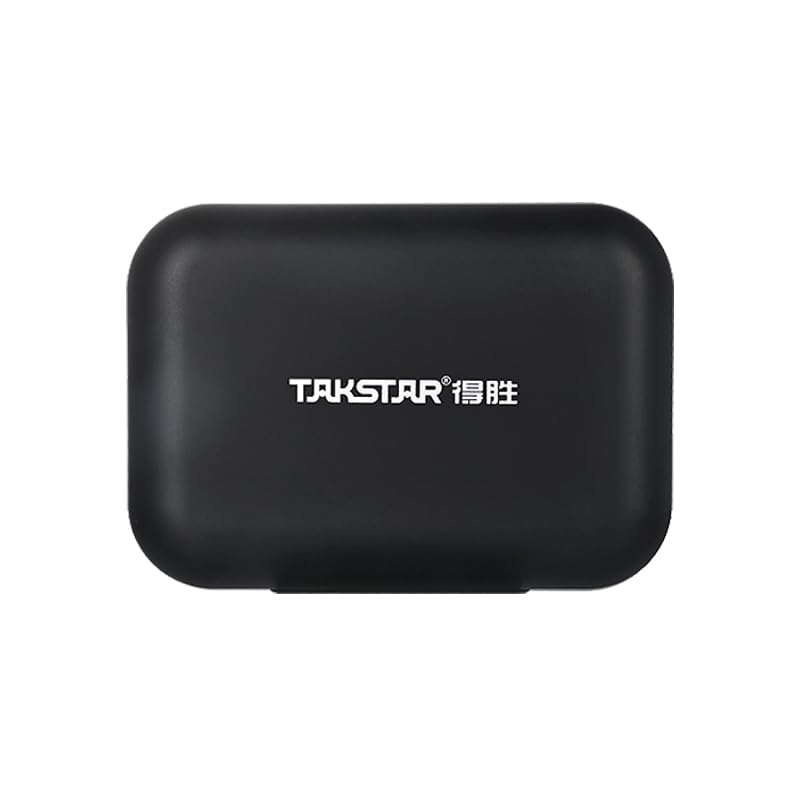
Kuva 3.4: Latauskotelo
The portable charging case stores and recharges the transmitter and receiver units, providing extended battery life for on-the-go use.
- Latauspaikat: Securely holds and charges TX and RX units.
- USB-C-latausportti: Itse kotelon lataamiseen.
- Pariston ilmaisin: Näyttää latauskotelon akun varaustason.
4. Asennusopas
4.1 Ensimmäinen lataus
Before first use, fully charge the transmitter, receiver, and charging case.
- Place the transmitter(s) and receiver into the charging case.
- Liitä latauskotelo USB-virtalähteeseen mukana toimitetulla USB-latauskaapelilla.
- The indicators on the units and case will show charging status. Once fully charged, the indicators will change (e.g., turn solid green or off).

Kuva 4.1: Järjestelmän lataaminen
This image illustrates the portable charging case in use, with the microphone units placed inside. It highlights the convenience of charging the system while on the move, ideal for outdoor recording sessions or interviews.
4.2 Tallennuslaitteisiin kytkeminen
The V4 system offers universal compatibility with cameras, iOS, and Android devices.
- Kameroille (DSLR/peilittömät): Connect the receiver's 3.5mm output to your camera's microphone input using the appropriate 3.5mm TRS cable.
- For Smartphones (iOS/Android): Directly plug the receiver into your smartphone's Lightning port (for iOS) or USB-C port (for Android). Ensure your phone supports external microphones.

Kuva 4.2: Versatile Application and Compatibility
This image demonstrates the Takstar V4's broad compatibility, showing its use in various scenarios such as live streaming, vlogging, general filming, and interviews. It highlights the system's ability to connect to cameras, DSLRs, Android, and Apple smartphones.
4.3 Pariliitos (automaattinen)
The Takstar V4 system utilizes 2.4GHz wireless transmission, and units typically pair automatically upon powering on. If pairing does not occur:
- Varmista, että sekä lähetin(t) että vastaanotin ovat päällä.
- Refer to the specific pairing instructions in the quick start guide if manual pairing is required (usually involves pressing and holding a button on both units).
- A solid indicator light on both units typically signifies a successful connection.
5. Käyttöohjeet
5.1 Virta päälle/pois
- Virta päälle: Press and hold the power button on the transmitter and receiver until the indicator light illuminates.
- Virta pois: Paina virtapainiketta uudelleen ja pidä sitä painettuna, kunnes merkkivalo sammuu.
- Automaattinen sammutus: The receiver and transmitter feature a smart shutdown function, automatically powering off after 10 minutes without connection to conserve battery.
5.2 Äänenvoimakkuuden säätö
Use the volume control buttons on the receiver to adjust the audio output level. There are typically 3 steps of adjustable volume.
5.3 Reaaliaikainen seuranta
Connect headphones to the 3.5mm monitoring port on the receiver to listen to the audio being recorded in real-time. This allows you to verify audio quality and levels during recording.
5.4 Kohinanvaimennustilat
The transmitter features selectable noise reduction modes to adapt to various recording environments. Press the noise reduction button on the transmitter to cycle through the available modes (e.g., Off, Low, High). The indicator light may change to reflect the active mode.
5.5 TF Card Audio Storage
The transmitter supports local TF card audio storage, providing a backup in case of wireless signal interruption or for standalone recording.
- Insert a TF card (not included) into the designated slot on the transmitter.
- When recording, the audio will automatically be saved to the TF card.
- To access recordings, connect the transmitter to a computer via USB-C or remove the TF card and use a card reader.
Kuva 5.1: TF-kortin säilytys
This image depicts a TF card being inserted into the side slot of the Takstar V4 transmitter unit. It visually explains the 'Auto Record To TF Storage' feature, where an inserted TF card allows for automatic local audio backup, indicated by an LED.
5.6 Standalone Voice Recorder
The microphone transmitter can function as a standalone voice recorder, allowing you to record audio directly to the inserted TF card without being connected to a receiver or recording device.
- Ensure a TF card is inserted into the transmitter.
- Power on the transmitter. Recording will typically begin automatically or can be initiated by a specific button press (refer to quick start guide for exact trigger).
- Power off the transmitter to stop and save the recording.
6. Huolto
- Puhdistus: Use a soft, dry cloth to clean the units and charging case. Avoid using harsh chemicals or abrasive materials.
- Varastointi: Store the system in a cool, dry place away from direct sunlight and extreme temperatures. Always store units in the charging case when not in use.
- Akun hoito: To prolong battery life, avoid fully discharging the units frequently. Recharge regularly, even if not in constant use.
- Veden altistuminen: The units are not waterproof. Avoid exposure to water or high humidity.
7. Vianmääritys
7.1 Ei äänilähtöä
- Ensure both transmitter and receiver are powered on and successfully paired (indicator lights solid).
- Check the connection cable between the receiver and your recording device. Ensure it is fully inserted and the correct type (TRS for camera, TRRS for smartphone, or direct digital connection).
- Verify the volume level on the receiver and your recording device.
- Test with headphones connected to the receiver's monitoring port to isolate the issue.
- Ensure the recording app on your smartphone is configured to use an external microphone.
7.2 Poor Audio Quality / Interference
- Ensure the transmitter is within the effective operating range (up to 120m line-of-sight). Obstacles can reduce range.
- Check for strong Wi-Fi or other 2.4GHz devices nearby that might cause interference.
- Activate noise reduction modes on the transmitter to mitigate environmental noise.
- Ensure the microphone is positioned correctly and not rubbing against clothing. Use the included windscreen for outdoor recording.
7.3 Units Not Charging
- Ensure the USB charging cable is securely connected to both the charging case and a working power source.
- Verify that the units are correctly seated in their charging slots within the case.
- Tarkista latauskotelon akun varaustaso.
8. Tekniset tiedot
| Ominaisuus | Yksityiskohta |
|---|---|
| Merkki | Takstar |
| Malli | V4 |
| Yhteystekniikka | Wireless (2.4GHz), Auxiliary |
| Liittimen tyyppi | 3.5 mm Jack, USB-C, Lightning (depending on receiver variant) |
| Yhteensopivat laitteet | Camera, iOS Devices, Android Devices |
| Mikrofonin muototekijä | Lavalier |
| Napainen kuvio | Monisuuntainen |
| Erikoisominaisuudet | Portable, Rechargeable, Wireless, Noise Reduction, Real-time Monitoring, TF Card Storage |
| Toiminta-alue | Up to 120m (line-of-sight) |
| Akun kesto (lähetin) | Up to 10 hours (continuous playtime when connected to camera via 3.5mm interface) |
| Latauskotelon akku | 2000mAh (ladattava) |
| Signaali-kohinasuhde | 64 dB |
| Taajuusvaste | 20 Hz - 20 kHz (typical, inferred) |
| Tuotteen paino | 128 g (noin) |
| Tuotteen mitat | 5.34 x 4.36 x 2.21 cm (noin) |
| Alkuperämaa | Kiina |
Huomaa: Teknisiä tietoja voidaan muuttaa ilman erillistä ilmoitusta.
9. Takuu ja tuki
For warranty information, technical support, or service inquiries, please contact your local Takstar distributor or visit the official Takstar websivusto. Säilytä ostokuitti takuuvaatimuksia varten.
Verkkoresurssit:
- Official Takstar Websivusto: www.takstar.com


