1. Johdanto
Thank you for choosing the Cherry KW 7100 Mini Multi-Device Compact Keyboard. This manual provides essential information for setting up, operating, and maintaining your new keyboard. Designed for versatility and portability, this keyboard offers seamless connectivity across multiple devices.
2. Mitä laatikossa on
- Cherry KW 7100 Mini Multi-Device Compact Keyboard
- USB-C–USB-A-lataus-/liitäntäkaapeli
- 2x AAA-paristot
- 2.4 GHz Wireless Nano Receiver (stored magnetically in the keyboard)
- Kantolaukku
- Käyttöohje

Kuva 1: Ylhäältä alas view of the Cherry KW 7100 Mini Keyboard.
3. Asennus
3.1. Akun asennus
- Paikanna paristolokero näppäimistön alapuolelta.
- Liu'uta paristokotelon kansi auki.
- Aseta kaksi AAA-paristoa paikoilleen varmistaen oikea napaisuus (+/-).
- Sulje paristolokeron kansi kunnolla.
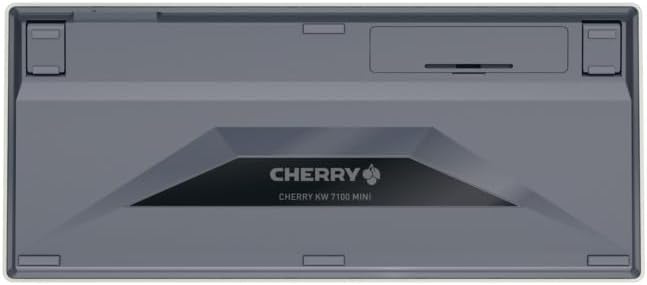
Figure 2: Underside of the keyboard with the battery compartment.
3.2. Näppäimistön liittäminen
The Cherry KW 7100 Mini supports three connection methods: Bluetooth, 2.4 GHz Wireless, and Wired USB-C.
3.2.1. Bluetooth-yhteys (enintään 3 laitetta)
- Kytke näppäimistö päälle sivulla olevasta virtakytkimestä.
- Press and hold one of the Bluetooth channel keys (F1, F2, or F3) for 3-5 seconds until the corresponding LED indicator blinks rapidly. This indicates pairing mode.
- On your device (laptop, smartphone, tablet), navigate to Bluetooth settings and search for available devices.
- Select "Cherry KW 7100" from the list to pair. The LED will stop blinking and remain solid for a few seconds upon successful connection.
- Repeat for up to two additional devices using the other Bluetooth channel keys (F1, F2, or F3).
3.2.2. 2.4 GHz:n langaton yhteys
- Locate the 2.4 GHz wireless nano receiver, typically stored magnetically in a slot on the underside of the keyboard.
- Insert the nano receiver into an available USB-A port on your computer.
- Käynnistä näppäimistö virtakytkimellä. Näppäimistön pitäisi muodostaa automaattisesti yhteys vastaanottimeen.
3.2.3. Langallinen USB-C-yhteys
- Connect one end of the provided USB-C cable to the USB-C port on the keyboard.
- Connect the other end of the USB-C cable to an available USB-A port on your computer.
- The keyboard will function as a wired keyboard.
Video 1: Demonstrating the setup and typing experience of the Cherry KW 7100 Mini Keyboard.
4. Näppäimistön käyttö
4.1. Vaihtaminen yhdistettyjen laitteiden välillä
To switch between paired Bluetooth devices, simply press the corresponding Bluetooth channel key (F1, F2, or F3) that your device is paired to. The keyboard will automatically connect to the selected device.
4.2. Function Keys (FN)
The keyboard features a dedicated FN key, typically located near the right Shift key. This key, in combination with other keys, activates secondary functions such as media controls, screen brightness, and other system commands. Refer to the keycap legends for specific FN key combinations.
4.3. LED-ilmaisimet
LED indicators on the keyboard provide information about its status:
- Bluetooth Channel LEDs (F1, F2, F3): Indicate the currently active Bluetooth connection or pairing mode.
- Caps Lock -merkkivalo: Palaa, kun Caps Lock on aktiivinen.
- Akun tilan merkkivalo: Osoittaa alhaisen akun varaustason.
4.4. Säädettävät jalat
The keyboard is equipped with stable, fold-out feet on the underside. These allow you to adjust the typing angle for improved ergonomics and comfort.
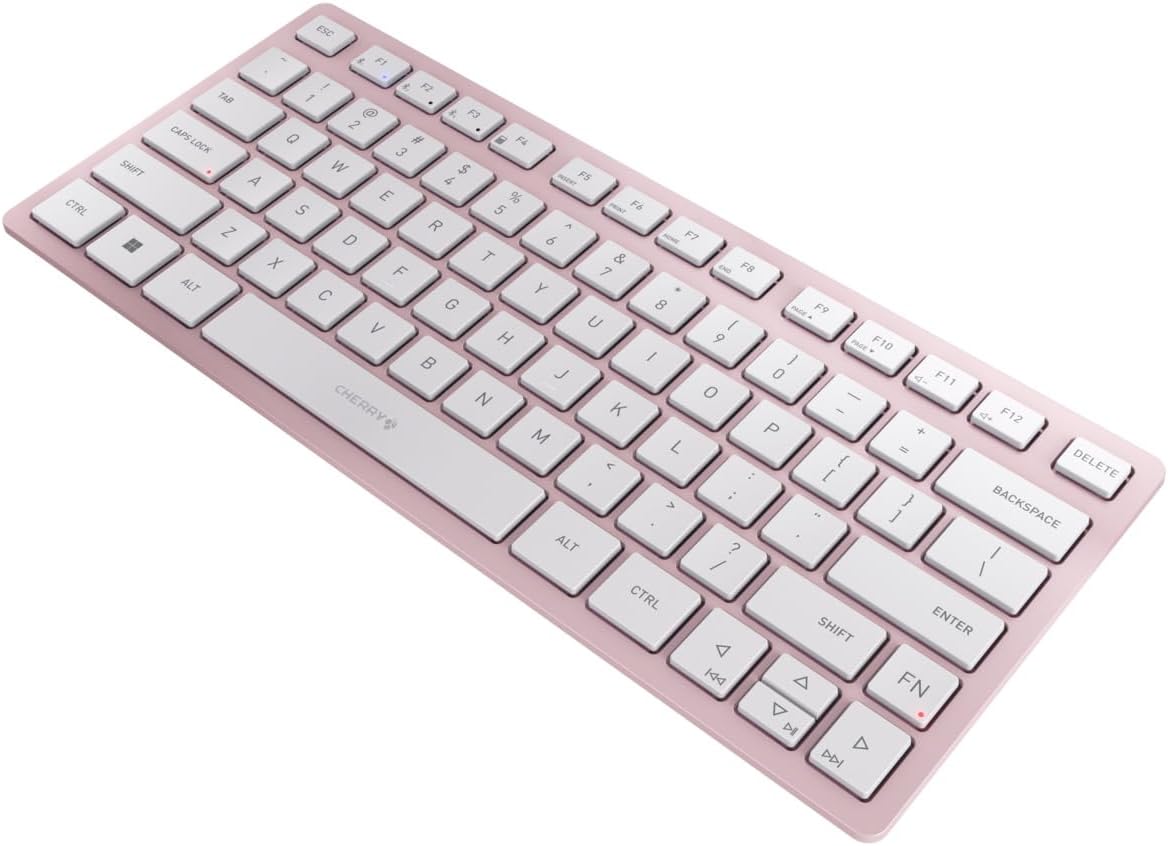
Kuva 3: Kulmassa view of the keyboard, highlighting its slim profile.

Kuva 4: Sivu view showing the adjustable feet extended for an ergonomic typing angle.
5. Huolto
5.1. Puhdistus
To clean your keyboard, gently wipe the keycaps and surface with a soft, lint-free cloth. For stubborn dirt, slightly dampen the cloth with water or a mild, non-abrasive cleaning solution. Avoid excessive moisture and do not spray cleaners directly onto the keyboard.
5.2. Varastointi
When not in use, especially during travel, store the keyboard in its included carrying case to protect it from dust, scratches, and minor impacts.

Figure 5: The keyboard stored in its protective carrying case.
6. Vianmääritys
6.1. Näppäimistö ei muodosta yhteyttä
- Varmista, että näppäimistö on päällä.
- Tarkista paristot ja vaihda ne tarvittaessa.
- For Bluetooth, ensure the correct channel (F1, F2, or F3) is selected and the keyboard is in pairing mode (blinking LED).
- For 2.4 GHz wireless, ensure the nano receiver is securely plugged into a USB-A port.
- Try connecting via the USB-C cable to rule out wireless issues.
- Käynnistä laite uudelleen ja yritä muodostaa laitepari uudelleen.
6.2. Näppäimet eivät vastaa
- Tarkista liitäntä yllä kuvatulla tavalla.
- Varmista, ettei näppäinten alle ole jäänyt roskia.
- Jos käytät langallista yhteyttä, kokeile toista USB-porttia tai kaapelia.
6.3. Lyhyt akunkesto
- Ensure you are using fresh, high-quality AAA batteries.
- Turn off the keyboard when not in use to conserve battery power.
7. Tekniset tiedot
| Ominaisuus | Erittely |
|---|---|
| Mallin nimi | Viikko 7100 |
| Tuotteen mallinumero | JK-7100US-19 |
| Merkki | Kirsikka |
| Yhteystekniikka | Bluetooth 5.1 (3 channels), 2.4 GHz Wireless, USB-C Wired |
| Yhteensopivat laitteet | Kannettava tietokone, älypuhelin, tabletti |
| Näppäimistön kuvaus | Compact, Multi-Device |
| Keskeinen mekanismi | CHERRY SX Scissor Mechanism |
| Virtalähde | 2x AAA-paristot |
| Salaus | AES-128 |
| Tuotteen mitat | 11.6 x 5.1 x 0.6 tuumaa |
| Tuotteen paino | 1.4 kiloa |
| Materiaali | Metallia, Muovia |
| Väri | Kirsikankukka |
8. Takuu ja tuki
This product is covered by Cherry's standard manufacturer warranty. For detailed warranty information, technical support, or service inquiries, please visit the official Cherry websivustolta tai ota yhteyttä suoraan heidän asiakastukeen.
Valmistaja: Kirsikka
Websivusto: www.cherry.de