Johdanto
This manual provides detailed instructions for the setup, operation, and maintenance of your NITHO Drive Pro ONE V24 Racing Wheel with Pedals. Please read this guide thoroughly before using the product to ensure proper functionality and a safe gaming experience. The Drive Pro ONE V24 is designed for use with PlayStation 4, Xbox Series X/S, Xbox One, PC (X-Input), and Nintendo Switch. Please note that this product is intended for arcade games only.

Kuva: Edessä view of the NITHO Drive Pro ONE V24 Racing Wheel, showcasing sen suunnittelu ja hallintalaitteet.
Pakkauksen sisältö
Varmista, että pakkauksessasi on kaikki alla luetellut tuotteet:
- NITHO Drive Pro ONE V24 Racing Wheel
- Poljinyksikkö (kaasu- ja jarrupoljin)
- USB-liitäntäkaapeli
- Asennus Clamps (2 yksikköä)
- Removable Suction Cups (5 units)
- Käyttöopas (tämä asiakirja)

Image: Contents of the box, showing the racing wheel, pedal unit, cables, and mounting accessories.
Asennus
1. Kilpapyörän asennus
The Drive Pro ONE V24 offers two mounting options for stability:
Käyttämällä asennusta Clamps:
- Attach the two mounting clamps to the designated slots on the underside of the racing wheel base.
- Place the racing wheel on a stable surface (e.g., a desk or racing stand).
- Kiristä clamps securely to prevent movement during use. Ensure the surface thickness is compatible with the clamps.

Kuva: Kuva cl:stäamp mounting system, demonstrating how to secure the wheel to a surface.
Using Removable Suction Cups:
- The racing wheel base is equipped with five removable suction cups.
- Ensure the surface is clean and smooth for optimal suction.
- Press the wheel firmly onto the surface to engage the suction cups.
- To remove, gently lift the edges of the suction cups. These can be removed if not needed for a more stable clamp asennus.

Image: Diagram illustrating the removable suction cups on the underside of the racing wheel, highlighting their function.
2. Poljinyksikön kytkeminen
Connect the cable from the pedal unit to the designated port on the back of the racing wheel base.
3. Connecting to Your Gaming System
Connect the USB cable from the racing wheel to an available USB port on your console (PlayStation 4, Xbox Series X/S, Xbox One, Nintendo Switch) or PC. The system should automatically detect the device. For PC, the wheel operates in X-Input mode.
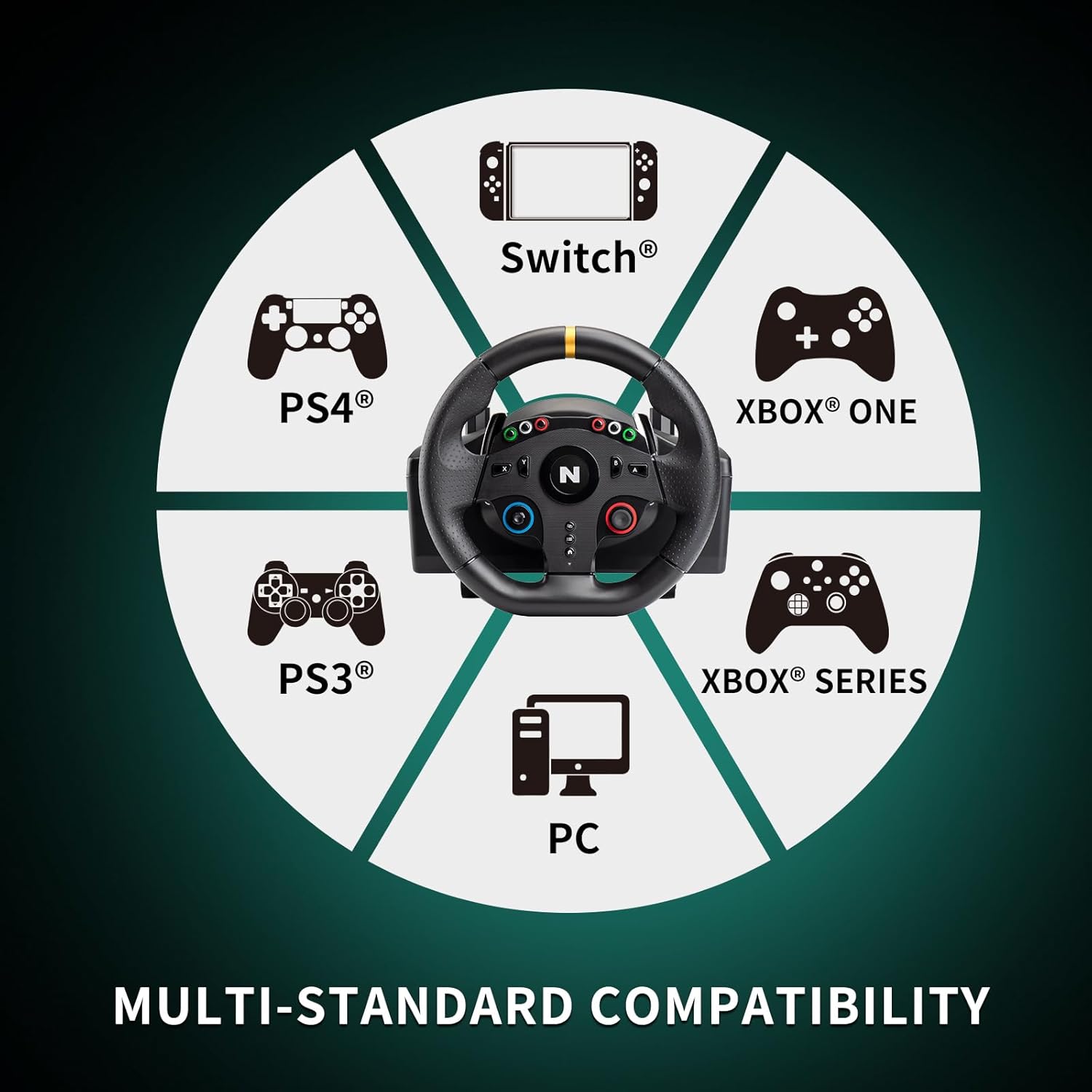
Image: A circular diagram illustrating the multi-platform compatibility of the racing wheel, including Switch, PS4, PS3, Xbox One, Xbox Series, and PC.
Käyttöohjeet
1. Ohjauspyörän käyttö
The NITHO Drive Pro ONE V24 features a 10-inch (255mm) steering wheel with a 270-degree lock-to-lock rotation. This allows for precise steering control in racing games. The high-quality rubber grips provide a comfortable and secure hold during gameplay. The robust and precise internal mechanism is designed to simulate realistic driving sensations, allowing you to feel understeer, oversteer, and drifts.

Image: A visual representation of the steering wheel's 270-degree rotation capability.

Image: An illustration depicting the internal mechanism of the racing wheel, contributing to a realistic driving experience.
2. On-Wheel Controls
The steering wheel is equipped with 28 action buttons, a D-Pad, and an analog stick for comprehensive control within your games. Refer to your game's control settings to customize button assignments as needed.

Kuva: Yksityiskohtainen view of the central part of the steering wheel, showing the various buttons, D-Pad, and analog stick.
3. Paddle Shifters
Utilize the integrated paddle shifters located behind the steering wheel for quick and responsive gear changes, enhancing your racing experience.

Image: An illustration showing the paddle shifters located behind the steering wheel, indicating their function.
4. Pedal Unit Usage
The compact XL pedal unit includes an analog accelerator and a non-linear brake pedal, providing realistic feedback for acceleration and braking. Position the pedal unit on the floor for comfortable use.

Kuva: Selkeä view of the two-pedal unit, featuring the accelerator and brake pedals.
5. Vibration Effect
The racing wheel features a vibration effect that provides tactile feedback, simulating in-game events such as collisions, road textures, and engine RPMs, enhancing immersion.

Image: An illustration of the steering wheel with wavy lines indicating the vibration effect.
Huolto
To ensure the longevity and optimal performance of your NITHO Drive Pro ONE V24 Racing Wheel, follow these maintenance guidelines:
- Puhdistus: Use a soft, dry cloth to wipe down the racing wheel and pedal unit. Avoid using abrasive cleaners or solvents, as these can damage the surfaces.
- Varastointi: Kun laitetta ei käytetä, säilytä sitä puhtaassa, kuivassa paikassa, poissa suorasta auringonvalosta ja äärimmäisistä lämpötiloista.
- Kaapelihuolto: Avoid sharp bends or kinks in the cables. Do not pull on the cables to disconnect the device.
Vianetsintä
If you encounter issues with your NITHO Drive Pro ONE V24, please refer to the following common solutions:
- Laitetta ei tunnisteta:
- Ensure all cables are securely connected to both the racing wheel and your gaming system/PC.
- Kokeile kytkeä USB-kaapeli toiseen USB-porttiin.
- Käynnistä pelikonsoli tai tietokone uudelleen.
- For PC, ensure necessary drivers are installed (usually automatic, but check device manager).
- Ei tärinäpalautetta:
- Varmista, että pelaamasi peli tukee värinäpalautetta.
- Tarkista pelin asetuksista, että värinä on käytössä.
- Virheellinen painikkeiden yhdistäminen:
- Access the control settings within your game to remap buttons as desired.
- Some games may require manual configuration for optimal performance.
- Steering or Pedal Inaccuracy:
- Ensure the wheel is securely mounted and not shifting during use.
- Calibrate the wheel and pedals if your game or system offers this option.
- Compatibility Issues (Nintendo Switch/Xbox):
- While the product is designed for multi-platform compatibility, some users have reported specific game or system configurations requiring adjustments. Ensure your console's firmware is up to date.
- Remember this product is primarily for arcade-style racing games.
If the problem persists, please contact NITHO customer support for further assistance.
Tekniset tiedot
| Mallinumero | MLT-DP16-K |
| Ohjauspyörän halkaisija | 10 tuumaa (255 XNUMX mm) |
| Pyörimiskulma | 270 degrees (lock-to-lock) |
| Yhteensopivuus | PlayStation 4, Xbox Series X/S, Xbox One, PC (X-Input), Nintendo Switch |
| Säätimet | 28 action buttons, D-Pad, Analog Stick, Paddle Shifters |
| Polkimet | Analog Accelerator, Non-linear Brake |
| Asennusvaihtoehdot | Integroitu Clamps, Removable Suction Cups |
| Product Dimensions (Wheel) | Approx. 28 cm (W) x 27 cm (H) x 31 cm (D) / 11.02 in (W) x 10.63 in (H) x 12.20 in (D) |
| Product Dimensions (Pedals) | Approx. 22 cm (W) x 9 cm (H) x 19 cm (D) / 8.66 in (W) x 3.54 in (H) x 7.48 in (D) |
| Paino | 3.96 kg (vain tuote) |
| Alkuperä | Kiina |

Image: Detailed diagram displaying the width, height, and depth measurements for both the racing wheel and the pedal unit.
Takuu ja tuki
NITHO products are manufactured to high-quality standards. For warranty information or technical support, please refer to the warranty card included in your product packaging or visit the official NITHO websivusto. Säilytä ostokuittisi mahdollisten takuuvaatimusten varalta.
For further assistance, you may contact NITHO customer service through their official channels.


