Keychron Q6P-M1

Keychron Q6 Pro Full Aluminum Custom Mechanical Keyboard User Manual

Model: Q6P-M1

1. Johdanto

Welcome to the user manual for your Keychron Q6 Pro Full Aluminum QMK/VIA Programmable Knob Bluetooth Custom Mechanical Keyboard. This keyboard is designed to provide an exceptional typing experience with its full-size layout, durable aluminum body, and advanced customization options. It features hot-swappable Keychron K Pro Red mechanical switches, KSA double-shot PBT keycaps, a double-gasket design, screw-in stabilizers, and south-facing RGB backlighting.

The Q6 Pro offers both wireless (Bluetooth 5.1) and wired (USB Type-C) connectivity, making it versatile for various devices including laptops, phones, and tablets. Its QMK/VIA compatibility allows for extensive key remapping and macro creation, powered by an ultra-low-power ARM Cortex-M4 32-bit STM32L432 chip.

Keychron Q6 Pro keyboard with red switch detail

Image 1.1: Keychron Q6 Pro Full Aluminum Custom Mechanical Keyboard with a close-up of a red switch.

2. Pakkauksen sisältö

Varmista, että pakkauksessasi on kaikki tarvittavat osat:

  • 1x Täysin koottu näppäimistö
  • 1x alumiinikotelo
  • 1x piirilevy (piirilevy)
  • 1x PC-levy
  • 1x ääntä vaimentava vaahto
  • 1x kotelovaahto
  • 16x tiivisteet (12 asennettuna ja 4 laatikossa)
  • 8 sarjaa x stabilisaattorit
  • 1 set x Keycaps (Double-Shot KSA PBT)
  • 1 sarja x kytkimet
  • 1x Type-C - Type-C -kaapeli
  • 1x Type-A–C-sovitin
  • 1x kytkimen vedin
  • 1x avaimenperän vedin
  • 1x ruuvimeisseli
  • 1x kuusioavain
Diagram showing contents of the Keychron Q6 Pro package

Image 2.1: Visual representation of the Keychron Q6 Pro package contents, including the keyboard, cables, and tools.

3. Asennus

3.1 Ensimmäinen lataus

Before first use, it is recommended to fully charge the keyboard. Connect the provided USB Type-C cable to the keyboard's Type-C port and the other end to a USB power source (e.g., computer, wall adapter). The keyboard contains a 4000 mAh rechargeable Li-polymer battery.

3.2 Langallinen yhteys

To use the keyboard in wired mode, connect the USB Type-C cable from the keyboard to your computer. The keyboard will automatically detect the wired connection. The polling rate in wired mode is 1000 Hz.

3.3 Langaton Bluetooth-yhteys

The Q6 Pro can connect to up to 3 devices wirelessly via Bluetooth 5.1.

  1. Varmista, että näppäimistö on ladattu.
  2. Toggle the switch on the back of the keyboard to the Bluetooth (BT) mode.
  3. On your device (laptop, phone, tablet), enable Bluetooth and search for available devices.
  4. Select "Keychron Q6 Pro" from the list of devices.
  5. Anna näytöllä näkyvä pariliitoskoodi, jos sitä pyydetään.
  6. To switch between paired devices, use the designated function keys (refer to the keyboard layout or QMK/VIA software for specific key combinations). The polling rate in wireless mode is 90 Hz.
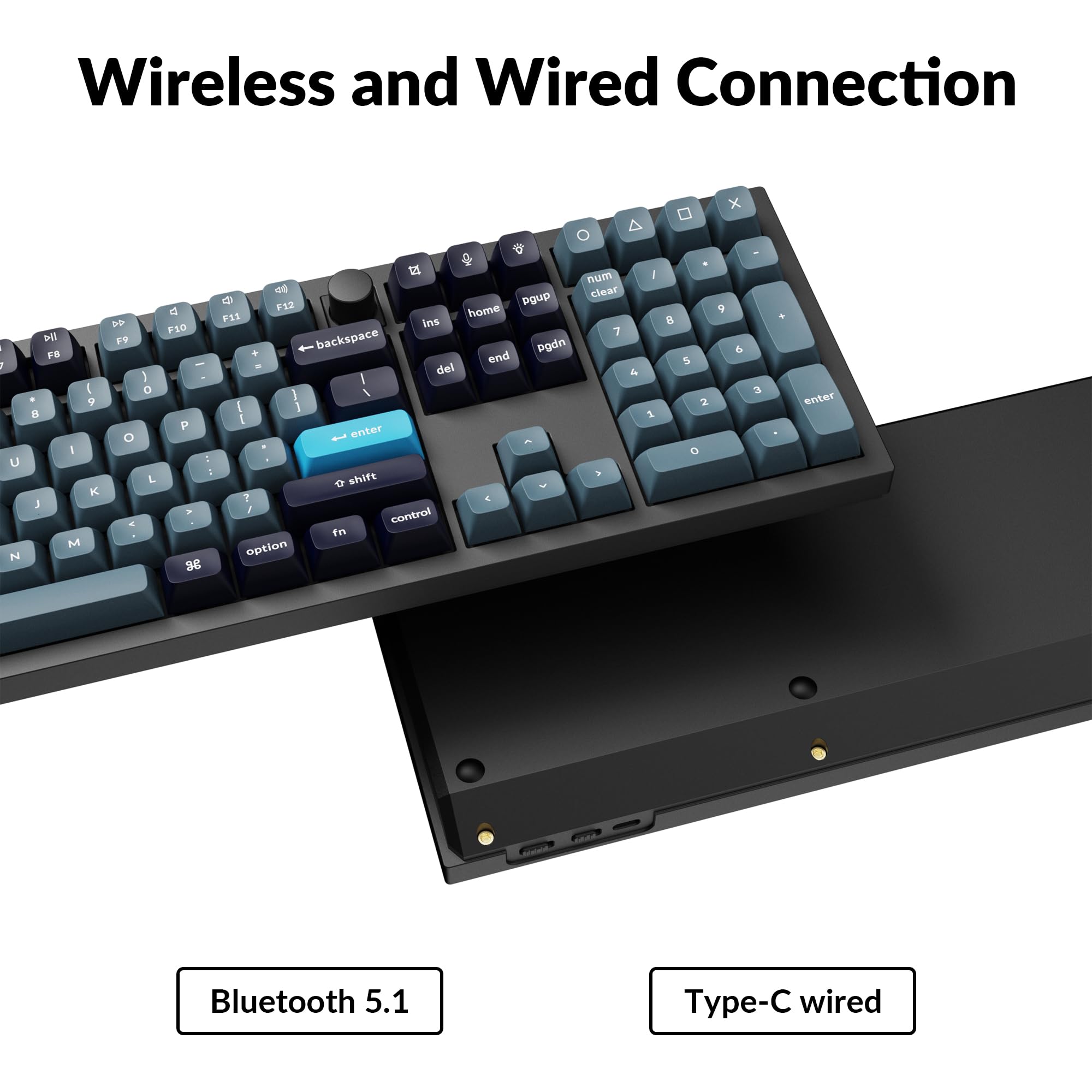
Close-up of Keychron Q6 Pro's USB-C port and wireless switch

Image 3.1: The USB Type-C port and the wireless/wired mode switch on the Keychron Q6 Pro keyboard.

3.4 Käyttöjärjestelmän vaihto

The keyboard is compatible with both Mac and Windows operating systems. Use the OS switch located on the back of the keyboard to select the appropriate mode for your system. This ensures correct key mapping for modifier keys like Command/Alt.

4. Käyttöohjeet

4.1 QMK/VIA-räätälöinti

The Keychron Q6 Pro supports QMK/VIA firmware, allowing extensive customization of key functions, macros, and lighting effects. To use VIA:

  1. Lataa VIA-ohjelmisto Keychronin viralliselta sivustolta websivusto (www.keychron.com/pages/qmk-via).
  2. Connect your keyboard to your computer via the USB Type-C cable.
  3. Launch the VIA application. The software should automatically detect your Q6 Pro keyboard.
  4. You can now remap any key, create complex macros, and customize lighting settings across multiple layers.
Kuvakaappaus VIA-ohjelmiston käyttöliittymästä näppäimistön mukauttamista varten

Image 4.1: The VIA software interface demonstrating key remapping and layer management.

4.2 RGB-taustavalo

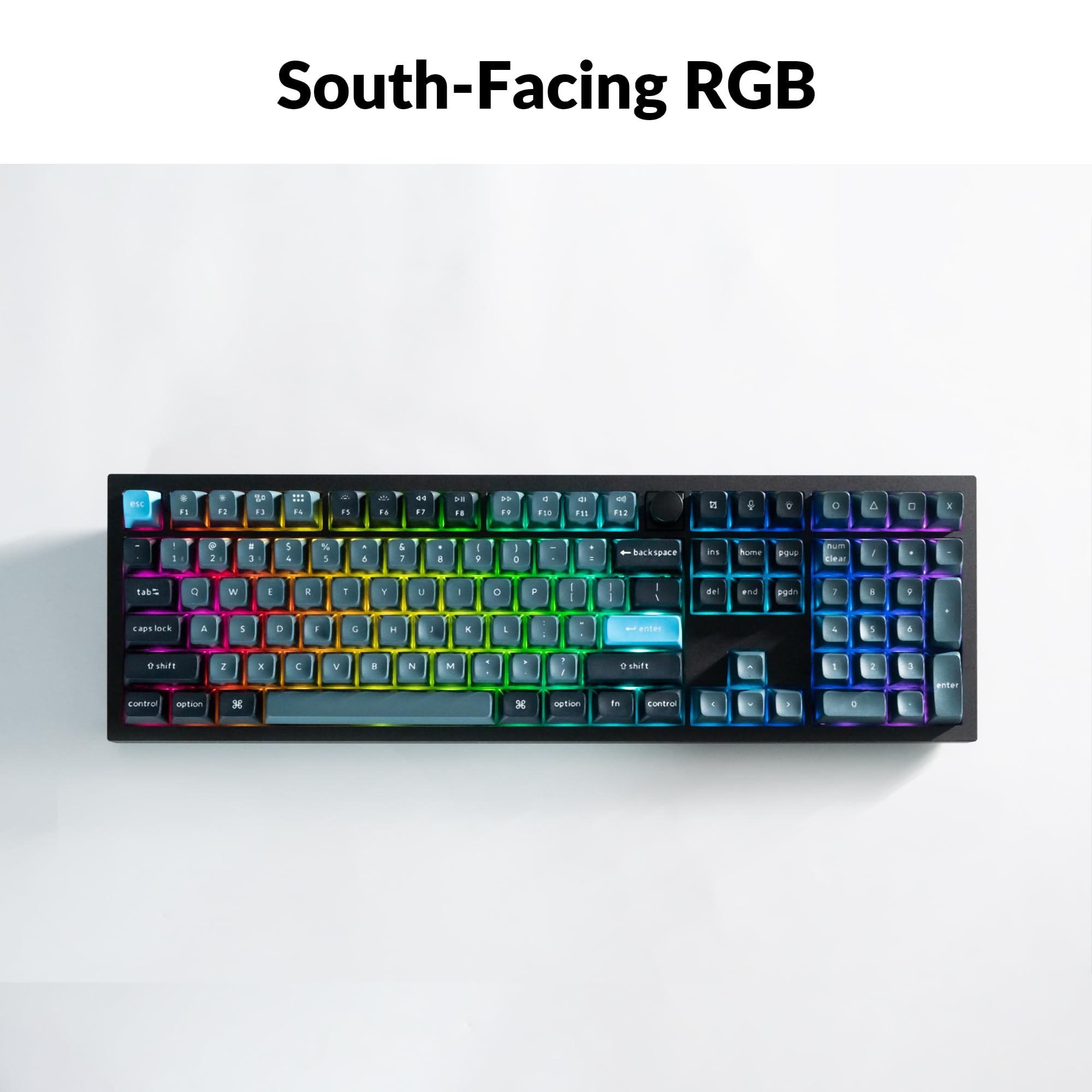
The Q6 Pro features south-facing RGB backlighting with 22 types of preset effects. You can adjust the RGB hue, saturation, brightness, and effect speed directly on the keyboard using specific key combinations (refer to the keyboard's default layout or VIA software for details). These settings can also be remapped via QMK/VIA.

Keychron Q6 Pro keyboard displaying vibrant RGB backlighting

Image 4.2: The Keychron Q6 Pro keyboard illuminated with south-facing RGB backlighting.

4.3 Ohjelmoitava nuppi

The integrated programmable knob typically controls volume by default (turn to adjust, press to mute/unmute). Its function can be fully customized using the QMK/VIA software to perform other actions such as scrolling, zooming, or switching applications.

5. Huolto

5.1 Näppäimistön puhdistaminen

Optimaalisen suorituskyvyn ja ulkonäön ylläpitämiseksi puhdista näppäimistö säännöllisesti:

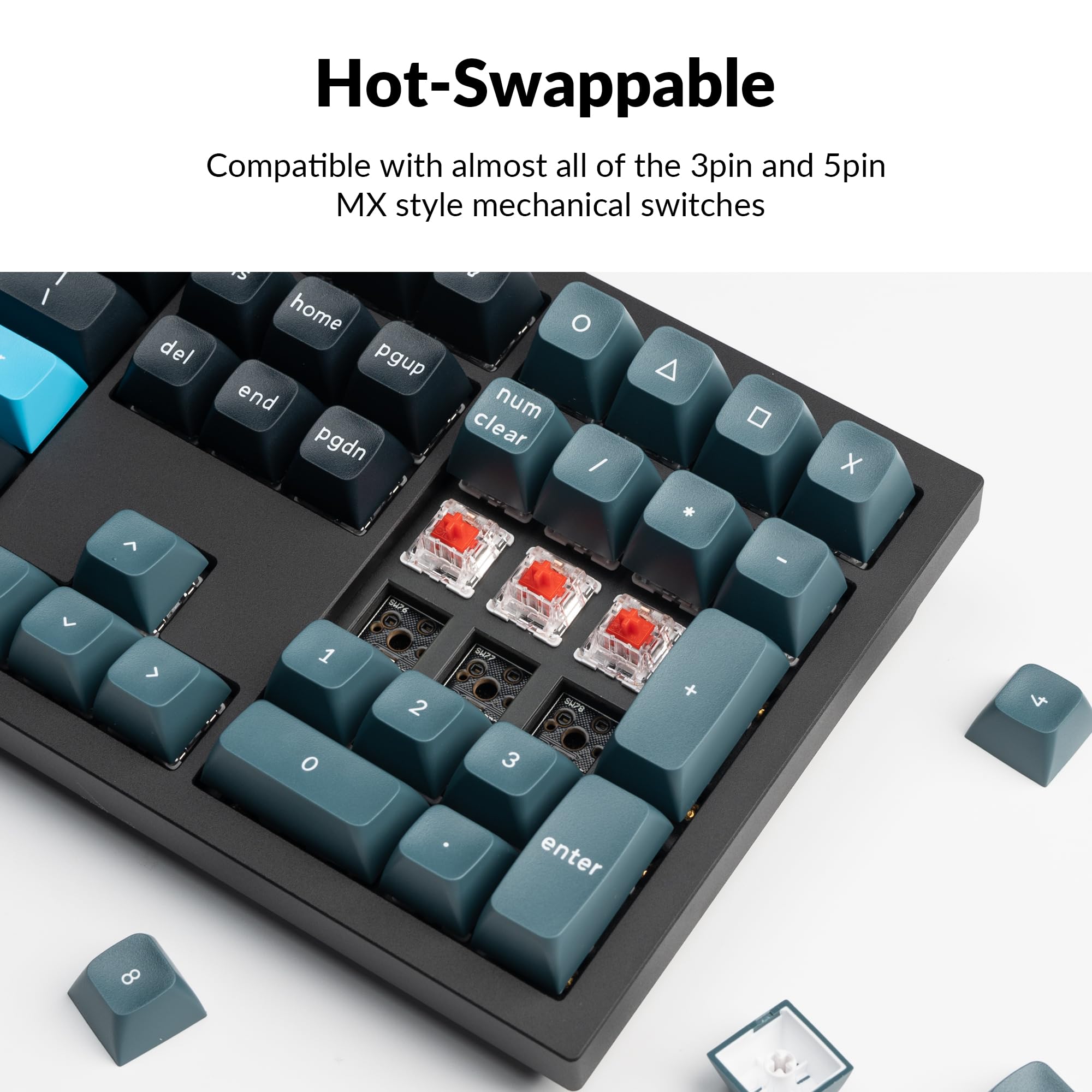
5.2 Pikavaihtokytkimet

The Q6 Pro features hot-swappable sockets, allowing you to change switches without soldering. It is compatible with most 3-pin and 5-pin MX-style mechanical switches.

  1. Irrota näppäinhattu: Irrota haluamasi näppäinhattu varovasti näppäinhatun ulosvetäjällä.
  2. Irrota kytkin: Käytä kytkimen ulosvetäjää tarttuaksesi varovasti kytkimen ylä- ja alaleukoihin ja vedä sitä suoraan ylöspäin.
  3. Uuden kytkimen asentaminen: Align the pins of the new switch with the holes on the PCB. Ensure the pins are straight to avoid bending. Press the switch firmly until it clicks into place.
  4. Kiinnitä näppäinhattu takaisin: Place the keycap onto the new switch stem and press down gently.

Always ensure the keyboard is disconnected from power before hot-swapping switches to prevent damage.

Close-up of hot-swappable switches on the Keychron Q6 Pro keyboard

Image 5.1: Demonstrating the hot-swappable feature of the Keychron Q6 Pro, showing switches being removed and inserted.

6. Vianmääritys

6.1 Näppäimistö ei vastaa

6.2 Bluetooth-yhteysongelmat

6.3 Avaimet eivät rekisteröidy tai kirjoitetaan kahteen kertaan

6.4 RGB-taustavalo ei toimi

7. Tekniset tiedot

Table of Keychron Q6 Pro technical specifications

Image 7.1: Detailed technical specifications for the Keychron Q6 Pro keyboard.

Keychron Q6 Pro Technical Specifications
OminaisuusYksityiskohta
MalliQ6P-M1
Mitat (P x L x K)17.56 x 5.39 x 1.28 tuumaa (446 x 137 x 32.6 mm)
Paino6.69 paunaa (3034 XNUMX g)
Rungon materiaaliFull CNC machined aluminum
näppäinten yläpuolelleKSA double-shot PBT (not shine-through)
KytkimetKeychron K Pro Red Mechanical Switches (Hot-swappable)
TaustavaloSouth-facing RGB LED
YhteydetBluetooth 5.1 / USB Type-C wired
Äänestysprosentti1000 Hz (wired) / 90 Hz (wireless)
Akku4000 mAh Rechargeable Li-polymer battery
Battery Life (Backlight off)Jopa 300 tuntia
Battery Life (RGB)Up to 100 hours (lowest brightness)
Yhteensopivat järjestelmätmacOS/Windows/Linux
MCUUltra-low-power ARM Cortex-M4 32-bit STM32L432 (128KB Flash)
N-Key Rollover (NKRO)Yes (both wireless and wired modes)
Toimintaympäristö-10 - 50 °C

8. Takuu ja tuki

Keychron products are manufactured with high-quality standards. For warranty information, technical support, or to access additional resources (such as firmware updates or VIA keymap files), please visit the official Keychron websivusto:

www.keychron.com

Voit harkita myös ostamistaasing extended protection plans for your device. Details on available protection plans can be found where you purchased the product or through authorized retailers.

Aiheeseen liittyvät asiakirjat - Q6P-M1

Preview Keychron Q2 Pro Bluetooth -mekaaninen näppäimistö: Käyttöopas, asennus ja ominaisuudet
Kattava opas Keychron Q2 Pro Bluetooth -mekaaniseen näppäimistöön. Opi sen ominaisuuksista, asennuksesta, VIA-näppäinten uudelleenmäärityksestä, tasoista, liitettävyydestä, vianmäärityksestä, teknisistä tiedoista ja turvallisuustiedoista.
Preview Keychron C2 Pron pikaopas: Asennus, VIA-ohjelmisto ja mukauttaminen
Kattava pikaopas Keychron C2 Pro -mekaaniselle näppäimistölle, joka kattaa järjestelmän vaihtamisen, VIA-ohjelmiston asennuksen, näppäinten uudelleenmäärityksen, taustavalon säädöt ja tehdasasetusten palautuksen.
Preview Keychron Q5 Pro Bluetooth -mekaanisen näppäimistön käyttöohje ja opas
Kattava Keychron Q5 Pro Bluetooth -mekaanisen näppäimistön käyttöopas, joka kattaa asennuksen, liitettävyyden, mukauttamisen VIA-ohjelmistolla, taustavalon säädöt, vianmäärityksen ja tekniset tiedot.
Preview Keychron K2 Pro QMK/VIA Langaton mekaaninen näppäimistö Pikaopas
Keychron K2 Pro QMK/VIA -langattoman mekaanisen näppäimistön pikaopas, joka käsittelee Bluetooth- ja kaapeliyhteyksiä, näppäinten uudelleenmäärittelyä VIA-ohjelmistolla, taustavalon säätöjä, takuuta ja tehdasasetusten palautusta.
Preview Keychron K2 Pro Bluetooth -mekaanisen näppäimistön käyttöohje ja opas
Kattava käyttöopas Keychron K2 Pro Bluetooth -mekaaniselle näppäimistölle. Tämä opas kattaa asennuksen, liitettävyyden (Bluetooth ja langallinen), näppäinkartan mukauttamisen VIA-ohjelmistolla, kerrosten hallinnan, taustavalon säädöt, vianmäärityksen, tekniset tiedot ja turvaohjeet.
Preview Keychron K10 Wireless Mechanical Keyboard Version 2 User Manual
This document provides a comprehensive user manual for the Keychron K10 Wireless Mechanical Keyboard Version 2, covering setup, features, troubleshooting, and specifications. Learn how to connect via Bluetooth or wired mode, customize backlighting, manage layers, and utilize the Keychron Launcher app.