Johdanto
This manual provides essential instructions for the safe and efficient use of your Haier 43K7700UGA 43 Inch 4K Google Smart Android Television. Please read this manual thoroughly before operating the television and retain it for future reference. This television features a 4K UHD display, Google Android 11 operating system, and built-in Chromecast for an enhanced viewkokemusta.
Tärkeitä turvallisuustietoja
Noudata aina televisiota käyttäessäsi perusturvallisuusohjeita tulipalon, sähköiskun ja loukkaantumisen riskin vähentämiseksi.
- Älä altista televisiota sateelle tai kosteudelle.
- Älä tuki tuuletusaukkoja. Varmista, että television ympärillä on riittävästi tilaa asianmukaisen ilmankierron varmistamiseksi.
- Suojaa virtajohtoa kävelemiseltä tai puristuksiin.
- Käytä vain valmistajan määrittelemiä lisälaitteita/lisävarusteita.
- Irrota televisio pistorasiasta ukkosmyrskyjen aikana tai kun sitä ei käytetä pitkään aikaan.
- Anna kaikki huoltotoimenpiteet pätevän huoltohenkilöstön tehtäväksi.
Pakkauksen sisältö
Varmista, että pakkauksessa on kaikki tarvittavat osat:
- 1 x Haier 43 Inch LED TV
- 1 x kaukosäädin
- 1 x pöytäteline (setti)
- 1 x virtajohto
- 2 x AAA-paristoa (kaukosäätimeen)
- 1 x Käyttöohje (tämä asiakirja)
- 1 x Takuukortti
Asennusopas
1. Pakkauksen purkaminen ja sijoittaminen
Carefully remove the television from its packaging. Place the TV on a stable, flat surface or prepare for wall mounting (wall mount kit sold separately). Ensure proper ventilation around the TV.
2. Pöytäjalustan kiinnittäminen
If using the included table top stand, align the stand components with the designated slots at the bottom of the television. Secure them firmly with the provided screws. Refer to the diagram below for guidance.
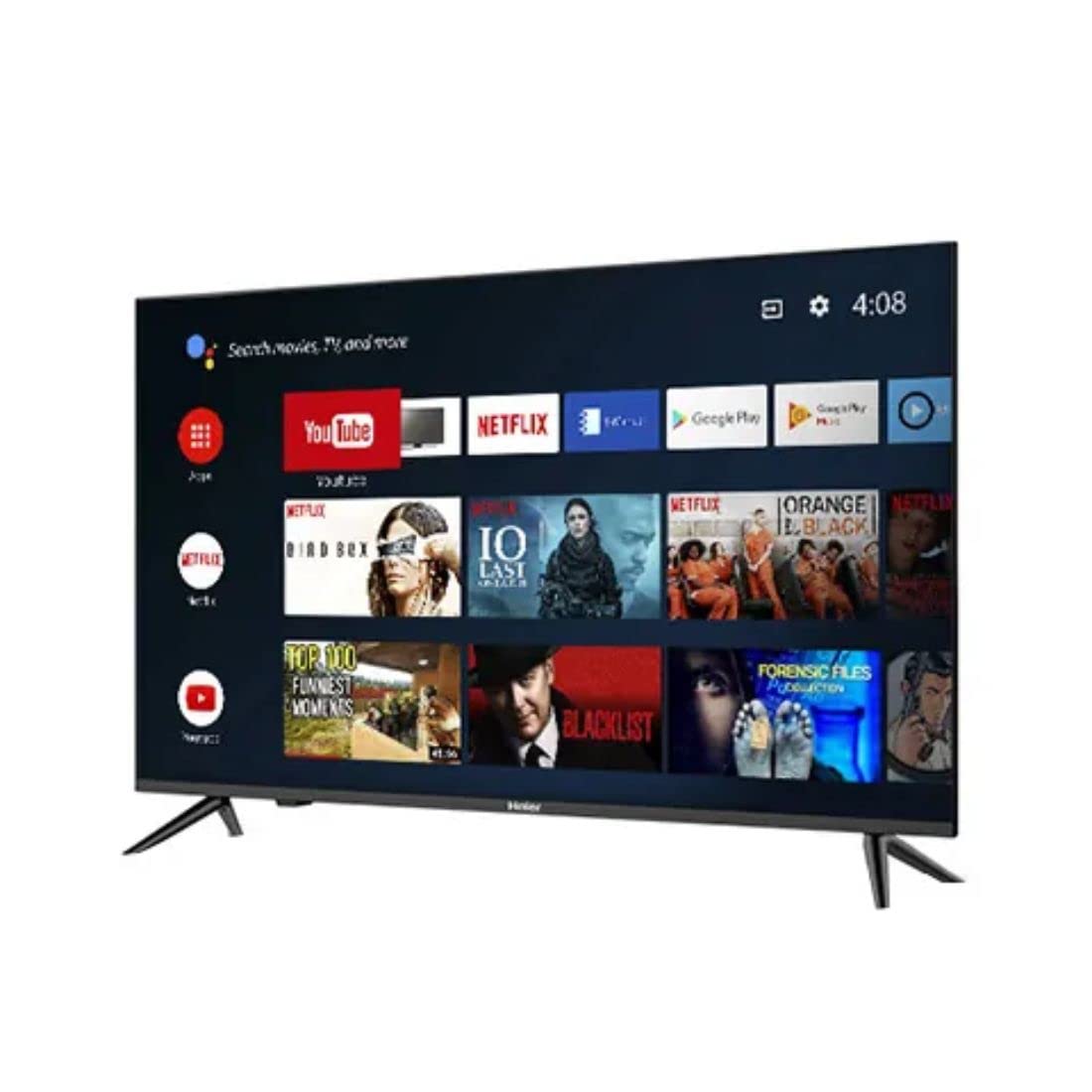
Kuva: Sivu view of the television demonstrating stand attachment.
3. Virran kytkeminen
Connect the power cable to the AC input port on the back of the television, then plug the other end into a suitable power outlet. Ensure the power supply matches the voltage requirements of the TV (230 Volts).
4. Ulkoisten laitteiden liittäminen
Your Haier TV supports various connections. Use the HDMI ports for high-definition devices like set-top boxes, gaming consoles, or Blu-ray players. USB ports are available for media playback from storage devices.
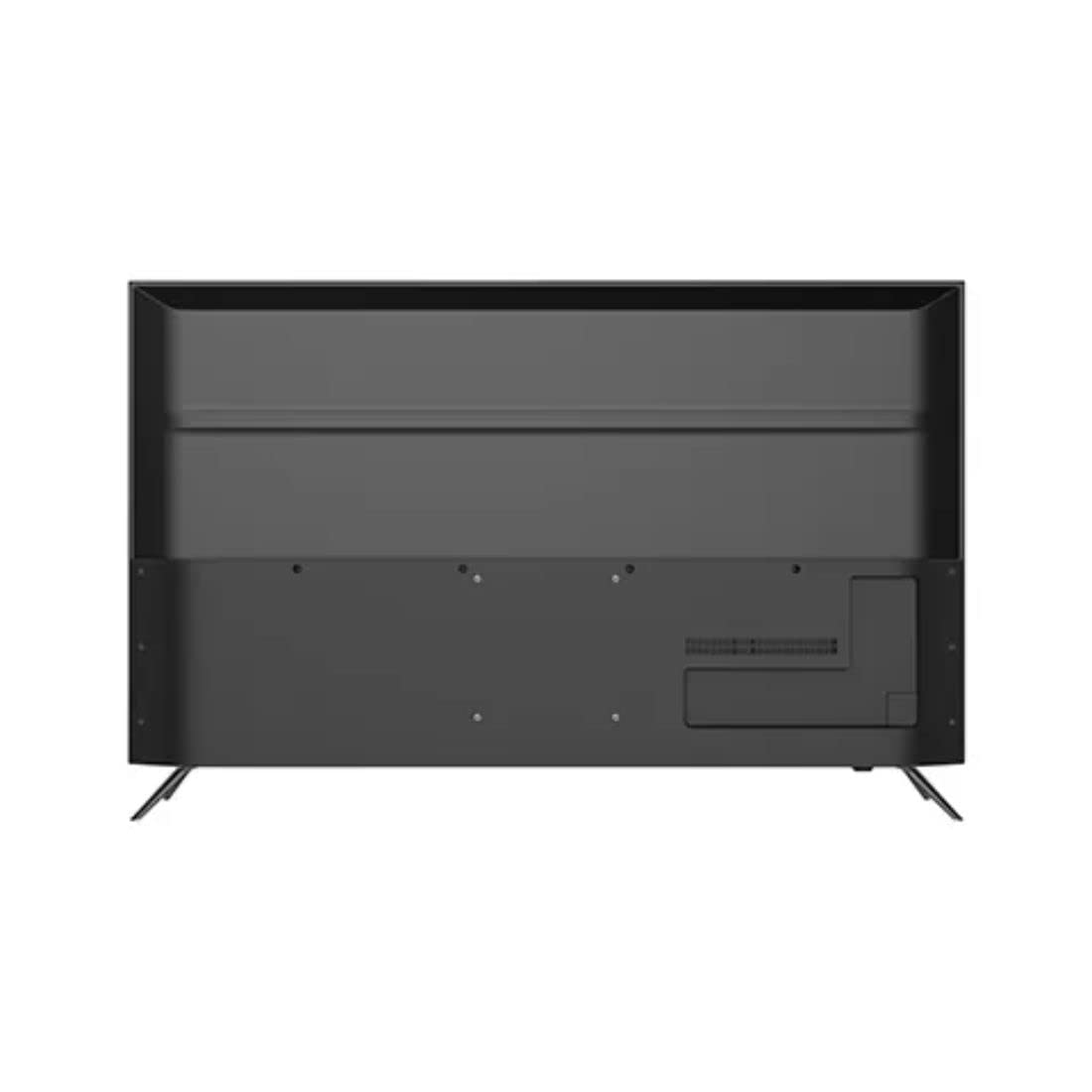
Kuva: Takaosa view of the television highlighting various input ports such as HDMI and USB.
- HDMI: Liitä laitteidesi HDMI-kaapelit television HDMI-portteihin.
- USB: Insert USB storage devices into the USB ports for accessing media files.
- Bluetooth: Use Bluetooth for wireless audio devices or other compatible accessories.
5. Initial Setup (First Power On)
Upon first power-on, the TV will guide you through the initial setup process. This includes selecting your language, connecting to a Wi-Fi network, signing in with your Google account, and configuring basic settings for your Android TV experience.
Operating Your Television
1. Kaukosäädin
Insert the two AAA batteries into the remote control, ensuring correct polarity. The remote allows you to navigate the TV's interface, adjust volume, change channels, and access smart features.
2. Virta päälle/pois
Paina Tehoa -painiketta kaukosäätimessä tai televisiossa kytkeäksesi television päälle tai pois päältä.
3. Android TV:n käyttöliittymä
Your Haier TV runs on Google Android 11, providing access to a wide range of apps and services. Use the directional buttons on your remote to navigate the home screen, select apps, and browse content.

Kuva: Edessä view of the television showing the Android TV home screen with applications like YouTube and Netflix.
4. Google Assistantin käyttäminen
Press the Google Assistant button on your remote to activate voice commands. You can ask questions, search for content, control smart home devices, and more.
5. Sisäänrakennettu Chromecast
With Chromecast built-in, you can cast movies, shows, photos, and more from your smartphone, tablet, or computer directly to your TV. Ensure your device and TV are on the same Wi-Fi network.
6. Kuva- ja ääniasetukset
Access the settings menu to customize picture modes (e.g., Standard, Vivid, Movie), adjust brightness, contrast, color, and sound settings (e.g., sound mode, equalizer).
Huolto
1. Näytön puhdistaminen
Pyyhi näyttö varovasti pehmeällä, kuivalla ja nukkaamattomalla liinalla. Pinttyneisiin tahroihin pyyhi kevyestiampKostuta liina vedellä tai erikoisnäytönpuhdistusaineella. Älä koskaan suihkuta nestettä suoraan näytölle.
2. Yleinen hoito
Keep the television free from dust by regularly wiping the cabinet with a soft, dry cloth. Avoid placing heavy objects on the TV or exposing it to direct sunlight or extreme temperatures.
Vianetsintä
Jos televisiossasi on ongelmia, tutustu seuraaviin yleisiin ratkaisuihin ennen kuin otat yhteyttä asiakastukeen.
- Ei virtaa: Ensure the power cable is securely connected to both the TV and the power outlet. Check if the outlet is functioning by plugging in another device.
- Ei kuvaa/ääntä: Verify that the correct input source is selected. Check all cable connections (HDMI, etc.) are secure. For no sound, check volume levels and mute settings.
- Kaukosäädin ei toimi: Vaihda kaukosäätimen AAA-paristot. Varmista, ettei kaukosäätimen ja television infrapunatunnistimen välissä ole esteitä.
- Verkkoyhteysongelmat: Restart your Wi-Fi router. Go to the TV's network settings to reconnect to your Wi-Fi network. Ensure the Wi-Fi password is entered correctly.
- Kuvanlaatuongelmat: Säädä kuva-asetuksia (kirkkaus, kontrasti, terävyys) television valikosta. Varmista, että tulolähde tarjoaa korkealaatuista signaalia.
Tekniset tiedot
Below are the key technical specifications for the Haier 43K7700UGA television:
| Ominaisuus | Erittely |
|---|---|
| Merkki | Haier |
| Mallin nimi | 43K7700UGA |
| Näytön koko | 43 tuumaa (109 senttimetriä) |
| Näyttötekniikka | LED |
| Resoluutio | 4K Ultra HD (3840 x 2160 pikseliä) |
| Päivitystaajuus | 60 Hz |
| Käyttöjärjestelmä | Googlen sertifioima Android 11 |
| Muistin tallennuskapasiteetti | 1 Gt |
| Laitteistorajapinta | HDMI, USB |
| USB-portteja yhteensä | 2 |
| Liittimen tyyppi | Bluetooth |
| Tuetut Internet-palvelut | Google Assistant |
| Viewkulma | 178 astetta |
| Tuotteen mitat (PxLxK) | 95.9 x 23 x 61.7 cm |
| Tuotteen paino | 7.3 kg |
| Voitage | 230 volttia |
| Wattage | 180 wattia |

Kuva: Edessä view of the television with key dimensions indicated.
Takuu ja tuki
Your Haier 43K7700UGA television comes with a 1 vuoden takuu ostopäivästä lukien. Katso tarkemmat ehdot pakkaukseen sisältyvästä takuukortista.
For technical assistance, troubleshooting not covered in this manual, or warranty claims, please contact Haier customer support. Contact information can typically be found on the warranty card or the official Haier websivusto.


