1. Johdanto
Thank you for choosing the Baseus Bowie H2 True Wireless Earphones. This manual provides detailed instructions on how to set up, operate, maintain, and troubleshoot your earphones to ensure optimal performance and longevity. Please read this manual thoroughly before using the product.
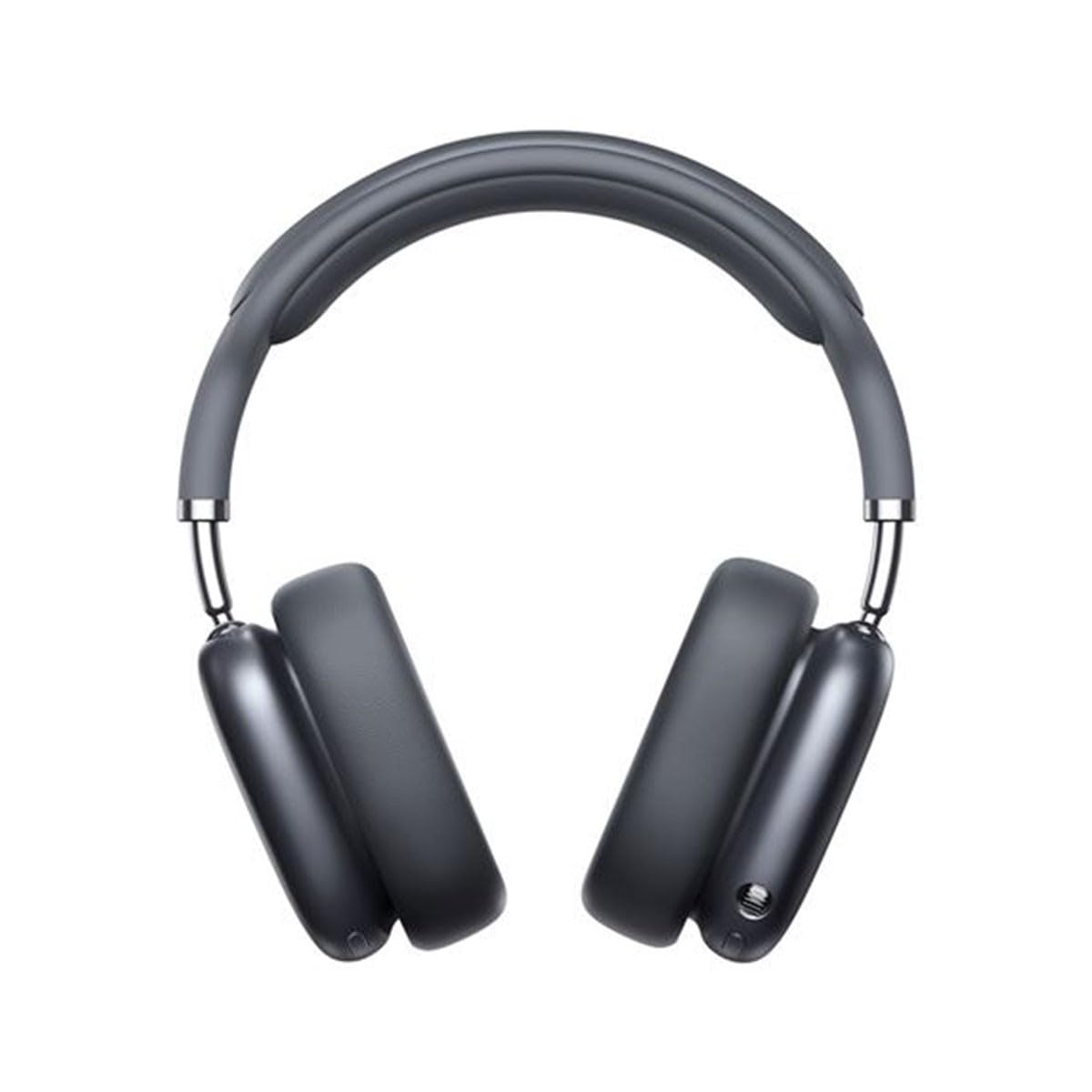
Image 1.1: Baseus Bowie H2 product overview. Please note that while this image displays over-ear headphones, the product described in this manual is the Baseus Bowie H2 True Wireless Earphones (in-ear type).
2. Mitä laatikossa on
Carefully unpack the product and ensure all items are present and in good condition. The package should contain:
- Baseus Bowie H2 True Wireless Earphones (Left and Right)
- Langaton latauskotelo
- USB-latauskaapeli
- Käyttöopas

Kuva 2.1: Esim.ample of Baseus headphones in a case. The Baseus Bowie H2 True Wireless Earphones come with a compact wireless charging case.
3. Asennus
3.1 Kuulokkeiden ja kotelon lataaminen
Before first use, fully charge the earphones and the charging case. Place the earphones into the charging case. Connect the USB charging cable to the charging port on the case and plug the other end into a USB power adapter (not included) or a computer's USB port. The indicator light on the case will show charging status and turn off or change color when fully charged.
3.2 Bluetooth -pariliitos
- Varmista, että kuulokkeet on ladattu.
- Open the charging case. The earphones will automatically enter pairing mode, and an indicator light (usually on the earphones or case) will flash, indicating they are ready to pair.
- Ota Bluetooth käyttöön laitteellasi (älypuhelin, tabletti, kannettava tietokone).
- Etsi available Bluetooth devices. Select "Baseus Bowie H2" from the list.
- Once connected, the indicator light will stop flashing, and you may hear a confirmation tone.
- If pairing fails, place the earphones back into the case, close it, and then reopen to re-enter pairing mode.
4. Kuulokkeiden käyttö
4.1 Kuulokkeiden käyttö
Gently insert the earphones into your ear canals. Adjust them for a comfortable and secure fit to ensure optimal sound quality and noise isolation. The left (L) and right (R) earphones are marked.

Kuva 4.1: Edessä view of Baseus headphones. For the Bowie H2 earphones, ensure a snug fit in the ear canal.
4.2 Kosketusohjaimet
The Baseus Bowie H2 earphones feature touch controls for various functions. The specific touch gestures may vary slightly, but common functions include:
- Toista/tauko: Napauta kerran jompaakumpaa kuuloketta.
- Seuraava kappale: Kaksoisnapauta oikeaa kuuloketta.
- Edellinen kappale: Kaksoisnapauta vasenta kuuloketta.
- Puhelun vastaaminen/lopetus: Napauta kerran jompaakumpaa kuuloketta.
- Hylkää puhelu: Paina pitkään jompaakumpaa kuuloketta.
- Aktivoi Voice Assistant: Kolmoisnapauta jompaakumpaa kuuloketta.
Katso kosketusohjauksen tarkat asetukset pakkauksen mukana tulevasta pikaoppaasta.

Kuva 4.2: Yläosa view of Baseus headphones. The touch control areas are typically located on the outer surface of the earphones.
5. Huolto
Proper maintenance ensures the longevity and performance of your Baseus Bowie H2 earphones.
- Puhdistus: Puhdista kuulokkeet ja latauskotelo pehmeällä, kuivalla ja nukkaamattomalla liinalla. Älä käytä hankaavia puhdistusaineita, alkoholia tai kemiallisia liuottimia.
- Varastointi: Kun kuulokkeita ei käytetä, säilytä niitä aina latauskotelossa suojataksesi niitä pölyltä, lialta ja vaurioilta.
- Vältä vettä: While the earphones may have some water resistance, avoid submerging them in water or exposing them to excessive moisture.
- Lämpötila: Do not expose the earphones to extreme temperatures (hot or cold) or direct sunlight for extended periods.
6. Vianmääritys
If you encounter issues with your Baseus Bowie H2 earphones, try the following solutions:
| Ongelma | Ratkaisu |
|---|---|
| Kuulokkeet eivät muodosta pariliitosta |
|
| Ei ääntä yhdestä kuulokkeesta |
|
| Latausongelma |
|
| Hiljainen äänenvoimakkuus tai huono äänenlaatu |
|
7. Tekniset tiedot
Key technical specifications for the Baseus Bowie H2 True Wireless Earphones (Model: NGTW260013):
- Mallinumero:
- NGTW260013
- Merkki:
- Baseus
- Yhteystekniikka:
- Langaton (Bluetooth)
- Bluetooth-versio:
- 5.2
- Korvien sijoitus:
- Korvassa
- Muototekijä:
- Korvassa
- Ohjaustyyppi:
- Kosketa Ohjaus
- Ääniohjaimen tyyppi:
- Dynaaminen ohjain
- Mukana tulevat komponentit:
- Langaton latauskotelo
- Materiaali:
- Muovi
- Tuotteen paino:
- 582 g (Note: This weight is unusually high for in-ear earphones and may refer to the package weight or a different product variant.)
- Tuotteen mitat:
- 50 x 50 x 28 cm (Note: These dimensions are unusually large for in-ear earphones and may refer to the package dimensions or a different product variant.)
- Yhteensopivat laitteet:
- Älypuhelimet, tabletit, kannettavat tietokoneet, älykaiuttimet
8. Takuu ja tuki
Baseus products are designed with quality and reliability in mind. For specific warranty information, please refer to the warranty card included with your purchase or visit the official Baseus website. If you require technical support or have questions not covered in this manual, please contact Baseus customer service through their official channels.
Säilytä ostokuitti takuuvaatimuksia varten.


