Johdanto
Thank you for choosing the Silvergear Smart Food Scale. This electronic kitchen scale is designed to help you accurately track your nutritional intake, including calories, proteins, fats, and more, through its dedicated mobile application. With a precision of 0.1g and a maximum capacity of 5kg, it provides reliable measurements for your dietary needs.
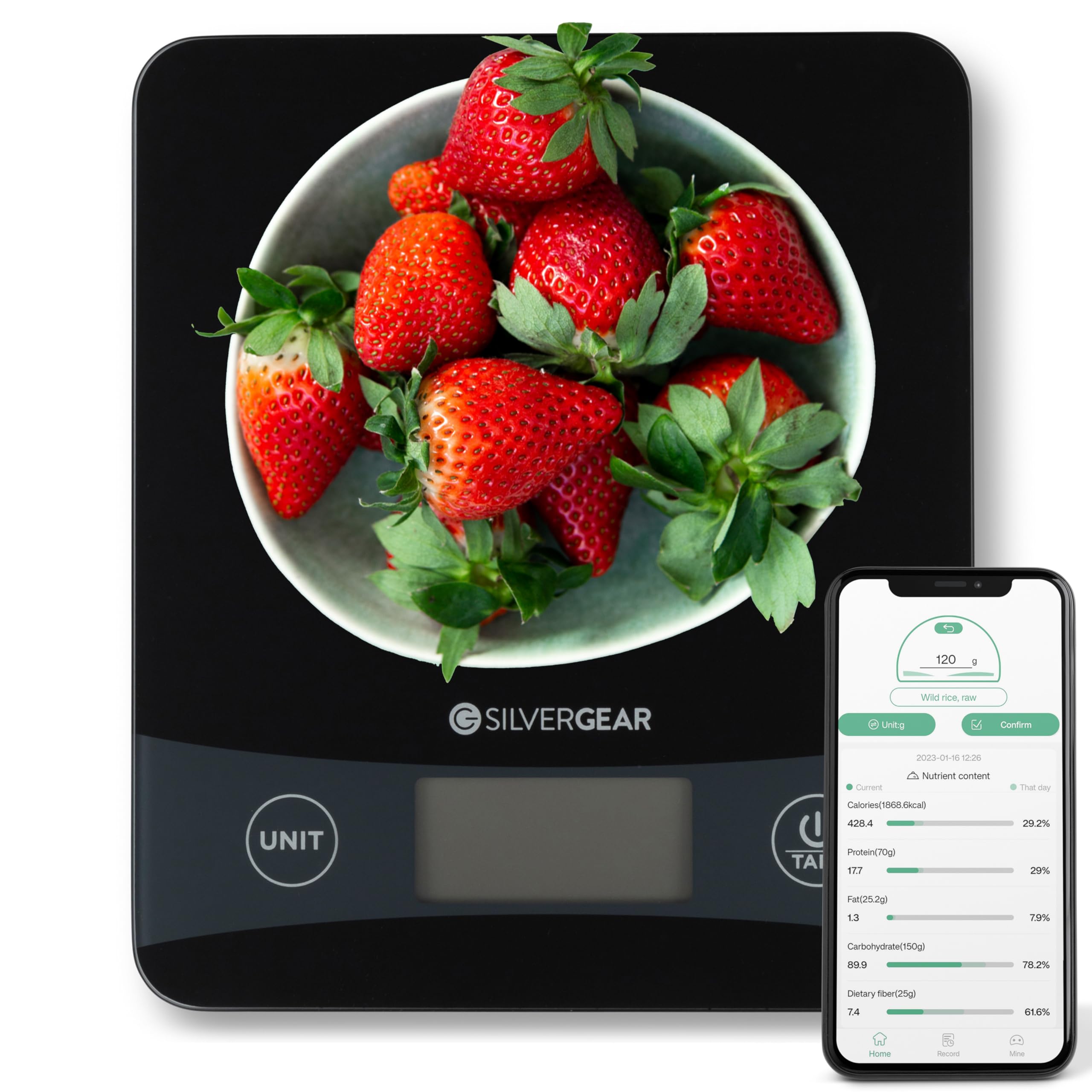
Image: The Silvergear Smart Food Scale, black with a digital display and 'UNIT' and 'TARE' buttons, positioned centrally on a speckled kitchen counter. Various fresh food items such as bananas, apples, carrots, and rice in bowls are arranged around the scale.
Turvallisuustiedot
- Älä upota vaakaa veteen tai muihin nesteisiin.
- Puhdista vaaka mainoksellaamp liinalla; älä käytä hankaavia puhdistusaineita.
- Place the scale on a flat, stable surface for accurate measurements.
- Do not overload the scale beyond its maximum capacity of 5kg.
- Pidä poissa lasten ulottuvilta.
Asennus
1. Akun asennus
The scale requires batteries (type not specified, typically AAA or AA). Open the battery compartment on the underside of the scale and insert the batteries, ensuring correct polarity.
2. Sovelluksen asennus ja pariliitos
- Download the companion nutrition tracking app (e.g., "NutriDiary" or similar, as suggested by packaging image) from your smartphone's app store (iOS or Android).
- Varmista, että Bluetooth on käytössä älypuhelimellasi.
- Open the app and follow the on-screen instructions to pair your Silvergear Smart Food Scale. The app will guide you through the connection process.

Image: The Silvergear Smart Food Scale, black with a digital display, positioned next to a smartphone. The smartphone screen shows the user interface of the nutrition tracking app, displaying various nutrient values and progress graphs.
Käyttöohjeet
1. Virta päälle/pois
Paina TAARA button to turn on the scale. The display will light up. To turn off, press and hold the TAARA button for a few seconds, or the scale will automatically shut off after a period of inactivity.
2. Changing Units
Paina UNIT button to cycle through available measurement units (e.g., grams (g), ounces (oz), pounds (lb), milliliters (ml)). The selected unit will be displayed on the LCD screen.
3. Taaraustoiminnon käyttö
The Tare function allows you to weigh ingredients in a container by subtracting the container's weight.
- Aseta tyhjä astia vaa'alle.
- Paina TAARA -painiketta. Näyttö nollautuu.
- Add your ingredients to the container. The scale will display only the weight of the ingredients.
4. Tracking Nutrition with the App
Once the scale is paired with the app:
- Place the food item or container with food on the scale.
- The weight will be sent directly to the app.
- In the app, select the type of food you are weighing. The app will then calculate and display detailed nutritional information, including calories, proteins, fats, carbohydrates, and more.
- Record your meal in the app to track your daily intake and monitor your progress over time through graphs and summaries.
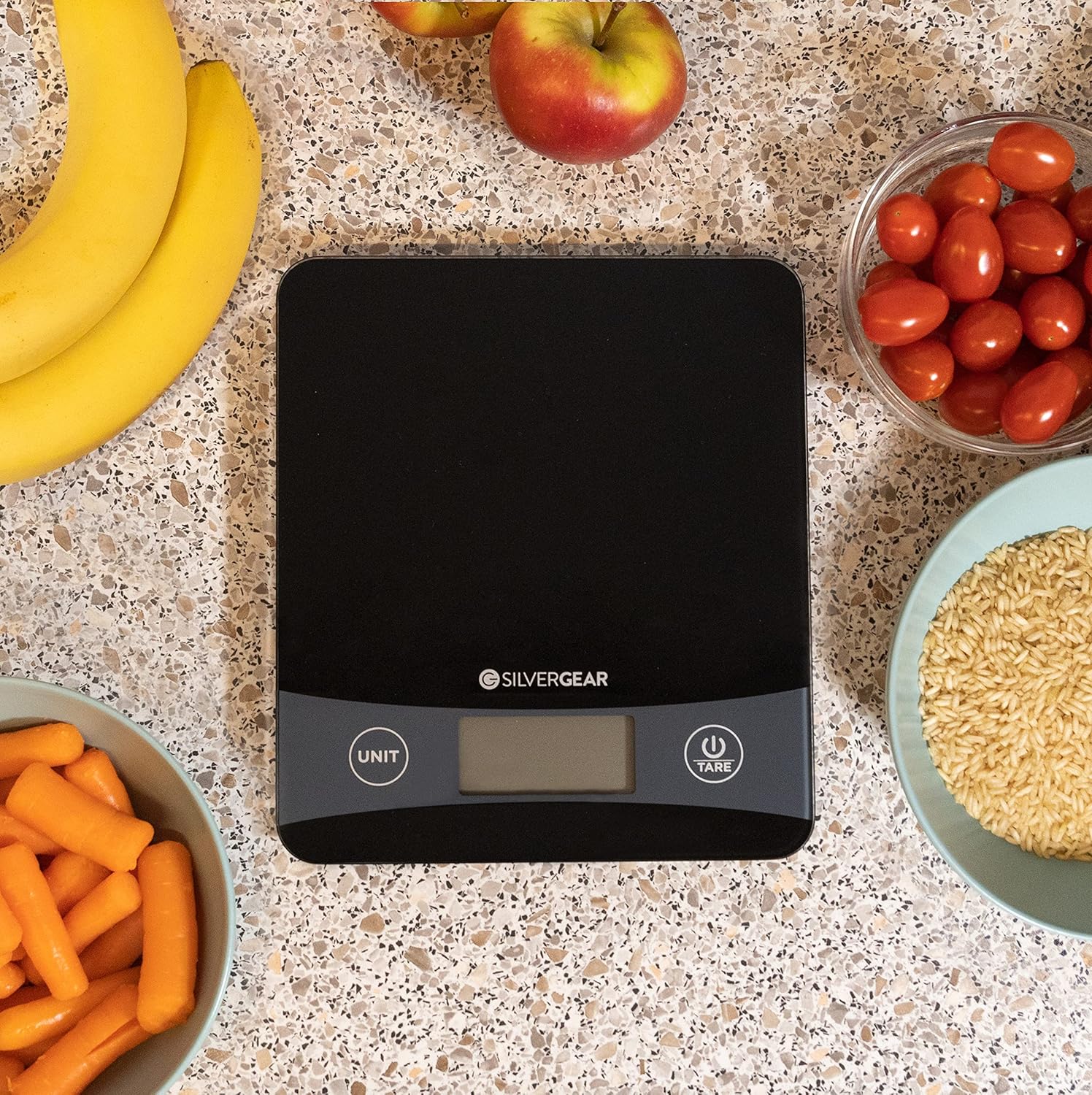
Image: A person's hands are shown pouring brown rice from a glass bowl into a light blue bowl placed on the Silvergear Smart Food Scale. The scale displays a weight of 69.1. A smartphone next to the scale shows the companion app, which is tracking the nutritional content of the rice.

Image: A person's hands are shown holding a smartphone displaying the nutrition tracking app, while a bowl of baby carrots rests on the Silvergear Smart Food Scale. The scale shows a weight of 287.1, and the app displays detailed nutritional data for the carrots.

Image: A person's hand holds a smartphone displaying the nutrition tracking app, which shows nutrient content for "Bananas, raw" with a weight of 263g. A bowl of sliced bananas is on the Silvergear Smart Food Scale, which also displays a weight of 263.
Huolto
Puhdistus
Pyyhi vaa'an pinta pehmeällä,amp cloth. Do not use harsh chemicals or abrasive cleaning agents. Ensure the scale is dry before storage or next use.
Varastointi
Store the scale in a cool, dry place. Avoid extreme temperatures and direct sunlight. If not used for an extended period, it is recommended to remove the batteries.
Vianetsintä
- Vaaka ei käynnisty: Tarkista paristojen asennus ja varmista, että paristot eivät ole tyhjentyneet. Vaihda tarvittaessa.
- Epätarkat lukemat: Ensure the scale is on a flat, stable surface. Avoid placing it near vibrating appliances. Do not exceed the maximum weight capacity.
- Sovellus ei muodosta yhteyttä: Ensure Bluetooth is enabled on your phone and the scale is turned on. Restart both the app and the scale, then attempt to re-pair.
- No nutritional data in app: Ensure you have selected the correct food item in the app after weighing. Check for app updates.
Tekniset tiedot
| Merkki | Silvergear |
| Mallinumero | 3315 |
| Tuotteen nimi | Smart Food Scale with Nutrition Tracking App |
| Suurin kapasiteetti | 5 kg |
| Tarkkuus | 0.1 g |
| Yhteydet | Bluetooth (sovellusyhteyttä varten) |
| Virtalähde | Batteries (not included, type typically AAA or AA) |
| Alkuperämaa | Kiina |
Takuu ja tuki
Takuutiedot ja asiakastuki löytyvät ostoksesi mukana tulleista asiakirjoista tai Silvergearin viralliselta verkkosivustolta. websivusto. Säilytä ostokuittisi mahdollisten takuuvaatimusten varalta.
For further assistance, you may contact the manufacturer, Karsten International.


