1. Johdanto
Thank you for choosing the ATTACK SHARK X2 Wireless Gaming Mouse. This manual provides detailed instructions for setting up, operating, and maintaining your mouse to ensure optimal performance. The X2 mouse features a transparent shell, 3-mode connectivity (2.4GHz wireless, Bluetooth 5.0, USB-C wired), adjustable DPI, 3D RGB lighting, and a rechargeable battery.

Image 1.1: The ATTACK SHARK X2 Wireless Gaming Mouse, showcasing its transparent design and vibrant RGB lighting. A USB receiver is also visible.
2. Tuote ohiview
2.1 Pakkauksen sisältö
- ATTACK SHARK X2 Langaton Pelihiiri
- USB-C latauskaapeli
- 2.4 GHz:n USB-vastaanotin (hiiren sisällä)
- Käyttöopas
2.2 Mouse Components

Kuva 2.1: Pohja view of the X2 mouse, highlighting the USB receiver slot, mode switch, and light effect switch.
- Vasen napsautuspainike
- Napsauta oikeaa painiketta
- Vierityspyörä (also functions as a button)
- DPI-painike (below scroll wheel)
- Eteenpäin-painike (vasen puoli)
- Taaksepäin-painike (vasen puoli)
- Tilakytkin (bottom of mouse: OFF / 2.4G / Bluetooth)
- Valotehostekytkin (bottom of mouse)
- USB-vastaanottimen paikka (bottom of mouse)
- USB-C latausportti (front of mouse)
3. Asennus ja yhteys
3.1 Hiiren lataaminen
The X2 mouse features an 800mAh rechargeable battery. Before first use, or when the battery is low, connect the mouse using the provided USB-C cable.
- Connect the USB-C end of the cable to the mouse's charging port.
- Connect the USB-A end to a power source (e.g., computer USB port, USB wall adapter).
- Täysi lataus kestää yleensä noin 4 tuntia.
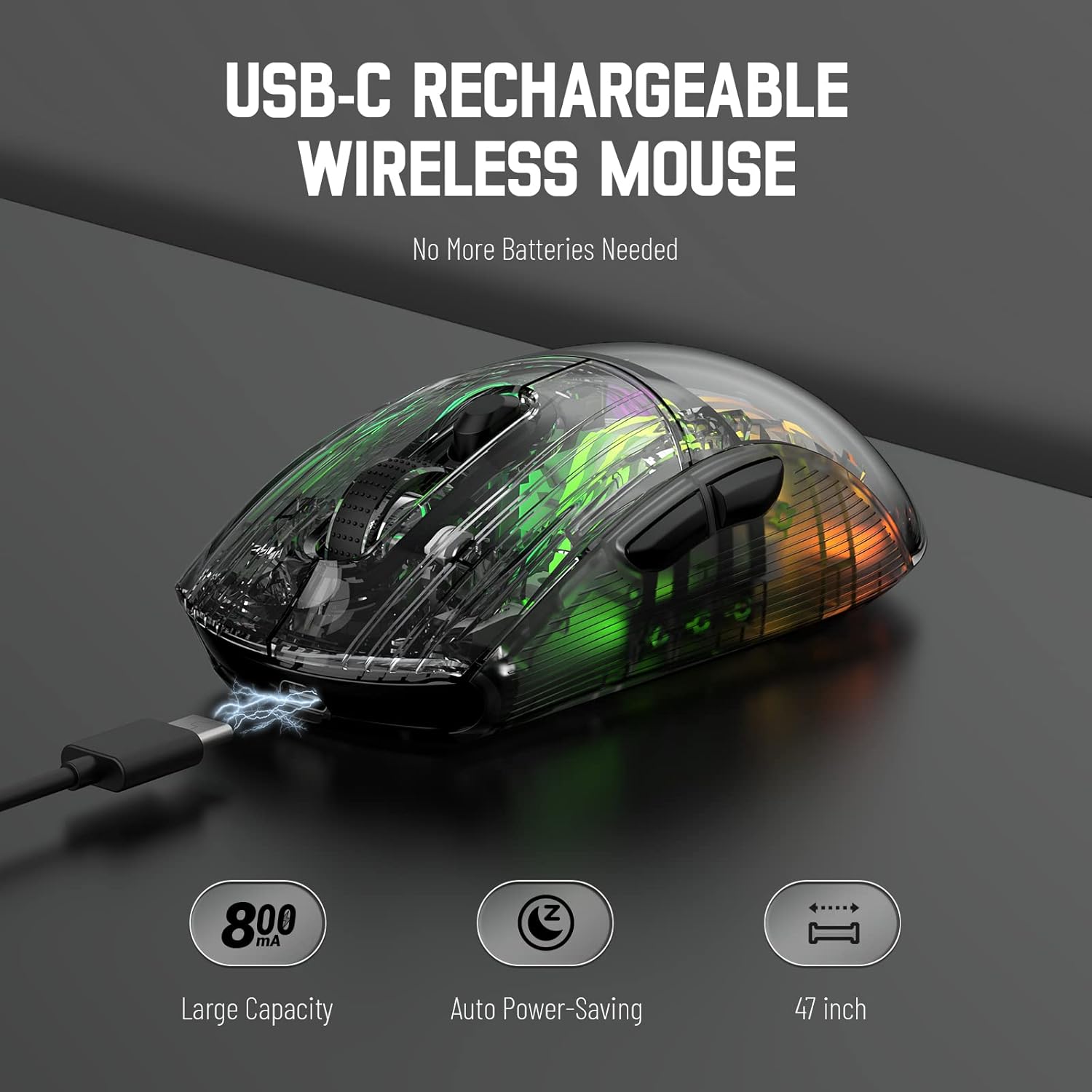
Image 3.1: The X2 mouse connected via its USB-C cable, illustrating the charging process.
3.2 2.4 GHz:n langaton yhteys
For a stable and responsive wireless connection, use the 2.4GHz USB receiver.
- Locate the USB receiver stored in the slot on the bottom of the mouse.
- Push the mode switch on the bottom of the mouse to the "2.4G" position.
- Kytke USB-vastaanotin tietokoneen tai laitteen vapaaseen USB-porttiin.
- The computer should automatically detect and install the necessary drivers. The mouse is ready for use once installation is complete (typically plug-and-play).
- If the mouse is unresponsive, try plugging the receiver into a different USB port.
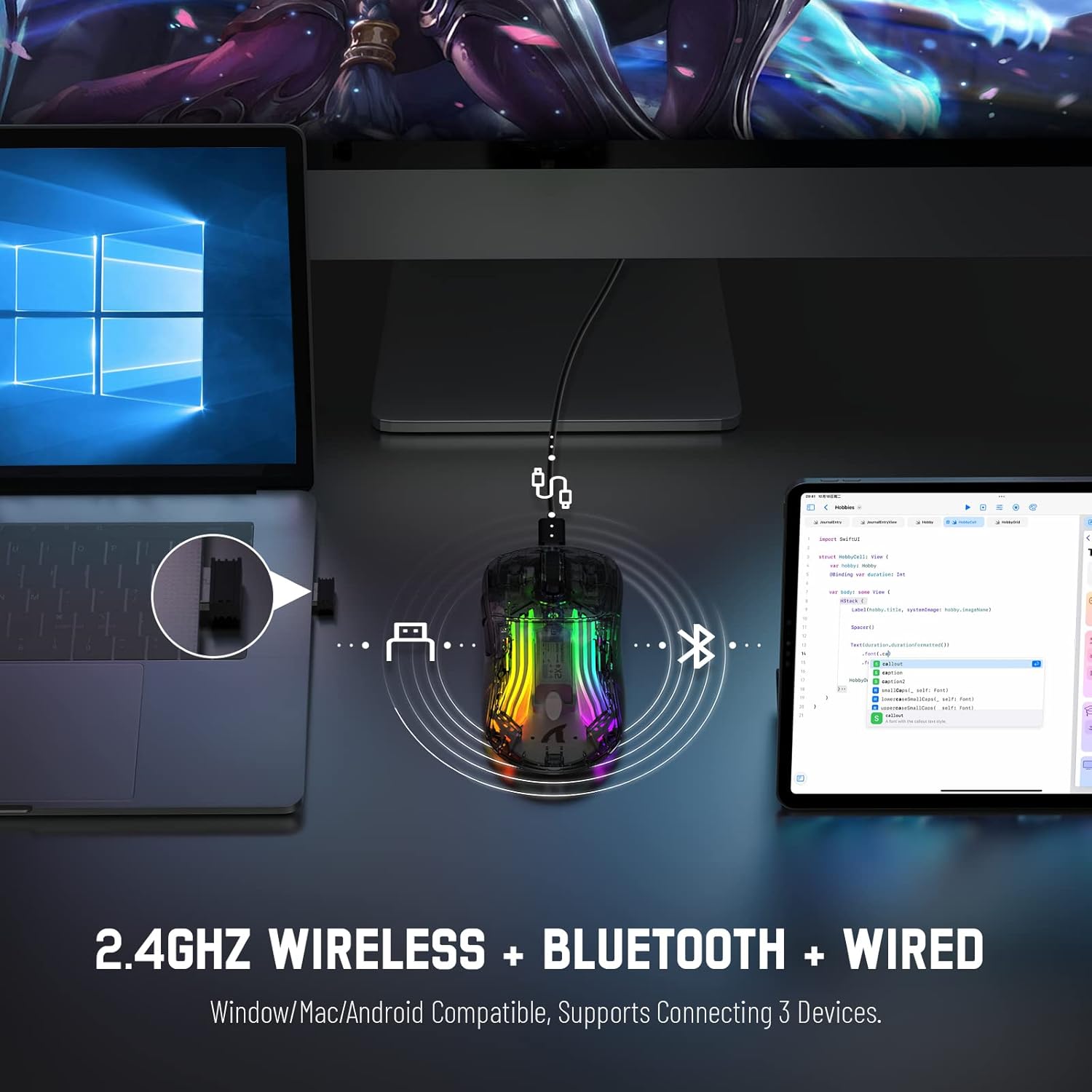
Image 3.2: Illustration of the 2.4GHz wireless connection, showing the USB receiver plugged into a laptop.
3.3 Bluetooth 5.0 -yhteys
Connect your X2 mouse via Bluetooth for devices that support it, such as laptops, tablets, or smartphones.
- Push the mode switch on the bottom of the mouse to the "Bluetooth" position.
- Paina ja pidä painettuna Vasen napsautuspainike + Vierityspyörän painike + Napsauta oikeaa painiketta simultaneously for approximately 3-4 seconds. The blue light on the mouse will flash rapidly, indicating it is in pairing mode.
- Siirry laitteellasi Bluetooth-asetuksiin ja ota Bluetooth käyttöön.
- Etsi available devices. Select "X2 Mouse" from the list to connect.
- Once connected, the blue light will stop flashing and remain solid or turn off, depending on the lighting mode.
3.4 USB-C-langallinen yhteys
For a direct and reliable connection, use the USB-C cable in wired mode.
- Connect the USB-C end of the cable to the mouse's charging port.
- Connect the USB-A end to an available USB port on your computer or device.
- The mouse will function immediately as a wired mouse (plug-and-play).
4. Käyttöohjeet
4.1 DPI-säätö
The mouse features 5 adjustable DPI levels to suit various tasks and gaming preferences. The game chip used is PixArt 3212.
- Paina DPI-painike (located below the scroll wheel) to cycle through the available DPI settings.
- Available DPI levels: 800 / 1200 / 1400 / 2000 / 2400.
4.2 RGB-valaistuksen ohjaus
The X2 mouse features 3D RGB lighting with 11 different light colors and various effects.
- Paina Valotehostekytkin (located on the bottom of the mouse) to cycle through the different RGB lighting modes and colors.

Image 4.1: The X2 mouse displaying its 3D RGB lighting, complementing a gaming setup.
4.3 Virranhallinta
The mouse is designed with auto power-saving features to conserve battery life.
- The mouse will enter a sleep mode after a period of inactivity.
- Herätäksesi hiiren, siirrä sitä tai napsauta mitä tahansa painiketta.
- When the battery is low, the mouse's indicator light may flash red.
4.4 Hiljaiset napsautukset
The X2 mouse features silent click buttons, reducing noise during use.

Kuva 4.2: Sivuprofiilifile of the X2 mouse, emphasizing its ergonomic shape and silent click functionality.
5. Huolto
5.1 Puhdistus
- Irrota hiiri laitteestasi ennen puhdistamista.
- Pyyhi hiiren pinta pehmeällä, kuivalla ja nukkaamattomalla liinalla.
- Pinttyneeseen likaan, kevyesti dampKostuta liina vedellä tai miedolla puhdistusliuoksella. Vältä voimakkaita kemikaaleja.
- Älä anna nesteiden päästä hiiren sisään.
5.2 Varastointi
- Säilytä hiirtä viileässä, kuivassa paikassa, poissa suorasta auringonvalosta ja äärimmäisistä lämpötiloista.
- When not in use, ensure the mode switch is set to "OFF" to conserve battery life.
- Keep the USB receiver stored in its designated slot on the bottom of the mouse to prevent loss.
6. Vianmääritys
6.1 Hiiri ei vastaa
- Tarkista akku: Ensure the mouse is charged. Connect it via USB-C cable to charge.
- Tarkista tilan kytkin: Verify the mode switch on the bottom of the mouse is set to the correct connection mode (2.4G, Bluetooth, or OFF for wired).
- 2.4 GHz liitäntä: Varmista, että USB-vastaanotin on kytketty tukevasti toimivaan USB-porttiin. Kokeile toista USB-porttia.
- Bluetooth-yhteys: Re-enter pairing mode (Left + Scroll + Right buttons for 3-4 seconds) and re-pair with your device. Ensure Bluetooth is enabled on your device.
- Kiinteä yhteys: Ensure the USB-C cable is securely connected to both the mouse and the device.
6.2 Katkonainen yhteys
- Etäisyys: Ensure the mouse is within the effective range (up to 50ft for 2.4GHz).
- Häiriöt: Move the mouse and receiver away from other wireless devices or large metal objects that may cause interference.
- Akun taso: Low battery can affect connection stability. Charge the mouse.
6.3 RGB-valot eivät toimi
- Check Light Switch: Press the Light Effect Switch on the bottom of the mouse to cycle through modes or turn lights on.
- Akun taso: Ensure the mouse has sufficient charge, as low battery might disable lighting to conserve power.
7. Tekniset tiedot
| Ominaisuus | Erittely |
|---|---|
| Malli | X2 |
| Yhteydet | 2.4 GHz:n langaton, Bluetooth 5.0, USB-C-langallinen |
| DPI-tasot | 800 / 1200 / 1400 / 2000 / 2400 (PixArt 3212 Chip) |
| Painikkeet | 7 (Left, Right, Scroll Wheel, DPI, Forward, Backward, Light Effect Switch) |
| Valaistus | 3D RGB Lighting (11 light colors) |
| Akku | 800mAh ladattava |
| Latausaika | Noin 4 tuntia |
| Toiminta-alue | Up to 50ft (2.4GHz) |
| Yhteensopivuus | Windows 7/8/10/XP, Vista 7/8, Mac OS, Linux (PC, Laptop, Tablet, PS4, PS5, Xbox One) |
| Tuotteen paino | 6.4 unssia |
| Mitat | 6.89 x 4.61 x 1.81 tuumaa (pakkaus) |
8. Takuu ja tuki
ATTACK SHARK products are designed and manufactured to high-quality standards. For warranty information or technical support, please refer to the warranty card included with your product or contact the seller directly through your purchase platform. Please retain your proof of purchase for any warranty claims.
For further assistance, please visit the official ATTACK SHARK store on Amazon: ATTAC SHARK -myymälä


