Johdanto
This manual provides comprehensive instructions for the installation, operation, maintenance, and troubleshooting of the Grandstream GDS3712 Single Button HD IP Video Door System. Please read this manual thoroughly before attempting to install or operate the device to ensure proper functionality and safety.
The Grandstream GDS3712 is an HD IP Video Door System designed for secure access control and monitoring. It features powerful video resolution, robust construction, and SIP video streaming capabilities, making it suitable for various security applications.
Turvallisuustiedot
Noudata seuraavia turvaohjeita asennuksen ja käytön aikana:
- Varmista, että kaikki virtaliitännät ovat kunnossa ja täyttävät paikalliset sähkömääräykset.
- Älä altista laitetta äärimmäisille lämpötiloille, kosteudelle tai suoralle auringonvalolle.
- Vältä laitteen sijoittamista voimakkaiden sähkömagneettisten kenttien lähelle.
- Käytä vain valmistajan määrittelemiä lisävarusteita.
- Älä yritä avata tai korjata laitetta itse. Jätä kaikki huoltotyöt pätevän henkilöstön tehtäväksi.
- Käytä asianmukaisia henkilönsuojaimia asennuksen aikana.
Pakkauksen sisältö
Varmista, että pakkauksessasi on kaikki tarvittavat osat:
- Grandstream GDS3712 Unit
- Kiinnike ja ruuvit
- Johtosarja
- Quick Installation Guide (This manual serves as the detailed guide)
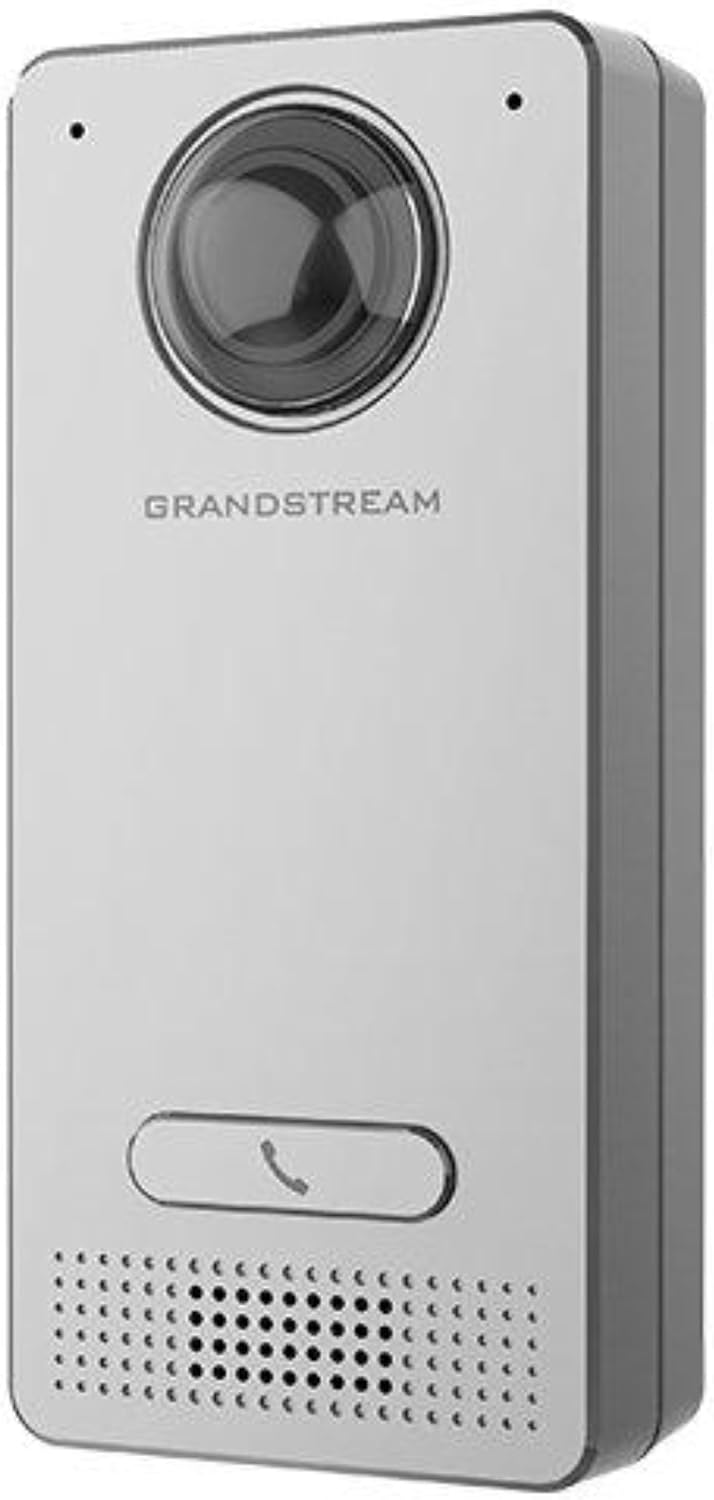
Image: Grandstream GDS3712 unit with included mounting accessories.
Tuote loppuview
The GDS3712 is a robust IP video door system designed for reliable access control and surveillance. Key features include:
- Teräväpiirtovideo: Supports resolutions up to 1080p for clear visual identification.
- Integrated Relays: Two relays for electric lock and alarm output, and two alarm inputs for exit buttons and door sensors.
- SIP Compatibility: Enables video streaming to NVRs, video intercom stations, IP phones, and smartphones simultaneously.
- Kestävä rakenne: Metalli casing provides weatherproof and vandal-resistant protection.
- Laaja kenttä View: Built-in hemispheric camera offers 180-degree wall-to-wall coverage.

Kuva: Edessä view of the GDS3712, highlighting the camera lens, call button, and speaker/microphone grille.
Asennus ja asennus
1. Laitteen asennus
- Valitse sijainti: Select a suitable outdoor or indoor location, ensuring clear line of sight for the camera and easy access for visitors. Consider mounting height for optimal facial recognition.
- Valmistele johdotus: Route necessary Ethernet (PoE recommended) and control wiring through the wall to the mounting point.
- Turvakiinnike: Use the provided screws to securely attach the mounting bracket to the wall.
- Kytke johdotus: Connect the Ethernet cable to the GDS3712's RJ45 port. If using external power, connect the power adapter. Connect alarm inputs/outputs and electric lock relays as required. Refer to the wiring diagram in the full technical datasheet for detailed connections.
- Kiinnitä laite: Carefully align the GDS3712 unit with the mounting bracket and secure it in place.
2. Verkkoasetukset
- Virta päälle: Apply power to the GDS3712. The device will boot up.
- Tutustu laitteeseen: Use Grandstream's GDS Manager software or a network scanner to discover the GDS3712's IP address on your local network.
- Pääsy Web Käyttöliittymä: Avaa a web browser and enter the device's IP address. Log in using the default credentials (usually admin/admin).
- Määritä verkkoasetukset: Set a static IP address, subnet mask, gateway, and DNS server if required by your network.
- Päivitä laiteohjelmisto: Check for and install the latest firmware updates from the Grandstream websivusto optimaalisen suorituskyvyn ja turvallisuuden takaamiseksi.
3. SIP-tilin rekisteröinti
- Navigate to the SIP settings in the web UI.
- Configure the SIP server address, SIP User ID, Authenticate ID, and Password as provided by your SIP service provider or IP PBX administrator.
- Ensure the SIP status shows "Registered" after applying settings.
Käyttöohjeet
1. Soittaminen
- Visitor Initiated Call: A visitor presses the single call button on the GDS3712. The device will dial the pre-configured SIP extension(s).
- Receiving Call: The call can be received on a compatible IP phone, video intercom station, or smartphone application.
2. Remote Door Opening
- During an active call, the recipient can enter a DTMF code (e.g., a PIN) on their receiving device to trigger the electric lock relay, opening the door.
- The specific DTMF code is configured in the GDS3712's web käyttöliittymä.
3. Videovalvonta
- The GDS3712's video stream can be accessed via an NVR, compatible IP video phone, or a dedicated surveillance application.
- Refer to your NVR or surveillance software documentation for instructions on adding an IP camera.
4. Alarm Inputs/Outputs
- Hälytystulo: Connect an exit button or door sensor to the alarm input ports. These can trigger events such as initiating a call or sending an alert.
- Hälytyslähtö: The alarm output can be configured to activate external devices (e.g., a siren) based on specific events detected by the GDS3712.
Huolto
- Puhdistus: Periodically clean the camera lens and the device's exterior with a soft, damp kangas. Älä käytä voimakkaita kemikaaleja tai hankaavia puhdistusaineita.
- Laiteohjelmistopäivitykset: Tarkista Grandstream säännöllisesti website for new firmware versions. Keeping the firmware updated ensures optimal performance, security, and access to new features.
- Kaapelin tarkastus: Tarkista säännöllisesti kaikki kaapelit ja liitännät kulumisen tai vaurioiden varalta.
- Varmuuskopiointiasetukset: It is recommended to regularly back up the device's configuration settings through the web käyttöliittymä.
Vianetsintä
| Ongelma | Mahdollinen syy | Ratkaisu |
|---|---|---|
| Laite ei käynnisty. | No power, faulty power adapter, or PoE issue. | Check power source, power adapter, and PoE switch/injector. Ensure cables are securely connected. |
| Ei pääse web käyttöliittymä. | Incorrect IP address, network connectivity issue, or firewall blocking access. | Verify IP address. Check network cable. Ensure device and computer are on the same network segment. Temporarily disable firewalls. |
| SIP account fails to register. | Incorrect SIP server details, wrong credentials, or network issues preventing SIP communication. | Double-check SIP server address, user ID, and password. Verify network connectivity to the SIP server. Check firewall settings. |
| No video stream. | Network bandwidth issues, incorrect video settings, or NVR/client configuration. | Check network load. Verify video encoding settings in the GDS3712 web UI. Ensure NVR/client is configured correctly to receive the stream. |
| Door lock does not open remotely. | Incorrect DTMF code, relay wiring issue, or lock malfunction. | Verify the DTMF code in the GDS3712 settings. Check wiring between the GDS3712 and the electric lock. Test the electric lock independently. |
Tekniset tiedot
| Ominaisuus | Yksityiskohta |
|---|---|
| Malli | GDS3712 |
| Valmistaja | Grandstream |
| Videon resoluutio | Jopa 1080p |
| Releet | 2 (for Electric Lock and Alarm Out) |
| Hälytystulot | 2 (for Exit button and Door sensor) |
| Kamera | Hemispheric, 180-degree coverage |
| Casing | Metal, Weatherproof, Vandal Resistant |
| Virrankulutus | 3 wattia |
| Tuotteen paino | 6 unssia (170 grammaa) |
| Hälytystyyppi | Vain liike |
Takuu ja tuki
For warranty information, please refer to the official Grandstream website or the warranty card included with your product. Technical support can be obtained through Grandstream's official support channels, including their websivusto, tietokanta ja asiakaspalvelun yhteystiedot.
Always provide your product model number (GDS3712) and serial number when contacting support.