Johdanto
Thank you for choosing the Varmilo Minilo VXB67 65% Bluetooth Mechanical Keyboard. This manual provides detailed instructions for setting up, operating, and maintaining your new keyboard. The VXB67 offers a compact 65% layout, dual-mode connectivity (wired USB-C and Bluetooth), and a comfortable typing experience with Varmilo EC Daisy V2 switches and durable ABS double-shot keycaps. It also features a Type-Cool sound dampening structure for a clear typing sound.

Image: The Varmilo Minilo VXB67 keyboard, showcasing its compact design and color scheme.
Pakkauksen sisältö
Tarkista pakkauksen sisältö varmistaaksesi, että kaikki osat ovat mukana:
- Varmilo Minilo VXB67 mekaaninen näppäimistö
- USB-kaapeli
- Näppäimistön vetäjä
- Kytkimen vedin
- Pölysuoja
- Käyttöopas (tämä asiakirja)

Image: The Varmilo Minilo VXB67 keyboard alongside its USB-C cable, keycap puller, switch puller, and a clear dust cover.
Asennus
1. Langallinen yhteys
- Paikanna näppäimistön USB-C-portti.
- Liitä mukana toimitetun USB-C-kaapelin toinen pää näppäimistöön.
- Liitä USB-C-kaapelin toinen pää tietokoneen vapaana olevaan USB-porttiin.
- Käyttöjärjestelmäsi tunnistaa näppäimistön automaattisesti.
2. Bluetooth-yhteys
The VXB67 keyboard can connect to up to 3 devices via Bluetooth.
- Varmista, että näppäimistö on ladattu tai kytketty USB-C:n kautta.
- Turn on Bluetooth on your device (computer, tablet, or smartphone).
- Paina ja pidä pohjassa näppäimistön Fn näppäintä ja yhtä Bluetooth-näppäimistä (Q, W, tai E) for 3-5 seconds to enter pairing mode. The indicator light will flash.
- On your device, search for Bluetooth devices and select "Varmilo VXB67" (or similar) from the list.
- Kun pariliitos on muodostettu, näppäimistön merkkivalo lakkaa vilkkumasta ja jää palamaan tasaisesti.
- Repeat for up to two additional devices using the other Bluetooth keys.
3. Näppäimistön kulman säätäminen
The keyboard features 3-level adjustable kickstands on the bottom to customize your typing angle for comfort.

Image: The underside of the keyboard, highlighting the foldable kickstands for ergonomic adjustment.
Video: Demonstrates the features of the Varmilo Minilo Eucalyptus keyboard, including the adjustable kickstands and multi-device connectivity.
Käyttöohjeet
1. Näppäinhatun ja kytkimen vaihto
The VXB67 features hot-swappable switches, allowing you to change switches without soldering. Use the provided keycap and switch pullers for this process.
- Näppäinhattujen poistaminen: Use the keycap puller to gently grip the keycap and pull upwards.
- Kytkimien poistaminen: Use the switch puller to carefully grip the top and bottom clips of the switch and pull upwards.
- Kytkimien asentaminen: Kohdista uuden kytkimen nastat piirilevyn reikiin. Paina kytkintä lujasti alas, kunnes se napsahtaa paikalleen. Varmista, etteivät nastat ole taipuneet.
- Näppäinhattujen asentaminen: Place the keycap over the switch stem and press down gently until it is secure.
Video: Demonstrates the process of changing switches and keycaps on the Varmilo Minilo 67 keyboard.
2. Taustavalon hallinta
The keyboard features white LED backlighting. Use the following key combinations to control the backlight:
- Fn + \ |: Cycle through backlight effects.
- Fn + ↑: Lisää taustavalon kirkkautta.
- Fn + ↓: Vähennä taustavalon kirkkautta.
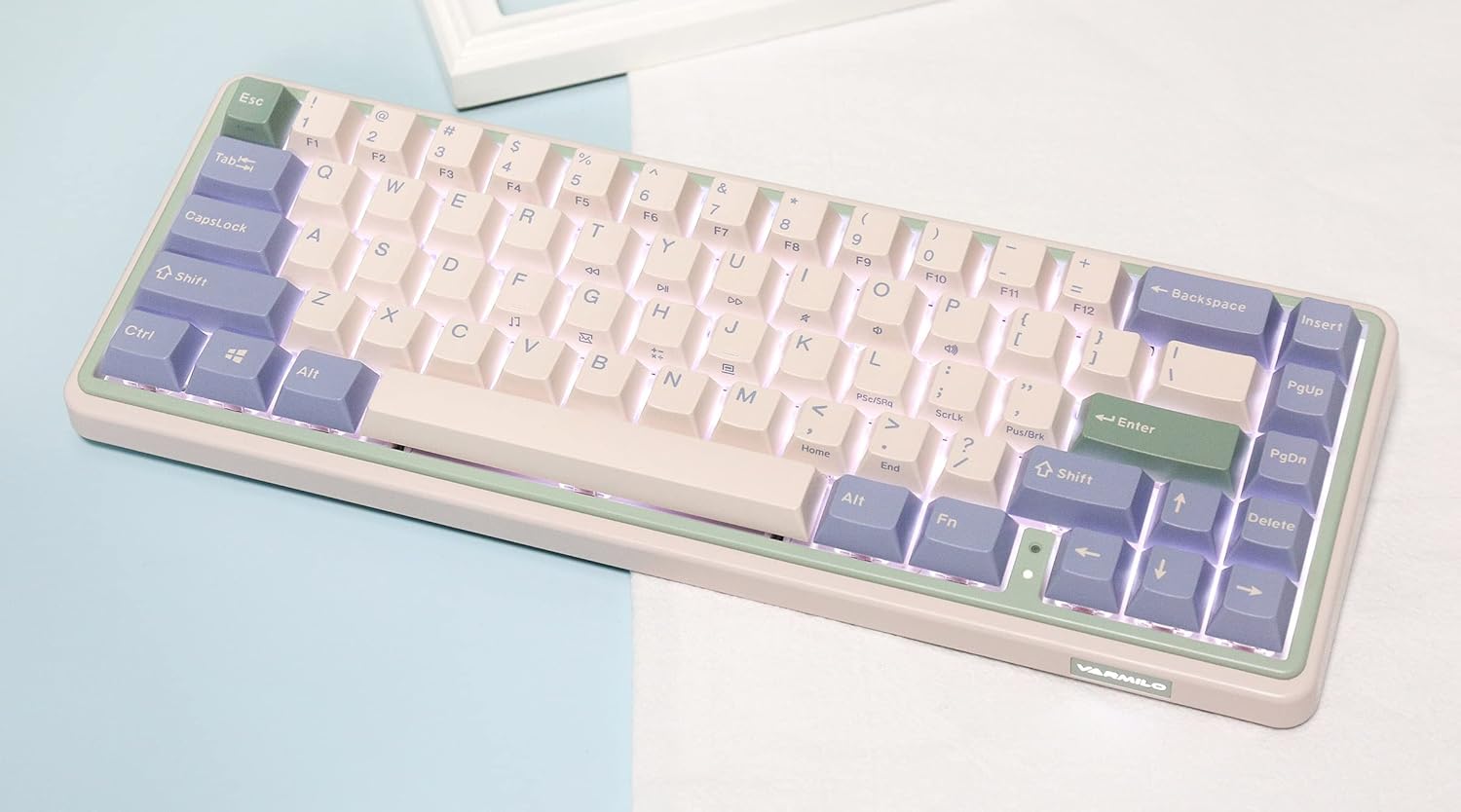
Image: The Varmilo Minilo VXB67 keyboard illuminated by its white LED backlighting.
3. Usean laitteen vaihto
To switch between paired Bluetooth devices:
- Paina Fn + Q to switch to Bluetooth Device 1.
- Paina Fn + W to switch to Bluetooth Device 2.
- Paina Fn + E to switch to Bluetooth Device 3.
The keyboard will quickly connect to the selected device.
Huolto
- Puhdistus: Pyyhi näppäimistön pinta pehmeällä, kuivalla liinalla. Perusteellisempaa puhdistusta varten irrota näppäinhatut mukana toimitetulla näppäinhattuvetimellä ja poista roskat paineilmalla.
- Akun lataus: Connect the keyboard via the USB-C cable to a power source (computer USB port or USB wall adapter). The Escape key will light up while charging and flash when the battery is low.
- Varastointi: When not in use, store the keyboard in a cool, dry place. Use the provided dust cover to protect it from dust and spills.
Vianetsintä
- Näppäimistö ei vastaa (langallinen):
- Varmista, että USB-C-kaapeli on kytketty kunnolla sekä näppäimistöön että tietokoneeseen.
- Kokeile toista tietokoneesi USB-porttia.
- Kokeile toista USB-C-kaapelia.
- Näppäimistö ei vastaa (Bluetooth):
- Varmista, että Bluetooth on käytössä laitteessasi.
- Varmista, että näppäimistö on ladattu.
- Re-enter pairing mode (Fn + Q/W/E) and attempt to re-pair with your device.
- Forget the device on your computer/tablet/phone and try pairing again.
- Avaimet eivät rekisteröidy:
- Ensure the keycap and switch are properly seated. Remove and re-install if necessary.
- If using hot-swappable switches, ensure the switch pins are not bent.
- Taustavalo ei toimi:
- Tarkista taustavalon kirkkausasetukset (Fn + ↑/↓).
- Ensure the keyboard is not in a low power state.
Tekniset tiedot
| Malli | VXB67 |
| Layout | 65 % (67 avainta) |
| Yhteydet | Bluetooth 5.0, langallinen USB-C |
| Kytkimet | Varmilo EC Daisy V2 (Hot-swappable) |
| näppäinten yläpuolelle | 1.5mm thick ABS Double Shot |
| Taustavalo | Valkoinen LED |
| Akun kapasiteetti | 3400 mAh |
| Yhteensopivat laitteet | PC (and other Bluetooth-enabled devices) |
| Materiaali | Akryylinitriilibutadieenistyreeni (ABS) |
| Mitat | Approx. 15 x 7 x 2.5 inches (based on package dimensions) |
| Paino | 3.21 kiloa |
Takuu ja tuki
For warranty information and technical support, please refer to the official Varmilo websivustolta tai ota yhteyttä jälleenmyyjään. Säilytä ostokuitti takuuvaatimuksia varten.
Virkamies Varmilo Websivusto: www.varmilo.com


