1. Johdanto
This instruction manual provides detailed information on the setup, operation, maintenance, and specifications of your MINISFORUM HM80 Mini PC. Please read this manual thoroughly before using the device to ensure proper functionality and to maximize its performance.
2. Pakkauksen sisältö
Varmista, että pakkauksessasi on kaikki alla luetellut tuotteet:
- 1x MINISFORUM HM80 Mini PC
- 1x kiinnike
- 1x HDMI Cable (60cm)
- 1x virtalähde
- 1x käyttöohje
3. Tuotteen ominaisuudet
The MINISFORUM HM80 Mini PC offers a range of features designed for efficient computing:
- Tehokas suorituskyky: Equipped with an AMD Ryzen 7 4800U processor (8 Cores/16 Threads, up to 4.0 GHz) for smooth handling of demanding tasks and multitasking.
- Kolminkertainen näyttölähtö: Features integrated AMD Radeon Graphics (1750 MHz) supporting 4K@60Hz output across three independent displays via HDMI 2.0, DisplayPort, and USB-C.
- Erinomainen liitettävyys: Includes M.2 2230 WIFI with WiFi 6 (802.11ax) and Bluetooth 5.1, offering dual-band 5GHz/2.4GHz support and multi-user 2x2 MIMO (MU-MIMO) for high-speed wireless connections. Two 2.5 Gigabit LAN ports are also provided for robust wired networking.
- Suuri kapasiteetti: Comes with 32GB DDR4 RAM (2x16GB, upgradable to 32GB per slot) and a 512GB 2280 PCIe SSD (upgradable up to 2TB). Additionally, two 2.5-inch SATA HDD slots are available for further storage expansion (up to 2TB each).
4. Laitteisto ohiview
4.1 Etu- ja takapaneelit
Familiarize yourself with the ports and buttons on your HM80 Mini PC.

Image: Front and Rear Panel Ports of the HM80 Mini PC. The front panel includes the power button, audio jacks, and USB ports. The rear panel features multiple USB ports, LAN ports, HDMI, DisplayPort, and a USB-C port.
Etupaneeli:
- Virtapainike: Laitteen kytkeminen päälle tai pois päältä.
- 3.5mm Microphone Jack: Mikrofonin kytkemiseen.
- 3.5 mm ääniliitäntä: Kuulokkeiden tai kaiuttimien kytkemiseen.
- USB 3.1 -portti (x2): USB-laitteiden liittämiseen.
- USB-C-portti: For data transfer and display output.
Takapaneeli:
- USB 3.0 -portti (x4): USB-laitteiden liittämiseen.
- 2.5G LAN Port (x2): Langallisiin verkkoyhteyksiin.
- HDMI-portti: Näytön liittämistä varten.
- DisplayPort: Näytön liittämistä varten.
- Kensington-lukon paikka: For security locking.
- USB-C-portti: For data transfer and display output.
- Tehon syöttö: Virtalähteen liittämiseen.
4.2 Sisäiset komponentit
The HM80 Mini PC is designed for easy access to internal components for upgrades.

Kuva: Räjähtänyt view of the HM80 Mini PC showing internal components like RAM, SSD, and HDD slots.
- M.2 2230 WIFI Module: Tarjoaa langattoman yhteyden.
- DDR4 SO-DIMM Slots (x2): For system memory (RAM).
- M.2 2280 PCIe SSD Slot: For the primary solid-state drive.
- 2.5-inch SATA HDD Slots (x2): For additional hard disk drives.
5. Asennusohjeet
5.1 Oheislaitteiden liittäminen
- Connect your monitor(s) to the HDMI, DisplayPort, or USB-C video output ports on the rear panel.
- Connect your keyboard and mouse to any available USB ports.
- If using a wired network, connect an Ethernet cable from your router or modem to one of the 2.5G LAN ports.
5.2 Virtaliitäntä
- Connect the power adapter to the power input port on the rear of the Mini PC.
- Liitä verkkolaite pistorasiaan.
5.3 Ensimmäinen käynnistys
- Press the power button located on the front panel of the Mini PC.
- The system will boot up. Follow any on-screen instructions for initial Windows 11 Pro setup.
6. Käyttöohjeet
6.1 Virta päälle/pois
- Virran kytkeminen: Paina etupaneelin virtapainiketta.
- Virran sammuttaminen: Click the Start button in Windows, then select Power > Shut down. Alternatively, press and hold the power button for 4-5 seconds for a forced shutdown (use only when necessary).
6.2 Verkkoyhteydet
- Kiinteä yhteys: Jos Ethernet-kaapeli on kytketty, järjestelmän pitäisi tunnistaa verkko ja muodostaa siihen yhteys automaattisesti.
- Langaton yhteys (Wi-Fi): Napsauta Windowsissa tehtäväpalkin Wi-Fi-kuvaketta, valitse haluamasi verkko, anna salasana ja napsauta Yhdistä.
6.3 Näytön asetukset
The HM80 supports up to three independent 4K@60Hz displays.
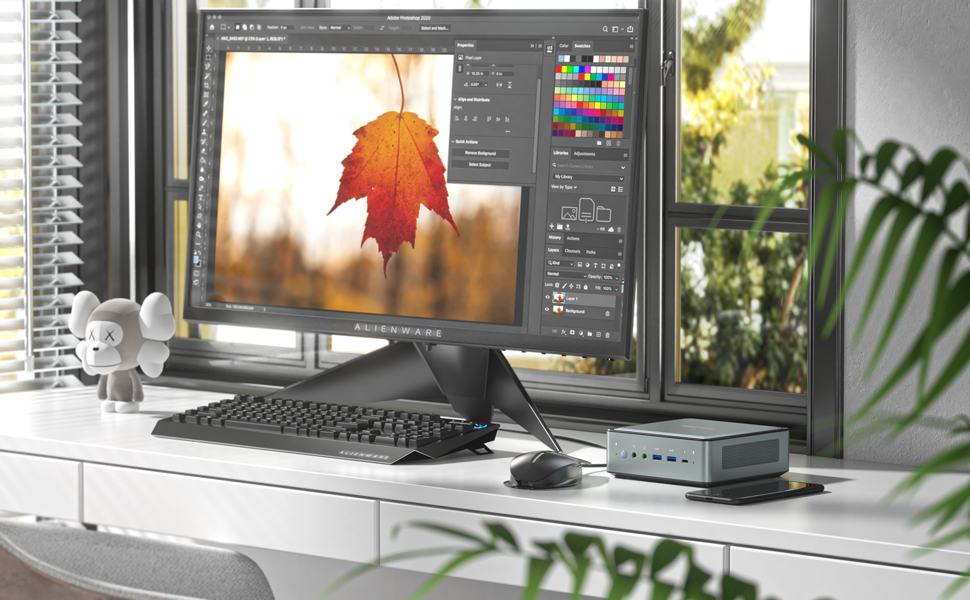
Image: Illustration of the HM80 Mini PC connected to three monitors, demonstrating its triple display output capability.
- Connect your monitors to the HDMI, DisplayPort, and USB-C video outputs.
- In Windows, right-click on the desktop and select 'Display settings' to configure display arrangement, resolution, and orientation.
7. Huolto
7.1 Puhdistus
- Puhdista Mini PC:n ulkopinta pehmeällä, kuivalla liinalla.
- Käytä paineilmaa tuuletusaukkoihin kertyneen pölyn poistamiseen. Varmista, että laite on sammutettu ennen puhdistamista.
7.2 Tallennustilan ja RAM-muistin päivitykset
The HM80 Mini PC allows for easy upgrades of RAM, SSD, and HDD.
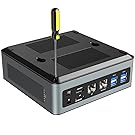
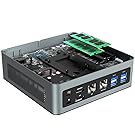

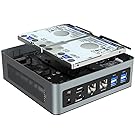
Images: Steps for opening the HM80 Mini PC and installing RAM, SSD, and HDD components.
- Varmista, että Mini PC on sammutettu ja irrotettu virtalähteestä.
- Irrota Mini PC:n pohjakansi varovasti.
- Locate the RAM (SO-DIMM) slots, M.2 SSD slot, or 2.5-inch HDD bays.
- Install or replace components according to their specific instructions. Ensure components are seated correctly.
- Replace the bottom cover and reconnect the power.
Note: Refer to the specific component's manual for detailed installation steps. Handle internal components with care to avoid damage.
8. Vianmääritys
If you encounter issues with your MINISFORUM HM80 Mini PC, refer to the following common troubleshooting steps:
- Ei virtaa: Varmista, että virtalähde on kytketty kunnolla sekä Mini PC:hen että toimivaan pistorasiaan. Kokeile tarvittaessa toista pistorasiaa.
- Ei näyttöä: Verify that the monitor is powered on and the video cable (HDMI, DisplayPort, or USB-C) is securely connected to both the Mini PC and the monitor. Try a different cable or monitor if possible.
- Ei Internet-yhteyttä: For wired connections, check the Ethernet cable and router/modem status. For Wi-Fi, ensure Wi-Fi is enabled in Windows settings and you are connected to the correct network with the correct password.
- Järjestelmä ei vastaa: If the system freezes, press and hold the power button for 4-5 seconds to force a shutdown, then restart the device.
- Oheislaitetta ei havaittu: Ensure USB devices are properly connected. Try connecting them to a different USB port.
If problems persist, consult the MINISFORUM support websivusto lisäapua varten.
9. Tekniset tiedot
Detailed technical specifications for the MINISFORUM HM80 Mini PC:
| Ominaisuus | Erittely |
|---|---|
| Prosessori | AMD Ryzen 7 4800U (8 Cores, 16 Threads, 3.4 GHz base, up to 4.0 GHz boost) |
| Grafiikka | Integrated AMD Radeon Graphics (1750 MHz) |
| RAM | 16 GB DDR4 (2x8GB, upgradable to 32GB per slot) |
| Varastointi | 512 GB 2280 PCIe SSD (up to 2TB), 2x 2.5-inch SATA HDD slots (up to 2TB each) |
| Käyttöjärjestelmä | Windows 11 Pro |
| Videolähtö | HDMI 2.0, DisplayPort, USB-C (supports triple 4K@60Hz displays) |
| Langaton yhteys | Wi-Fi 6 (802.11ax), Bluetooth 5.1 |
| LAN-portit | 2x 2.5 Gigabit Ethernet (RJ45) |
| USB-portit | 4 x USB 3.0, 2 x USB 3.1, 2 x USB-C |
| Audio | 3.5mm Microphone Jack, 3.5mm Audio Jack |
| Mitat | Noin 14.96 x 14.96 x 5.55 cm (5.89 x 5.89 x 2.19 tuumaa) |
| Paino | Noin 1.5 kg (3.32 paunaa) |
10. Takuu ja tuki
MINISFORUM products typically come with a standard manufacturer's warranty. For specific warranty terms, duration, and to register your product, please visit the official MINISFORUM websivustolla tai ota yhteyttä heidän asiakastukeen.
For technical support, driver downloads, and frequently asked questions, please refer to the MINISFORUM support page: www.minisforum.com/support


