1. Johdanto
This manual provides detailed instructions for the setup, operation, and maintenance of your ORIA Digital Alarm Clock (Model OUS-HY-WA109B). Please read this manual thoroughly before using the product to ensure proper function and safety.
1.1 Pakkauksen sisältö
- ORIA Digital Alarm Clock (Model OUS-HY-WA109B)
- USB-virtakaapeli
- Käyttöopas

Figure 1: Package contents including the ORIA Digital Alarm Clock, USB cable, and user manual.
2. Turvallisuustiedot
- Älä altista laitetta äärimmäisille lämpötiloille, suoralle auringonvalolle tai korkealle kosteudelle.
- Pidä laite poissa vedestä tai muista nesteistä.
- Use only the provided USB cable or a certified equivalent for power.
- Älä yritä purkaa tai korjata laitetta itse. Ota yhteyttä asiakaspalveluun saadaksesi apua.
- Hävitä paristot paikallisten määräysten mukaisesti.
3. Asennus
3.1 Laitteen virran kytkeminen
The ORIA Digital Alarm Clock offers dual power options:
- DC Cable Power (Recommended): Connect the provided USB power cable to the DC 5V port on the back of the clock and plug the other end into a USB power adapter (not included) or a USB port. The display will remain continuously on.
- Battery Power (Backup/Power Saving Mode): Insert 3 AAA batteries (not included) into the battery compartment on the back of the clock. In battery mode, the screen will automatically turn off after 8 seconds to conserve power. Touch the top button to wake up the screen for 8 seconds.
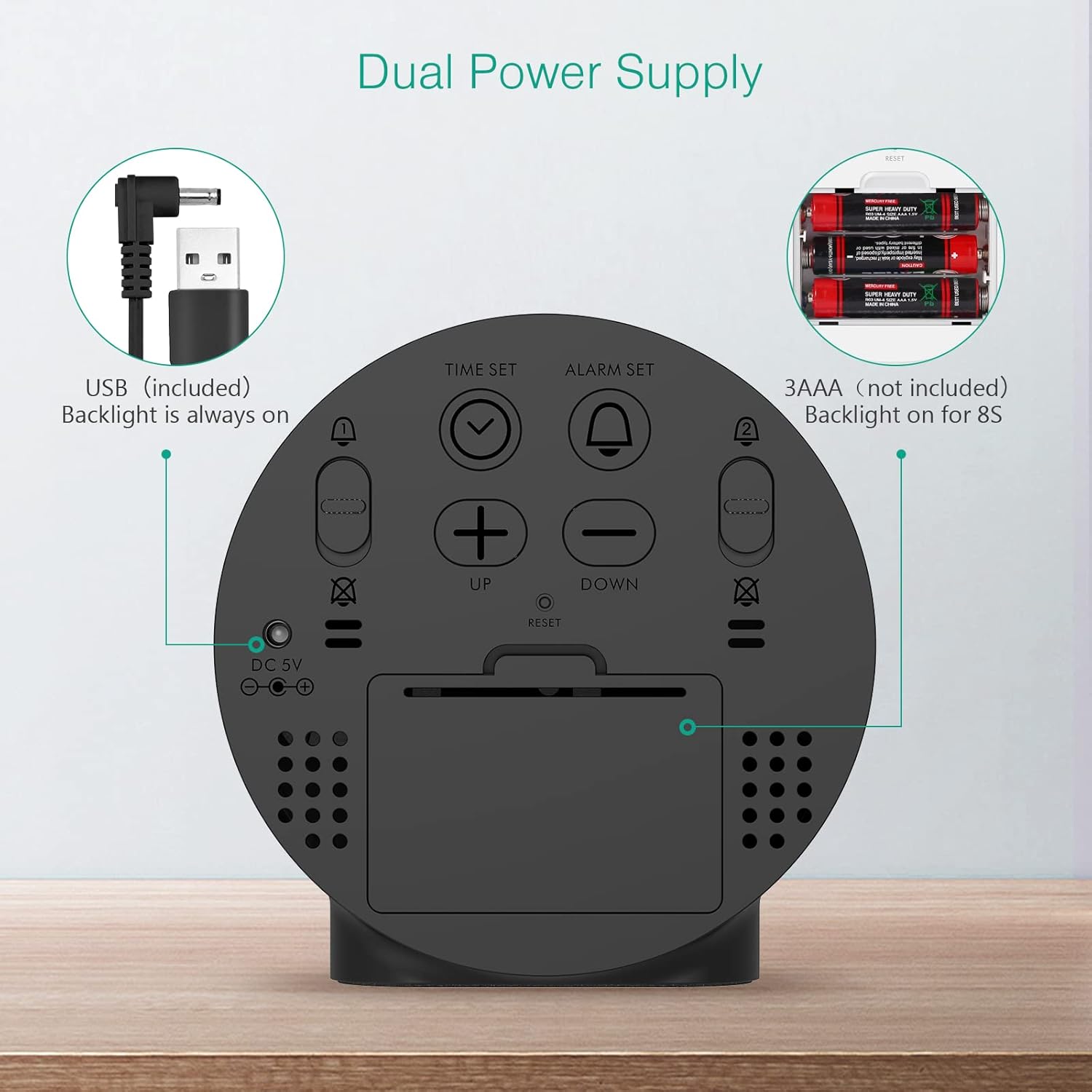
Figure 2: Back panel illustrating the USB power input and battery compartment for dual power supply.
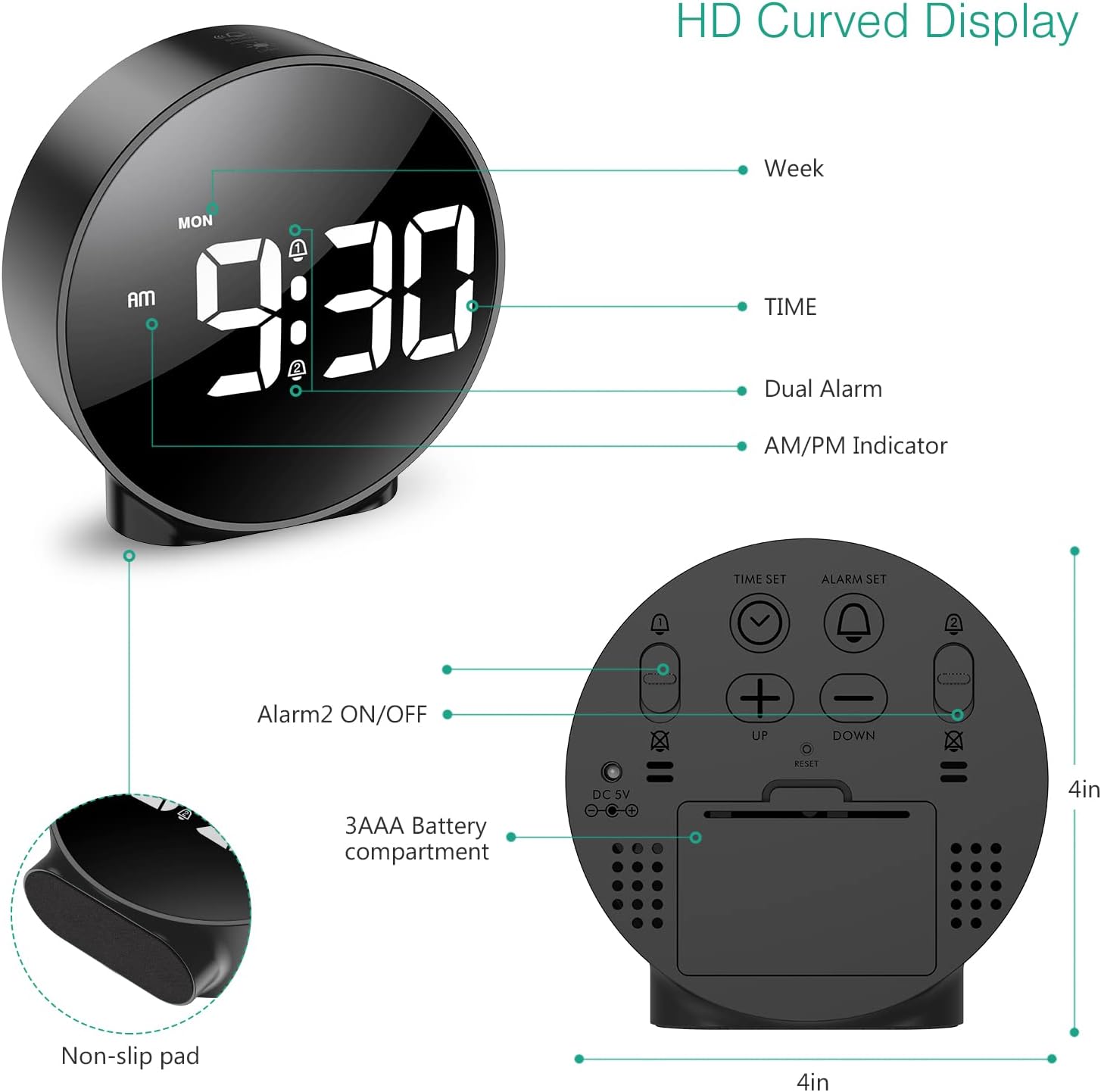
Kuva 3: Yksityiskohtainen view of the clock's back panel, highlighting the DC 5V input, battery compartment, and control buttons.
4. Käyttöohjeet
4.1 Setting the Time (12/24Hr Format)
- Paina ja pidä painettuna AJAN ASETUS button on the back of the clock for 3 seconds to enter time setting mode. The hour digits will start flashing.
- Käytä UP or ALAS painikkeita säätääksesi tuntia.
- Paina AJAN ASETUS uudelleen vahvistaaksesi tunnit ja siirtyäksesi minuuttien asetukseen. Minuuttinumerot vilkkuvat.
- Käytä UP or ALAS painikkeita minuuttien säätämiseksi.
- Paina AJAN ASETUS again to confirm the minute and exit time setting mode.
- Voit vaihtaa 12 tunnin ja 24 tunnin muodon välillä painamalla 12/24 -painiketta.
4.2 Hälytysten asettaminen (kaksoishälytykset)
The clock supports two independent alarms (Alarm 1 and Alarm 2) with 5 alarm modes.
- Paina ja pidä painettuna HÄLYTYSASETUS -painike (herätykselle 1) tai HÄLYTYS 2 ON/OFF button (for Alarm 2) for 3 seconds to enter alarm setting mode. The hour digits will flash.
- Käytä UP or ALAS painikkeita säätääksesi herätysaikaa.
- Paina vastaavaa HÄLYTYSASETUS or HÄLYTYS 2 ON/OFF -painiketta uudelleen vahvistaaksesi tunnit ja siirtyäksesi minuuttien asetukseen. Minuuttinumerot vilkkuvat.
- Käytä UP or ALAS painikkeita säätääksesi herätysminuutteja.
- Paina vastaavaa HÄLYTYSASETUS or HÄLYTYS 2 ON/OFF button again to confirm the minute and select the alarm mode. The display will show the current mode (e.g., "1-1" for one day).
- Käytä UP or ALAS buttons to cycle through the 5 alarm modes:
- 1-1: Alarm sounds once.
- 1-5: Hälytys soi maanantaista perjantaihin.
- 1-6: Hälytys soi maanantaista lauantaihin.
- 1-7: Alarm sounds Monday to Sunday.
- 6-7: Alarm sounds Saturday to Sunday.
- Paina vastaavaa HÄLYTYSASETUS or HÄLYTYS 2 ON/OFF button one last time to confirm the alarm mode and exit alarm setting.
- To turn an alarm ON or OFF, short press the respective HÄLYTYSASETUS or HÄLYTYS 2 ON/OFF -painiketta. Näyttöön ilmestyy hälytyskuvake, kun se aktivoidaan.
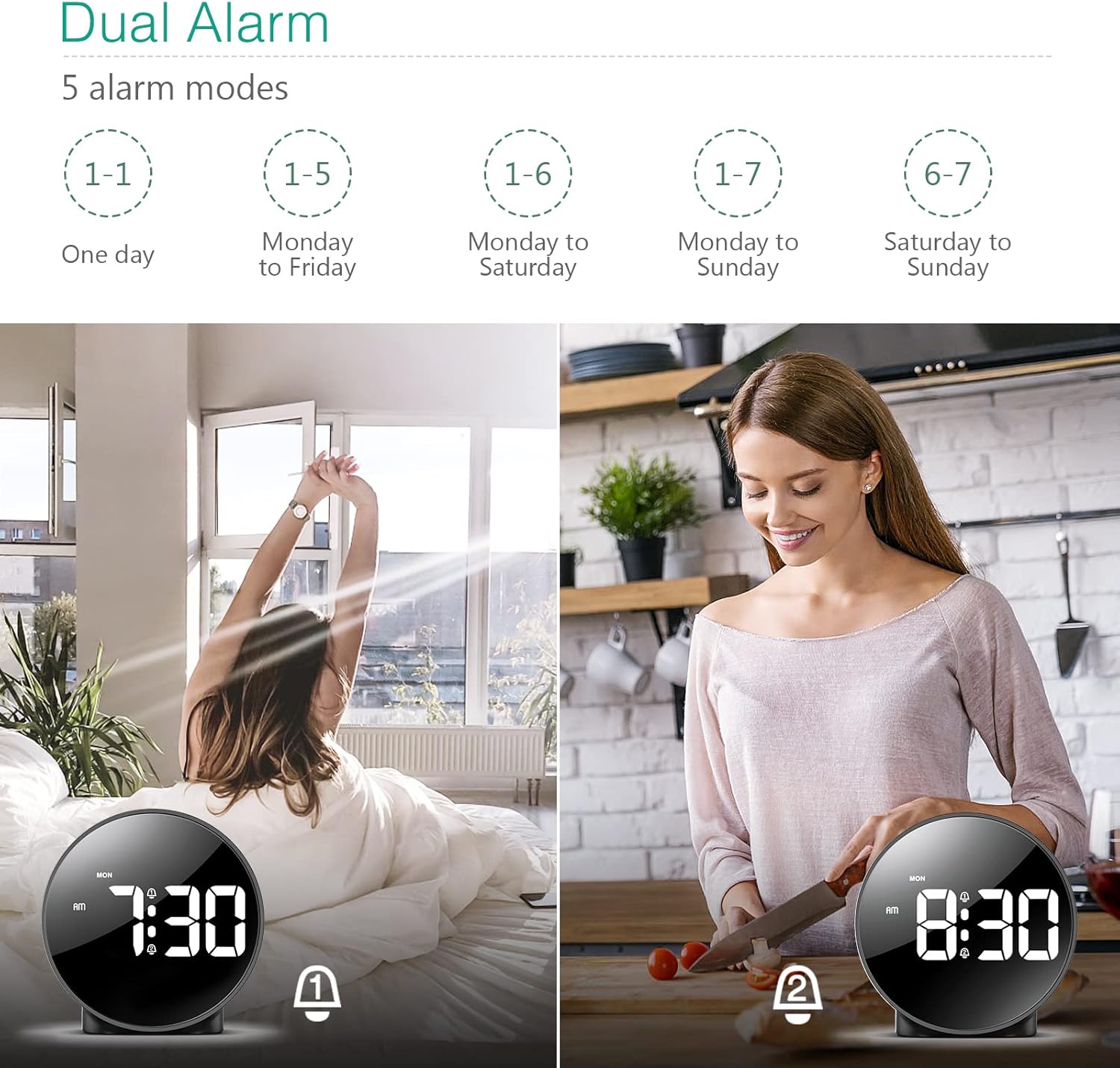
Figure 4: Illustration of the dual alarm functionality with various scheduling modes.
4.3 Torkku -toiminto
Kun hälytys soi, paina isoa SNOOZE / VALO button on the top of the clock to activate the snooze function. The alarm will pause for 5 minutes and then sound again. You can repeat this process multiple times.

Figure 5: Activating the snooze function by touching the top of the clock.
4.4 Kirkkauden säätäminen
The clock features 4 levels of adjustable brightness. Short press the SNOOZE / VALO button on the top of the clock to cycle through the brightness levels (100%, 80%, 60%, and 0% (off)).

Figure 6: Visual representation of the four adjustable brightness levels of the clock display.
4.5 Kesäaika
The clock supports Daylight Saving Time adjustment. Refer to the included mini-manual for specific instructions on how to activate or deactivate DST.
5. Ominaisuudet
- HD-LED-näyttö: Large, high-definition curved display for clear time reading.
- Dual Alarms with 5 Modes: Set two independent alarms with flexible scheduling options (one-day, weekdays, weekends, or every day).
- Säädettävä kirkkaus: Four levels of display brightness, including an off mode, to suit various environments and preferences.
- Torkkutoiminto: Provides an additional 5 minutes of sleep with a simple touch.
- 12/24 tunnin muoto: Easily switch between standard and military time displays.
- Kaksoisvirtalähde: Operates via USB cable for continuous display or AAA batteries for power-saving mode (display turns off after 8 seconds).
- Kompakti muotoilu: Suitable for various locations such as bedrooms, living rooms, offices, or for travel.
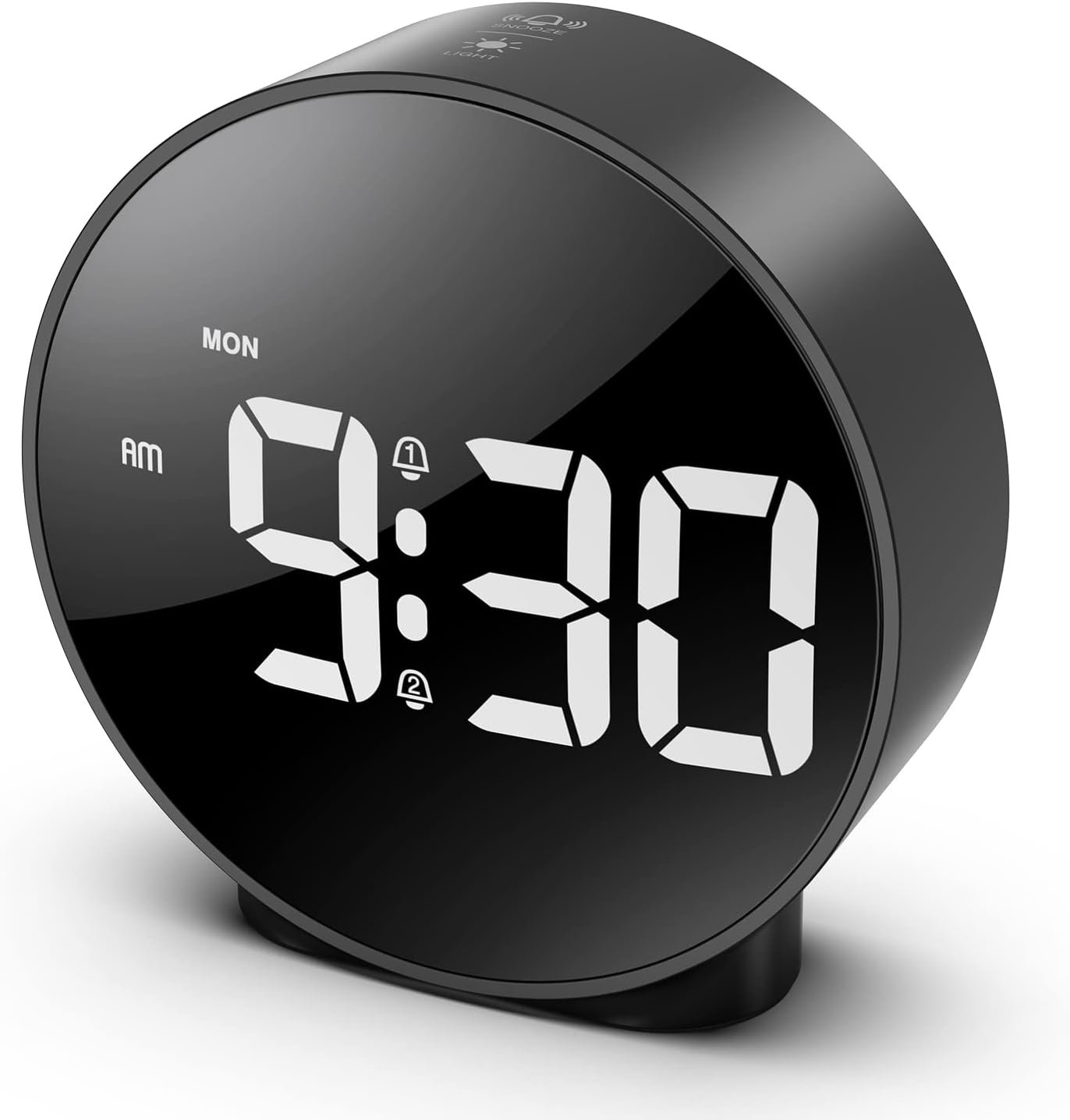
Figure 7: The ORIA Digital Alarm Clock showcasing its clear HD LED display.
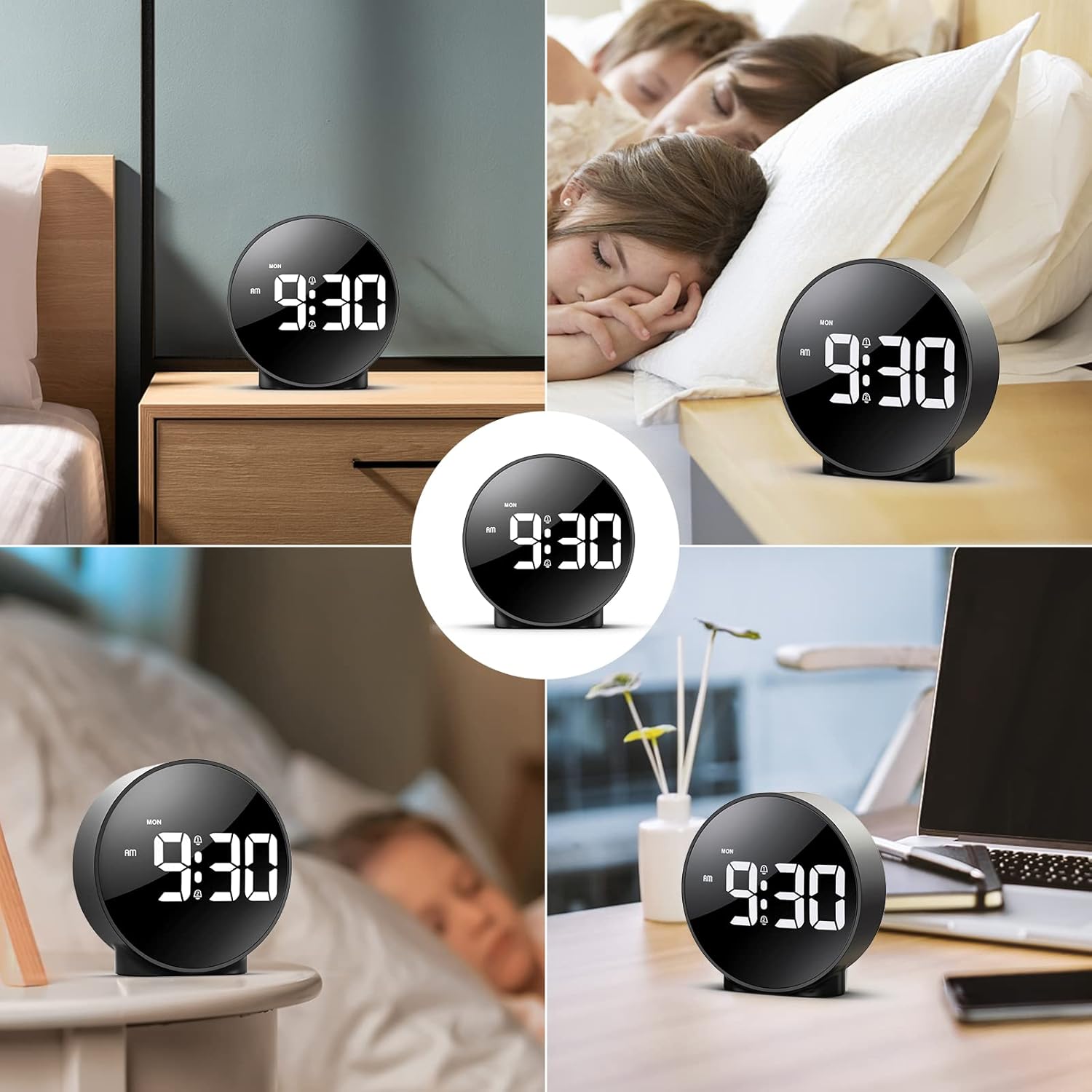
Figure 8: The versatile ORIA Digital Alarm Clock integrated into different environments like a bedroom, office, and living room.
6. Huolto
- Puhdista kello pehmeällä, kuivalla liinalla. Älä käytä hankaavia puhdistusaineita tai liuottimia.
- Jos laitetta ei käytetä pitkään aikaan, poista paristot vuotojen estämiseksi.
7. Vianmääritys
- Display is off in battery mode: This is normal for power saving. Touch the top button to activate the display for 8 seconds. For continuous display, use the USB power cable.
- Painikkeet eivät vastaa: Try resetting the clock by pressing the small RESET button located on the back panel using a thin object (e.g., a paperclip).
- Hälytys ei soi: Ensure the alarm is activated (alarm icon visible on display) and the volume is not set to zero.
- Väärä aika/päivämäärä: Re-enter time setting mode and adjust the time and date as per Section 4.1.
8. Tekniset tiedot
| Merkki | ORIA |
| Mallinumero | OUS-HY-WA109B |
| Väri | Black Case & White Digit |
| Näytön tyyppi | Digitaalinen LED |
| Tuotteen mitat | 4.29 cm L x 4.8 cm K |
| Tuotteen paino | 5.9 unssia (0.17 kiloa) |
| Virtalähde | Corded Electric & Battery Powered (3x AAA, not included) |
| Materiaali | Muovi |
| Erikoisominaisuudet | Alarm, LED Display, Adjustable Brightness, Dual Alarms, Snooze |
9. Takuu ja tuki
- 1 vuoden takuu: Tuotteella on 1 vuoden rajoitettu takuu.
- 90-Day Free Replacements: Enjoy free replacements for eligible issues within 90 days of purchase.
- 30 päivän ilmainen palautus: Returns are accepted within 30 days of purchase.
- 24/7 asiakastuki: For any inquiries or assistance, please contact ORIA customer support.
- Elinikäinen tekninen tuki: Benefit from lifetime technical support for your product.
Lisätietoja saat osoitteesta ORIA Store on Amazon.


