1. Johdanto
Thank you for choosing the KZ EDA Dynamic Driver Earbuds. This manual provides essential information for the proper setup, operation, maintenance, and troubleshooting of your new in-ear monitors. Please read this manual thoroughly before use to ensure optimal performance and longevity of your product.
2. Tuote ohiview
2.1 Komponentit
- KZ EDA Earbuds (Left and Right)
- Detachable 2-Pin Cable
- Silikoniset korvatyynyt (eri kokoisia)
2.2 Tärkeimmät ominaisuudet
- Dynaaminen ohjain: Engineered for high-fidelity audio reproduction.
- Irrotettava kaapeli: Allows for easy replacement and upgrade.
- Ergonominen muotoilu: Shaped for comfortable and secure fit within the ear.
- Passiivinen melunvaimennus: The in-ear design provides up to 26dB of passive noise isolation.
- Kevyt rakenne: Suunniteltu pitkäaikaiseen kuuntelumukavuuteen.

Kuva: Yleistä view of the KZ EDA Dynamic Driver Earbuds, showcasing their transparent housing and metallic accents.
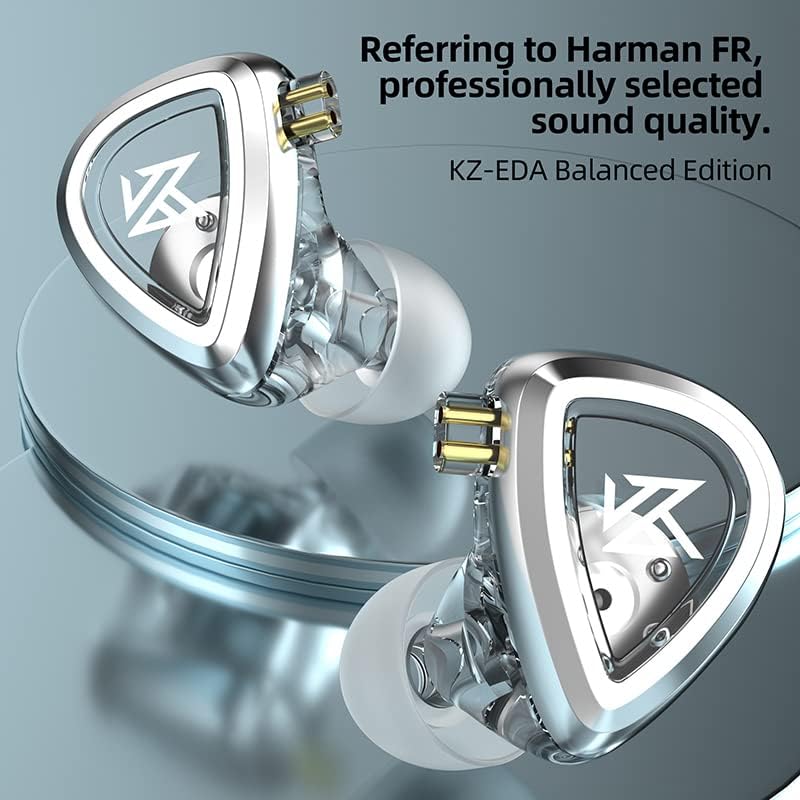
Image: Close-up of the KZ EDA Earbuds, highlighting the detailed design and 2-pin connector interface.
3. Asennus
3.1 Identify Left and Right Earbuds
Each earbud is marked with 'L' for left and 'R' for right. Ensure you match them correctly for proper stereo imaging and comfort.
3.2 Liitä kaapeli
- Identify the left and right connectors on the detachable cable. The cable typically has a pre-formed ear hook for over-ear routing.
- Align the 2-pin connector on the cable with the corresponding receptacle on each earbud. The pins should slide in smoothly. Do not force the connection.
- Varmista tukeva liitäntä.
3.3 Select Eartips
Choose the silicone eartips that provide the best seal and comfort for your ears. A good seal is crucial for optimal sound quality and bass response. Experiment with different sizes (Small, Medium, Large) to find your ideal fit.
3.4 Korvanappikuulokkeiden käyttö
- Aseta kuuloke varovasti korvakäytävään.
- Route the cable over the top of your ear. The pre-formed ear hook helps secure the earbud in place and reduces microphonics (cable noise).
- Adjust the earbud until it feels secure and comfortable, forming a good seal.

Image: A person wearing the KZ EDA Earbuds, demonstrating the over-ear cable routing for a secure and comfortable fit.
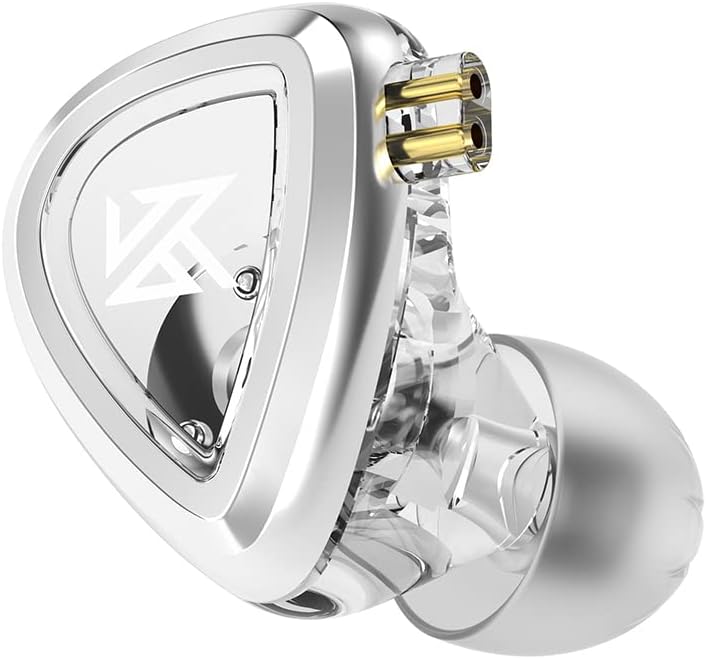
Image: Illustration of the ergonomic design of the KZ EDA Earbuds, highlighting how the shape contributes to passive noise cancellation by sealing the ear canal.
3.5 Connect to Audio Source
Plug the 3.5mm jack of the cable into the headphone output of your audio device (e.g., smartphone, digital audio player, computer).
4. Käyttöohjeet
4.1 Äänen toisto
Once connected to your audio source, simply start playing audio from your device. The earbuds will reproduce the sound.
4.2 Äänenvoimakkuuden säätö
Adjust the volume directly on your connected audio device. These earbuds do not feature inline volume controls.
5. Huolto
5.1 Cleaning the Earbuds and Eartips
- Gently wipe the exterior of the earbuds with a soft, dry, lint-free cloth.
- Remove the silicone eartips and wash them with mild soap and water. Rinse thoroughly and allow them to dry completely before reattaching.
- Älä käytä puhdistukseen voimakkaita kemikaaleja tai hankaavia materiaaleja.
5.2 Kaapelien hoito
- Vältä teräviä mutkia tai kaapelin liiallista vetämistä.
- When disconnecting, always pull from the plug, not the cable itself.
- To disconnect the 2-pin cable from the earbuds, hold the earbud firmly and gently pull the cable connector straight out. Do not twist.
5.3 Varastointi
When not in use, store your KZ EDA Earbuds in a protective case to prevent damage from dust, moisture, and physical impact.
6. Vianmääritys
6.1 Ei ääntä
- Varmista, että 3.5 mm:n liitin on työnnetty kokonaan äänilaitteeseen.
- Check that the 2-pin cable connectors are securely attached to the earbuds.
- Verify the volume on your audio device is turned up and not muted.
- Test with a different audio source or another pair of headphones to rule out device issues.
6.2 Poor Sound Quality / Distorted Audio
- Ensure the eartips form a proper seal in your ear. Adjust their position or try a different size.
- Check the cable connections for any looseness.
- Reduce the volume on your audio device if distortion occurs at high levels.
- Varmista, että äänilähde file tai suoratoiston laatu on korkea.
6.3 Earbuds Falling Out
- Experiment with different eartip sizes to find the most secure fit.
- Ensure the cable is routed over your ear correctly, utilizing the ear hook.
- Adjust the angle and depth of insertion until a stable fit is achieved.
7. Tekniset tiedot

Image: Illustration detailing the 0.15MM magnetic gap within the dynamic driver, contributing to stronger output and lower distortion.

Image: Illustration showing the customized 0.035MM diameter loop, designed to stabilize and enhance driver vibration frequency.
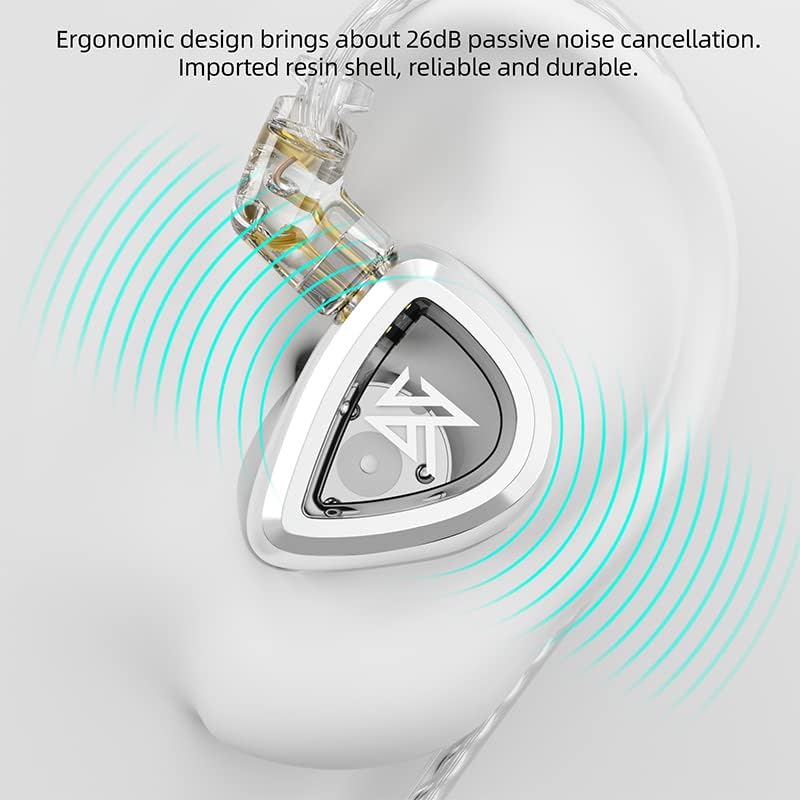
Image: Illustration of the single temperature-controlled forming diaphragm with a thickness of 4.8 microns, which reduces vibration attenuation and improves transient performance.
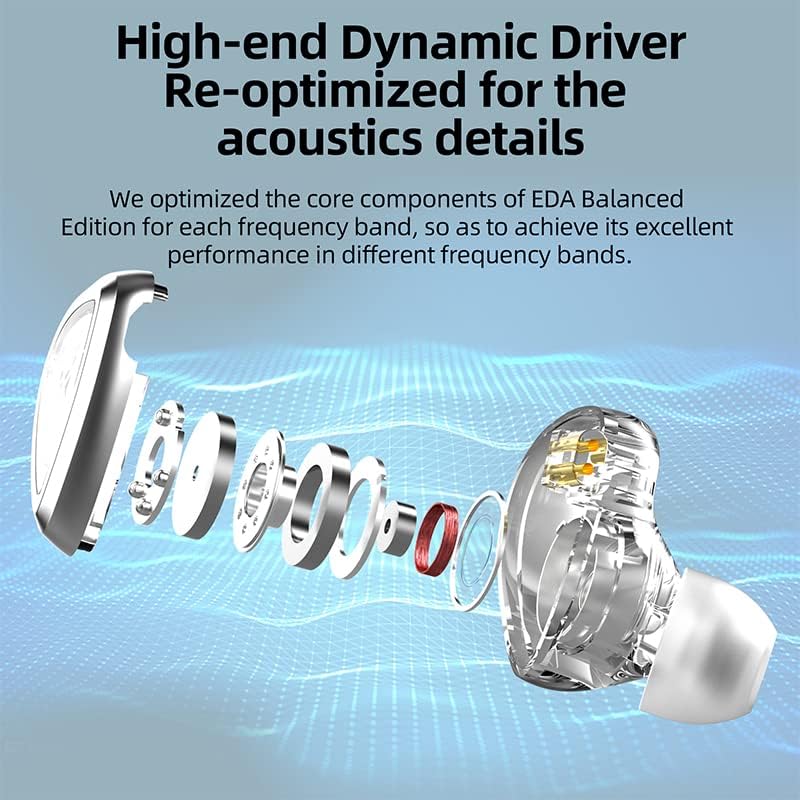
Image: Frequency response graph of the KZ EDA Earbuds, illustrating their balanced acoustic tuning across different frequency bands.
| Mallin nimi | EDA Balanced version |
| Kuulokkeet Jack | 3.5 mm Jack |
| Yhteystekniikka | Langallinen |
| Mukana olevat komponentit | Kaapeli |
| Materiaali | Muovi |
| Ääniohjaimen tyyppi | Dynaaminen ohjain |
| Erikoisominaisuus | Kevyt |
| Vedenkestävyystaso | Ei vedenkestävä |
| Tuotteen paino | 0.06 kiloa (2.08 unssia) |
| Pakkauksen mitat | 3.74 x 2.8 x 1.26 tuumaa |
| Korvien sijoitus | Korvassa |
| Muototekijä | Korvassa |
| Melunhallinta | None (Passive Noise Cancellation via design) |
8. Takuu ja tuki
For warranty information and customer support, please refer to the documentation provided with your purchase or contact the manufacturer directly through their official websivusto. Säilytä ostokuitti takuuvaatimuksia varten.