1. Tuote ohiview
The STABILA LD220 is a compact and easy-to-use laser distance measuring tool designed for quick and accurate measurements. It features an impact-resistant housing with a shock-absorbent STABILA soft grip casing, ensuring durability in various working conditions. The large digits on the display facilitate easy reading of measurements.
Tärkeimmät ominaisuudet:
- Compact, easy-to-use laser.
- 4 basic measuring functions: length, area, volume, and continuous measurement.
- Calculates measuring results quickly.
- Large digits for easy readability.
- Impact-resistant housing with shock-absorbent STABILA soft grip casing.
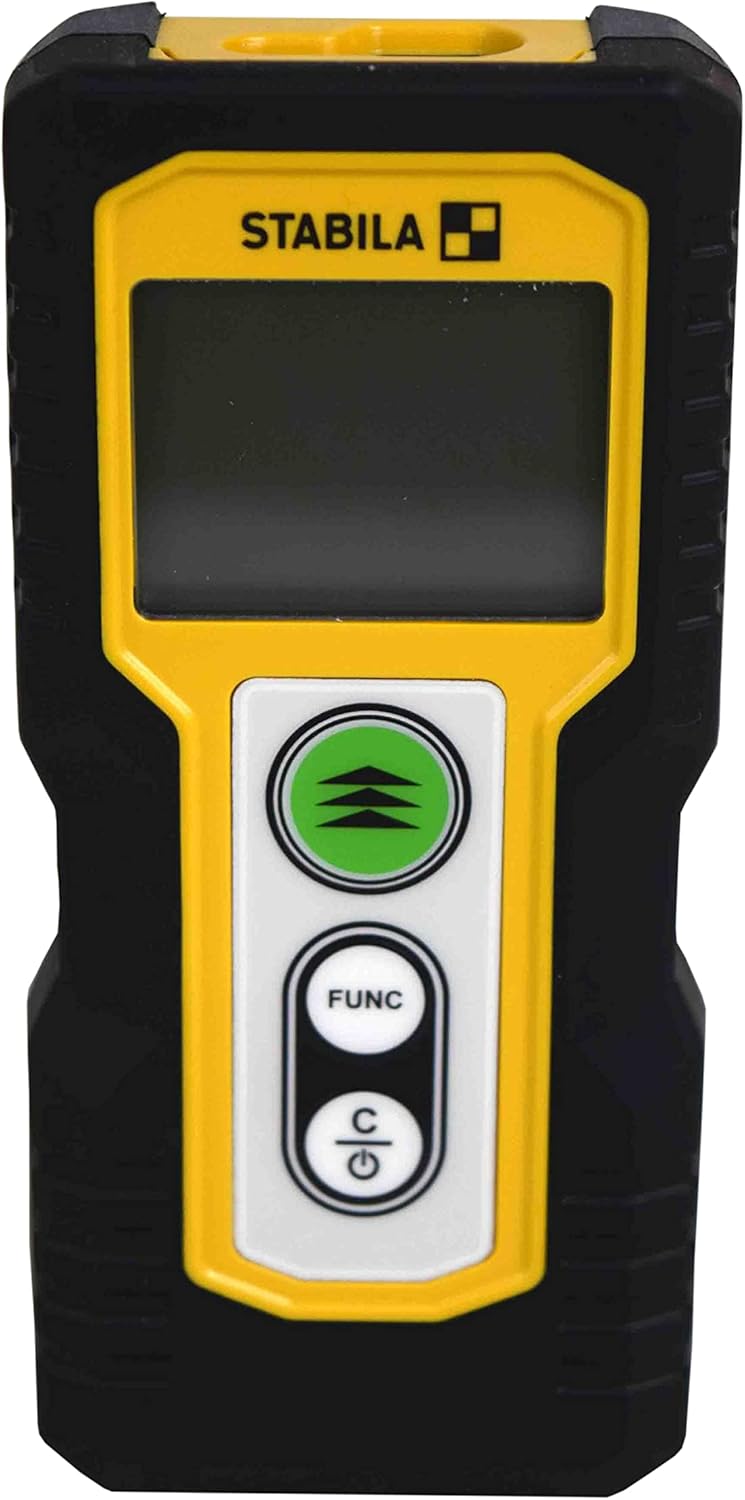
Kuva 1.1: Etuosa view of the STABILA LD220 laser distance measuring tool, showcasinsen kompaktin muotoilun ja näytön ansiosta.
2. Aloitus
2.1 Pakkauksen sisältö
Varmista, että kaikki komponentit ovat mukana:
- STABILA LD220 Laser Distance Measuring Tool
- Batteries (Alkaline, LR03/AAA type)
2.2 Akun asennus
The STABILA LD220 requires two AAA alkaline batteries for operation. Follow these steps to install them:
- Paikanna laitteen takaosassa oleva paristolokeron kansi.
- Avaa kansi liu'uttamalla sitä alaspäin tai nuolen osoittamaan suuntaan.
- Insert two AAA alkaline batteries, ensuring the correct polarity (+ and -) as marked inside the compartment.
- Sulje paristolokeron kansi liu'uttamalla sitä takaisin paikalleen, kunnes se napsahtaa tukevasti kiinni.

Figure 2.1: The STABILA LD220 device shown alongside two AAA batteries, indicating the power source.

Kuva 2.2: Lähikuva view of the two AAA alkaline batteries, which power the device.
2.3 Virran kytkeminen päälle/pois
Käynnistä laite painamalla Power/Clear (C) -painiketta. Sammuta virta pitämällä -painiketta painettuna Power/Clear (C) button for a few seconds, or the device will automatically shut off after a period of inactivity to conserve battery life.
3. Käyttöohjeet
The STABILA LD220 offers four primary measuring functions. Familiarize yourself with the buttons:
- Measurement Button (Green, with three arrows): Initiates a measurement or activates continuous measurement.
- Function Button (FUNC): Cycles through different measurement modes (Length, Area, Volume, Continuous).
- Power/Clear Button (C): Powers the device on/off, clears the last measurement, or exits a function.

Kuva 3.1: Yksityiskohtainen view of the STABILA LD220's control panel, highlighting the measurement, function, and power/clear buttons.
3.1 Pituuden mittaus
This is the default mode for single distance measurements.
- Varmista, että laitteeseen on kytketty virta.
- Suuntaa lasersäde kohdepintaan.
- Paina Mittauspainike once. The measured distance will appear on the display.
3.2 Jatkuva mittaus (seuranta)
This mode allows for dynamic measurement, displaying real-time distance as you move the device.
- Paina TYÖNTEKIJÄ button until the continuous measurement icon (often a series of horizontal lines or a tracking symbol) appears on the display.
- Paina Mittauspainike aloittaaksesi jatkuvan mittauksen.
- Move the device slowly towards or away from the target. The display will update the distance continuously.
- Paina Mittauspainike uudelleen tai C -painiketta jatkuvan mittauksen lopettamiseksi.
3.3 Pinta-alan mittaus
To calculate the area of a rectangular space (Length x Width).
- Paina TYÖNTEKIJÄ button until the area measurement icon (a square or rectangle) appears.
- Measure the first side (e.g., length) by pointing the laser and pressing the Mittauspainike.
- Measure the second side (e.g., width) by pointing the laser and pressing the Mittauspainike uudelleen.
- Laite laskee ja näyttää pinta-alan automaattisesti.
3.4 Tilavuuden mittaus
To calculate the volume of a rectangular space (Length x Width x Height).
- Paina TYÖNTEKIJÄ button until the volume measurement icon (a cube or rectangular prism) appears.
- Measure the first side (e.g., length) by pointing the laser and pressing the Mittauspainike.
- Measure the second side (e.g., width) by pointing the laser and pressing the Mittauspainike.
- Measure the third side (e.g., height) by pointing the laser and pressing the Mittauspainike.
- Laite laskee ja näyttää äänenvoimakkuuden automaattisesti.

Figure 3.2: The product packaging illustrating the various measuring functions, including length, area, volume, and tracking.
4. Hoito ja huolto
Proper care and maintenance will extend the life of your STABILA LD220.
- Puhdistus: Käytä pehmeää, damp cloth to clean the device. Do not use harsh chemicals, abrasive cleaners, or solvents. Ensure the laser lens and display are kept clean for accurate readings.
- Varastointi: Säilytä laitetta kuivassa, viileässä paikassa, poissa suorasta auringonvalosta ja äärimmäisistä lämpötiloista. Jos säilytät laitetta pitkään, poista paristot vuotojen estämiseksi.
- Käsittely: Although the device has an impact-resistant housing, avoid dropping it or subjecting it to severe shocks.
- Akun hoito: Vaihda paristot, kun näyttöön tulee heikon pariston ilmaisin. Hävitä käytetyt paristot paikallisten määräysten mukaisesti.
5. Vianmääritys
If you encounter issues with your STABILA LD220, refer to the following common problems and solutions:
| Ongelma | Mahdollinen syy | Ratkaisu |
|---|---|---|
| Laite ei käynnisty. | Tyhjät tai väärin asennetut paristot. | Tarkista paristojen napaisuus. Vaihda paristot uusiin AAA-alkaliparistoihin. |
| Epätarkkoja mittauksia. | Laser lens is dirty; target surface is too reflective/absorbent; device is unstable during measurement. | Clean the laser lens with a soft cloth. Use a target plate for difficult surfaces. Ensure the device is held steady. |
| Näytöllä näkyy virheilmoitus. | Mittaus alueen ulkopuolella; sisäinen virhe. | Ensure target is within the 100ft (30m) range. Power off and restart the device. If the error persists, contact support. |
| Lasersäde ei ole näkyvissä. | Kirkas ympäristön valo; laseria ei ole aktivoitu. | Use in lower light conditions or use a laser target plate. Press the measurement button to activate the laser. |
6. Tekniset tiedot
Detailed specifications for the STABILA LD220 Laser Distance Measuring Tool:
| Erittely | Arvo |
|---|---|
| Mallinumero | Stabila - 06220 |
| Mittausalue | Jopa 100 jalkaa (30 m) |
| Mittaustoiminnot | Length, Area, Volume, Continuous Measurement |
| Väri | Musta |
| Materiaali | Muovi |
| Tuotteen mitat (P x L x K) | 8 x 5 x 2 tuumaa |
| Tuotteen paino | 8 unssia |
| Paristot vaaditaan | No (Included Components: Stabila - 06220, but requires 2x AAA Alkaline batteries for operation) |
| Akun tyyppi | Alkaliparisto (AAA) |
| Valmistaja | Stabila |
| Päivämäärä ensimmäinen saatavilla | 17. maaliskuuta 2022 |

Kuva 6.1: Takaosa view of the STABILA LD220, displaying the product label with model number, power requirements, and laser class information.
7. Takuu ja tuki
For information regarding product warranty, returns, or technical support, please refer to the documentation included with your purchase or visit the official Stabila websivusto. Tarkat takuuehdot voivat vaihdella alueittain ja jälleenmyyjiltä riippuen.


