1. Johdanto
Thank you for choosing the HTC True Wireless Earbuds 1. This manual provides essential information to help you set up, operate, and maintain your earbuds for optimal performance.
Pakkauksen sisältö
Varmista, että pakkauksessasi on kaikki tarvittavat osat:
- 1 Pair HTC True Wireless Earbuds
- 1 USB-C-latauskaapeli
- 2 paria kumisia korvatulppia (S/L)
- 1 Pikaopas
- 1 Takuukortti
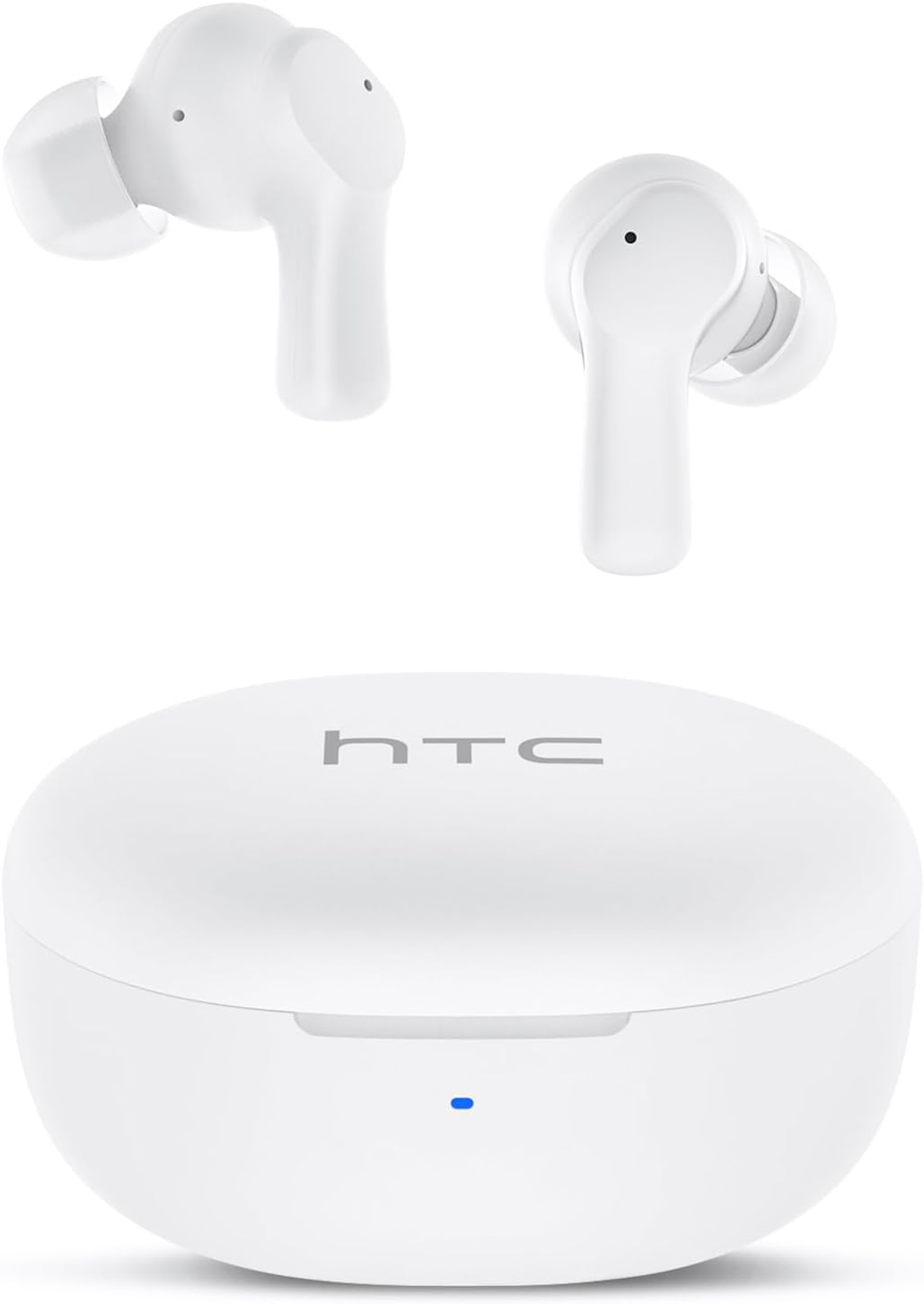
Image: HTC True Wireless Earbuds 1 and their charging case.

Image: The charging case opened, showing the two earbuds nestled inside.
2. Asennus ja pariliitos
Alkuasetukset
- Poista suojakalvo: Before first use, remove the protective film from the charging contacts on both earbuds.
- Latausnappikuulokkeet: Place the earbuds back into the charging case and close the lid. Connect the charging case to a USB power source using the provided USB-C cable. Ensure the earbuds and case are fully charged before initial use.
- Virta päälle: Avaa latauskotelon kansi. Kuulokkeet käynnistyvät automaattisesti ja siirtyvät pariliitostilaan.
Bluetooth-pariliitos
The HTC True Wireless Earbuds 1 feature one-step auto-pairing after the initial setup.
- Aktivoi Bluetooth: Ota Bluetooth käyttöön laitteellasi (älypuhelin, tabletti, tietokone).
- Etsi Laitteet: Hae käytettävissä olevia laitteita laitteesi Bluetooth-asetuksissa.
- Select 'HTC TWS2': From the list of found devices, select 'HTC TWS2' to connect.
- Vahvistus: Kun yhteys on muodostettu, kuulet äänimerkin ja nappikuulokkeet ovat käyttövalmiit.
After the first successful pairing, the earbuds will automatically connect to the last paired device when taken out of the charging case, provided Bluetooth is enabled on the device.

Image: Illustration of the one-step auto-pairing process, showing earbuds connecting to a smartphone.
3. Kuinka käyttää
For optimal sound quality and comfort, it is important to wear the earbuds correctly.
- Valitse korvatyynyt: Select the rubber eartips (S, M, L) that best fit your ear canal. A proper seal enhances bass response and noise isolation.
- Aseta korvanapit: Gently insert each earbud into its corresponding ear (L for left, R for right).
- Rotate to Lock: Rotate the earbud slightly forward or backward until it feels secure and comfortable in your ear canal.

Image: Diagram showing how to properly insert the earbuds and the available S/M/L silicone eartips.
4. Operating Instructions (Touch Control)
The HTC True Wireless Earbuds 1 feature intuitive touch controls on each earbud. The following actions can be performed:
| Toiminta | Ohjaus | Toiminto |
|---|---|---|
| Musiikin toisto | Yksi napautus (kumpi tahansa kuuloke) | Toista / Tauko |
| Musiikin toisto | Kaksoisnapauta vasenta kuuloketta | Edellinen kappale |
| Musiikin toisto | Kaksoisnapauta oikeaa kuuloketta | Seuraava kappale |
| Puhelut | Yksi napautus (kumpi tahansa kuuloke) | Vastaa / lopeta puhelu |
| Puhelut | Pitkä painallus (kumpi tahansa nappikuuloke) | Hylkää puhelu |
| Voice Assistant | Kolmoisnapautus (kumpi tahansa kuuloke) | Aktivoi ääniavustaja (Siri, Google Assistant jne.) |
| Äänenvoimakkuuden säätö | Paina pitkään vasenta korvanappia | Äänenvoimakkuuden vähentäminen |
| Äänenvoimakkuuden säätö | Paina pitkään oikeaa korvanappia | Äänenvoimakkuuden lisääminen |
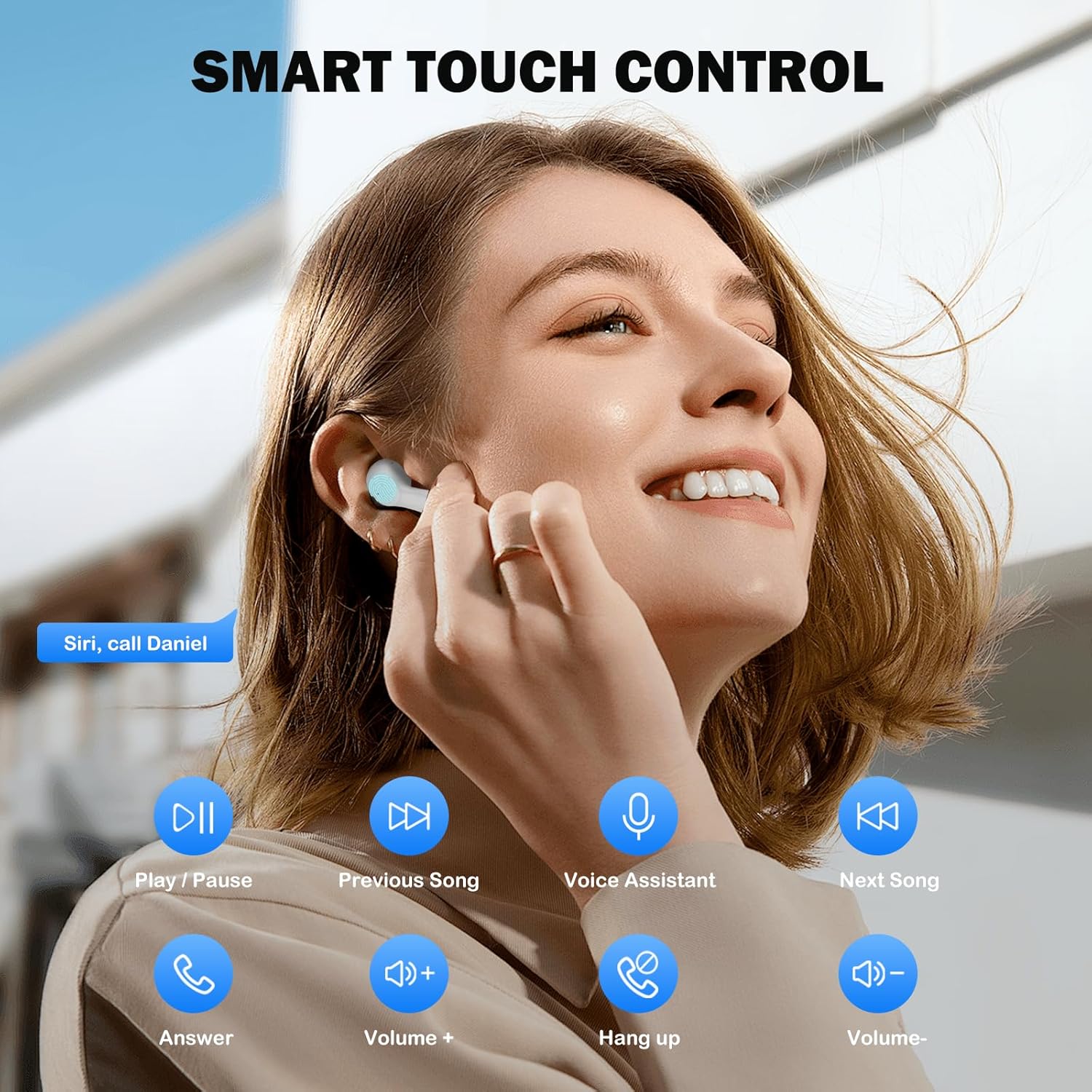
Image: Visual guide to the smart touch controls for music, calls, and voice assistant.
5. Lataus
The earbuds and charging case are powered by internal rechargeable batteries.
Kuulokkeiden lataaminen
Aseta nappikuulokkeet latauskoteloon. Ne alkavat latautua automaattisesti. Kotelon LED-merkkivalo näyttää latauksen tilan.
Kotelon lataaminen
Connect the provided USB-C cable to the charging port on the case and to a USB power adapter (not included). The LED indicator on the case will show charging progress. A full charge for the earbuds takes approximately 40 minutes.
Akun kesto
- earbuds: Up to 8 hours of listening time on a single charge (at 50% volume).
- Latauskotelon kanssa: Jopa 40 tuntia kokonaispeliaikaa useilla latauksilla kotelosta.
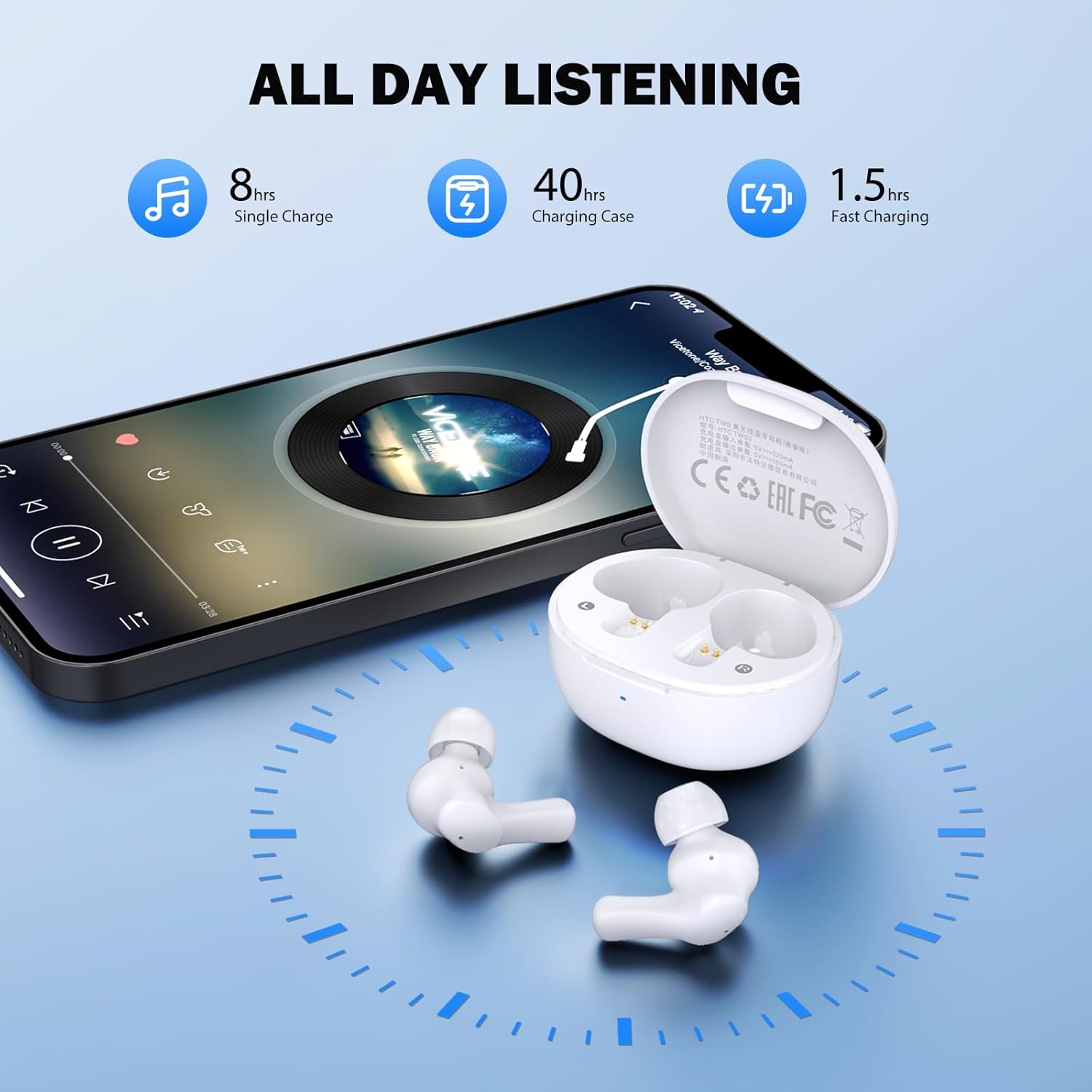
Image: Visual representation of 8 hours single charge, 40 hours with charging case, and 1.5 hours fast charging for the case.
6. Huolto ja hoito
Oikea hoito varmistaa kuulokkeiden pitkän käyttöiän ja suorituskyvyn.
Puhdistus
- Puhdista nappikuulokkeet ja latauskotelo säännöllisesti pehmeällä, kuivalla ja nukkaamattomalla liinalla.
- Irrota korvakappaleet ja puhdista ne miedolla saippualla ja vedellä. Kuivaa ne huolellisesti ennen takaisin kiinnittämistä.
- Ensure charging contacts on both earbuds and inside the case are clean and free of debris.
Vedenkestävyys
Kuulokkeet on luokiteltu IPX4 vedenkestävä, meaning they are protected against splashing water from any direction. They are suitable for exercise and light rain, but should not be submerged in water or exposed to heavy downpours.
Varastointi
Kun nappikuulokkeita ei käytetä, säilytä niitä latauskotelossa niiden suojaamiseksi ja latauksen ylläpitämiseksi.
7. Vianmääritys
Jos kohtaat ongelmia, kokeile seuraavia ratkaisuja:
- Ei ääntä: Varmista, että nappikuulokkeet on ladattu, yhdistetty laitteeseesi ja että äänenvoimakkuus on säädetty riittäväksi sekä nappikuulokkeissa että laitteessasi.
- Pariliitosongelmat: Varmista, että Bluetooth on käytössä laitteessasi ja että nappikuulokkeet ovat pariliitostilassa. Kokeile kytkeä Bluetooth pois päältä ja takaisin päälle laitteessasi.
- Yksi kuuloke ei toimi: Aseta molemmat nappikuulokkeet takaisin latauskoteloon, sulje kansi, odota muutama sekunti ja ota ne sitten uudelleen pois. Tämä usein synkronoi ne uudelleen.
- Ajoittainen yhteys: Ensure there are no obstructions between the earbuds and your device. Keep your device within the 10-meter Bluetooth range.
Tehdasasetusten palautus
If problems persist, a factory reset may resolve them:
- Aseta molemmat kuulokkeet latauskoteloon.
- With the earbuds in the case, quickly tap each earbud 5 times.
- The LED on the earbuds will flash red, then turn off, indicating a successful reset.
- Close the charging case lid, then open it again to re-initiate pairing.

Image: Visual instructions for initial setup, wearing the earbuds, and performing a factory reset.
8. Tekniset tiedot
| Ominaisuus | Yksityiskohta |
|---|---|
| Mallin nimi | HTC TWS2 |
| Yhteystekniikka | Langaton (Bluetooth 5.3) |
| Bluetooth-alue | Jopa 10 metriä (33 jalkaa) |
| Ääniohjaimen tyyppi | 10mm dynaaminen ohjain |
| Taajuusalue | 20 Hz–20,000 XNUMX Hz |
| Kuulokkeiden akunkesto | Jopa 8 tuntia (yksi lataus) |
| Kokonaispeliaika (kotelon kanssa) | Jopa 40 tuntia |
| Kuulokkeiden latausaika | Noin 40 minuuttia |
| Vedenkestävyystaso | IPX4 (Sweatproof, Splash Resistant) |
| Ohjaustyyppi | Kosketa Ohjaus |
| Mikrofoni | Built-in with Call Noise Cancellation |
| Matala latenssi | 40 ms (pelitila) |
| Korvanapin paino | Noin 3.8 g nappikuuloketta kohden |
| Yhteensopivat laitteet | iOS-, Android- ja Windows-laitteet |

Image: Diagram illustrating the 10mm diameter loud speaker for HiFi stereo sound.

Image: Visual representation of Bluetooth 5.3 technology benefits: low consumption, faster transmission, lower latency, and built-in microphone.
9. Takuu ja tuki
Takuutiedot
Your HTC True Wireless Earbuds 1 come with a warranty. Please refer to the included Warranty Card for detailed terms and conditions, including coverage period and what is covered.
Asiakastuki
For any questions, technical assistance, or warranty claims, please contact HTC customer support. Refer to the contact information provided in your Quick Guide or on the official HTC websivusto.