1. Johdanto
Thank you for choosing the MageGee GT860 Wired Keyboard. This manual provides detailed instructions for setting up, operating, and maintaining your new keyboard. The GT860 is a 96-key compact layout keyboard designed for gaming and daily use, featuring RGB backlighting and an ergonomic design.

Image: The MageGee GT860 wired keyboard showcasinsen kompaktin 96-näppäimen asettelun ja eloisan RGB-taustavalaistuksen ansiosta.
2. Ominaisuudet
- 92% Compact Minimalism Layout: Retains all commonly used keys in a space-saving design.
- Membrane with Mechanical Feeling: Utilizes advanced imitation mechanical technology for a tactile typing experience.
- Ergonominen muotoilu: Key layout is engineered for comfortable use, reducing fatigue during long sessions.
- Upgrade RGB Backlit Lighting Effect: Features a variety of light colors and modes, with adjustable brightness and breathing speed. Letters on keys are illuminated.
- High Quality and Reliable Performance: Plug and play functionality, compatible with Windows 10/8/7/XP/VISTA and Mac OS.

Image: Visual representation of the keyboard's ergonomic design, RGB lighting effects, and adjustable foot support for improved performance.

Kuva: Lähikuva view of the keyboard with some keycaps removed, illustrating the underlying membrane switch mechanism that provides a mechanical-like feel.
3. Asennusopas
- Avaa näppäimistö: Poista näppäimistö varovasti pakkauksestaan.
- Yhdistä tietokoneeseen: Locate an available USB port on your computer. Insert the USB cable from the MageGee GT860 keyboard into the USB port.
- Ohjaimen asennus: The keyboard is plug-and-play. Your operating system (Windows, Mac OS) will automatically detect and install the necessary drivers. No additional software installation is required.
- Sijoitus: Place the keyboard on a stable, flat surface. Adjust the integrated feet on the underside of the keyboard for your preferred typing angle.
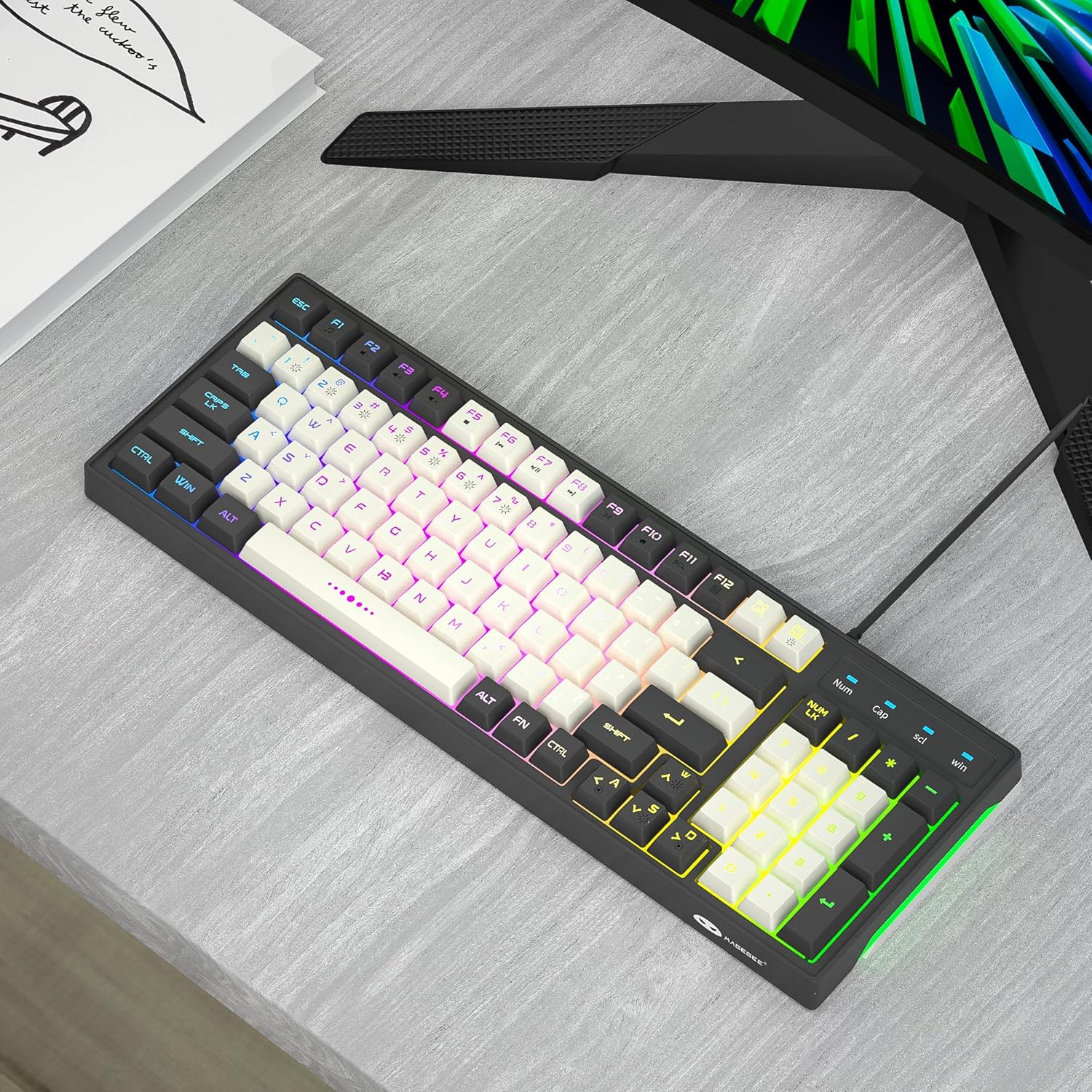
Image: The MageGee GT860 keyboard positioned on a desk, ready for use with a computer monitor, demonstrating a typical setup.
4. Käyttöohjeet
4.1 RGB-taustavalon säätö
The MageGee GT860 keyboard features multiple RGB lighting modes. Use the Function (Fn) key in combination with other keys to control the backlight:
- Fn + Scroll Lock (SCL): Selaa eri RGB-valaistustiloja.
- Fn + Page Up (PGUP): Lisää taustavalon kirkkautta.
- Fn + Page Down (PGDN): Vähennä taustavalon kirkkautta.
- Fn + nuolinäppäimet (vasen/oikea): Adjust lighting effect speed (for dynamic modes).

Image: The MageGee GT860 keyboard showcasing its 18 distinct RGB lighting modes, illustrating the variety of visual effects available.

Image: A detailed diagram illustrating the various Function (Fn) key combinations for controlling RGB backlight effects and accessing multimedia functions on the MageGee GT860 keyboard.
4.2 Multimediatoiminnot
Access multimedia controls by holding the Fn key and pressing the corresponding F-keys:
- Fn+F1: Mediasoitin
- Fn+F2: Äänenvoimakkuuden vähentäminen
- Fn+F3: Äänenvoimakkuuden lisääminen
- Fn+F4: Mykistä
- Fn+F5: Edellinen kappale
- Fn+F6: Seuraava kappale
- Fn+F7: Toista/Tauko
- Fn+F8: Stop
- Fn+F9: Sähköposti
- Fn+F10: Kotisivu
- Fn+F11: Scroll Lock
- Fn+F12: Laskin
5. Huolto
To ensure the longevity and optimal performance of your MageGee GT860 keyboard, follow these maintenance guidelines:
- Puhdistus: Regularly clean the keyboard with a soft, dry cloth. For dust and debris between keys, use compressed air. For stubborn dirt, a slightly damp voidaan käyttää miedolla saippualla kostutettua liinaa varmistaen, ettei nestettä pääse näppäimistöön.
- Vältä nesteitä: Älä läikytä nesteitä näppäimistölle. Jos nesteitä läikkyy, irrota näppäimistö välittömästi tietokoneesta ja anna sen kuivua kokonaan ennen uudelleenkytkemistä.
- Varastointi: Kun näppäimistöä ei käytetä pitkään aikaan, säilytä sitä puhtaassa, kuivassa paikassa, poissa suorasta auringonvalosta ja äärimmäisistä lämpötiloista.
- Käsittele varovasti: Vältä näppäimistön pudottamista tai sen altistamista voimakkaille iskuille.
6. Vianmääritys
If you encounter issues with your MageGee GT860 keyboard, refer to the following common problems and solutions:
| Ongelma | Mahdollinen ratkaisu |
|---|---|
| Näppäimistö ei vastaa. |
|
| Taustavalo ei toimi tai on himmeä. |
|
| Tietyt näppäimet eivät toimi. |
|
7. Tekniset tiedot
| Ominaisuus | Yksityiskohta |
|---|---|
| Malli | GT860 |
| Yhteystekniikka | USB langallinen |
| Avainten määrä | 96 |
| Näppäimistön kuvaus | Pelaaminen |
| Erikoisominaisuudet | RGB Backlit, Ergonomic Design, Anti-Ghosting |
| Yhteensopivat laitteet | Tietokone, pelikonsoli (USB:n kautta) |
| Käyttöjärjestelmän yhteensopivuus | Windows 10, Windows 8, Windows 7, Windows XP, Windows VISTA, Mac OS |
| Tuotteen mitat | 14 x 6 x 2 tuumaa (35.56 x 15.24 x 5.08 cm) |
| Tuotteen paino | 1.63 puntaa (0.74 kg) |
| Väri | Grey White Keycaps |
8. Takuu ja tuki
MageGee products are designed for reliability and performance. For any product inquiries, technical support, or warranty claims, please refer to the contact information provided with your purchase or visit the official MageGee websivusto. Säilytä ostokuitti takuun voimassaoloa varten.
For further assistance, you may visit the MageGee store on Amazon: MageGee Amazon-kauppa


