1. Johdanto
Kiitos ostoksestasiasing the Final UX3000 Bluetooth Wireless Headphones. These headphones are designed to deliver premium Hi-Fi sound quality with hybrid noise-cancelling technology, ensuring an immersive audio experience. With long battery life and versatile connectivity options, the UX3000 is ideal for music listening, movies, and gaming.
Please read this manual thoroughly before using the product to ensure proper operation and to maximize your listening enjoyment.

Image: The Final UX3000 headphones in black, showcasing niiden tyylikäs muotoilu.
2. Pakkauksen sisältö
Varmista, että pakkauksessasi on kaikki seuraavat tuotteet:
- Final UX3000 Headphone
- USB-C latauskaapeli
- Pehmeä kantolaukku
- 3.5mm Cable for Wired Connection
- Käyttöopas (tämä asiakirja)
Note: A USB charger is not included in the package.
3. Tuote ohiview
3.1 Kuulokkeiden komponentit
Familiarize yourself with the various parts and controls of your Final UX3000 headphones.

Kuva: Yksityiskohtainen view of the control buttons located on the ear cup.
Säätimet ja ilmaisimet:
- Virtapainike: Käytetään kuulokkeiden virran kytkemiseen päälle/pois ja Bluetooth-pariliitoksen muodostamiseen.
- Äänenvoimakkuuden +/- painikkeet: Säätää äänenvoimakkuutta.
- Monitoimipainike: Controls playback (play/pause), call management (answer/end calls), and activates voice assistant.
- ANC-painike: Toggles Active Noise Cancelling on/off.
- Bluetooth / ANC Status Indicator: LED light indicating power, pairing status, and ANC status.
- USB-C-latausportti: Kuulokkeiden lataamiseen.
- 3.5 mm ääniliitäntä: Langallista yhteyttä varten.

Image: Diagram showing the Power Button and Status Indicator.

Image: Diagram showing the Volume Up and Volume Down buttons.
4. Asennus
4.1 Kuulokkeiden lataaminen
Before first use, fully charge your UX3000 headphones. Connect the supplied USB-C charging cable to the headphone's USB-C port and the other end to a USB power source (e.g., computer USB port, USB wall adapter). The LED indicator will show charging status and turn off when fully charged.
- Latausaika: Noin 2.5 tuntia täydellä latauksella.
- Akun kesto: Jopa 35 tuntia musiikin toistoa.
4.2 Bluetooth -pariliitos
Kuulokkeiden yhdistäminen langattomasti laitteeseen:
- Varmista, että kuulokkeista on katkaistu virta.
- Paina virtapainiketta noin neljä sekuntia, kunnes LED-merkkivalo vilkkuu sinisenä ja punaisena osoittaen pariliitostilan olevan valmis.
- Ota Bluetooth käyttöön laitteellasi (älypuhelin, tabletti, tietokone) ja hae käytettävissä olevia laitteita.
- Select "Final UX3000" from the list of found devices.
- Once connected, the LED indicator will flash blue slowly. A voice prompt will confirm "Device Connected".

Image: The UX3000 headphones positioned beside a smartphone displaying its Bluetooth connection settings.
Monipisteyhteys:
The UX3000 supports multipoint connection, allowing you to connect to two Bluetooth devices simultaneously. For example, you can be connected to your smartphone and your laptop at the same time, seamlessly switching audio sources.
4.3 Langallinen yhteys
For a wired audio experience or when the battery is depleted, use the supplied 3.5mm audio cable.
- Connect one end of the 3.5mm cable to the audio jack on the headphones.
- Liitä toinen pää laitteesi 3.5 mm:n äänilähtöön.
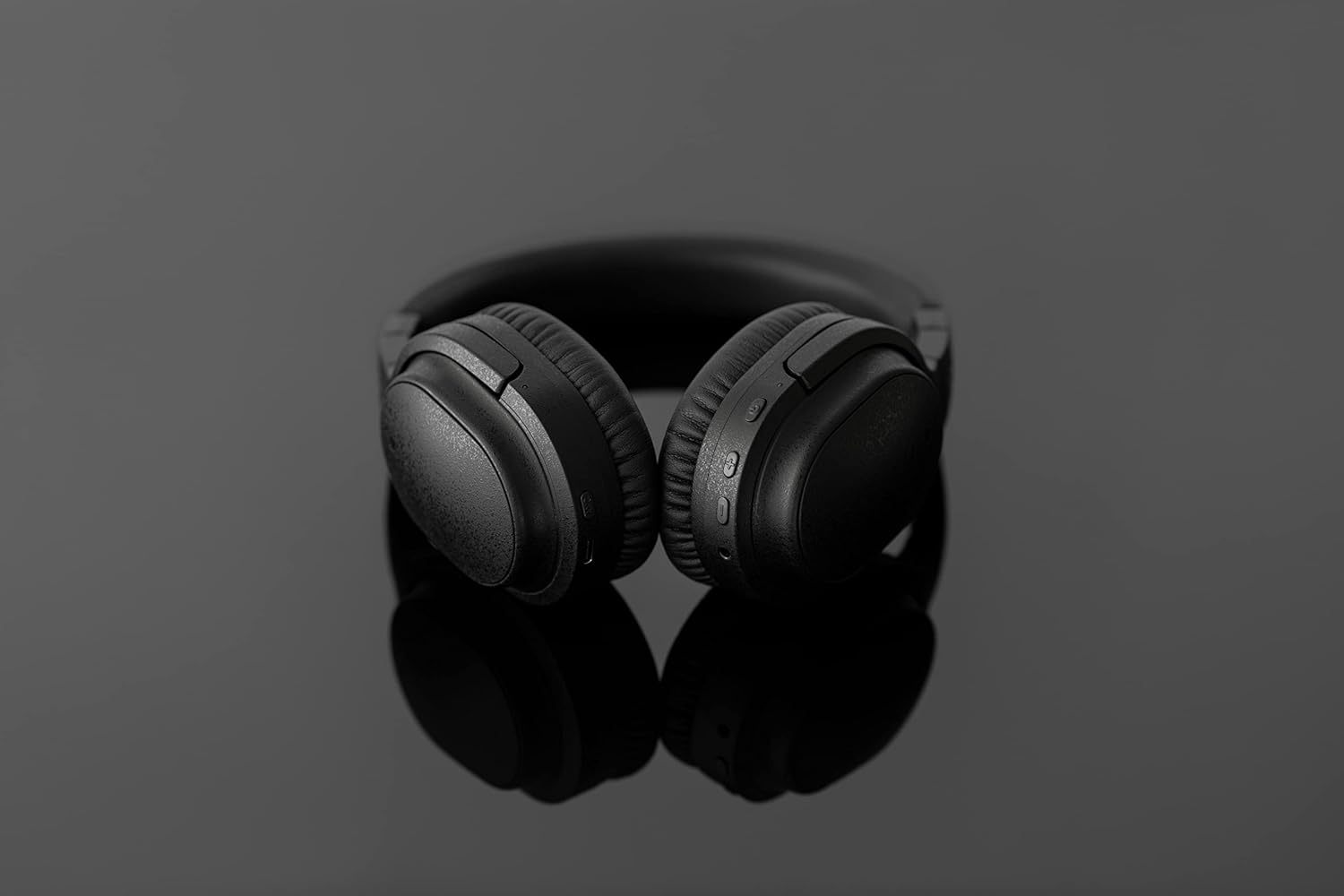
Image: The UX3000 headphones connected to a digital audio player using the 3.5mm audio cable.
5. Käyttöohjeet
5.1 Virta päälle/pois
- Virta päälle: Paina virtapainiketta ja pidä sitä painettuna 2 sekuntia. LED-merkkivalo vilkkuu sinisenä.
- Virta pois: Paina virtapainiketta ja pidä sitä painettuna 3 sekuntia. LED-merkkivalo sammuu.
5.2 Musiikin toisto
- Toista/tauko: Paina monitoimipainiketta kerran.
- Seuraava kappale: Paina äänenvoimakkuuden lisäyspainiketta ja pidä sitä painettuna 2 sekuntia.
- Edellinen kappale: Paina äänenvoimakkuuspainiketta ja pidä sitä painettuna 2 sekuntia.
- Ääni kovemmalle: Press the Volume + button briefly.
- Äänenvoimakkuutta pienemmälle: Press the Volume - button briefly.
5.3 Hybrid Noise Cancelling (ANC)
The UX3000 features Hybrid Active Noise Cancelling, utilizing two microphones per ear cup to effectively reduce ambient noise. One microphone collects external noise, and the other collects sound from the driver unit, allowing for highly accurate anti-noise signal generation.
- ANC:n aktivointi/deaktivointi: Press the ANC button once. A voice prompt will confirm the status.

Image: A schematic diagram explaining how the Hybrid Noise Cancelling technology works with external and internal microphones.
5.4 aptX Low Latency Support
The UX3000 supports aptX Low Latency, which minimizes audio delay and ensures proper synchronization with visuals. This feature provides an optimal experience for watching movies and playing games, preventing noticeable lag between audio and video.

Image: A user wearing the UX3000 headphones, engaged with a laptop, highlighting their suitability for media and communication.
5.5 Puhelutoiminnot
- Puhelun vastaaminen/lopetus: Paina monitoimipainiketta kerran.
- Hylkää puhelu: Pidä monitoimipainiketta painettuna 2 sekunnin ajan.
- Aktivoi Voice Assistant: Paina monitoimipainiketta kahdesti.
6. Huolto
To ensure the longevity and optimal performance of your Final UX3000 headphones, follow these maintenance guidelines:
- Puhdistus: Wipe the headphones with a soft, dry cloth. Do not use abrasive cleaners, solvents, or strong chemicals.
- Varastointi: When not in use, store the headphones in the provided soft carrying pouch to protect them from dust and scratches. The headphones are foldable for compact storage.
- Vältä kosteutta: Pidä kuulokkeet poissa vedestä, kosteudesta ja äärimmäisistä lämpötiloista.
- Lataus: Do not leave the headphones connected to a charger for extended periods after they are fully charged.

Image: The UX3000 headphones shown in their folded configuration, ready for compact storage or travel.
7. Vianmääritys
If you encounter issues with your Final UX3000 headphones, refer to the following common problems and solutions:
| Ongelma | Mahdollinen syy | Ratkaisu |
|---|---|---|
| Kuulokkeet eivät käynnisty. | Akku vähissä. | Lataa kuulokkeet täyteen. |
| Laitteen pariliitos ei onnistu. | Kuulokkeet eivät ole pariliitostilassa; laitteen Bluetooth on pois päältä; liian monta paritettua laitetta. | Ensure headphones are in pairing mode (flashing red/blue). Turn on Bluetooth on your device. Forget previous pairings on your device and try again. |
| Ei ääntä tai äänenvoimakkuus on alhainen. | Äänenvoimakkuus liian alhainen; kuulokkeita ei ole kytketty; laitteesta on valittu väärä äänilähtö. | Increase volume on both headphones and device. Reconnect headphones. Check audio output settings on your device. |
| Melunvaimennus ei ole tehokas. | ANC ei ole aktivoitu; ympäristön melu on liian voimakas täydelliseen vaimennukseen. | Ensure ANC is activated. ANC is most effective for low-frequency, constant noises. |
| Voice prompts (e.g., "Battery Low") occur frequently even when charged. | Potential firmware issue or specific device interaction. | Ensure headphones are fully charged. If issue persists, contact customer support. |
8. Tekniset tiedot
| Ominaisuus | Yksityiskohta |
|---|---|
| Mallin nimi | UX3000 BLK |
| Yhteystekniikka | Langaton (Bluetooth), Langallinen (3.5 mm:n liitin) |
| Langaton viestintätekniikka | Bluetooth 5.0 |
| Bluetooth-alue | 10 metriä |
| Melunhallinta | Hybridi-melunvaimennus |
| Ääniohjaimen tyyppi | Dynaaminen ohjain |
| Taajuusalue | 20Hz-20kHz |
| Akun kesto | Jopa 35 tuntia |
| Latausaika | 2.5 tuntia |
| Tuotteen paino | 260 grammaa (9.2 unssia) |
| Korvien sijoitus | Korvan yli |
| Muototekijä | Korvan yli |
| Yhteensopivat laitteet | Bluetooth-enabled devices supporting HFP, HSP, A2DP, and AVRCP profiles, and specifically compatible with SBC, AAC, aptX, and aptX low latency codecs |
| Tuotteen erityiskäyttö | Elokuvat ja pelit |
| Valmistaja | Lopullinen ääni |
| Päivämäärä ensimmäinen saatavilla | 14. joulukuuta 2021 |
9. Takuu ja tuki
The Final UX3000 headphones come with Final's 12 Month Worry-Free Warranty. This warranty covers defects in materials and workmanship under normal use for a period of 12 months from the date of original purchase.
For warranty claims, technical support, or any inquiries regarding your product, please contact Final customer service through the official Final websivustolla tai ostopaikassasi. Pidä ostokuitti käsillä, kun otat yhteyttä tukeen.
Final is committed to providing friendly and responsive customer service to ensure your satisfaction.


