Johdanto
This user manual provides comprehensive instructions for the TERIOS Wireless Controller, designed for an enhanced gaming experience. This controller is compatible with PlayStation 4, PS4 Pro, and PS4 Slim consoles.

Kuva: Edessä view of the green TERIOS Wireless Controller, showcasing sen ergonominen muotoilu ja painikkeiden asettelu.
Mitä laatikossa on
Kun avaat paketin, varmista, että kaikki seuraavat osat ovat mukana:
- 1 x TERIOS Wireless Controller
- 1 x USB-latauskaapeli
- 1 x Controller User Manual (this document)

Image: The TERIOS Wireless Controller, USB charging cable, and user manual laid out, representing the package contents.
Tuotteen ominaisuudet
The TERIOS Wireless Controller is equipped with several features designed to enhance your gaming experience:
- Langaton yhteys: Connects wirelessly to your PS4 console via Bluetooth 4.2 for a stable connection up to 8 meters.
- Sisäänrakennettu kaiutin ja kuulokeliitäntä: Features an integrated speaker and a 3.5mm stereo headset jack for immersive audio.
- Multitouch Pad: A central multitouch pad expands gaming possibilities and interaction.
- Jaa-painike: Allows for live-streaming and sharing gameplay moments without interrupting your session.
- Kaksi analogista sauvaa: Provides pinpoint accuracy and enhanced sensitivity for precise control.
- Double Shock Vibration: Integrated motors provide haptic feedback for an immersive gaming experience.
- Turbo Feature: Enables rapid-fire functionality for certain in-game actions.
- Ladattava akku: Equipped with a 1000mAh lithium battery, offering 10-12 hours of continuous use on a single charge.
- Ergonominen muotoilu: Conforms to the palm structure for comfortable extended gaming sessions.

Kuva: Lähikuva views highlighting the built-in speaker, share button, and multitouch pad functionalities of the controller.

Image: Visuals illustrating the Bluetooth 4.2 connection, ergonomic design for comfortable grip, and the placement of advanced gaming buttons.

Image: The controller with a visual emphasis on its dual analog sticks, indicating their role in providing a better gaming experience.
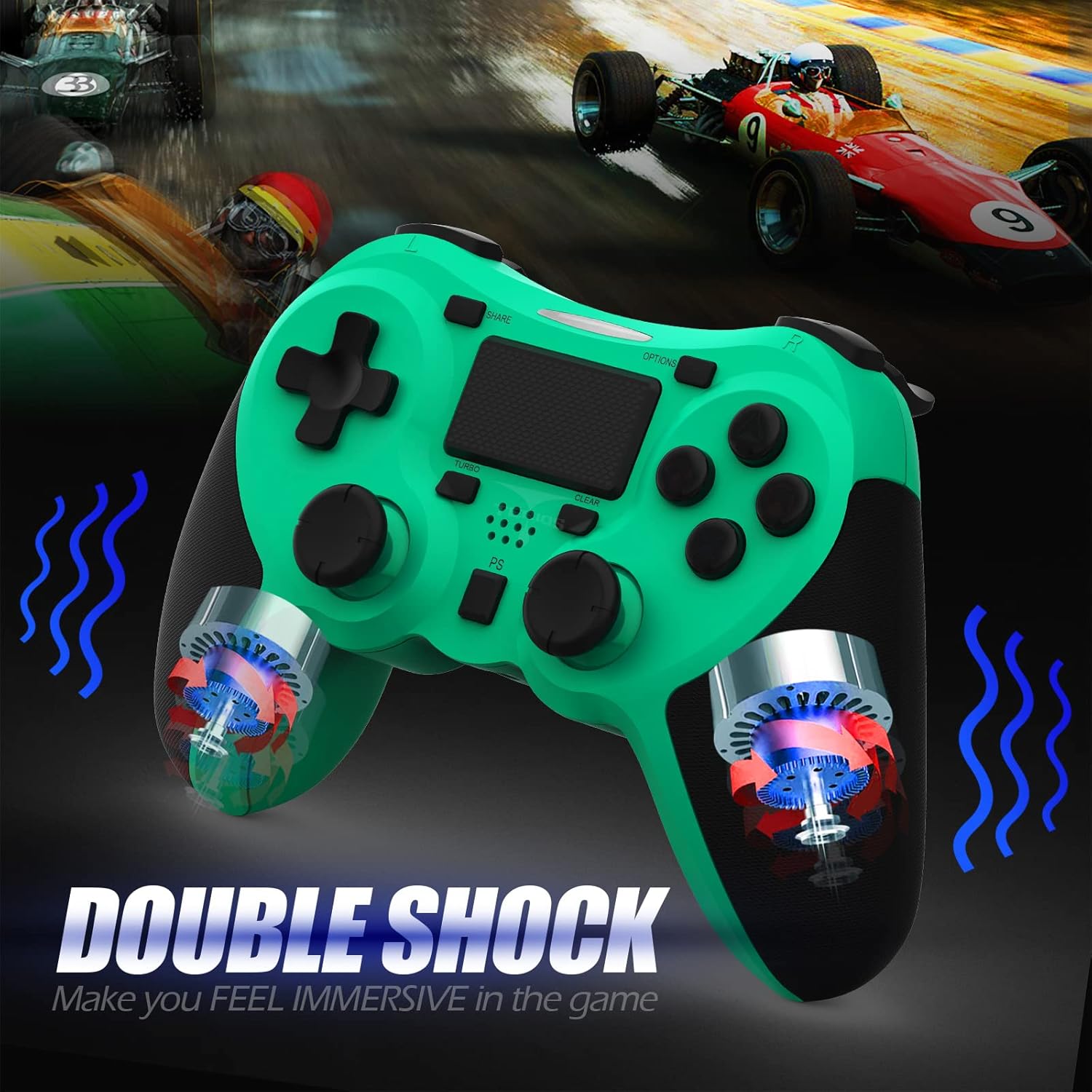
Kuva: Sisäinen view of the controller highlighting the double shock vibration motors, designed to provide immersive haptic feedback.
Asennusopas
1. Alkulataus
Before first use, fully charge the controller. Connect the supplied USB charging cable to the controller's micro USB port and the other end to a USB port on your PlayStation 4 console or a compatible USB wall adapter.
- Latausaika: Noin 2–3 tuntia täyteen lataukseen.
- Battery Life: Up to 10-12 hours of continuous gameplay.
- Valmiusaika: Jopa 30 päivää.
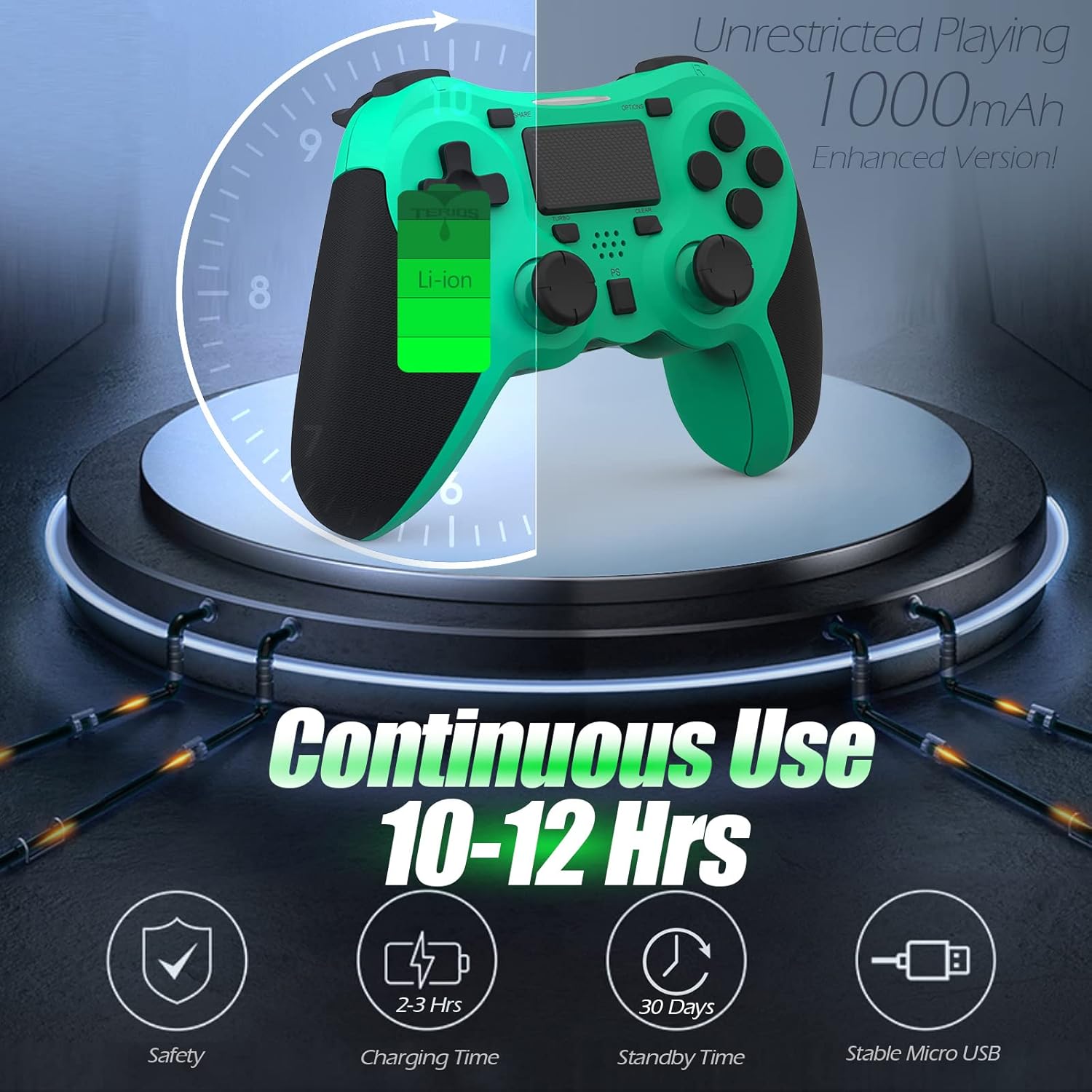
Image: A visual representation of the controller's 1000mAh battery, indicating 10-12 hours of continuous use, 2-3 hours charging time, and 30 days standby time.
2. Yhdistäminen PlayStation 4:ään
Ohjaimen yhdistäminen PS4-konsoliin:
- Varmista, että PS4-konsoliisi on kytketty virta.
- Connect the controller to the PS4 console using the USB charging cable.
- Paina PS-painike (located in the center of the controller). The light bar on the controller will flash, then glow a solid color, indicating successful pairing.
- Kun pariliitos on muodostettu, voit irrottaa USB-kaapelin langatonta toistoa varten.
Huomautus: If the controller does not pair, ensure it is charged and try connecting it to a different USB port on the console. For persistent issues, refer to the Troubleshooting section.
Käyttöohjeet
Perusohjaimet
| Komponentti | Toiminto |
|---|---|
| PS-painike | Powers on the controller, accesses the PS4 home screen, switches users, or turns off the console (long press). |
| SHARE -painike | Accesses the Share menu to capture screenshots, record video clips, or broadcast gameplay. |
| OPTIONS -painike | Pauses games, accesses in-game menus, or confirms selections. |
| Directional Buttons (D-Pad) | Navigates menus and provides directional input in games. |
| Toimintopainikkeet (kolmio, ympyrä, risti, neliö) | Performs in-game actions, confirms, or cancels selections. |
| Left/Right Sticks (L3/R3) | Controls character movement, camera, or other analog inputs. Pressing down on the sticks activates L3/R3 buttons. |
| L1/R1-painikkeet | Trigger various in-game actions, often for aiming or secondary functions. |
| L2/R2 laukaisimet | Analog triggers for actions like accelerating, braking, or firing weapons. |
| Multitouch Pad | Provides touch input for specific game interactions or navigation. |
| 3.5 mm kuulokeliitäntä | Connects compatible headsets for game audio and voice chat. |
Erikoistoiminnot
Turbo -ominaisuus
The Turbo feature allows for rapid, continuous input of a button press, useful for actions like rapid firing in games.
- Paina ja pidä painettuna TURBO-painike (located below the touchpad).
- While holding TURBO, press the action button you wish to apply the rapid-fire function to (e.g., Square, Cross, Circle, Triangle, L1, R1, L2, R2).
- Release both buttons. The selected action button will now continuously register presses as long as it is held down.
- To disable Turbo for a specific button, repeat the process: hold TURBO and press the button again.
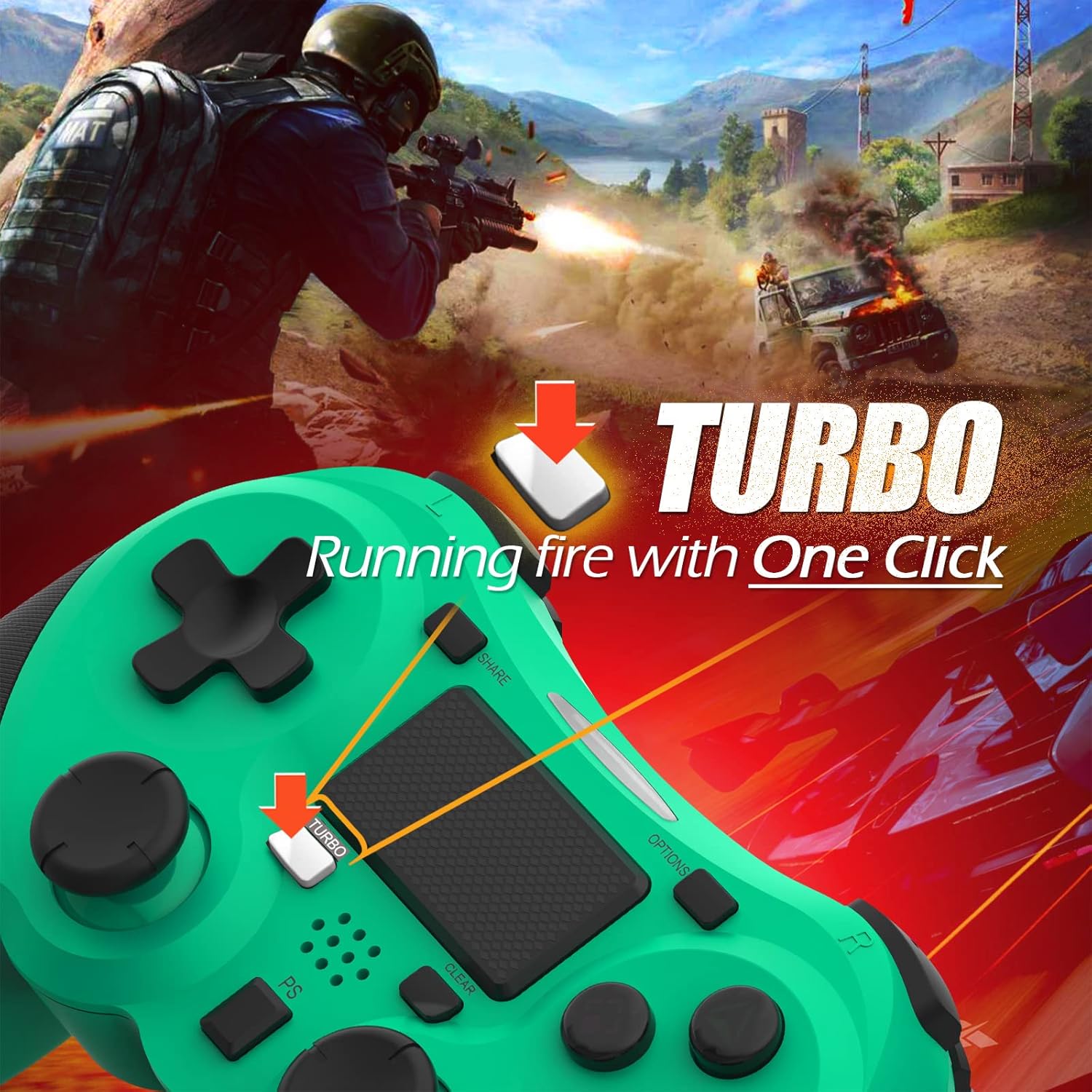
Image: A visual guide demonstrating how to activate the Turbo feature on the controller for rapid-fire actions.
Share Button Functionality
The SHARE button provides quick access to PS4's sharing features:
- Yksi painallus: Opens the Share menu, allowing you to save a screenshot, save a video clip, or start a broadcast.
- Pitkä painallus: Takes a screenshot directly.
- Tuplapainike: Aloittaa/pysäyttää videotallennuksen.
Huolto
Proper maintenance ensures the longevity and optimal performance of your TERIOS Wireless Controller.
Puhdistus
- Pyyhi ohjaimen pinta pehmeällä, kuivalla liinalla.
- Pinttyneeseen likaan, kevyesti dampPyyhi liina vedellä tai miedolla, hankaamattomalla puhdistusaineella. Vältä liiallista kosteutta.
- Älä käytä voimakkaita kemikaaleja, liuottimia tai hankaavia materiaaleja, sillä ne voivat vahingoittaa ohjaimen pintakäsittelyä ja sisäisiä komponentteja.
Varastointi
- Säilytä ohjainta viileässä, kuivassa paikassa, poissa suorasta auringonvalosta, äärimmäisistä lämpötiloista ja korkeasta kosteudesta.
- Avoid placing heavy objects on the controller to prevent damage to buttons or analog sticks.
Akun hoito
- To preserve battery life, avoid fully discharging the controller frequently.
- Jos akkua säilytetään pitkään, lataa se noin 50-prosenttisesti ennen varastointia.
- Recharge the controller at least once every three months if not in use to prevent deep discharge.
Vianetsintä
If you encounter issues with your TERIOS Wireless Controller, please refer to the following common solutions:
Ohjain ei muodosta yhteyttä/pariliitosta
- Tarkista akku: Ensure the controller is sufficiently charged. Connect it to the PS4 via USB cable to charge.
- Korjaus: Connect the controller to the PS4 with the USB cable and press the PS button to re-establish the connection.
- Nollaa ohjain: Locate the small reset button hole on the underside of the controller (near the L2 button). Use a straightened paperclip or a similar thin object to press and hold the button for 3-5 seconds. This will reset the controller. After resetting, attempt to re-pair it with the PS4.
- Häiriöt: Move closer to the PS4 console to rule out wireless interference.
Buttons or Sticks Unresponsive/Lagging
- Nollaa ohjain: Suorita laitekäynnistys yllä kuvatulla tavalla.
- Puhdas: Ensure no debris is lodged around the buttons or sticks. Clean the controller as per the Maintenance section.
- Laiteohjelmisto: Ensure your PS4 system software is up to date.
Liiallinen tärinä
- Nollaa ohjain: A reset can often resolve unexpected vibration issues.
- Peliasetukset: Check in-game settings for vibration intensity.
Tekniset tiedot
| Attribuutti | Yksityiskohta |
|---|---|
| Malli | TERIOS 5S |
| ASIN | B09KLR5DCZ |
| Yhteensopivuus | PlayStation 4, PS4 Pro, PS4 Slim |
| Yhteydet | Wireless (Bluetooth 4.2), USB |
| Akun tyyppi | Litiumpolymeeri (1 mukana) |
| Akun kapasiteetti | 1000 mAh |
| Jatkuva käyttöaika | 10-12 tuntia |
| Latausaika | 2-3 tuntia |
| Valmiusaika | Jopa 30 päivää |
| Tuotteen paino | 10.8 unssia (noin 306 grammaa) |
| Pakkauksen mitat | 6.69 x 5.24 x 2.72 tuumaa |
| Valmistaja | TERIOS |
| Päivämäärä ensimmäinen saatavilla | 28. lokakuuta 2021 |
Takuu ja tuki
TERIOS stands behind the quality of its products. This controller comes with a 1 vuoden takuu ostopäivästä lukien, kattaen valmistusvirheet.
For customer support, technical assistance, or warranty claims, please contact TERIOS customer service through the platform where you purchased the product or visit the official TERIOS store page for contact information.
We are committed to providing premium customer support and ensuring your satisfaction with our products.


