Johdanto
This manual provides detailed instructions for setting up and using your MOFii Wireless Keyboard and Mouse Combo. Designed for comfort and efficiency, this combo offers a reliable 2.4GHz wireless connection, making it ideal for various computing tasks.
The MOFii Wireless Keyboard and Mouse Combo features a stylish multi-color design and is compatible with Windows XP/Vista/7/8/10 or later operating systems. It is also compatible with laptops, desktops, PCs, and notebooks. Please note that it is not fully compatible with Mac systems.
Asennusohjeet
- Asenna paristot: Open the battery compartment on the underside of both the keyboard and the mouse. Insert the required batteries (typically AA for keyboard, AAA for mouse, not included) ensuring correct polarity.
- Paikanna USB-vastaanotin: The single USB receiver for both the keyboard and mouse is typically stored in the battery compartment of the mouse for convenience. Carefully remove it.
- Liitä USB-vastaanotin: Plug the USB receiver into an available USB port on your computer (PC, laptop, desktop, or notebook).
- Virta päälle: Käynnistä näppäimistö ja hiiri niiden virtakytkimillä (yleensä pohjassa).
- Automaattinen yhteys: The keyboard and mouse should automatically connect to your computer within a few seconds. No additional software installation is required.
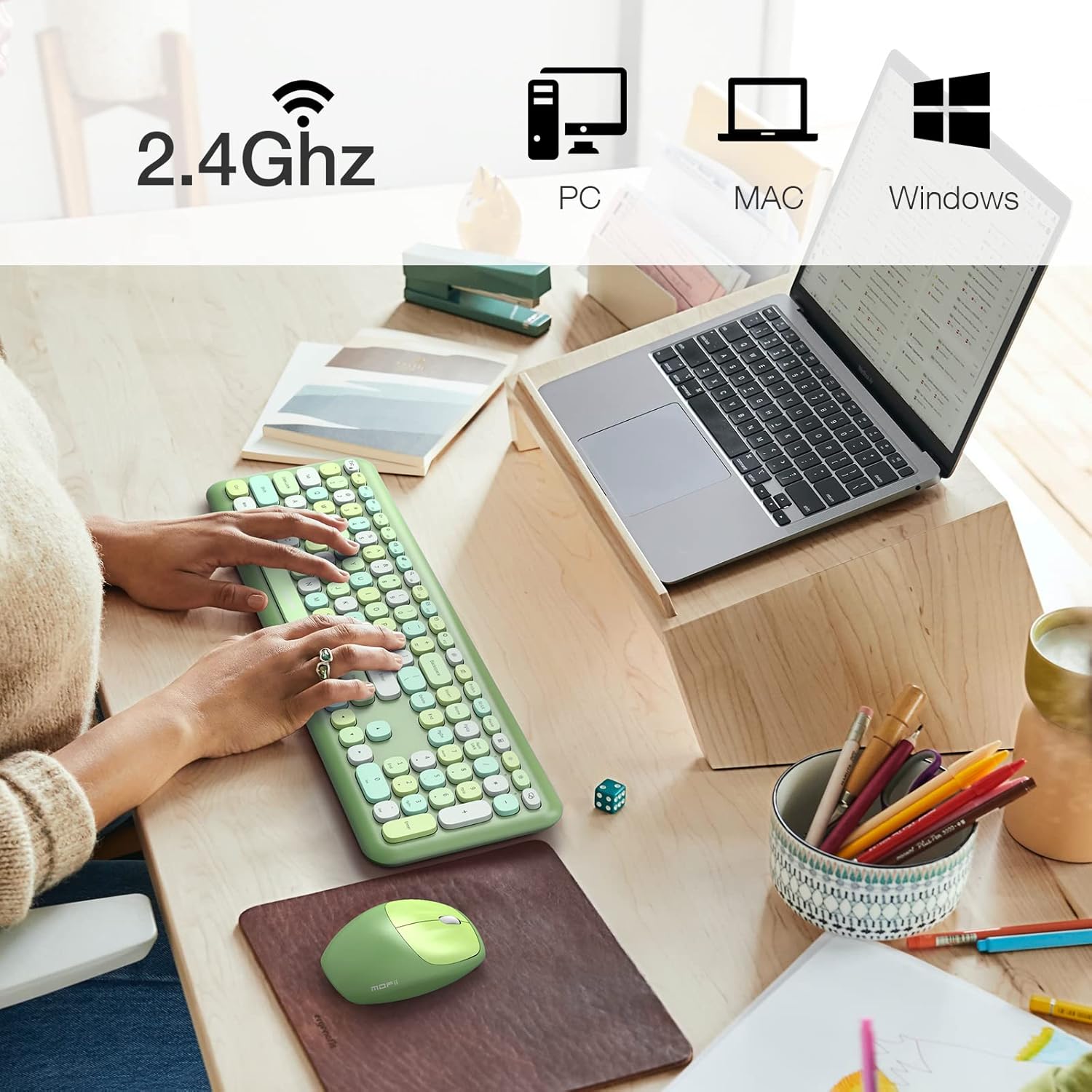
Image: The MOFii wireless mouse showing its battery compartment, where the USB receiver is stored, and indicating a 10-meter wireless range.
Käyttöohjeet
Näppäimistön käyttö:
- Kirjoittaminen: The full-size keyboard provides a comfortable typing experience with responsive keys.
- Toimintonäppäimet (Fn-yhdistelmät): Utilize the 'Fn' key in combination with other keys for various shortcuts. For exampseuraavat:
| Näppäinyhdistelmä | Toiminto |
|---|---|
| Fn + Esc | Lukitse tietokone |
| Fn + F1 | Edellinen kappale |
| Fn + F2 | Toista/keskeytä media |
| Fn + F3 | Seuraava kappale |
| Fn + F4 | Mykistä ääni |
| Fn + F5 | Äänenvoimakkuuden vähentäminen |
| Fn + F6 | Äänenvoimakkuuden lisääminen |
| Fn + F7 | Avata Web Selain |
| Fn + F8 | Haku |
| Fn + F9 | Avaa sähköpostiohjelma |
| Fn + F10 | Avaa Suosikit |
| Fn + F12 | Avaa Asetukset |

Image: A visual representation of the MOFii keyboard highlighting the 'Fn' key and its various shortcut combinations for enhanced productivity.
Hiiren käyttö:
- Clicking and Scrolling: The mouse provides precise tracking and quiet clicks for comfortable navigation.
- Automaattinen virransäästö: To conserve battery life, the mouse will automatically enter sleep mode after 15 minutes of inactivity. Press any button to wake it up instantly.

Image: The MOFii wireless mouse, emphasizing its quiet click feature, suitable for environments where minimal noise is desired.

Image: A diagram showing the automatic power-saving features of the MOFii wireless mouse, transitioning from active use to auto-sleep and reactivation.
Huolto
- Puhdistus: Puhdista näppäimistön ja hiiren pinnat pehmeällä, kuivalla liinalla. Perusteellisempaan puhdistukseen käytä hieman kuivaa liinaa.amp voidaan käyttää miedolla saippualla kostutettua liinaa varmistaen, ettei nestettä pääse laitteisiin.
- Akun vaihto: When the devices become unresponsive or performance degrades, replace the batteries. Refer to the 'Setup Instructions' for battery compartment location.
- Varastointi: When not in use for extended periods, turn off the devices and store them in a cool, dry place. Consider removing batteries if storing for several months.
Vianetsintä
- Ei yhteyttä:
- Varmista, että USB-vastaanotin on kytketty tukevasti toimivaan USB-porttiin.
- Check if the batteries in both the keyboard and mouse are correctly installed and have sufficient charge.
- Varmista, että molemmat laitteet ovat päällä.
- Yritä kytkeä USB-vastaanotin toiseen USB-porttiin.
- Viive tai katkonainen yhteys:
- Siirrä näppäimistö ja hiiri lähemmäs USB-vastaanotinta.
- Vältä vastaanottimen sijoittamista muiden langattomien laitteiden (esim. Wi-Fi-reitittimien tai langattomien puhelimien) lähelle, koska ne saattavat aiheuttaa häiriöitä.
- Varmista, ettei laitteiden ja vastaanottimen välissä ole suuria metalliesineitä.
- Hiiren kursori hyppää tai on epätarkka:
- Puhdista hiiren alapuolella oleva optinen anturi.
- Käytä hiirtä puhtaalla, heijastamattomalla pinnalla tai hiirimatolla.
- Näppäimet eivät vastaa:
- Tarkista akun taso ja vaihda tarvittaessa.
- Varmista, että näppäimistö on päällä ja kytketty.
- Käynnistä tietokone uudelleen.
Tekniset tiedot
- Merkki: MOFII
- Malli: B09BFBCQWF
- Väri: Green Mixed
- Yhteystekniikka: 2.4 GHz:n USB-langaton verkko
- Erikoisominaisuus: Cute Design, Automatic Power Saving
- Yhteensopivat laitteet: Laptop, Personal Computer, Tablet (Windows XP/Vista/7/8/10 or later; not fully compatible with Mac System)
- Paketin mitat: 17.52 x 5.63 x 2.83 tuumaa
- Tuotteen paino: 1.89 kiloa
- Hiiren DPI: 1200
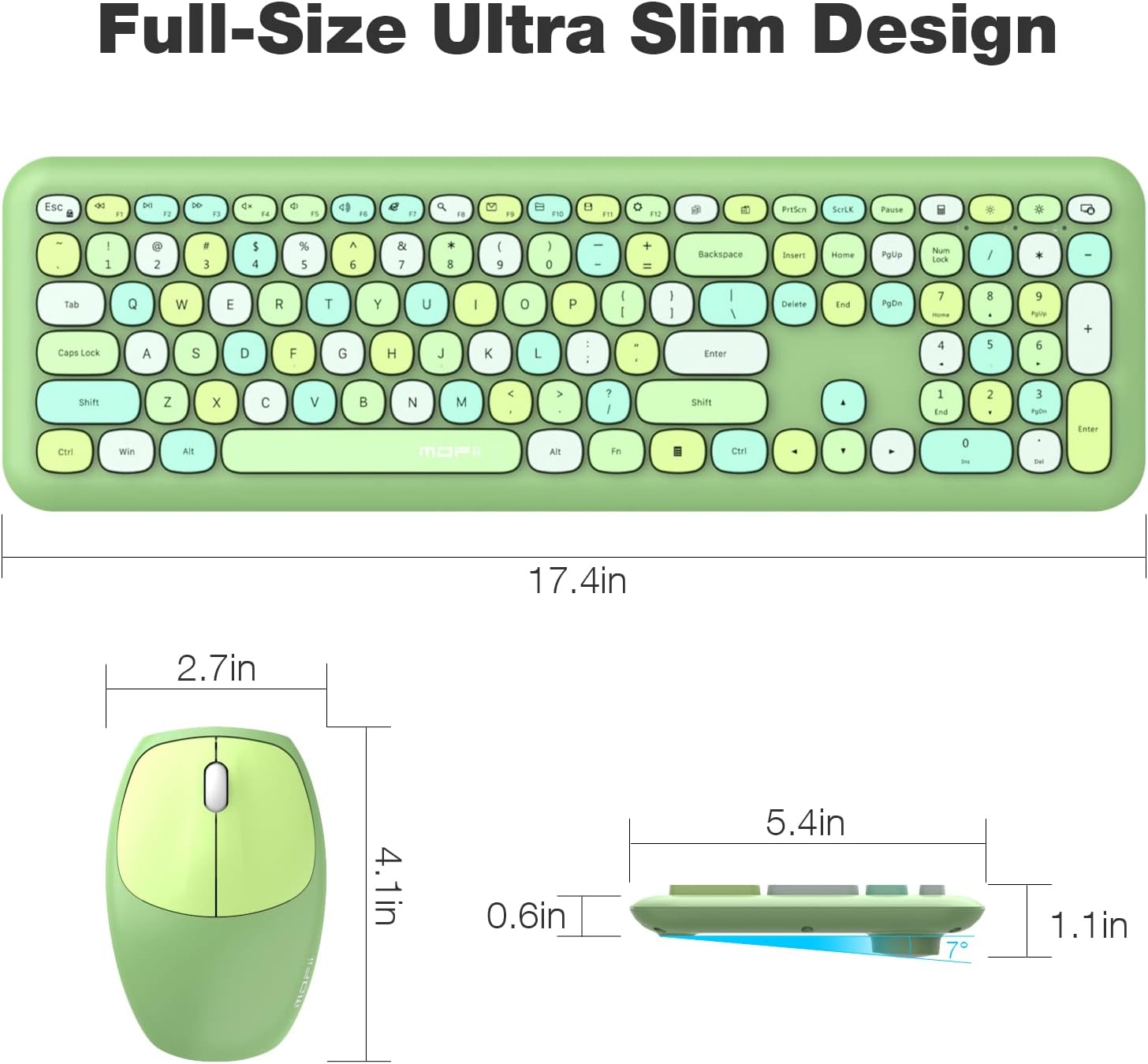
Image: Detailed dimensions of the MOFii wireless keyboard and mouse, illustrating their compact and ergonomic design.
Takuu ja tuki
For warranty information and customer support, please refer to the documentation included with your product packaging or visit the official MOFII websivusto. Säilytä ostokuitti ostotodistuksena mahdollisten takuuvaatimusten varalta.
If you encounter any issues not covered in this manual, please contact MOFii customer service for assistance.


