Johdanto
Thank you for choosing the Bytech BYMSWR104BK 3 Button Gaming Mouse. This manual provides essential information for setting up, operating, and maintaining your new gaming mouse. Please read this manual thoroughly before use to ensure optimal performance and longevity of your device.
Ominaisuudet
- Precision Mouse: Designed for accurate tracking and responsive control.
- Säädettävä DPI: Customize sensitivity for various gaming and productivity needs.
- Three Responsive Buttons: Includes left-click, right-click, and scroll wheel/middle-click for efficient operation.
- Värikäs taustavalo: Features multi-color LED lighting with 7 distinct color modes for an enhanced aesthetic experience.
- Ergonominen muotoilu: Shaped to fit comfortably in your palm, reducing fatigue during extended use.
Tekniset tiedot
| Merkki | Bytech |
| Mallinumero | BYMSWR104BK |
| Painikkeiden lukumäärä | 3 |
| Liikkeen resoluutio | 1,000 DPI |
| Väritilat | 7 Colors (Multi-color Backlight) |
| Kaapelin pituus | 5 jalkaa |
| Vaihda luokitus | 1 miljoonaa klikkausta |
| Tuotteen paino | 4.9 unssia |
| Pakkauksen mitat | 7.17 x 4.06 x 2.68 tuumaa |
| Väri | Musta |
| Virtalähde | Johdollinen sähkö (USB) |
| Laitteistoalusta | PC |
Pakkauksen sisältö
- 1 x Bytech BYMSWR104BK Wired Gaming Mouse
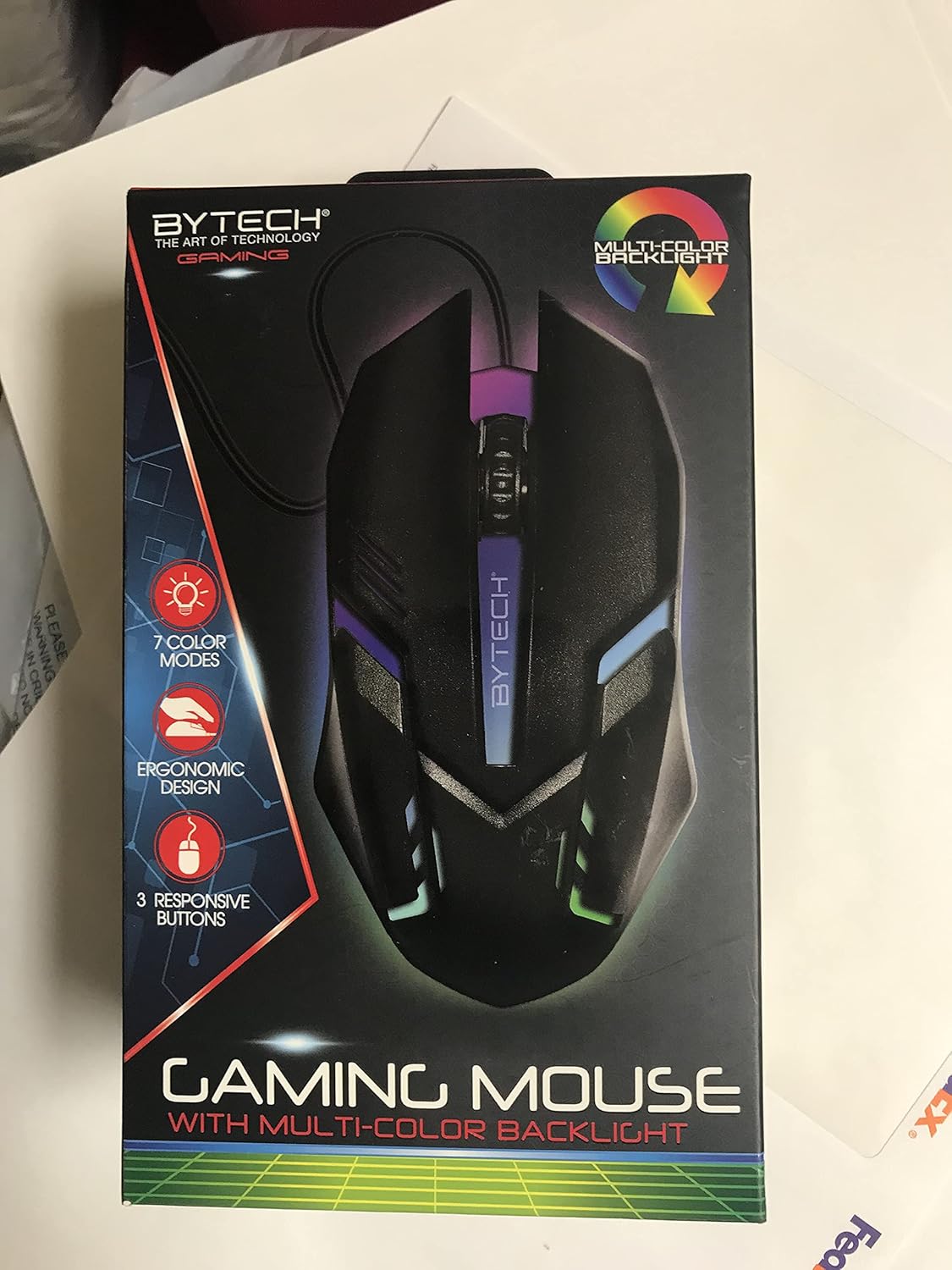
Kuva: Edessä view of the Bytech BYMSWR104BK Gaming Mouse in its retail packaging, highlighting its multi-color backlight and ergonomic design.
Asennus
- Pura pakkauksesta: Poista pelihiiri varovasti pakkauksestaan.
- Yhdistä: Locate an available USB port on your computer (PC, laptop, etc.). Insert the USB connector of the Bytech BYMSWR104BK Gaming Mouse firmly into the USB port.
- Ohjaimen asennus: The mouse is plug-and-play. Your operating system should automatically detect and install the necessary drivers. This process may take a few moments.
- Käyttövalmis: Once the drivers are installed, the mouse will be ready for immediate use. The multi-color backlight will illuminate.

Kuva: Takaosa view of the Bytech BYMSWR104BK Gaming Mouse retail packaging, detailing features, specifications, and universal compatibility.
Käyttöohjeet
Peruskäyttö
- Vasen painike: Ensisijainen napsautustoiminto, jota tyypillisesti käytetään kohteiden valitsemiseen, avaamiseen files, or interacting with software.
- Oikea painike: Secondary click function, usually opens context menus or provides additional options.
- Vierityspyörä (keskimmäinen painike): Selaa asiakirjoja vierittämällä ylös tai alas ja web pages. Pressing the scroll wheel acts as a middle-click button, often used for opening links in new tabs or auto-scrolling.
DPI-säätö
The Bytech BYMSWR104BK Gaming Mouse features adjustable DPI settings. While specific buttons for DPI adjustment are not explicitly listed on the packaging, many gaming mice allow DPI changes through a dedicated button (often located near the scroll wheel) or through software. Refer to your computer's mouse settings or Bytech's official website for advanced customization options if available.
LED-taustavalo
The mouse features a dynamic multi-color LED backlight with 7 different color modes. These lights will automatically cycle through the modes once the mouse is connected and powered on. There is no manual control for changing modes on the mouse itself.
Huolto
- Puhdistus: Pyyhi hiiren pinta pehmeällä, kuivalla liinalla. Pinttyneeseen likaan pyyhi kevyesti.ampKostuta liina vedellä tai miedolla puhdistusliuoksella. Vältä voimakkaiden kemikaalien tai hankaavien materiaalien käyttöä.
- Anturin hoito: Pidä hiiren pohjassa oleva optinen anturi puhtaana pölystä ja roskista varmistaaksesi tarkan seurannan.
- Kaapelin hallinta: Vältä teräviä taivutuksia tai USB-kaapelin liiallista vetämistä vaurioiden välttämiseksi.
- Varastointi: Kun hiirtä ei käytetä, säilytä sitä puhtaassa, kuivassa paikassa, poissa äärimmäisistä lämpötiloista.

Kuva: Sivu view of the Bytech BYMSWR104BK Gaming Mouse retail packaging, showcasing the multi-color backlight effect.
Vianetsintä
| Ongelma | Mahdollinen ratkaisu |
|---|---|
| Hiiri ei vastaa |
|
| Kohdistin on epätasainen tai liikkuu epätasaisesti |
|
| LED-taustavalo ei toimi |
|
Takuu ja tuki
Takuu: This Bytech product comes with a 12-month warranty from the date of purchase. Please retain your proof of purchase for warranty claims.
Yhteystiedot:
- Osoite: 2585 West 13th Street, Brooklyn, NY 11223, USA
- Websivusto: www.bytechintl.com
⚠ VAROITUS: Tämä tuote voi altistaa sinut kemikaaleille, kuten DEHP:lle, jonka Kalifornian osavaltio tietää aiheuttavan syöpää, synnynnäisiä epämuodostumia tai muita lisääntymisvaurioita. Lisätietoja saat osoitteesta www.P65Warnings.ca.gov.

Kuva: Pohja view of the Bytech BYMSWR104BK Gaming Mouse retail packaging, showing contact information, warranty details, and California Proposition 65 warning.


