1. Johdanto
This manual provides essential information for the safe and effective use of your Amazon Echo Dot (5th Gen) smart speaker. Please read these instructions thoroughly before operating the device and retain them for future reference.

Image: Amazon Echo Dot (5th Gen) in Glacier White on a wooden surface, highlighting its compact size and capabilities.
2. Mitä laatikossa on
Varmista, että pakkauksessa on kaikki tarvittavat osat:
- Echo Dot (5th Gen) Device
- Jäätikönvalkoinen virtalähde (15W)
- Pika-aloitusopas
3. Tuote ohiview
The Amazon Echo Dot (5th Gen) is a compact smart speaker designed to deliver an enhanced audio experience and integrate seamlessly with your smart home ecosystem. It features a spherical design with a fabric finish and an LED light ring at the base.

Image: Amazon Echo Dot (5th Gen) in Glacier White, front view with glowing light ring.
Tärkeimmät ominaisuudet:
- Improved Audio: Features a 1.73” (44 mm) front-firing speaker for clearer vocals, deeper bass, and vibrant sound.
- Alexa-ääniavustaja: Provides hands-free control for music, information, timers, and smart home devices.
- Tietosuoja-asetukset: Includes a microphone off button and the ability to view ja poista äänitallenteita.
- Älykotikeskus: Supports WiFi, Bluetooth Low Energy Mesh, and Matter for compatible smart home device control.
- Lämpötila-anturi: Built-in sensor for triggering smart home routines.
- Napautuspainikkeet: Tap the top of the device to snooze alarms or pause music.
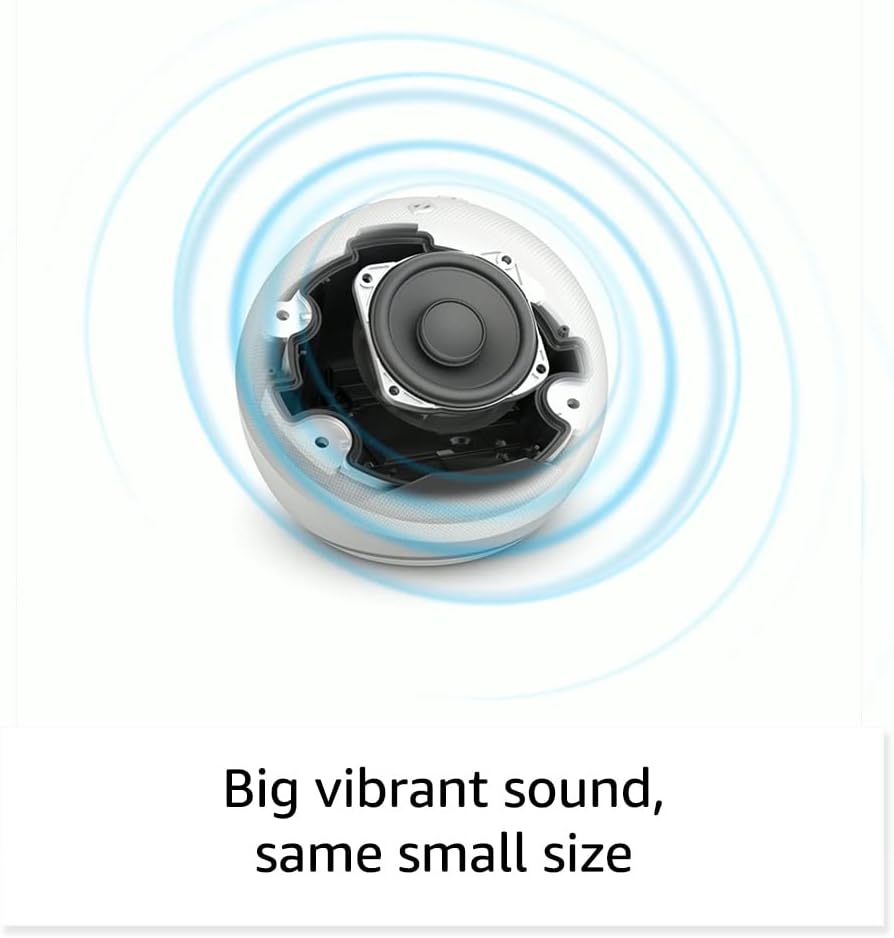
Kuva: Sisäinen view of the Amazon Echo Dot (5th Gen) speaker components, illustrating its audio design.
4. Asennus
Määritä Echo Dot (5. sukupolvi) seuraavasti:
- Kytke Echo Dot -laitteesi pistorasiaan: Kytke mukana tuleva virtalähde Echo Dotiin ja sitten pistorasiaan. Valorengas muuttuu siniseksi ja sitten oranssiksi, mikä osoittaa, että laite on valmis asennettavaksi.
- Lataa Alexa-sovellus: On your mobile device, download and install the Amazon Alexa app from your device's app store (compatible with Fire OS, Android, and iOS devices).
- Lisää laitteesi: Open the Alexa app. If prompted, sign in with your Amazon account. Tap the 'Devices' icon at the bottom, then the '+' icon in the top right corner. Select 'Add Device', then 'Amazon Echo', and choose 'Echo Dot'.
- Seuraa näytön ohjeita: The app will guide you through connecting your Echo Dot to your Wi-Fi network. Ensure your Wi-Fi network supports 802.11a/b/g/n/ac (2.4 and 5 GHz). Ad-hoc networks are not supported.
- Sijoitus: Place your Echo Dot in a central location within your room, away from walls or other objects that might obstruct sound.
5. Echo Dotin käyttö
Äänikomennot Alexan kanssa:
To interact with your Echo Dot, simply say the wake word "Alexa," followed by your command or question. The light ring will turn blue to indicate Alexa is listening.
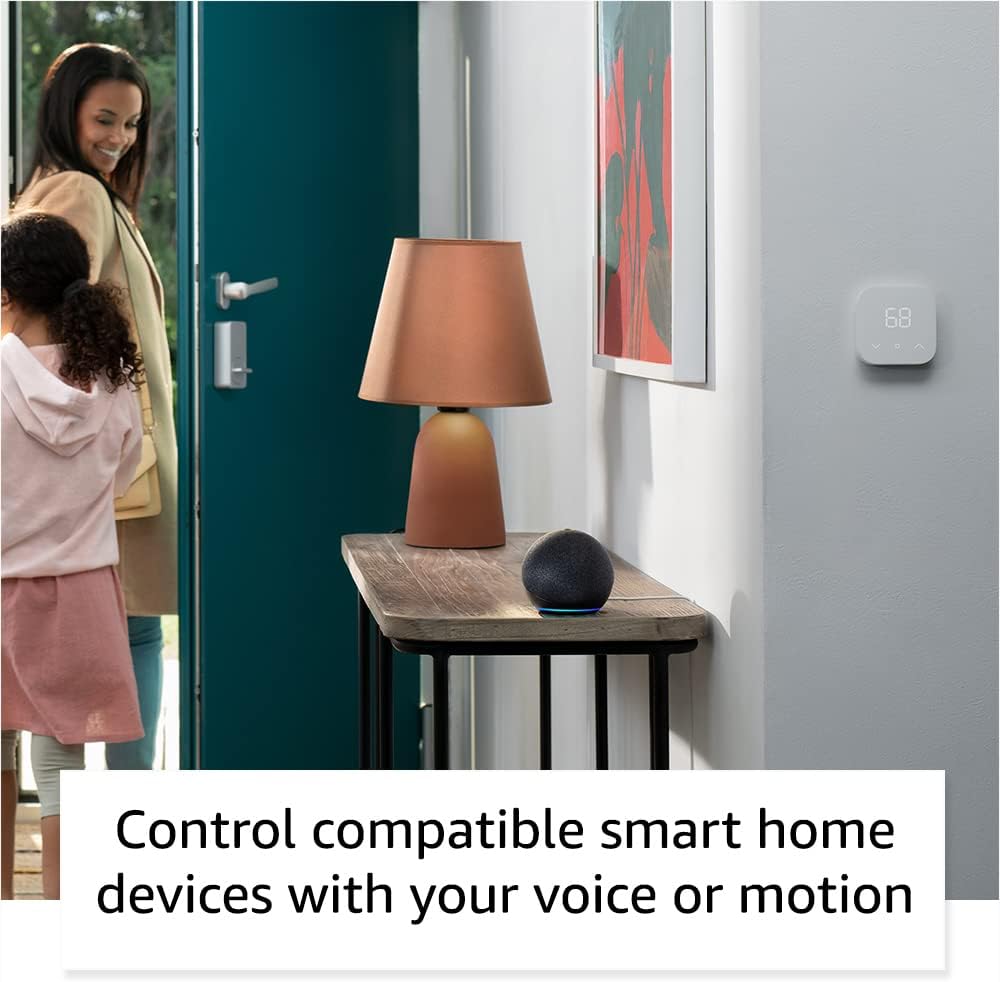
Image: Amazon Echo Dot (5th Gen) in Deep Sea Blue on a kitchen counter, demonstrating a user asking Alexa for the weather.
Yleiset komennot:
- "Alexa, soita musiikkia."
- "Alexa, millainen sää on?"
- "Alexa, aseta ajastin 10 minuutiksi."
- "Alexa, kerro minulle vitsi."
- "Alexa, lisää äänenvoimakkuutta."
Napautuspainikkeet:
The top surface of your Echo Dot is touch-sensitive for quick actions:
- Tap to Snooze: When an alarm sounds, tap the top of the device to snooze it.
- Tap to Pause/Resume: Tap to pause or resume music playback.

Image: A hand tapping the top of the Amazon Echo Dot (5th Gen) in Glacier White, demonstrating the tap-to-snooze or pause music function.
6. Älykoti-integraatio
Your Echo Dot can control compatible smart home devices using voice commands or routines. It supports WiFi, Bluetooth Low Energy Mesh, and Matter protocols.
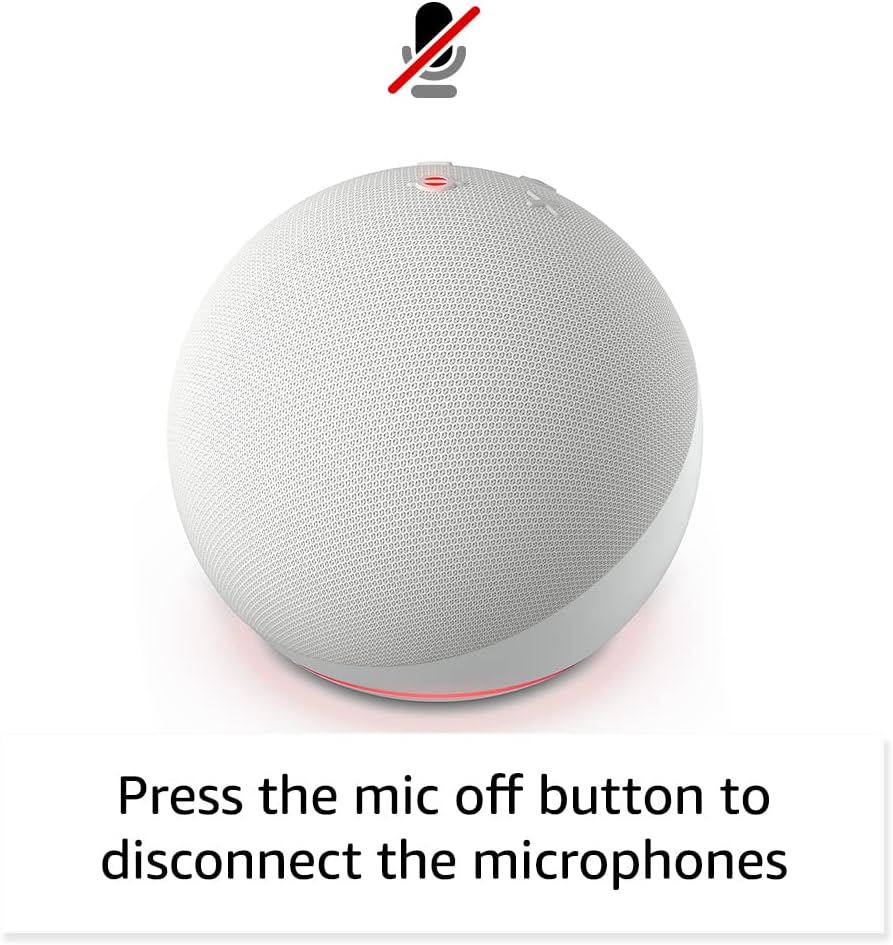
Image: Amazon Echo Dot (5th Gen) in a living space, illustrating its use for controlling compatible smart home devices.
Using the Temperature Sensor:
The built-in temperature sensor allows you to create routines in the Alexa app. For example, you can set a routine to automatically turn on a fan if the room temperature exceeds a specified comfort zone.
Amazonin jalkakäytävä:
Amazon Sidewalk uses Echo and Ring devices to securely keep other devices connected and help find lost items. It can enable supported devices to remain connected even when Wi-Fi is lost or they are outside the range of their home Wi-Fi. Sidewalk uses a small portion of your internet bandwidth. You can manage Sidewalk settings in the Alexa app.
Sisäänrakennettu eero:
If you have a compatible eero router, your Echo Dot can extend Wi-Fi coverage. This feature requires linking your eero and Amazon accounts and managing it through the eero mobile application. eero Built-in compatible Echo devices support up to 1,000 sq. ft. of additional coverage, speeds up to 100 Mbps, and 10 or fewer connected devices in the 5 GHz band.
7. Tietosuojaominaisuudet
Amazon Echo devices are designed with multiple layers of privacy controls:
- Mikrofonin poiskytkentäpainike: Press the microphone off button on the top of your Echo Dot to electronically disconnect the microphones. The light ring will turn red to indicate the microphones are off.
- Äänitallenteet: Sinulla on kyky view, listen to, and delete your voice recordings through the Alexa app or your Amazon account settings.
- Wake Word -teknologia: The device only begins recording and sending audio to the cloud after it detects the wake word (e.g., "Alexa").
Image: Amazon Echo Dot (5th Gen) with a red light indicating the microphone is off, showing the privacy control feature.
8. Esteettömyysominaisuudet
The Alexa app provides various accessibility features to personalize your experience. Access these settings by navigating to 'Settings' → 'Accessibility' in the Alexa App.
- Adaptiivinen kuuntelu: Antaa enemmän aikaa puhua loppuun ennen kuin Alexa vastaa.
- Toivottu puhenopeus: Control how fast or slow Alexa speaks by saying "Alexa, speak slower" or "Alexa, speak faster."
- Pyydä ääntä: Plays an audible tone in addition to the visual indicator when you speak to Alexa. Enable by saying "Alexa, turn on Start of Request Sound."
- Kindle Lue ääneen: Alexa voi lukea Kindle-kirjojasi ääneen.
- Ilmoita, kun lähellä: Plays notification sounds when you are detected near your Echo device.
9. Huolto
To ensure the longevity and optimal performance of your Echo Dot:
- Puhdistus: Puhdista laite pehmeällä, kuivalla ja nukkaamattomalla liinalla. Älä käytä hankaavia puhdistusaineita tai suihkeita.
- Sijoitus: Vältä laitteen sijoittamista suoraan auringonvaloon, lähelle lämmönlähteitä tai liian kosteisiin tiloihin.
- Ohjelmistopäivitykset: Your Echo Dot automatically receives software security updates. Ensure it remains connected to Wi-Fi for these updates.
10. Vianmääritys
Yleisiä ongelmia ja ratkaisuja:
- Laite ei vastaa:
- Varmista, että mikrofoni ei ole mykistetty (punainen valorengas osoittaa mykistystä).
- Check if the device is plugged in and powered on.
- Restart the device by unplugging it from the power outlet for 30 seconds and then plugging it back in.
- Ei voi muodostaa yhteyttä Wi-Fi-verkkoon:
- Varmista, että Wi-Fi-salasanasi on oikein.
- Ensure your router is working and other devices can connect.
- Siirrä Echo Dot lähemmäs Wi-Fi-reititintäsi.
- Käynnistä reititin ja modeemi uudelleen.
- Huono äänenlaatu:
- Säädä äänenvoimakkuutta äänikomennoilla tai Alexa-sovelluksella.
- Varmista, ettei laitetta sijoiteta suljettuun tilaan, joka saattaa vaimentaa ääntä.
- Check for any physical obstructions around the speaker.
- Alexa Not Understanding Commands:
- Speak clearly and at a normal pace.
- Vähennä taustamelua.
- Ensure you are within hearing range of the device.
11. Tekniset tiedot
| Ominaisuus | Yksityiskohta |
|---|---|
| Koko | 3.9” x 3.9” x 3.5” (100 mm x 100 mm x 89 mm) |
| Paino | 10.7 oz (304g) |
| Audio | 1.73 tuuman (44 mm) eteenpäin suunnattu kaiutin, häviötön teräväpiirto |
| Wi-Fi-yhteys | Kaksikaistainen Wi-Fi tukee 802.11a/b/g/n/ac (2.4 ja 5 GHz) -verkkoja. Ei tue ad-hoc-verkkoja. |
| Bluetooth-yhteys | A2DP-tuki äänen suoratoistoon, AVRCP yhdistettyjen mobiililaitteiden ääniohjaukseen. PIN-koodia vaativia Bluetooth-kaiuttimia ei tueta. |
| Älykotilaitteiden yhteensopivuus | WiFi, Bluetooth Low Energy Mesh, and Matter |
| Järjestelmävaatimukset | Alexa app compatible with Fire OS, Android, and iOS devices. Web browser access also available. |
| Sukupolvi | Echo Dot (5. sukupolvi) - vuoden 2022 julkaisu |
| Kieli | Alexa puhuu englantia ja espanjaa |
12. Takuu ja tuki
Takuutiedot:
Your Echo Dot (5th Gen) comes with a 90-day limited warranty and service. Optional 1-year, 2-year, and 3-year extended warranties are available for U.S. customers and are sold separately. Use of the Echo Dot is subject to specific terms and conditions.
Ohjelmiston tietoturvapäivitykset:
This device is guaranteed to receive software security updates for at least four years after it is last available for purchase as a new unit on Amazon websites. For more information on software security updates or to manage your device, visit the Amazon websivusto.
Asiakastuki:
For further assistance, please refer to the Amazon Alexa app or visit the Amazon support website. You can also find information specific to your device by visiting 'Manage Your Content and Devices' on Amazon.


