1. Johdanto
Kiitos ostoksestasiasing the Blaupunkt BSR 20 Portable Bluetooth Jobsite Radio. This device is designed to provide robust and reliable audio entertainment in demanding environments. It features FM radio, Bluetooth connectivity, and an AUX-IN port, all housed in a durable, splash-proof casing. Please read this manual thoroughly to ensure proper use and to maximize the lifespan of your product.
2. Turvallisuusohjeet
- Virtalähde: Käytä ainoastaan määritettyä verkkolaitetta tai akkuja. Varmista, että jännite ontage vastaa laitteen vaatimuksia.
- Vesi ja kosteus: While the device is IPX5 splash-proof, do not immerse it in water or expose it to heavy rain. Keep the battery compartment dry.
- Ilmanvaihto: Älä tuki tuuletusaukkoja. Varmista riittävä ilmankierto laitteen ympärillä.
- Lämpö: Pidä laite poissa lämmönlähteistä, kuten pattereista, lämmittimistä, liesistä tai muista laitteista (mukaan lukien ampnostimet), jotka tuottavat lämpöä.
- Puhdistus: Irrota virtajohto ennen puhdistamista. Käytä pehmeää, kuivaa liinaa. Älä käytä nestemäisiä puhdistusaineita tai aerosolipuhdistusaineita.
- Huolto: Älä yritä huoltaa tätä tuotetta itse. Anna kaikki huoltotoimenpiteet pätevän huoltohenkilöstön tehtäväksi.
- Akut: Dispose of used batteries according to local regulations. Do not expose batteries to excessive heat or fire.
3. Tuotteen ominaisuudet
- Tehokas ääni: 5W RMS output for clear sound in noisy environments.
- Langaton yhteys: Bluetooth 4.2 for streaming music from smartphones and other compatible devices.
- Langallinen yhteys: Integrated AUX-IN (3.5mm jack) for connecting MP3 players or other audio sources.
- FM-radio: Digital FM tuner with up to 20 station presets.
- Kestävä muotoilu: Shock-resistant, splash-proof, dust-proof, and dirt-resistant (IPX5 rated).
- Siirrettävyys: Lightweight (2.5 kg) with an integrated foldable carrying handle.
- Käyttäjäystävälliset säätimet: Robust buttons designed for use even with work gloves.
- Virtavaihtoehdot: Operates via mains power or 6x LR14 (1.5V) C-cell batteries.
4. Asennus
4.1 Laitteen virran kytkeminen
The Blaupunkt BSR 20 can be powered by either mains electricity or batteries.
Verkkovirta:
- Paikanna laitteen virransyöttöportti.
- Liitä mukana toimitettu virtalähde laitteeseen.
- Kytke virtalähde sopivaan pistorasiaan.
Akun teho:
For portable use, the radio requires 6x LR14 (1.5V) C-cell batteries (not included).
- Locate the battery compartment on the back or bottom of the radio.
- Avaa paristolokeron kansi.
- Insert 6x LR14 (1.5V) C-cell batteries, ensuring correct polarity (+/-).
- Close the battery compartment cover securely to maintain IPX5 rating.
4.2 Ensimmäinen käynnistys
Paina Tehoa painike (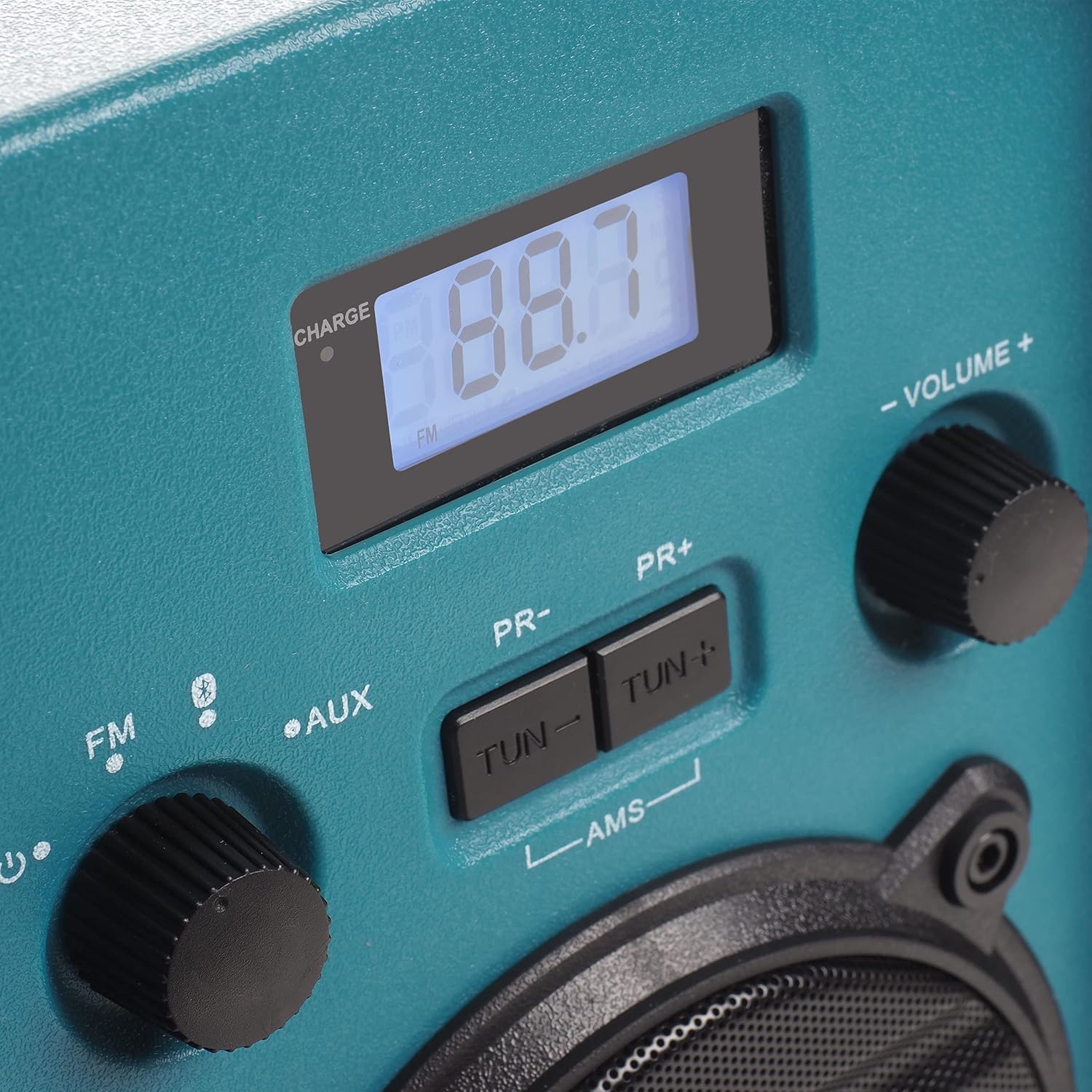 ) käynnistääksesi radion. Näyttö syttyy.
5. Käyttöohjeet
5.1 Tilan valinta
Rotate the left knob to select between FM Radio, Bluetooth (), and AUX-IN modes.
5.2 FM-radion käyttö
- Valitse FM mode using the left knob.
- Extend the antenna for optimal reception.
- Käytä TUN- ja TUN+ painikkeita virittääksesi manuaalisesti halutulle taajuudelle.
- To automatically scan and store stations, press and hold the AMS button. The radio will scan for available FM stations and store them as presets.
- Käytä PR- ja PR+ buttons to navigate through stored preset stations.
5.3 Bluetooth -pariliitos
- Valitse Bluetooth mode using the left knob. The display will show "BT" and flash, indicating it is in pairing mode.
- Ota Bluetooth käyttöön älypuhelimessasi tai muussa Bluetooth-laitteessasi ja hae käytettävissä olevia laitteita.
- Select "Blaupunkt BSR 20" from the list of devices.
- Once paired, the display will show a steady "BT" and you can play audio from your connected device.
5.4 AUX-IN-liitäntä
- Valitse AUX mode using the left knob.
- Connect one end of a 3.5mm audio cable (not included) to the AUX-IN port on the radio.
- Liitä äänikaapelin toinen pää ulkoisen laitteen (esim. MP3-soittimen tai älypuhelimen) kuulokeliitäntään tai äänilähtöön.
- Toista ääntä ulkoisesta laitteestasi.
5.5 Äänenvoimakkuuden säätö
Rotate the right knob labeled ÄÄNENVOIMAKKUUS +/- säätääksesi äänen lähtötasoa.
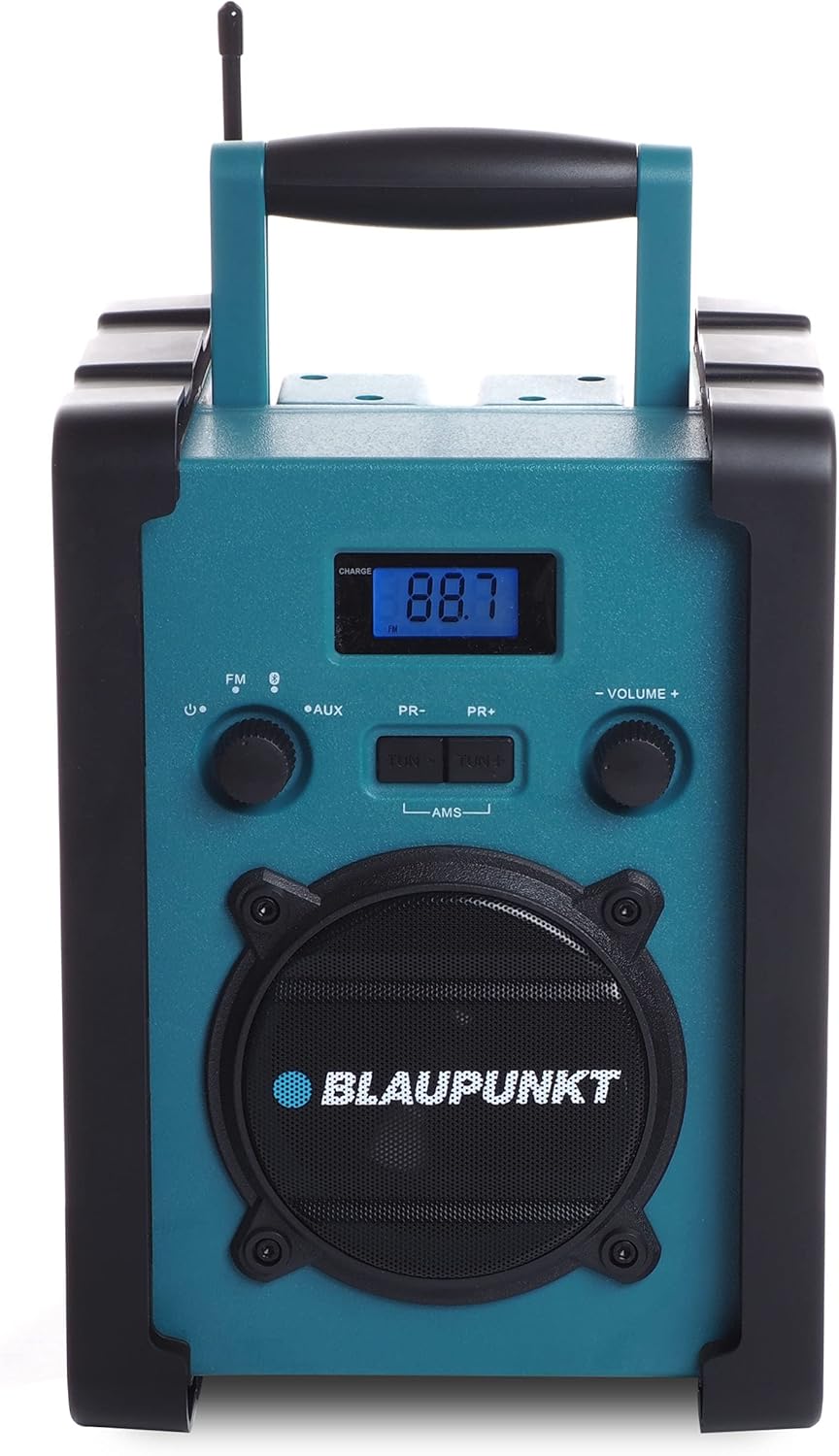
Kuva 1: Etuosa view of the Blaupunkt BSR 20 jobsite radio, showing the display, controls, and speaker.
Figure 2: Close-up of the control panel, showing the digital display, FM/AUX/Bluetooth selection, tuning buttons, and volume knob.
6. Huolto
6.1 Puhdistus
To clean the radio, ensure it is powered off and disconnected from the mains. Use a soft, slightly damp cloth to wipe down the exterior. Do not use abrasive cleaners, solvents, or strong chemicals, as these may damage the surface.
6.2 Varastointi
When not in use for extended periods, store the radio in a cool, dry place. If using batteries, remove them to prevent leakage and potential damage to the device.
7. Vianmääritys
| Ongelma | Mahdollinen syy | Ratkaisu |
|---|---|---|
| Ei virtaa | Virtasovitinta ei ole kytketty; Paristot ovat tyhjentyneet tai väärin asetettu. | Tarkista virtalähteen liitäntä; Vaihda paristot tai varmista oikea napaisuus. |
| Ei ääntä | Volume too low; Incorrect mode selected; Device not paired (Bluetooth); AUX cable not connected properly. | Increase volume; Select correct mode (FM, BT, AUX); Re-pair Bluetooth device; Check AUX cable connection. |
| Huono FM -vastaanotto | Antennia ei ole ojennettuna; Heikko signaalialue. | Fully extend the antenna; Try repositioning the radio. |
| Bluetooth ei muodosta yhteyttä | Radio not in pairing mode; Device too far; Bluetooth disabled on external device. | Ensure radio is in Bluetooth pairing mode; Move device closer; Enable Bluetooth on external device. |
8. Tekniset tiedot
- Merkki: BLAUPUNKT
- Malli: BSR 20
- Väri: Sininen
- Yhteystekniikka: Bluetooth
- Erikoisominaisuudet: Shock-resistant, Portable, IPX5 Splash-proof
- Yhteensopivat laitteet: Älypuhelin, tabletti, MP3-soitin
- Tuotteen mitat (P x L x K): 19.8 cm x 18.8 cm x 27.4 cm
- Viritystekniikka: Digitaalinen
- Virtalähde: Mains / Battery powered
- Tuetut radioyhtyeet: FM
- Akun tyyppi: 6x LR14 (1.5V) C-cell batteries (not included)
- RMS-lähtö: 5W
9. Takuu ja tuki
This product is covered by a manufacturer's warranty. Please refer to the warranty card included with your purchase for specific terms and conditions. For technical support, service, or warranty claims, please contact your retailer or the official Blaupunkt customer service. Keep your proof of purchase for warranty validation.


