1. Johdanto
This manual provides detailed instructions for the proper installation, operation, and maintenance of your Xprinter XP-N160II thermal receipt printer. Please read this manual thoroughly before using the printer to ensure optimal performance and to prevent damage.
2. Tuote ohiview
2.1 Tärkeimmät ominaisuudet
- Merkki: Xprinter
- Väri: Musta
- Printer Type: Receipt Thermal Printer
- Mallinumero: N160
- Liitäntätekniikka: USB
- Printer Output: Monochrome
- Print Media: Labels
- Maximum Black and White Print Resolution: 203 dpi
2.2 Tulostimen osat
Familiarize yourself with the various parts of your Xprinter XP-N160II printer:
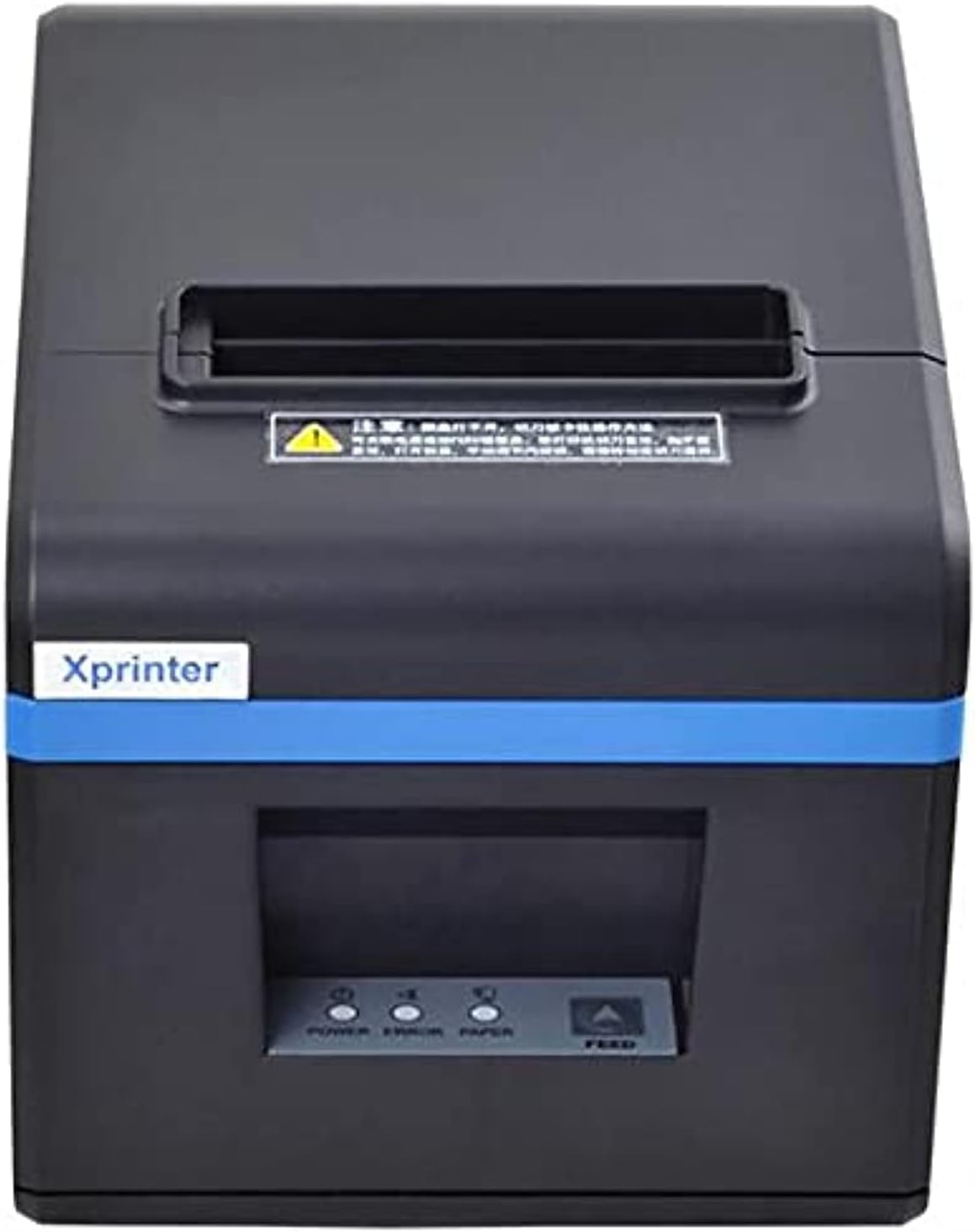
Kuva 1: Edessä view of the Xprinter XP-N160II thermal receipt printer, showing the paper output slot, control panel with indicator lights (POWER, ERROR, PAPER), and FEED button.
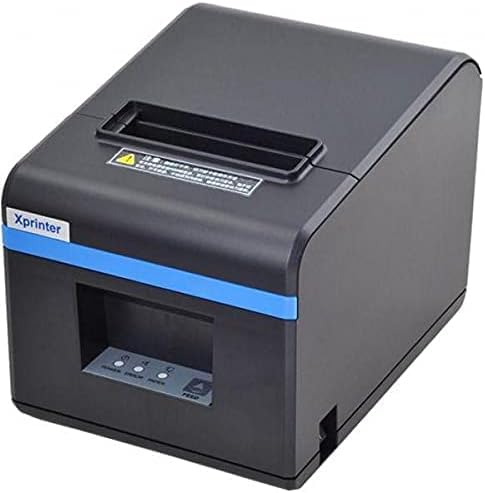
Kuva 2: Kulmikas etuosa view of the Xprinter XP-N160II, highlighting its compact design and the Xprinter branding on the front.
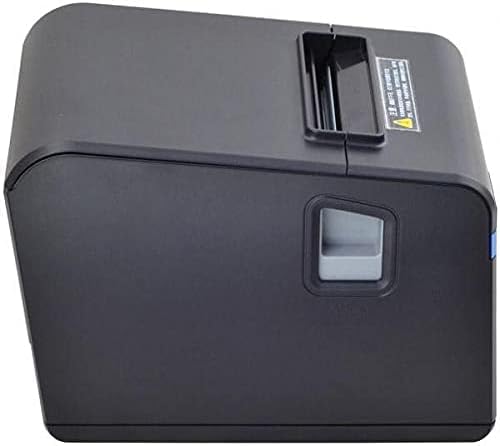
Kuva 3: Sivu view of the Xprinter XP-N160II, illustrating the paper cover release lever for easy paper roll replacement.

Kuva 4: Takaosa view of the Xprinter XP-N160II, displaying the power input port, USB port, and an additional port (likely for cash drawer connection).
3. Asennusohjeet
- Purkaminen: Poista tulostin varovasti pakkauksestaan. Säilytä kaikki pakkausmateriaalit myöhempää kuljetusta tai säilytystä varten.
- Liitä virta: Connect the power adapter to the printer's power input port (refer to Figure 4) and then plug the power cord into a suitable electrical outlet.
- Liitä datakaapeli: Connect the USB cable from the printer's USB port (refer to Figure 4) to your computer or point-of-sale system.
- Paperirullan lisääminen:
- Press the paper cover release lever (refer to Figure 3) to open the printer cover.
- Insert a new thermal paper roll into the compartment, ensuring the paper feeds from the bottom and the leading edge extends slightly out of the printer.
- Sulje tulostimen kansi tiiviisti, kunnes se napsahtaa paikalleen.
- Asenna ajurit: Insert the driver CD (if included) into your computer or download the latest drivers from the official Xprinter websivusto. Suorita ajurin asennus loppuun noudattamalla näytön ohjeita.
- Virta päälle: Press the power button on the printer. The POWER indicator light should illuminate.
4. Käyttöohjeet
- Self-Test Print: To perform a self-test, turn off the printer. While holding down the FEED button, turn the printer back on. Release the FEED button once the printer starts printing. This will print a configuration page, confirming basic functionality.
- Printing from Application: Ensure the printer is connected and drivers are installed. In your application (e.g., POS software, word processor), select the Xprinter XP-N160II as your default printer and initiate the print command.
- Feeding Paper Manually: Press the FEED button on the front panel to advance the paper by a small amount. Hold the FEED button down to continuously feed paper.
5. Huolto
- Tulostuspään puhdistus: Puhdista lämpötulostuspää säännöllisesti alkoholipyyhkeellä tai erityisellä tulostuspään puhdistuskynällä. Varmista, että tulostin on sammutettu ja jäähtynyt ennen puhdistamista.
- Levytelan puhdistaminen: Käytä pehmeää, damp cloth to wipe the platen roller (the rubber roller that feeds the paper) to remove any paper dust or debris.
- Paperirullan vaihto: Replace the paper roll when the PAPER indicator light illuminates or when the red line appears on the paper, indicating the end of the roll is near. Follow the steps outlined in Section 3.4.
- Yleinen puhdistus: Keep the printer exterior clean by wiping it with a soft, dry cloth. Avoid using harsh chemicals or abrasive cleaners.
6. Vianmääritys
| Ongelma | Mahdollinen syy | Ratkaisu |
|---|---|---|
| Tulostin ei käynnisty | No power supply; faulty power adapter | Check power cable connection; ensure outlet is functional; try a different power adapter if available. |
| No paper feeding / PAPER light on | Paper roll empty or incorrectly loaded | Replace paper roll or re-load correctly (refer to Section 3.4). |
| Print output is blank or faded | Paper loaded incorrectly (upside down); print head dirty or damaged | Ensure thermal paper is loaded with the thermal side facing the print head; clean the print head (refer to Section 5). |
| Tietokone ei tunnista tulostinta | USB cable disconnected; drivers not installed or corrupted | Check USB cable connection; re-install printer drivers (refer to Section 3.5). |
| ERROR light is on | Paper jam; print head overheating; cover open | Clear any paper jams; allow printer to cool down; ensure printer cover is closed properly. |
7. Tekniset tiedot
| Ominaisuus | Yksityiskohta |
|---|---|
| Tuotemerkki | Xprinter |
| Mallin nimi | N160 |
| Väri | Musta |
| Tulostintekniikka | Lämpö |
| Yhteystekniikka | USB |
| Tulostimen lähtö | Yksivärinen |
| Painomedia | Tarrat |
| Suurin mustavalkoinen tulostustarkkuus | 203 dpi |
| Suurin arkkikapasiteetti | 50 (referring to individual labels or a roll capacity equivalent) |
| Pakkauksen mitat | 33 x 21.4 x 18.3 cm |
| Tuotteen paino | 1.62 kg |
| Valmistaja | Xprinter |
| Päivämäärä ensimmäinen saatavilla | 1 päivä kesäkuuta 2021 |
8. Turvallisuustiedot
- Do not expose the printer to water or high humidity.
- Vältä tulostimen sijoittamista suoraan auringonvaloon tai lämmönlähteiden lähelle.
- Käytä ainoastaan tulostimen mukana toimitettua virtalähdettä.
- Älä yritä purkaa tai korjata tulostinta itse. Ota yhteyttä pätevään huoltohenkilöstöön.
- Pidä poissa lasten ulottuvilta.
- Varmista tulostimen ympärillä oleva asianmukainen ilmanvaihto käytön aikana.
9. Takuu ja tuki
The Xprinter XP-N160II thermal receipt printer comes with a standard manufacturer's warranty. For specific warranty terms and conditions, please refer to the documentation included with your purchase or contact Xprinter customer support directly. For technical assistance or service inquiries, please visit the official Xprinter websivustolla tai ota yhteyttä heidän valtuutettuihin huoltokeskuksiinsa.


