1. Johdanto
Tuote loppuview
The CALEX Smart Aroma Diffuser is a versatile device designed to enhance your home environment. It functions as an aroma diffuser, humidifier, air purifier, and ambient light source. With WiFi connectivity, you can control its features, including fragrance diffusion, humidification, and RGB lighting, directly from the free Calex application on your smartphone. This manual provides comprehensive instructions for safe and effective use of your device.
Tärkeimmät ominaisuudet:
- Smart App Control (Calex App)
- WiFi-yhteys
- Aromien diffuusio
- Kostutus
- Ilmanpuhdistus
- Customizable RGB Ambient Lighting (100+ options)
- Programmable Timers and Scenarios
2. Turvallisuusvaroitukset
Please read all safety warnings carefully before using the device.
- Vältä suoraa ihokosketusta laimentamattomien eteeristen öljyjen kanssa.
- Keep the device and essential oils out of reach of children and pets.
- Varmista riittävä ilmanvaihto alueella, jossa hajottinta käytetään.
- Unplug the device from the power outlet when not in use or during maintenance.
- Do not exceed the maximum water fill line.
- Use only clean tap water or distilled water.
- Do not tilt or move the device when it is operating or contains water.
- Älä upota laitetta veteen tai muuhun nesteeseen.
- Älä tuki sumun ulostuloa.
3. Tuote ohiview
Familiarize yourself with the components of your CALEX Smart Aroma Diffuser.

Kuva 3.1: Edessä view of the CALEX Smart Aroma Diffuser, showing the wood-grain base, translucent top, and control buttons (ON/OFF, +, -, LIGHT).

Image 3.2: The CALEX Smart Aroma Diffuser in operation, emitting a fine mist, placed on a stack of magazines next to a vase of flowers.
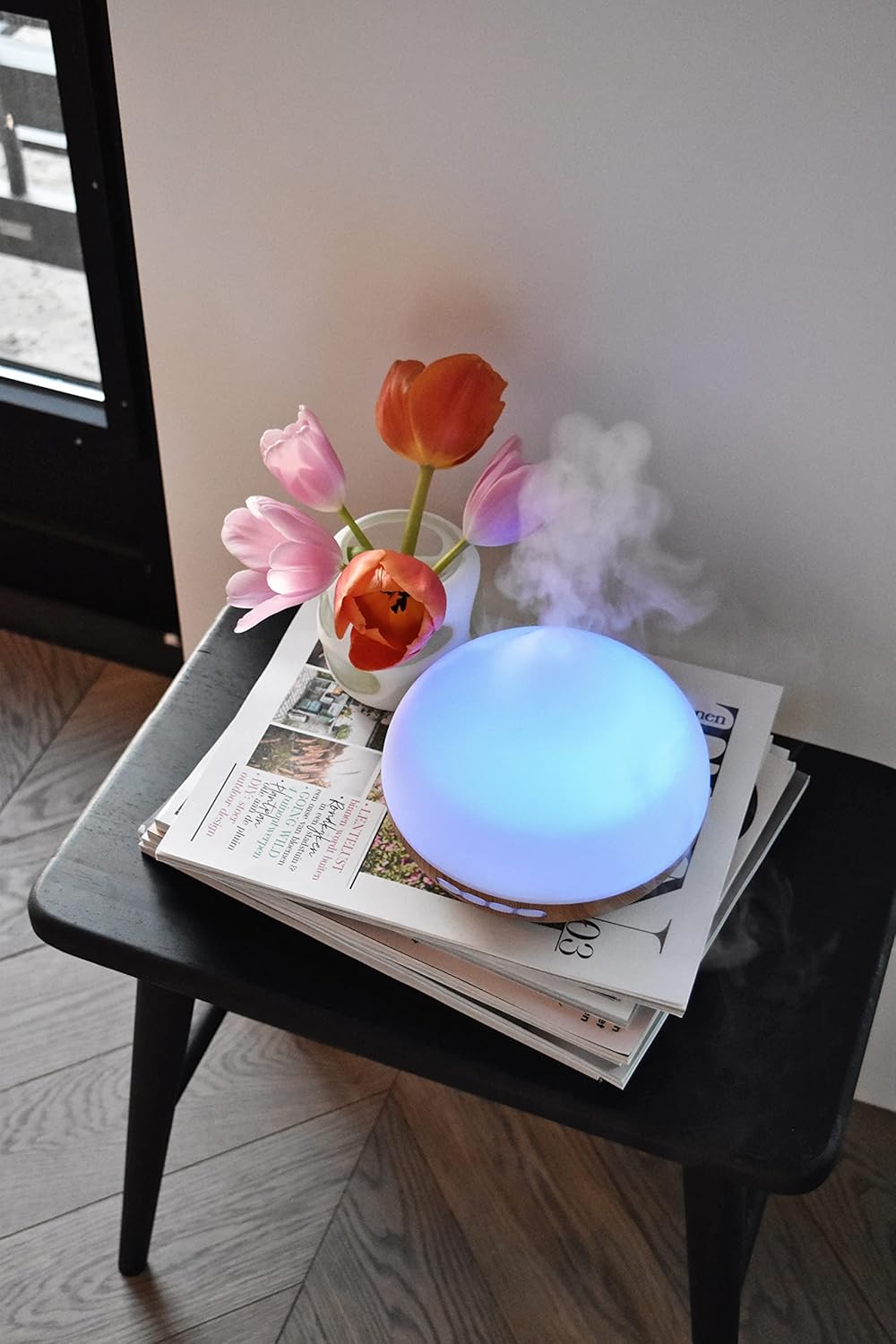
Image 3.3: The CALEX Smart Aroma Diffuser displaying a blue ambient light, placed on a table with flowers and magazines.

Image 3.4: The CALEX Smart Aroma Diffuser displaying a warm yellow ambient light, emitting mist, placed on a table with flowers and magazines.
4. Asennusohjeet
- Pura hajottimen pakkauksesta: Poista kaikki osat varovasti pakkauksesta.
- Aseta diffuusori: Aseta hajotin tasaiselle, vakaalle ja vedenkestävälle pinnalle.
- Liitä virta: Plug the power adapter into the diffuser's power input, then plug the adapter into a standard electrical outlet.
- Täytä vedellä: Remove the top cover. Fill the water tank with clean tap water or distilled water up to the indicated maximum fill line (300 ml capacity). Do not overfill.
- Lisää eteeristä öljyä (valinnainen): Add a few drops of your preferred essential oil or fragrance to the water.
- Vaihda kansi: Aseta yläkansi tukevasti takaisin hajottajan päälle.
- Download Calex App: Download the free Calex app from your smartphone's app store (available for iOS and Android).
- Yhdistä WiFi-verkkoon: Follow the in-app instructions to connect your diffuser to your home WiFi network. This typically involves putting the diffuser into pairing mode (refer to app for specific steps) and selecting your WiFi network.
5. Hajottimen käyttö
5.1 Peruskäyttö
- Virta päälle/pois: Press the "ON/OFF" button on the diffuser or use the Calex app to turn the device on or off.
- Sumunhallinta: Use the "+" and "-" buttons on the diffuser to adjust the mist intensity (if applicable) or control via the app.
- Valon ohjaus: Press the "LIGHT" button on the diffuser to cycle through light colors or turn the light off. For full RGB control and advanced options, use the Calex app.
5.2 Smart App Control
The Calex app provides extensive control over your smart aroma diffuser:
- Kaukosäädin: Operate the diffuser from anywhere with an internet connection.
- Sumuasetukset: Adjust mist output levels and set continuous or intermittent diffusion modes.
- RGB-valaistus: Choose from over 100 color options, adjust brightness, and select dynamic lighting effects to match your mood or decor.
- Ajastimet ja aikataulut: Set specific times for the diffuser to turn on/off, change light settings, or adjust mist output. Create personalized scenarios for different routines (e.g., "Wake Up," "Relax," "Sleep").
- Ääniohjaus: Integrate with smart home assistants like Amazon Alexa or Google Assistant for hands-free control (e.g., "Alexa, turn on the diffuser light").

Image 5.1: Screenshot of the Calex app displaying color and brightness controls for the smart diffuser's RGB lighting.

Image 5.2: Screenshot of the Calex app's main screen, showing the "My Home" section where connected smart devices are managed.
6. Huolto ja hoito
Säännöllinen puhdistus varmistaa optimaalisen suorituskyvyn ja pidentää hajottajan käyttöikää.
- Päivittäinen huolto:
- Tyhjennä jäljellä oleva vesi säiliöstä.
- Pyyhi vesisäiliön sisäpuoli puhtaalla, pehmeällä liinalla.
- Refill with fresh water before each use.
- Viikoittainen siivous:
- Irrota diffuusori pistorasiasta.
- Irrota yläkansi ja tyhjennä vesisäiliö.
- Add a small amount of white vinegar (about 10 ml) to the water tank and let it sit for 10-15 minutes to loosen mineral buildup.
- Gently wipe the inside of the tank and the ultrasonic disc with a soft brush or cotton swab. Avoid scrubbing forcefully.
- Huuhtele säiliö huolellisesti puhtaalla vedellä varmistaen, ettei siihen jää etikkajäämiä.
- Pyyhi hajottimen ulkopinta pehmeällä,amp kangas.
- Anna kaikkien osien kuivua kokonaan ilmassa ennen kokoamista tai varastointia.
- Varastointi: If storing the diffuser for an extended period, ensure it is clean and completely dry. Store it in a cool, dry place away from direct sunlight.
7. Vianmääritys
If you encounter issues with your CALEX Smart Aroma Diffuser, refer to the following common problems and solutions:
| Ongelma | Mahdollinen syy | Ratkaisu |
|---|---|---|
| Ei sumua tai sumun tuotto on heikko | Low water level; Water tank dirty; Ultrasonic disc blocked; Diffuser tilted. | Add water to the tank; Clean the water tank and ultrasonic disc; Ensure diffuser is on a flat surface. |
| Laite ei käynnisty | Not plugged in; Power adapter faulty; No power from outlet. | Check power connection; Try a different outlet; Contact support if adapter is faulty. |
| Sovelluksen yhteysongelmat | Incorrect WiFi password; Diffuser too far from router; Router issues; App not updated. | Verify WiFi password; Move diffuser closer to router; Restart router; Update Calex app. |
| Light not working correctly | App settings; Internal fault. | Check light settings in the Calex app; Restart the diffuser. |
8. Tuotteen tekniset tiedot
| Ominaisuus | Erittely |
|---|---|
| Merkki | CALEX |
| Mallinumero | 429262 |
| Väri | White/Wood look |
| Tuotteen mitat (P x L x K) | 14 x 16.8 x 14 cm |
| Tuotteen paino | 305 grammaa |
| Kapasiteetti | 300 millilitraa |
| Tehoa | 10 wattia |
| Voitage | 240 volttia |
| Materiaali | Reeds (wood-look base) |
| Automaattinen sammutustoiminto | Kyllä |
| Erikoisominaisuudet | Aroma Diffuser, Humidifier, Timer |
| Peittoalue | Approximately 10 square meters |
9. Takuu ja tuki
For warranty information and customer support, please refer to the documentation included with your purchase or visit the official CALEX websivusto. Säilytä ostokuittisi mahdollisten takuuvaatimusten varalta.
Verkkoresurssit:


