Kiitos ostoksestasiasing the Trust Wireless Mouse. This manual provides detailed instructions for setting up, operating, maintaining, and troubleshooting your new wireless mouse. Please read this manual thoroughly before using the product to ensure optimal performance and longevity.
Kuva 1.1: Yläosa view of the Trust Wireless Mouse, showcasing sen ergonominen muotoilu ja painikkeiden asettelu.
2. Turvallisuustiedot
Noudata seuraavia turvallisuusohjeita laitteen vahingoittumisen ja itsesi vahingoittumisen välttämiseksi:
Älä altista hiirtä vedelle tai liialliselle kosteudelle.
Vältä pudottamasta hiirtä tai altistamasta sitä voimakkaille iskuille.
Älä yritä purkaa tai korjata hiirtä itse. Ota yhteyttä pätevään huoltohenkilöstöön.
Hävitä paristot paikallisten määräysten mukaisesti.
3. Pakkauksen sisältö
Varmista, että pakkauksessa on kaikki tarvittavat osat:
1x Trust Wireless Comfort Mouse
1x USB-mikrovastaanotin
1x AA-paristo
1x Käyttöohje (tämä asiakirja)
Image 3.1: The retail packaging of the Trust Wireless Mouse, showing the mouse and included accessories.
4. Asennus
4.1. Akun asennus
Paikanna paristolokero hiiren alapuolelta.
Liu'uta paristolokeron kansi auki.
Aseta mukana toimitettu AA-paristo paikalleen varmistaen, että positiiviset (+) ja negatiiviset (-) navat ovat oikein lokeron sisällä olevien merkintöjen kanssa.
Sulje paristolokeron kansi kunnolla.
Image 4.1: Underside of the mouse with the battery compartment open, showing the insertion of an AA battery.
Kuva 4.2: Pohja view of the Trust Wireless Mouse, illustrating the battery compartment and the storage slot for the USB micro receiver.
4.2. USB-mikrovastaanottimen kytkeminen
Locate the USB micro receiver, which is typically stored inside the mouse's battery compartment for transport.
Irrota USB-mikrovastaanotin säilytyspaikastaan.
Plug the USB micro receiver into an available USB port on your computer (laptop or PC).
The mouse should automatically connect to your computer. No additional drivers are typically required for Windows 10, 8, 7, or Mac OS X 10.15 (Catalina) or higher.
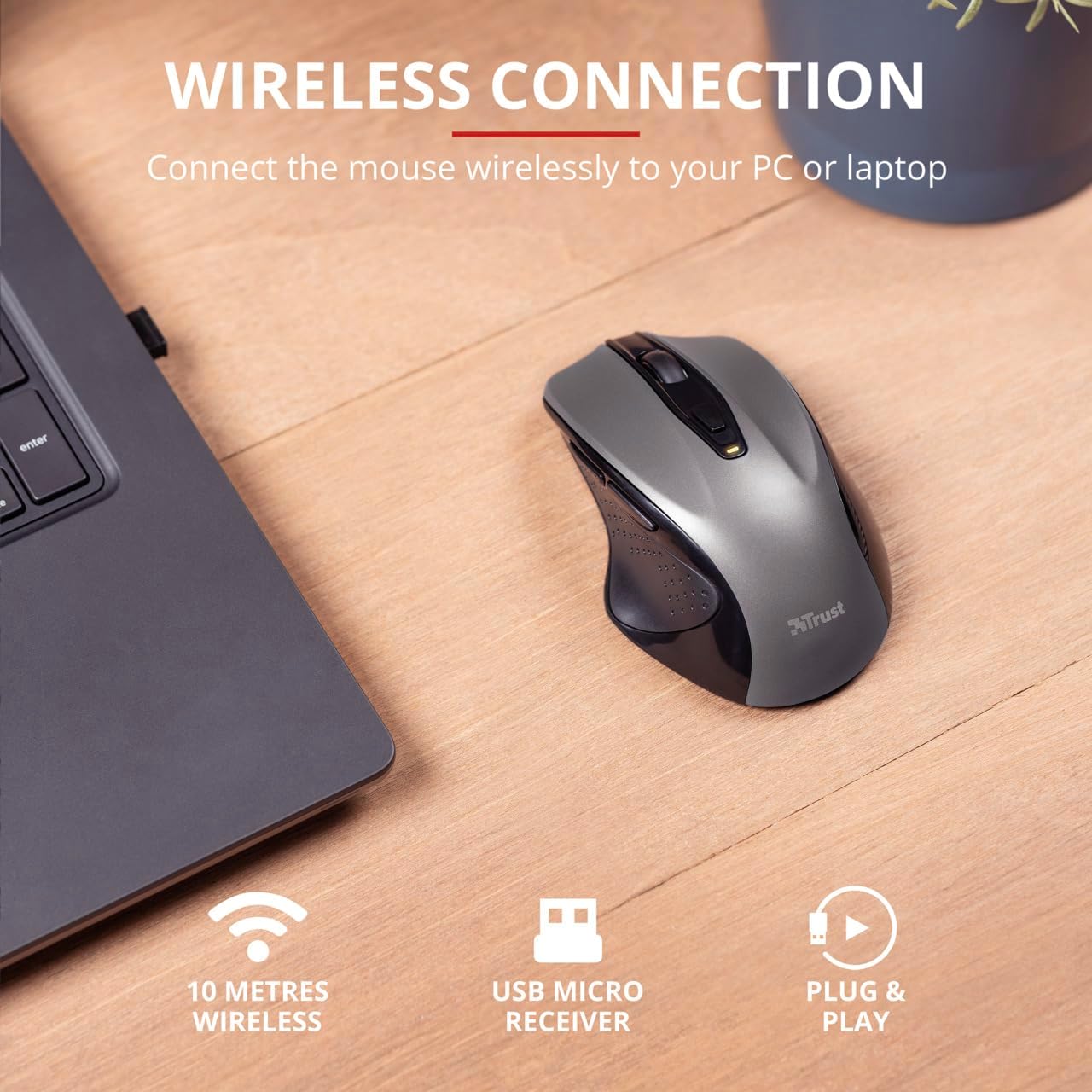
Image 4.3: The Trust Wireless Mouse positioned next to a laptop, demonstrating the wireless connection via the USB micro receiver plugged into the laptop's USB port.
5. Hiiren käyttö
5.1. Perustoiminnot
Vasen painallus: Ensisijainen painike kohteiden valitsemiseen ja ohjelmiston kanssa vuorovaikutukseen.
Oikealla painikkeella: Toissijainen painike kontekstivalikoille ja lisäasetuksille.
Vierityspyörä: Vieritä ylös tai alas selataksesi asiakirjoja ja web pages. Press the scroll wheel for middle-click functionality.
5.2. DPI-säätö
The Trust Wireless Mouse features an adjustable DPI (Dots Per Inch) setting, allowing you to control the cursor speed. There are 5 different speeds available: 800, 1200, 1600, 1800, and 2200 DPI.
Locate the DPI button, usually positioned behind the scroll wheel.
Paina DPI-painiketta selataksesi käytettävissä olevia DPI-asetuksia.
An LED indicator on the mouse will briefly show the current DPI setting.
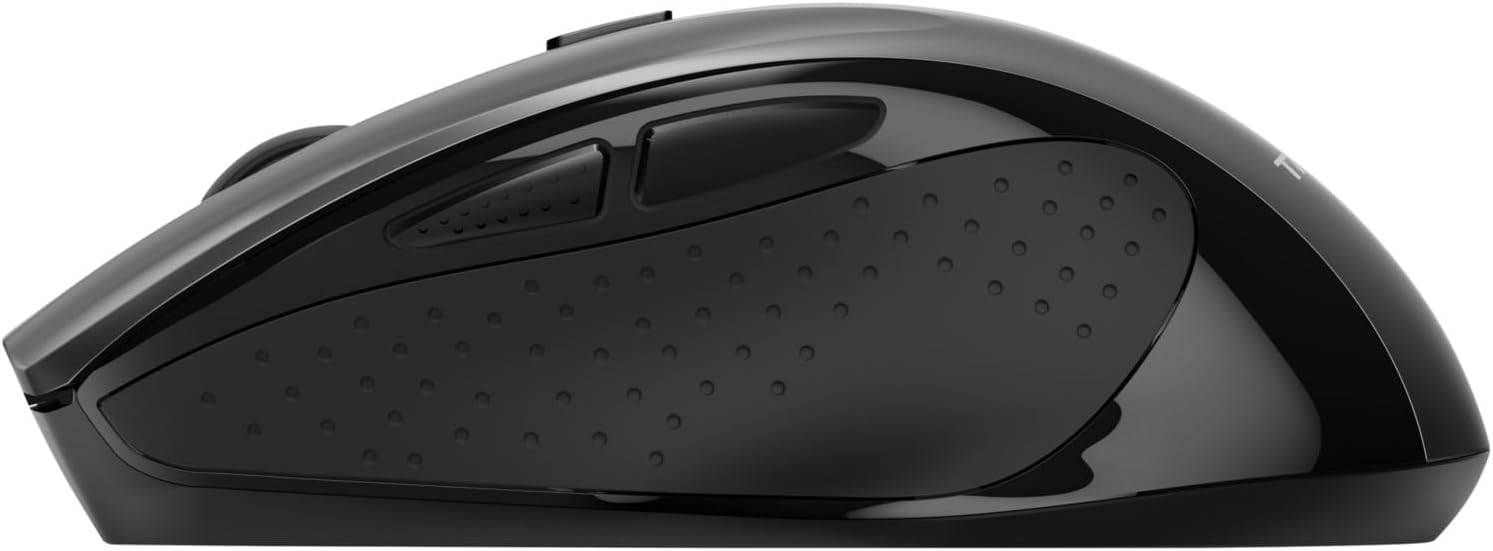
Kuva 5.1: Sivu view of the Trust Wireless Mouse highlighting its comfortable shape, thumb rest with extra grip, and the adjustable speed (DPI) feature.
5.3. Thumb Buttons
The mouse is equipped with two conveniently placed thumb buttons (forward and backward) on the left side. These buttons facilitate easy navigation, such as browsing through files tai web sivuja.
Paina Eteenpäin button to move to the next page or item.
Paina Taaksepäin button to return to the previous page or item.
Kuva 5.2: Sivu view of the Trust Wireless Mouse, clearly showing the placement of the two thumb buttons for forward and backward navigation.
Note: Functionality of side buttons may vary between operating systems.
5.4. Power Saving Features
To conserve battery life, the mouse includes a power-saving mode and an on/off switch.
Päälle/pois-kytkin: Located on the underside of the mouse. Turn the mouse off when not in use for extended periods to maximize battery life.
Akun LED-ilmaisin: An LED indicator will light up when the battery level is low, signaling that it's time to replace the AA battery.
6. Huolto
6.1. Puhdistus
To maintain optimal performance, clean your mouse regularly:
Pyyhi hiiren pinta pehmeällä, kuivalla liinalla.
Pinttyneeseen likaan, kevyesti dampKostuta liina vedellä tai miedolla puhdistusliuoksella. Vältä voimakkaita kemikaaleja.
Älä anna nesteiden päästä hiiren sisäisiin osiin.
6.2. Pariston vaihto
When the battery indicator lights up, replace the AA battery promptly to ensure uninterrupted use. Refer to section 4.1 for battery installation instructions.
7. Vianmääritys
Ongelma
Mahdollinen syy
Ratkaisu
Hiiri ei vastaa.
Alhainen tai tyhjä akku.
Vaihda AA-paristo.
Hiiri ei vastaa.
USB-vastaanotin ei ole kytketty oikein.
Varmista, että USB-vastaanotin on kytketty tukevasti toimivaan USB-porttiin. Kokeile toista USB-porttia.
Hiiri ei vastaa.
Hiiri on sammutettu.
Turn on the mouse using the on/off switch on the underside.
Kohdistimen liike on epätasaista tai hidasta.
Low DPI setting.
Press the DPI button to increase cursor speed.
Kohdistimen liike on epätasaista tai hidasta.
Dirty sensor or unsuitable surface.
Clean the optical sensor on the underside of the mouse. Use the mouse on a clean, non-reflective surface.
Langattoman yhteyden ongelmat.
Interference or distance from receiver.
Ensure the mouse is within 10 meters of the receiver. Remove any large metal objects between the mouse and receiver.
8. Tekniset tiedot
Ominaisuus
Yksityiskohta
Mallinumero
24115
Yhteydet
Wireless (RF 2.4GHz)
Wireless Range
10 metriä
DPI-asetukset
800, 1200, 1600, 1800, 2200 DPI (adjustable)
Painikkeiden lukumäärä
6 (Left, Right, Mid, Forward, Backward, DPI loop)
Anturin tyyppi
Optinen
Ergonomia
Ergonomic design with thumb rest and rubber inlay
Virtalähde
1x AA-paristo (mukana)
Mitat (P x L x K)
113 mm x 74 mm x 41 mm (4.45 x 2.91 x 0.04 tuumaa)
Paino
100 g (2.65 unssia)
Yhteensopivat käyttöjärjestelmät
Windows 10, 8, 7; Mac OS X 10.15 (Catalina) or higher
9. Takuu ja tuki
The Trust Wireless Mouse comes with a 1 vuoden takuu ostopäivästä alkaen. Tämä takuu kattaa materiaali- ja valmistusvirheet normaalikäytössä.
Takuu ei kata:
Vahingot, jotka aiheutuvat onnettomuudesta, väärinkäytöstä, väärinkäytöstä, tulvasta, tulipalosta, maanjäristyksestä tai muista ulkoisista syistä.
Damage caused by operating the product outside the permitted or intended uses described by Trust.
Damage caused by service (including upgrades and expansions) performed by anyone who is not a representative of Trust or a Trust Authorized Service Provider.
For technical support or warranty claims, please visit the official Trust website or contact their customer service department. Refer to the product packaging or Trust's official websivustolta ajantasaisimmat yhteystiedot.
Trust BAYO+ -monitoimilaitteen ergonomisen langattoman hiiren käyttöopas Kattava käyttöopas Trust BAYO+ -monitoimilaitteelle ergonomiselle langattomalle hiirelle, joka kattaa asennuksen, USB-A- ja Bluetooth-yhteydet, latauksen ja DPI-herkkyyden säädöt optimaalisen suorituskyvyn saavuttamiseksi.
Trust Fyda Wired Comfort Mouse -käyttöopas Trust Fyda -mukavan langallisen hiiren käyttöopas, jossa on yksityiskohtaiset ohjeet asennukseen, kytkentään ja perustoimintoihin optimaalisen käytön takaamiseksi.
Trust Mydo Wireless Silent Click Mouse -käyttöopas Kattava käyttöopas Trust Mydo Wireless Silent Click -hiirelle, joka kattaa asennuksen, ominaisuudet ja tuen. Opi yhdistämään ja käyttämään äänetöntä hiirtäsi tehokkaan tietokoneen käyttöä varten.
Trust PUCK langattoman hiiren käyttöopas Kattava käyttöopas Trust PUCK -langattomalle hiirelle, jossa on yksityiskohtaiset tiedot asennuksesta, liitettävyydestä USB-vastaanottimen ja Bluetoothin kautta sekä LED-merkkivalojen tilasta.
Trust FELOX Langattoman Pelihiiren Käyttöopas Hiirimatolla Trust FELOX GXT 112 -langattoman pelihiiren ja -hiirimaton virallinen käyttöopas. Opi asennus, lataus, painikkeiden toiminnot, DPI-asetukset ja RGB-valaistus. Löydä tukea osoitteesta Trust.com.
Trust Puck ladattava langaton hiiri - Bluetooth-yhteysopas Trust Puck -ladattavan langattoman hiiren käyttöopas, jossa kuvataan Bluetooth-yhteyden muodostamisen vaiheet Windowsille, macOS:lle ja Androidille sekä tuotteen ominaisuudet.