Johdanto
The PlayZoom GoCam is a durable and fun waterproof action camera designed specifically for kids. It allows young adventurers to capture their exciting moments in 1080P HD video and 12MP photos, whether on land or underwater. With its robust waterproof casing, built-in microphone and speaker, and a variety of mounting options, the GoCam is ready for any adventure.

The PlayZoom GoCam, enclosed in its protective waterproof housing, ready for action.
Tuote loppuview
Familiarize yourself with the various parts and components of your PlayZoom GoCam.

Yksityiskohtainen view of the GoCam's buttons and ports, including the Power/Mode button, Shutter/Select button, Micro SD slot, and Micro USB port.
Kameran osat:
- Linssi: Ottaa kuvia ja videoita.
- 2 tuuman LCD-näyttö: varten viewing live footage, toisto ja valikoiden käyttö.
- Virta / tila-painike: Turns the camera on/off and switches between video, photo, and playback modes.
- Suljin/valintapainike: Starts/stops recording, takes photos, and confirms selections.
- Yläpainike: Navigates menus upwards or zooms in.
- Down/Shutter Button: Navigates menus downwards or acts as an alternative shutter button.
- Mikrofoni: Tallentaa ääntä.
- Kaiutin: Äänen toistoa varten.
- Micro SD -paikka: For inserting a Micro SD card (up to 32GB, not included) to store recordings.
- Micro USB -portti: Kameran lataamiseen ja tiedonsiirtoon.
- Tilan merkkivalo: Shows camera status (e.g., charging, recording).
Mukana tulevat tarvikkeet:
- Vedenpitävä kotelo: Protects the camera underwater up to 90 feet (30 meters).
- Asennussarja: Various mounts for attaching the camera to helmets, bikes, skateboards, and more.
- USB-latauskaapeli: Kameran lataamiseen.

Key features of the GoCam, including its 2-inch LCD screen and built-in battery.
Asennus
1. Kameran lataaminen
Before first use, fully charge your GoCam. Connect the included USB charging cable to the camera's Micro USB port and the other end to a USB power adapter (not included) or a computer's USB port. The status indicator light will show charging progress and turn off when fully charged. A full charge provides approximately 1.5 hours of recording time.
2. Installing a Micro SD Card
The GoCam requires a Micro SD card (not included) to save photos and videos. It supports cards up to 32GB. Locate the Micro SD slot on the side of the camera. Gently insert the Micro SD card with the gold contacts facing the back of the camera until it clicks into place. To remove, push the card in again until it springs out.
3. Vesitiiviän kotelon ja kiinnikkeiden kiinnittäminen
For underwater adventures or added protection, place the GoCam inside its waterproof case. Ensure the case is securely latched before submersion. The included mounting kit allows you to attach the camera to various surfaces and gear.
- Avaa vedenpitävä kotelo vapauttamallaasing salpaa.
- Carefully place the GoCam inside, ensuring it fits snugly.
- Close the case firmly, making sure the latch is secure.
- Attach the desired mount (e.g., helmet mount, bike mount) to the bottom of the waterproof case using the provided screws and adapters.
- Secure the mount to your gear.

Examples of how to use the mounting kit for different activities like skateboarding and biking.

The GoCam is versatile for various adventures, from roller coasters to mountain climbing.
Käyttöohjeet
Virta päälle/pois
- Käynnistäminen: Pidä painettuna Virta/tilapainike for a few seconds until the screen lights up.
- Sammuttaminen: Pidä painettuna Virta/tilapainike uudelleen, kunnes näyttö sammuu.
Tilanvaihto
Once the camera is on, short press the Virta/tilapainike to cycle through the different modes: Video Recording, Photo Capture, and Playback.
Videoiden tallennus
- Switch to Video Recording mode (indicated by a video camera icon on the screen).
- Paina Suljin/Valitse-painike once to start recording. A red dot or recording timer will appear on the screen.
- Paina Suljin/Valitse-painike again to stop recording. The video file tallennetaan Micro SD -kortille.
Valokuvien ottaminen
- Switch to Photo Capture mode (indicated by a camera icon on the screen).
- Rajaa kuvasi LCD-näytön avulla.
- Paina Suljin/Valitse-painike once to take a photo. The image will be saved to the Micro SD card.
Toisto
- Switch to Playback mode (indicated by a play icon).
- Käytä Up ja Alas painikkeita selataksesi tallennettuja videoita ja valokuvia.
- Paina Suljin/Valitse-painike toistaaksesi videon tai view valokuva koko näytöllä.
Underwater Use
The PlayZoom GoCam is waterproof up to 90 feet (30 meters) when properly enclosed in its waterproof case. Always ensure the case is clean and securely sealed before taking it underwater. After use in saltwater, rinse the case with fresh water and let it air dry.
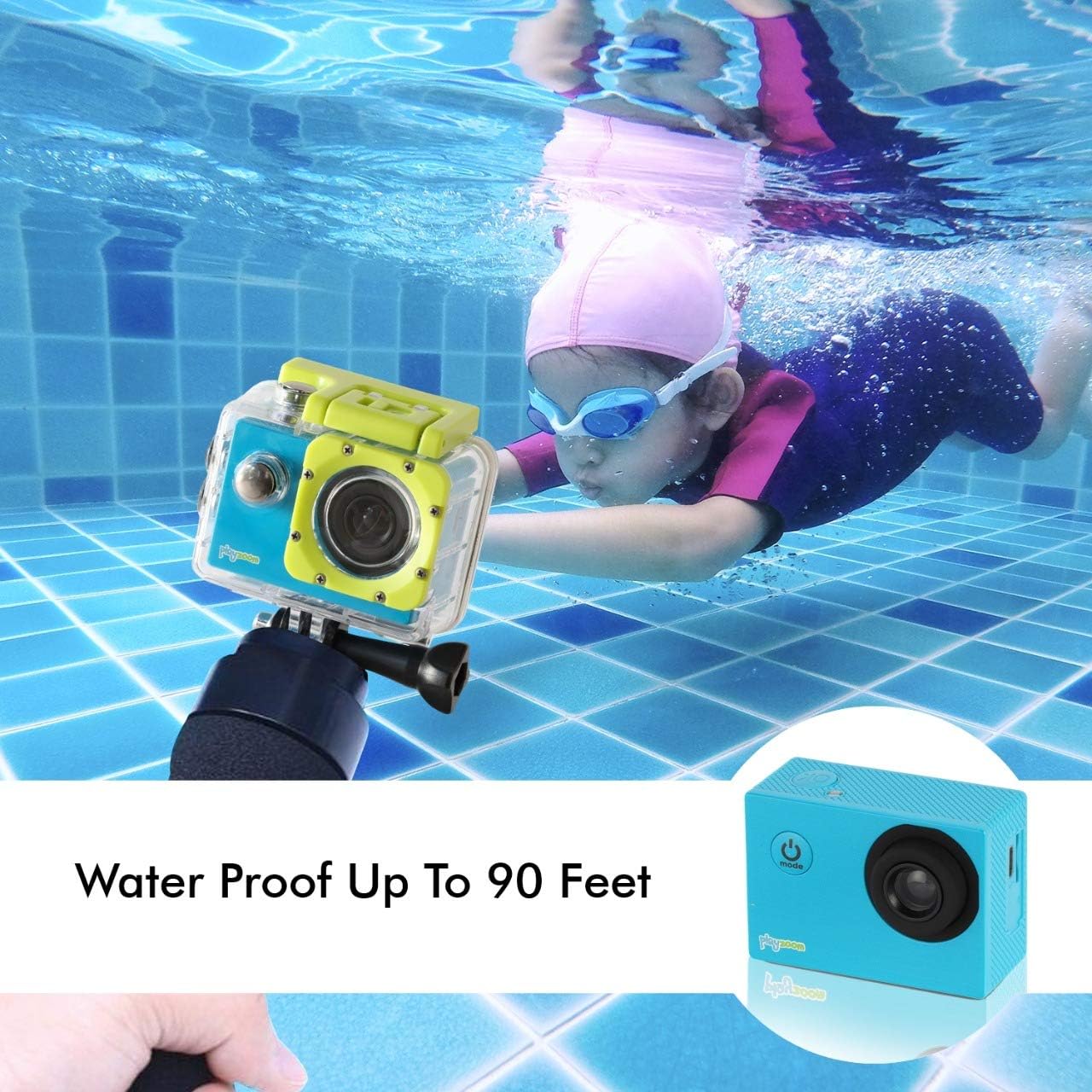
The GoCam is designed for underwater adventures, waterproof up to 90 feet.
Huolto
- Puhdistus: Use a soft, dry cloth to clean the camera body. For the lens, use a lens cleaning cloth. For the waterproof case, rinse with fresh water after each use, especially in saltwater, and wipe dry.
- Varastointi: Store the camera in a cool, dry place away from direct sunlight and extreme temperatures. Remove the Micro SD card if storing for extended periods.
- Akun hoito: Akun käyttöiän pidentämiseksi vältä akun usein tapahtuvaa täydellistä tyhjentymistä. Lataa kamera säännöllisesti, vaikka sitä ei käytettäisikään, akun kunnon ylläpitämiseksi.
- Waterproof Case Seal: Periodically inspect the rubber seal of the waterproof case for any dirt, debris, or damage. A clean and intact seal is crucial for maintaining its waterproof integrity.
Vianetsintä
| Ongelma | Mahdollinen syy | Ratkaisu |
|---|---|---|
| Kamera ei käynnisty. | Akku on tyhjä. | Lataa kamera täyteen USB-kaapelilla. |
| Videon tallennus tai valokuvien ottaminen ei onnistu. | Micro SD -korttia ei ole asetettu tai kortti on täynnä/vioittunut. | Insert a Micro SD card. If already inserted, check if it's full and delete files or format the card (this will erase all data). Try a different Micro SD card. |
| Huono kuvan-/videonlaatu. | Linssi on likainen tai valaistusolosuhteet ovat huonot. | Clean the camera lens with a soft cloth. Ensure adequate lighting for best results. |
| Kamera jumiutuu tai lakkaa reagoimasta. | Ohjelmistohäiriö. | Press and hold the Power/Mode button for 10-15 seconds to force a shutdown. Restart the camera. |
Tekniset tiedot
| Ominaisuus | Yksityiskohta |
|---|---|
| Merkki | PlayZoom |
| Mallin nimi | GoCam |
| Videon sieppaustarkkuus | 1080p HD |
| Tehokas Still-resoluutio | 12 MP |
| Näytön koko | 2 tuumaa (LCD) |
| Vedenkestävyystaso | Waterproof (up to 90 feet / 30 meters with case) |
| Flash-muistin tyyppi | Micro SD (supports up to 32GB) |
| Sisäänrakennettu akku | 400 XNUMX mAh ladattava litiumakku |
| Tallennusaika | Noin 1.5 tuntia |
| Tuotteen paino | 4 unssia |
| Tuotteen mitat | 3 x 1 x 3.5 tuumaa |
Takuu ja tuki
For warranty information and customer support, please refer to the contact details provided with your product packaging or visit the official PlayZoom websivusto. Säilytä ostokuitti ostotodistuksena mahdollisten takuuvaatimusten varalta.
For additional assistance or frequently asked questions, you may visit the PlayZoom Store on Amazon.


