Johdanto
The Olympus Tough TG-6 is a durable digital camera designed for use in challenging environments. It features a 12MP BSI CMOS sensor and TruePic VIII image processor, offering high-quality stills and 4K video recording. This camera is waterproof, crushproof, shockproof, freezeproof, and dustproof, making it suitable for various outdoor activities. This manual provides essential information for setting up, operating, maintaining, and troubleshooting your TG-6 camera.
Turvallisuustiedot
- Vedenpitävä eheys: Ensure all covers (battery/card compartment, USB/HDMI ports) are securely closed before exposing the camera to water. Clean and dry the camera thoroughly after underwater use.
- Akun turvallisuus: Use only the specified Olympus LI-92B battery. Do not expose batteries to excessive heat, fire, or attempt to disassemble them.
- Äärimmäiset lämpötilat: While the camera is designed for extreme temperatures, avoid prolonged exposure to direct sunlight or extremely cold conditions when not in use to preserve battery life and internal components.
- Puhdistus: Use a soft, lint-free cloth for cleaning. For the lens, use a specialized lens cleaning solution and cloth. Avoid harsh chemicals.
Pakkauksen sisältö
Verify that the following items are included with your Olympus Tough TG-6 camera:
- Olympus Tough TG-6 Digital Camera
- LI-92B Rechargeable Lithium-Ion Battery
- F-5AC Adapter (for charging)
- Mikro-USB-kaapeli
- Käsihihna
Kamera ohiview
Tutustu kameran fyysisiin ominaisuuksiin ja säätimiin.
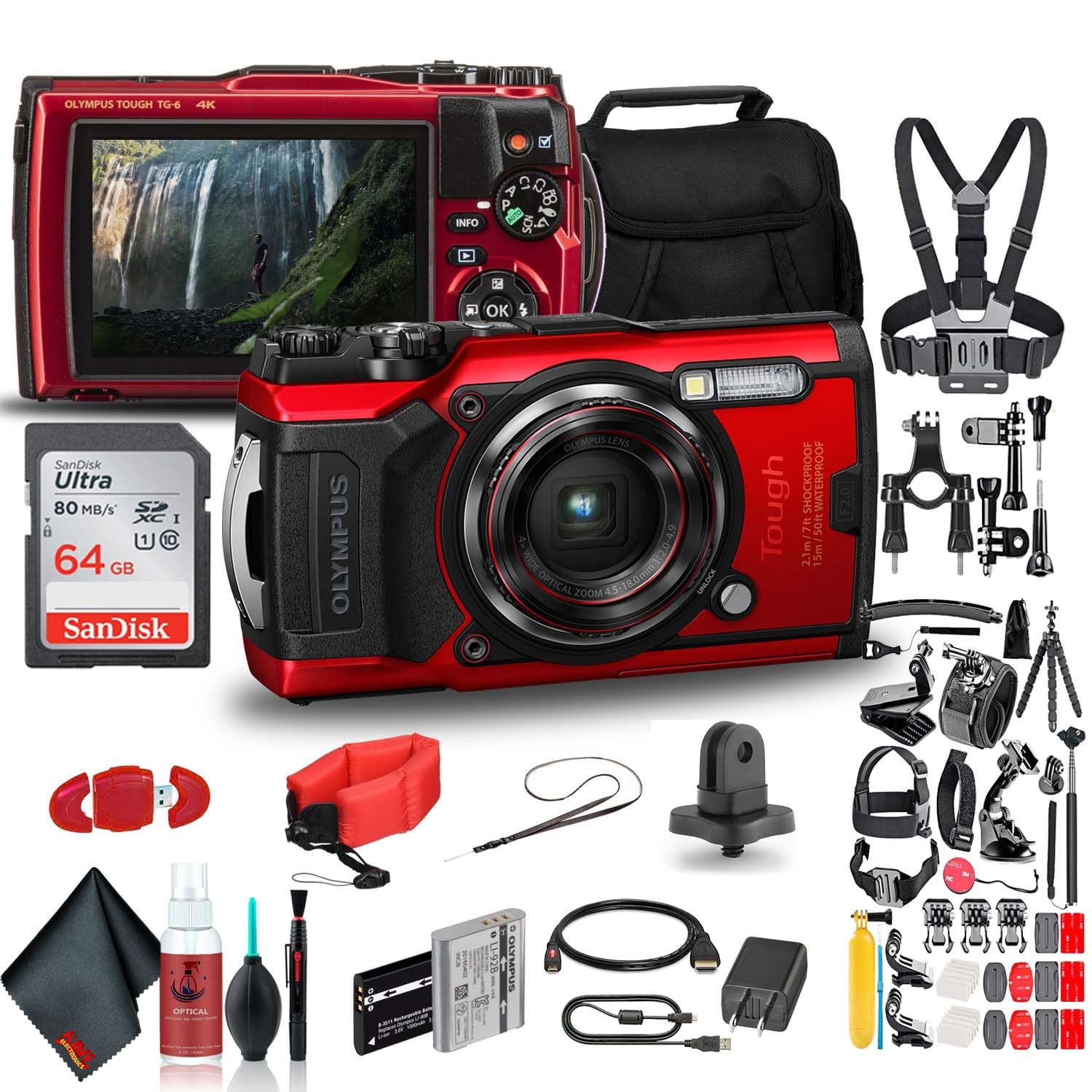
Kuva 1: Etuosa View. This image displays the front of the Olympus Tough TG-6 camera, highlighting the central lens, the built-in flash, and the prominent 'Tough' branding indicating its durable design.
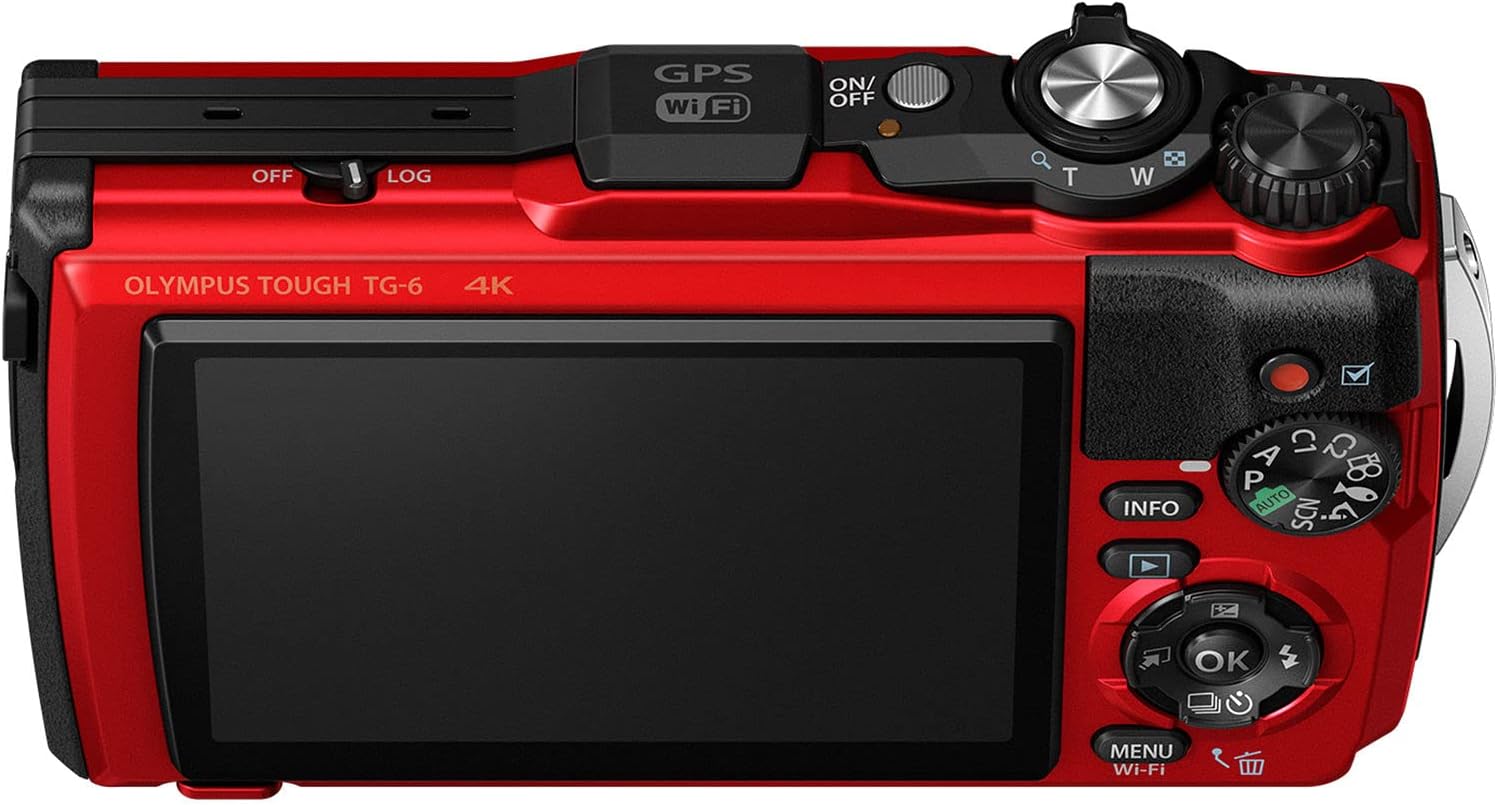
Kuva 2: Takaosa View. This image shows the rear of the Olympus Tough TG-6 camera, featuring the large LCD monitor and various control buttons for navigation and settings adjustments.

Kuva 3: Yläosa View. This image illustrates the top panel of the Olympus Tough TG-6 camera, including the power button, shutter release button, and the mode dial for selecting shooting modes.
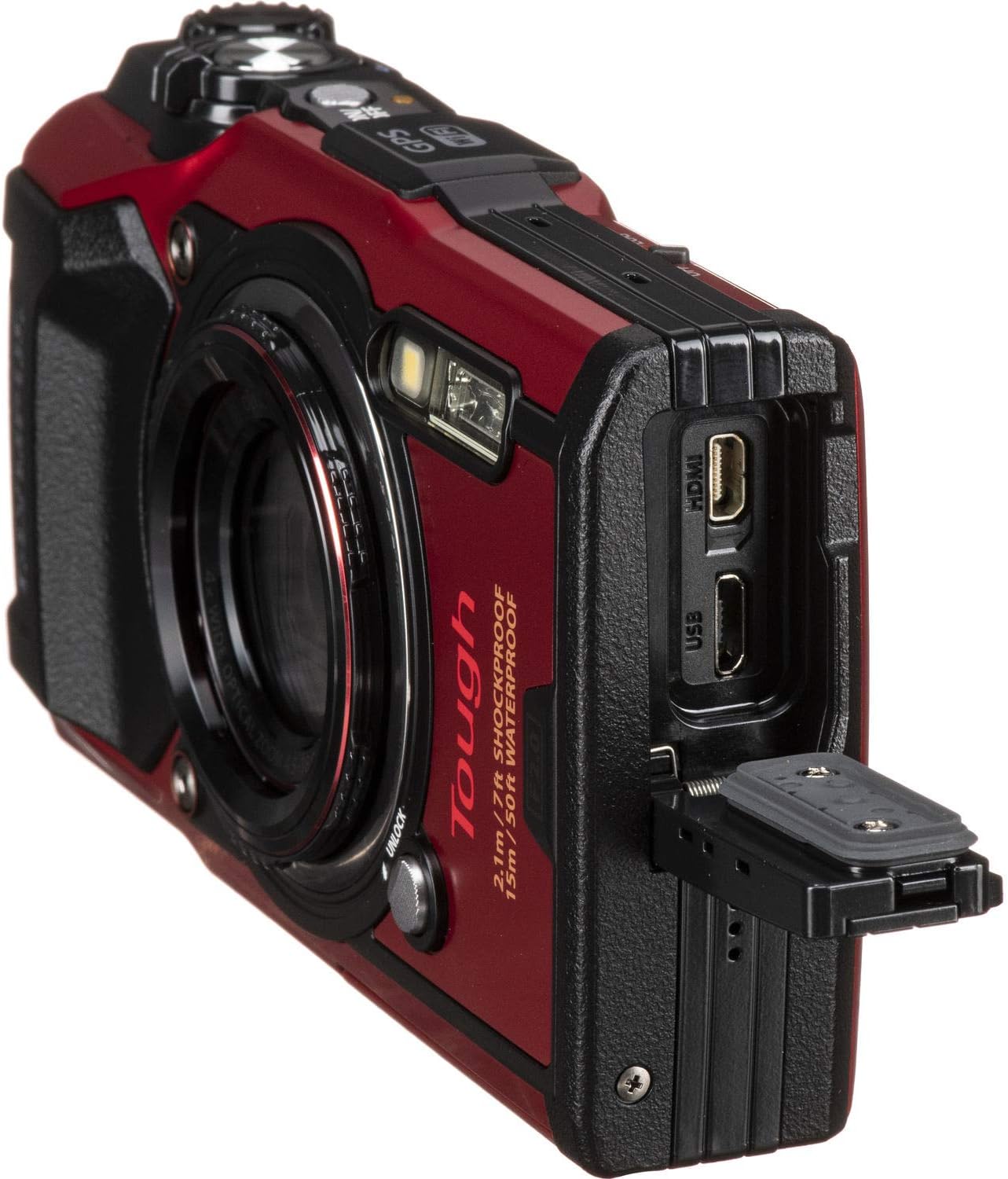
Kuva 4: Sivu View Porttien kanssa. This image displays the side of the Olympus Tough TG-6 camera with the protective cover open, exposing the Micro USB and HDMI ports for connectivity.
Asennus
1. Akun ja muistikortin asettaminen
- Avaa kameran pohjassa oleva akku-/korttilokeron kansi.
- Insert the LI-92B battery with the correct orientation until it clicks into place.
- Insert an SD, SDHC, or SDXC memory card (up to 64GB supported) into the card slot until it clicks.
- Close the compartment cover securely until it locks.
2. Akun lataaminen
- Connect the camera to the F-5AC adapter using the Micro-USB cable.
- Plug the adapter into a power outlet. The charging indicator will illuminate.
- Lataus on valmis, kun merkkivalo sammuu.
3. Alkuasetukset
- Paina ON/OFF -painiketta kameran käynnistämiseksi.
- Aseta kieli, päivämäärä ja kellonaika noudattamalla näytön ohjeita.
Kameran käyttö
1. Perusvalokuvaus
- Turn the mode dial to the desired shooting mode (e.g., i-Auto for automatic settings).
- Rajaa kuvasi LCD-näytön avulla.
- Tarkenna painamalla laukaisinta puoliväliin. Tarkennuskehys muuttuu vihreäksi, kun tarkennus on saavutettu.
- Ota kuva painamalla laukaisin pohjaan.
2. Videotallennus
- To start recording video, press the dedicated Elokuvan tallennuspainike.
- Press the button again to stop recording. The camera supports 4K video recording.
3. Zoomaustoiminto
- Käytä Zoom Lever (T/W) to adjust the optical zoom (4x) and digital zoom.
4. Vedenpitävä käyttö
- The TG-6 is waterproof to 15m (50ft). Ensure all covers are clean and free of debris before closing.
- After use in saltwater, rinse the camera with fresh water and dry thoroughly with a soft cloth.
Lisäominaisuudet
1. Wi-Fi-yhteys
- The built-in Wi-Fi allows you to connect the camera to a smartphone or tablet using the Olympus Image Share (OI.Share) app.
- This enables remote control of the camera and wireless transfer of images and videos.
2. GPS and Field Sensor System
- The camera features a Field Sensor System that records location (GPS), temperature, depth, and direction data.
- Tämä data voi olla viewed on the camera or with the OI.Track app.
3. Microscope Mode
- Käännä tilanvalitsin asentoon Mikroskooppi mode for extreme close-up photography.
- This mode allows focusing as close as 1cm from the subject.
Huolto
1. Kameran puhdistaminen
- Pyyhi kameran runko pehmeällä, kuivalla liinalla. Pinttyneeseen likaan käytä hieman kostutettuaamp liinalla ja kuivaa sitten huolellisesti.
- For the lens, use a lens brush to remove dust, then gently wipe with a lens cleaning cloth and solution.
- Never use organic solvents like alcohol or paint thinner.
2. Akun hoito
- Poista akku, jos kameraa ei käytetä pitkään aikaan.
- Säilytä akut viileässä, kuivassa paikassa.
3. Varastointi
- Store the camera in a dry, well-ventilated area, away from direct sunlight and high temperatures.
- Avoid storing the camera in areas with high humidity or corrosive chemicals.
Vianetsintä
| Ongelma | Mahdollinen syy / Ratkaisu |
|---|---|
| Kamera ei käynnisty. | Battery is depleted. Charge the battery. Battery is inserted incorrectly. Reinsert the battery correctly. |
| Kuvat ovat epäselviä. | Lens is dirty. Clean the lens. Camera shake. Hold the camera steady or use a tripod. Subject is too close/far. Ensure subject is within focus range. |
| Water inside the camera. | Battery/card compartment cover was not securely closed. Immediately power off the camera, remove the battery, and contact Olympus service. |
| Muistikortin virhe. | Muistikortti on täynnä. Poista tarpeettomat files or use a new card. Memory card is damaged. Try a different card. Format the card (this will erase all data). |
Tekniset tiedot
| Ominaisuus | Yksityiskohta |
|---|---|
| Anturi | 12 MP BSI CMOS (1/2.3-inch) |
| Kuvan prosessori | TruePic VIII |
| Linssi | 4x Optical Zoom (25-100mm equivalent), f/2.0 maximum aperture |
| Videon tallennus | 4K30p, Full HD 1080p at 120 fps |
| Jatkuva ammunta | Jopa 20 fps |
| ISO-herkkyys | 100-12800 (laajennettu) |
| Näyttö | 3.0" 1.04m-Dot LCD Monitor |
| Kestävyys | Waterproof to 15m (50ft), Crushproof to 100kgf, Shockproof to 2.1m (7ft), Freezeproof to -10°C (14°F), Dustproof |
| Yhteydet | Built-in Wi-Fi, GPS, Micro USB, HDMI (Type D) |
| Muistikorttipaikka | SD/SDHC/SDXC (UHS-I compatible) |
| Akku | LI-92B Rechargeable Lithium-Ion |
Takuu ja tuki
Your Olympus Tough TG-6 camera is covered by a manufacturer's warranty. Please refer to the warranty card included in your original packaging for specific terms and conditions. For technical support, service, or to download the full instruction manual, visit the official Olympus website or contact Olympus customer service in your region.
Online-tuki: www.olympus-imaging.com