Johdanto
The Wicked Audio Driftr True Wireless Earbuds offer a seamless audio experience with easy pairing and comfortable wear. Designed for convenience, these earbuds provide clear sound and intuitive controls, making them ideal for everyday use.
Mitä laatikossa on
- Wicked Audio Driftr True Wireless Earbuds (Left and Right)
- Latauskotelo
- USB-latauskaapeli
- Käyttöopas (tämä asiakirja)
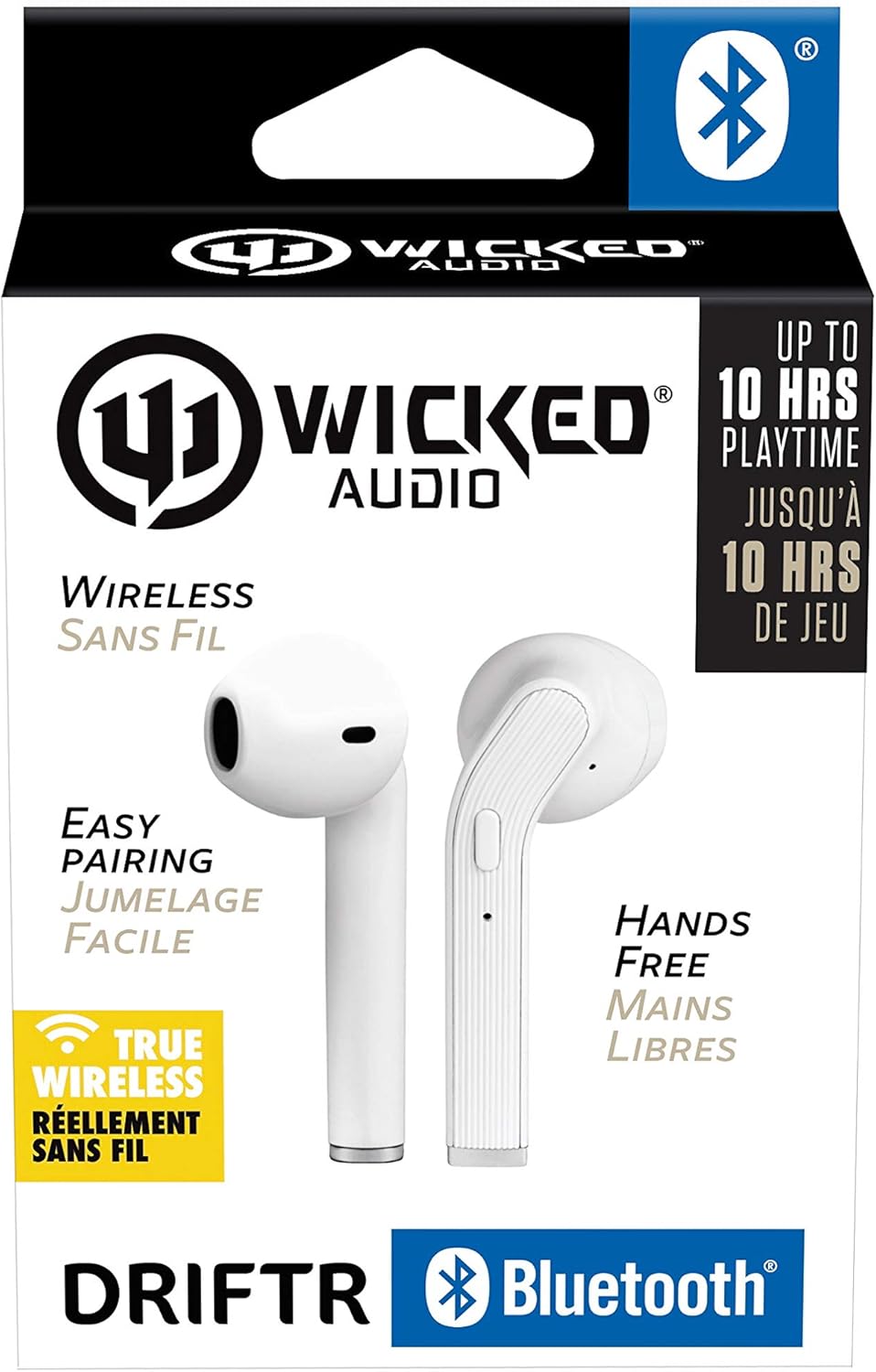
Image: Product packaging showing the earbuds and charging case.
Tuote loppuview
The Driftr earbuds feature an angled housing design for a comfortable fit. Each earbud includes touch controls for managing audio playback and calls, along with a built-in microphone for hands-free communication. The compact charging case provides additional battery life on the go.

Image: White Wicked Audio Driftr True Wireless Earbuds resting inside their open charging case.

Kuva: Lähikuva view of the left and right Wicked Audio Driftr True Wireless Earbuds, showing their angled design and control surfaces.

Image: A person wearing a white Wicked Audio Driftr True Wireless Earbud in their ear, demonstrating the fit.
Asennus
1. Kuulokkeiden ja kotelon lataaminen
Before first use, fully charge the earbuds and the charging case. Connect the provided USB charging cable to the charging port on the case and plug the other end into a USB power source (e.g., computer, wall adapter). The charging indicator light on the case will show charging status. A full charge takes approximately 1 hour for both the earbuds and the case.
2. Helppo pariliitos
- Varmista, että kuulokkeet on ladattu.
- Avaa latauskotelo. Kuulokkeet käynnistyvät automaattisesti ja siirtyvät pariliitostilaan.
- Siirry laitteellasi (älypuhelin, tabletti, kannettava tietokone) Bluetooth-asetuksiin.
- Select "Wicked Audio Driftr" from the list of available devices.
- Kun yhteys on muodostettu, kuulet äänimerkin ja nappikuulokkeiden merkkivalo muuttuu.
The earbuds are designed for straightforward, no-nonsense pairing in one easy step. After the initial pairing, they will automatically connect to your last paired device when removed from the case.
Käyttöohjeet
Kosketa Ohjaimet
The Driftr earbuds feature intuitive touch controls for various functions:
- Toista/tauko: Napauta kumpaa tahansa kuuloketta yhdellä napautuksella.
- Seuraava kappale: Kaksoisnapauta oikeaa korvanappia.
- Edellinen kappale: Kaksoisnapauta vasenta korvanappia.
- Puhelun vastaaminen/lopetus: Napauta kerran jompaakumpaa korvanappia saapuvan puhelun aikana.
- Hylkää puhelu: Paina ja pidä painettuna jommassakummassa korvanapissa saapuvan puhelun aikana.
- Aktivoi Voice Assistant: Napauta kolmoisnapauttamalla jompaakumpaa korvanappia (esim. Siri tai Google Assistant).
Kuulokkeiden käyttäminen
Insert the earbuds into your ears with the angled housing pointing slightly forward for a secure and comfortable fit. Adjust as needed to ensure optimal sound quality and passive noise cancellation.
Huolto
To ensure the longevity and optimal performance of your Wicked Audio Driftr earbuds, follow these maintenance guidelines:
- Puhdistus: Pyyhi nappikuulokkeet ja latauskotelo säännöllisesti pehmeällä, kuivalla ja nukkaamattomalla liinalla. Älä käytä voimakkaita kemikaaleja tai hankaavia materiaaleja.
- Varastointi: Kun nappikuulokkeita ei käytetä, säilytä niitä aina latauskotelossa niiden suojaamiseksi ja latauksen ylläpitämiseksi.
- Vältä kosteutta: The earbuds are not water resistant. Avoid exposure to water, sweat, and high humidity.
- Lämpötila: Älä altista nappikuulokkeita tai koteloa äärimmäisille lämpötiloille (kuumille tai kylmille).
Vianetsintä
If you encounter issues with your Driftr earbuds, try the following solutions:
- Kuulokkeet eivät muodosta pariliitosta:
- Varmista, että molemmat kuulokkeet on ladattu.
- Aseta molemmat nappikuulokkeet takaisin latauskoteloon, sulje kansi, odota muutama sekunti ja avaa kansi sitten uudelleen.
- On your device, forget "Wicked Audio Driftr" from your Bluetooth settings and attempt to pair again.
- Ei ääntä toisesta kuulokkeesta:
- Varmista, että molemmat nappikuulokkeet on ladattu ja että ne ovat oikein paikallaan kotelossa.
- Try resetting the earbuds by placing them in the case and then removing them.
- Kuulokkeet eivät lataudu:
- Tarkista latauskaapeli ja virtalähde.
- Varmista, että nappikuulokkeiden ja kotelon sisäpuolen latauskoskettimet ovat puhtaat ja vapaat roskista.
- Huono äänenlaatu:
- Varmista, että nappikuulokkeet ovat kunnolla korvissasi.
- Check the audio source and volume levels on your device.
- Siirry lähemmäs pariliitettyä laitetta häiriöiden välttämiseksi.
Tekniset tiedot
| Ominaisuus | Yksityiskohta |
|---|---|
| Mallin nimi | Wicked Audio Driftr (WITW2151) |
| Yhteystekniikka | Langaton (Bluetooth 5.0) |
| Bluetooth-alue | Jopa 32 jalkaa |
| Akun kesto | Up to 10 Hours (earbuds) |
| Latausaika | Approx. 1 Hour (earbuds and case) |
| Ääniohjaimen koko | 13 millimetriä |
| Taajuusvaste | 20 Hz–20,000 XNUMX Hz |
| Herkkyys | 15 dB |
| Impedanssi | 32 ohmia |
| Melunhallinta | Passiivinen melunvaimennus |
| Valvontamenetelmä | Kosketa |
| Vedenkestävyystaso | Ei vedenkestävä |
| Tuotteen paino | 2.11 unssia |
| Tuotteen mitat | 1.5 x 3 x 5.5 tuumaa |
| UPC | 712949012265 |
Takuu ja tuki
Wicked Audio products are designed for durability and performance. For specific warranty information and support inquiries, please refer to the official Wicked Audio websivustolta tai ota yhteyttä suoraan heidän asiakaspalveluunsa. Säilytä ostokuitti takuuvaatimuksia varten.
Lisäapua varten käy osoitteessa Wicked Audio Store on Amazon.


