Johdanto
Thank you for choosing the A4tech G3-200NS Silent Wireless Mouse. This manual provides detailed instructions for setting up, operating, and maintaining your new wireless mouse. Designed for comfort and efficiency, this optical mouse offers silent clicks and reliable wireless connectivity for both PC and laptop use.
Pakkauksen sisältö
Tarkista pakkauksen sisältö varmistaaksesi, että kaikki osat ovat mukana:
- A4tech G3-200NS Silent Wireless Mouse
- USB-vastaanotin
- Käyttöopas (tämä asiakirja)
- (Note: 1 AA battery required, not included)
Asennus
1. Akun asennus
- Paikanna paristolokero hiiren alapuolelta.
- Avaa paristolokeron kansi.
- Aseta yksi AA-paristo paikalleen varmistaen oikean napaisuuden (+/-).
- Sulje paristolokeron kansi kunnolla.
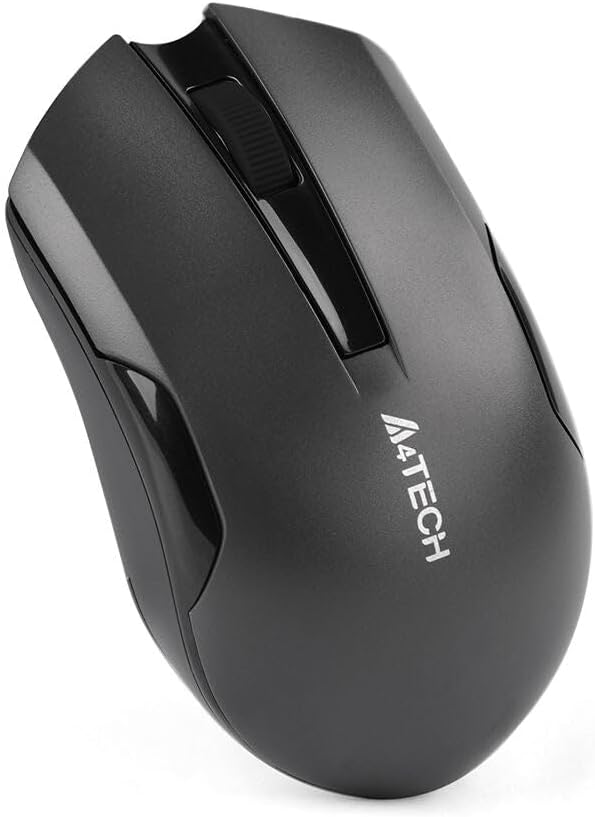
Figure 1: Underside of the mouse with battery compartment.
2. USB-vastaanottimen kytkeminen
- Locate the USB receiver, typically stored within the mouse's battery compartment or packaged separately.
- Liitä USB-vastaanotin tietokoneen tai kannettavan tietokoneen vapaaseen USB-porttiin.
- Käyttöjärjestelmä tunnistaa ja asentaa tarvittavat ajurit automaattisesti. Tämä voi kestää hetken.
- Asennuksen jälkeen hiiri on käyttövalmis.
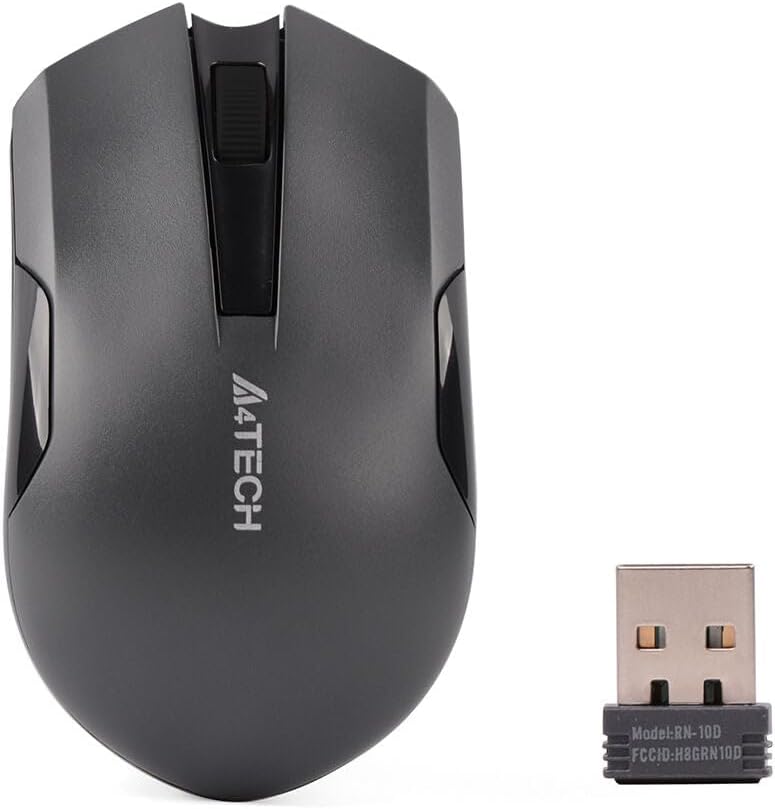
Figure 2: A4tech G3-200NS mouse and its USB receiver.
Hiiren käyttö
Perustoiminnot
- Vasen painallus: Ensisijainen toiminto, valinta, kohteiden avaaminen.
- Oikealla painikkeella: Avaa kontekstivalikot.
- Vierityspyörä: Vierittää asiakirjoja ja web sivuja pystysuunnassa. Vierityspyörä toimii myös keskipainikkeena.
Hiljainen napsautustekniikka
The A4tech G3-200NS features silent click technology, significantly reducing click noise for a quieter working environment.
Wireless Range
The mouse operates within a wireless range of approximately 10 to 15 meters from the USB receiver, depending on environmental conditions and obstacles.
Huolto
Akun vaihto
When the mouse performance degrades or stops responding, it is likely time to replace the AA battery. Follow the battery installation steps outlined in the "Setup" section.
Puhdistus
Puhdista hiiri pehmeällä, kuivalla liinalla. Pinttyneeseen likaan käytä hieman kuivaa liinaa.amp cloth can be used, ensuring no moisture enters the internal components. Avoid using harsh chemicals or abrasive cleaners.
Vianetsintä
| Ongelma | Ratkaisu |
|---|---|
| Hiiri ei vastaa |
|
| Epätasainen kohdistimen liike |
|
| Lyhyt langaton kantama |
|
Tekniset tiedot
- Merkki: A4tech
- Malli: G3-200NS
- Hiiren tyyppi: Optinen hiiri
- Liitettävyys: Langaton (2.4 GHz)
- Väri: Musta
- Yhteensopiva seuraavien kanssa: PC ja kannettava tietokone
- Käyttöjärjestelmä: Linux, Windows XP (and newer versions)
- Virtalähde: 1 x AA-paristo (ei mukana)
- Keskimääräinen akun kesto: Approximately 6 months (may vary with usage)
- Langaton kantama: 10-15 metriä
- Erikoisominaisuudet: Hiljainen napsautustekniikka
Takuu ja tuki
For warranty information or technical support, please refer to the warranty card included with your purchase or visit the official A4tech websivusto. Säilytä ostokuitti takuuvaatimuksia varten.


