1. Tuote ohiview
The Diswoe Switch Pro Controller is a versatile wireless gaming controller designed for an enhanced gaming experience across multiple platforms. It offers universal compatibility with Nintendo Switch, Switch 2, Switch Lite, Switch OLED, Windows PC, and Android phones. Featuring Hall Effect joysticks, dual vibration motors, a 6-axis gyro sensor, and turbo functionality, this controller provides precise control and immersive feedback for a wide range of games. Its ergonomic design ensures comfort during extended play sessions, and a high-performance rechargeable battery offers long hours of uninterrupted gaming.

Kuva 1: Etuosa view of the Diswoe Switch Pro Controller.
2. Asennus ja yhteys
2.1 Ohjaimen lataaminen
Before first use, fully charge the controller. The controller features a built-in 550mAh rechargeable battery. Connect the controller to a standard USB Type-A wall charger using the provided USB-C cable. A full charge typically takes 2-3 hours and provides 6-8 hours of usage time.
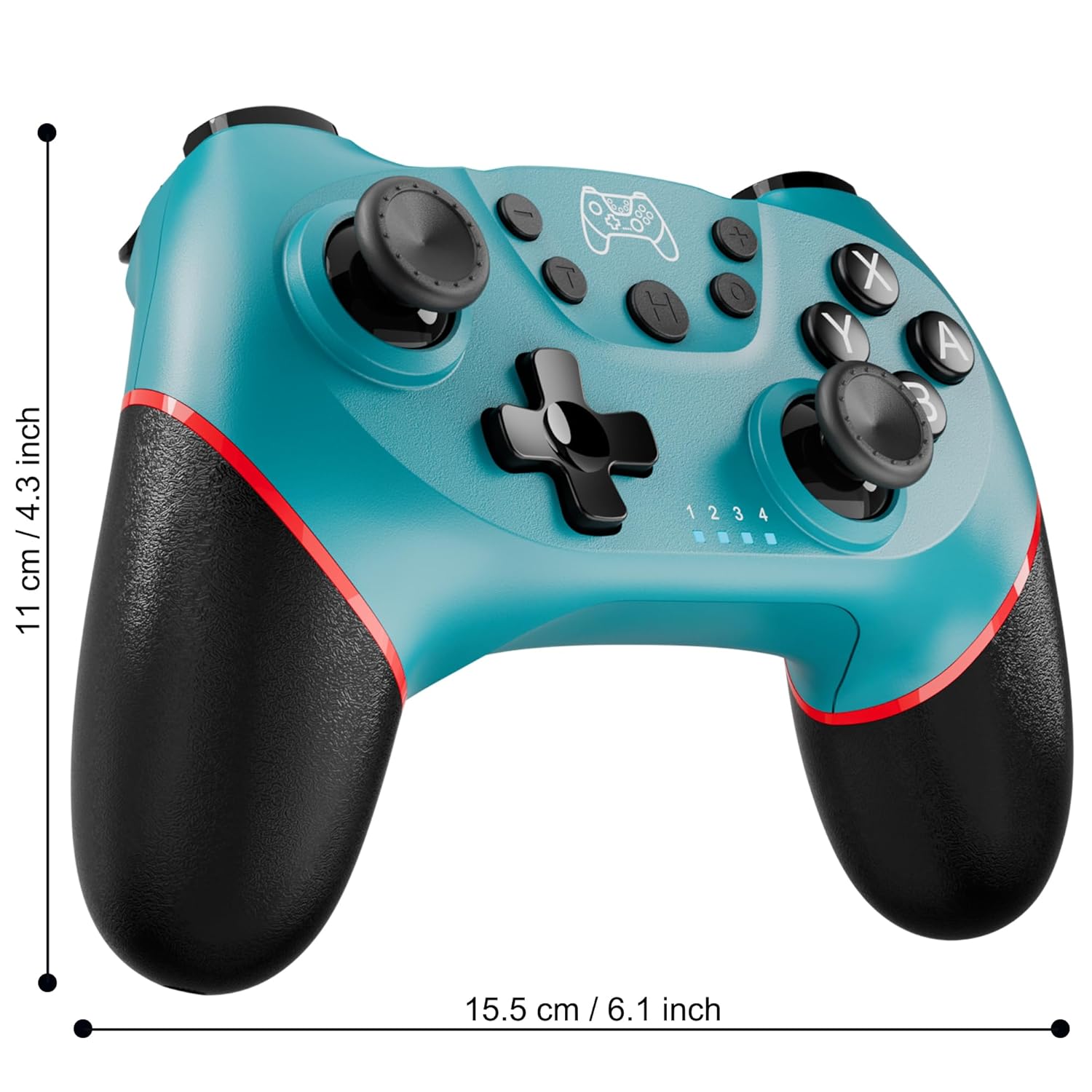
Figure 2: Charging the controller via USB-C port.
2.2 Wireless Bluetooth Connection (Nintendo Switch/Lite/OLED)
- Varmista, että Nintendo Switch -konsolisi on päällä ja päivitetty uusimpaan järjestelmäversioon.
- Valitse HOME-valikosta Ohjaimet > Muuta pitoa/järjestystä.
- On the Diswoe Pro Controller, press and hold the H (Home) button for 3-5 seconds until the player indicator lights begin to flash rapidly.
- Once the controller is successfully paired, the player indicator light(s) will remain solid.
- The controller provides a stable and reliable signal without delay or drop-off within 8 meters.

Figure 3: Controller pairing and one-button wake-up feature.
2.3 Langallinen yhteys (tietokone)
The controller supports USB cable connection with PC. Simply connect the controller to your PC using the provided USB-C cable. No additional drivers are required for basic functionality.
HUOMAA: The controller does not support wake-up for Switch 2 or audio functions via wired connection.
3. Käyttöohjeet
3.1 Perusohjaimet
The controller features standard button layouts for intuitive gameplay:
- A/B/X/Y-painikkeet: Vakiotoimintopainikkeet.
- D-Pad: Suuntasyöttö.
- Vasen/oikea analoginen sauva: 360 asteen liikettä ja kameran ohjausta varten.
- L/R/ZL/ZR-painikkeet: Olkapää- ja liipaisinpainikkeet erilaisia pelin sisäisiä toimintoja varten.
- +/- painikkeet: Plus and Minus buttons for menu navigation.
- Home Button (H): Returns to the console's HOME Menu.
- Kuvakaappauspainike: Ottaa kuvakaappauksia pelin aikana.

Kuva 4: Yksityiskohtainen view ohjaimen painikkeista.
3.2 Tärinäpalaute
The controller is equipped with dual vibration motors that provide excellent haptic feedback, enhancing game immersion. The intensity of the vibration can be adjusted to suit your preference, offering three levels of vibration.
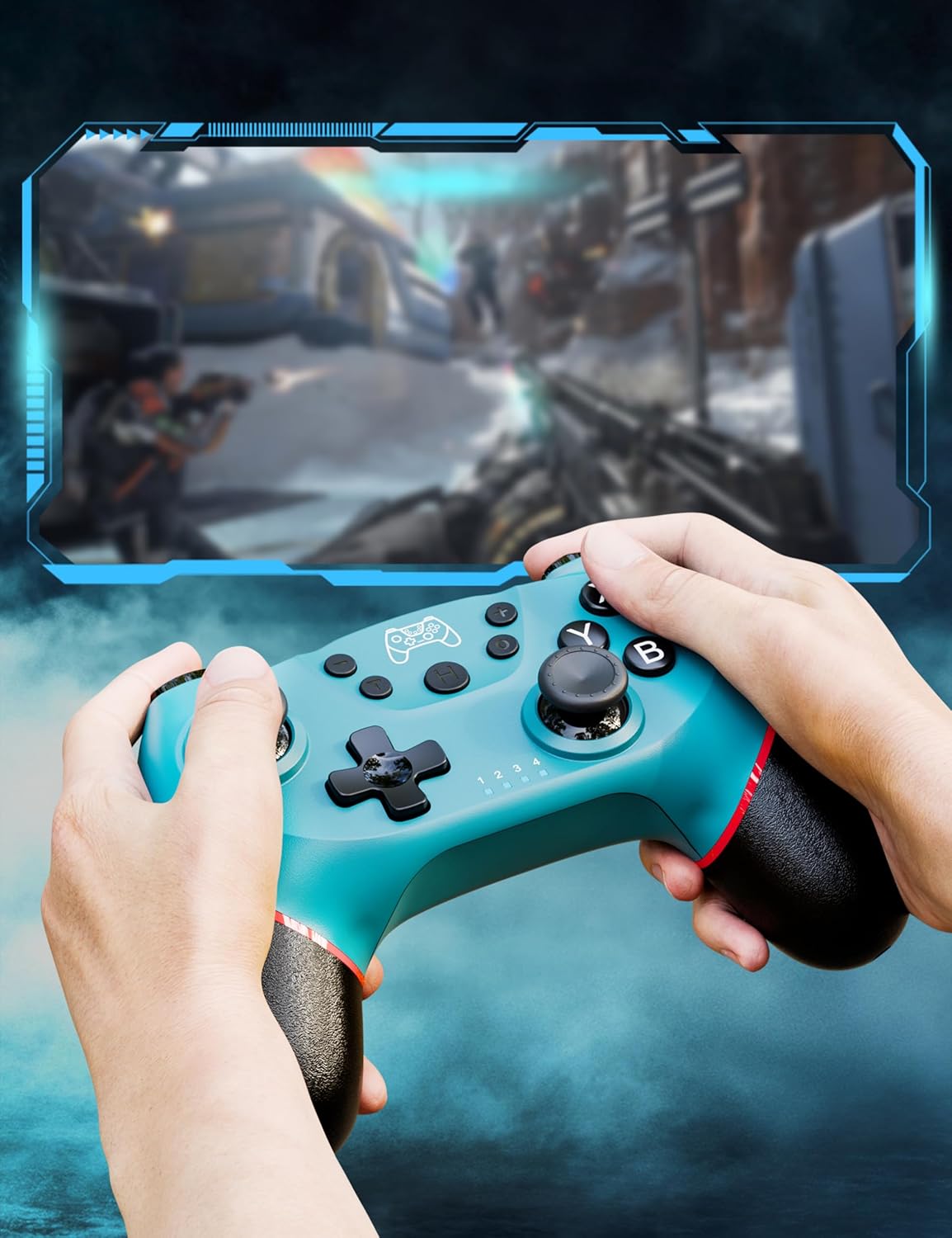
Figure 5: Illustration of adjustable vibration levels.
3.3 6-akselinen gyroskooppianturi
The integrated 6-axis gyro sensor allows the controller to detect its inclination and motion, providing quick and precise responses for motion-sensing games. This feature adds an extra layer of fun and control to compatible titles.

Figure 6: Controller with 6-axis gyro sensor in action.
3.4 Turbotoiminto
Activate the turbo function for rapid, continuous input of a button press. This is particularly useful in games requiring fast, repetitive actions. The controller supports three turbo speeds: 5 shots/s, 12 shots/s, and 20 shots/s.

Figure 7: Turbo speed settings on the controller.
3.5 Kuvakaappaustoiminto
Capture your favorite in-game moments instantly by pressing the dedicated screenshot button. This allows for easy sharing of your gameplay experiences.

Figure 8: Location of the screenshot button.
4. Huolto
4.1 Puhdistus
To maintain the controller's condition, wipe it regularly with a soft, dry cloth. Avoid using harsh chemicals or abrasive materials that could damage the surface.
4.2 Akun hoito
- Vältä ohjaimen altistamista äärimmäisille lämpötiloille.
- Do not attempt to disassemble or replace the built-in battery.
- Charge the controller regularly, even if not in frequent use, to prolong battery life.
5. Vianmääritys
5.1 Ohjain ei muodosta yhteyttä/pariliitosta
- Varmista, että ohjain on täyteen ladattu.
- Verify that the Nintendo Switch console is powered on and in the "Change Grip/Order" screen.
- Press and hold the H (Home) button on the controller for 3-5 seconds until the player indicator lights flash rapidly.
- If issues persist, try restarting both the controller and the console.
5.2 Syöttöviive tai katkokset
- Ensure the controller is within the 8-meter operating range of the console.
- Minimoi muiden langattomien laitteiden aiheuttamat häiriöt.
- Check for any physical obstructions between the controller and the console.
- Varmista, ettei ohjaimen akun varaus ole kriittisen alhainen.
5.3 Ohjainsauvan ajelehtiminen
If you experience unintended movement from the analog sticks (joystick drift), try the following:
- Calibrate the joysticks through your Nintendo Switch system settings: Järjestelmäasetukset > Ohjaimet ja anturit > Kalibroi ohjaussauvat.
- Varmista, että ohjaimen laiteohjelmisto on ajan tasalla (tarkista valmistajan websivusto päivityksiä varten).
- Puhdista ohjaussauvojen pohjat paineilmalla roskien poistamiseksi.
6. Tuotteen tekniset tiedot
| Ominaisuus | Yksityiskohta |
|---|---|
| Mallinumero | ET16801 |
| Merkki | Diswoe |
| Yhteensopivuus | Nintendo Switch/Switch 2/Switch Lite/Switch OLED, Windows PC, Android Phone |
| Yhteydet | Wireless Bluetooth, Wired USB-C |
| Akun kapasiteetti | 550 mAh litiumioniakku (sisältyy pakkaukseen) |
| Latausaika | Noin 2-3 tuntia |
| Käyttöaika | Noin 6-8 tuntia |
| Erikoisominaisuudet | Dual Vibration Motors, 6-Axis Gyro Sensor, Turbo Function, Screenshot Button |
| Tuotteen paino | 9.9 unssia |
| Pakkauksen mitat | 6.42 x 4.76 x 2.6 tuumaa |
| Päivämäärä ensimmäinen saatavilla | 11. joulukuuta 2019 |
7. Takuutiedot
Specific warranty details for the Diswoe Switch Pro Controller are typically provided with the product packaging or available on the official Diswoe websivusto. Katso kattavat takuuehdot näistä resursseista.
8. Asiakastuki
For further assistance, technical support, or inquiries regarding your Diswoe Switch Pro Controller, please visit the official Diswoe websivustolta tai ota yhteyttä heidän asiakaspalveluunsa. Yhteystiedot löytyvät yleensä tuotepakkauksesta tai tuotemerkin viralliselta verkkosivustolta.