Johdanto
Welcome to your new TERIOS Mobile Game Controller. This manual provides detailed instructions for setup, operation, and maintenance to ensure optimal performance and an enhanced gaming experience across various platforms including Android smartphones, Windows PCs, and PlayStation 3 consoles. Please read this manual thoroughly before using the device.
Tärkeimmät ominaisuudet
- Innovative Gaming: Designed to enrich your mobile gaming experience with precision and responsiveness.
- Laaja yhteensopivuus: Connects via Bluetooth 4.0 to Android smartphones, and is compatible with Windows PC and PlayStation 3. Supports popular games like PUBG, Call of Duty, and Mobile Legends.
- Gaming Joysticks: Features dual analog sticks for comprehensive and precise control.
- Ergonominen muotoilu: Comfortable grip with an integrated smartphone holder for extended gaming sessions.
- Turbo-toiminto: Allows for rapid, continuous input with a single button press.
- Responsive Active Buttons: Includes 2 quick access buttons on the back and numerous action buttons for enhanced accuracy.
- Pitkä akun käyttöikä: Up to 12 hours of continuous play on a single charge.
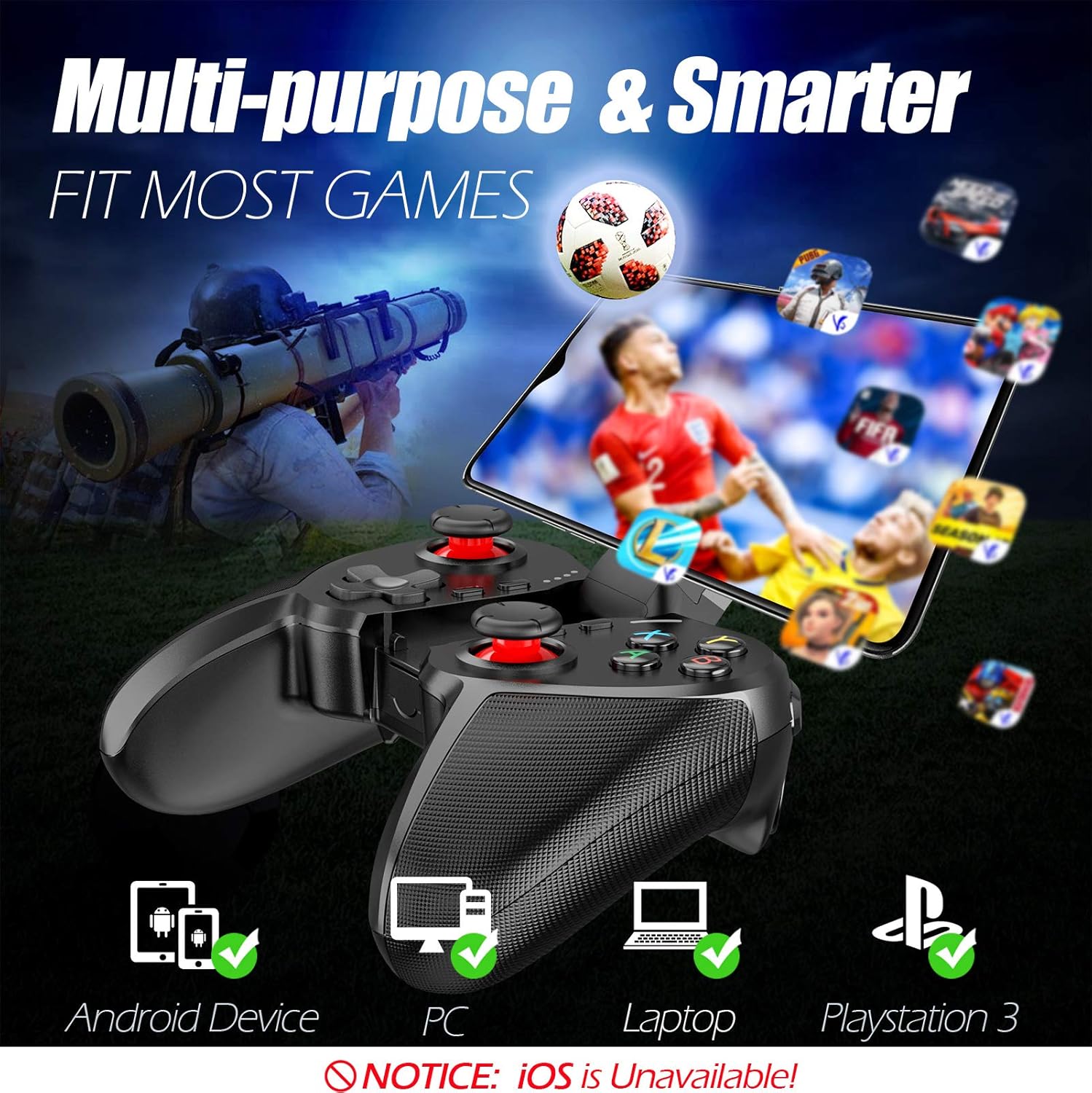
Figure 1: The TERIOS controller is compatible with Android devices, PCs, Laptops, and PlayStation 3.

Figure 2: Detail of the controller's built-in smartphone bracket, accurate buttons, and comfortable soft rubber grips.
Asennus ja yhteys
1. Ohjaimen lataaminen
Before first use, fully charge the controller. Connect the provided Micro USB cable to the controller's charging port and the other end to a USB power source (e.g., computer USB port, USB wall adapter). The indicator lights will show charging status and turn off when fully charged.

Figure 3: The controller features a 400mAh battery, providing 12-14 hours of playtime with a 2-3 hour charging time.
2. Virta päälle / pois
- Virran kytkeminen: Paina ja pidä painettuna KOTIIN button for 2 seconds. The indicator lights will flash.
- Virran sammuttaminen: Paina ja pidä painettuna KOTIIN button for 5 seconds until the indicator lights turn off. The controller will automatically power off after 5 minutes of inactivity.
3. Bluetooth Pairing (Android Smartphones / PS3)
- Varmista, että ohjaimen virta on katkaistu.
- On your Android smartphone or PS3, enable Bluetooth.
- Paina ja pidä painettuna KOTIIN button on the controller until the indicator lights flash rapidly, indicating pairing mode.
- On your device, search for new Bluetooth devices. Select "TERIOS Gamepad" or similar from the list.
- Kun yhteys on muodostettu, merkkivalo palaa tasaisesti.
4. PC-yhteys
For PC connection, the controller typically uses a USB dongle (often included). Insert the USB dongle into an available USB port on your PC. The controller should automatically connect. If not, press the KOTIIN button to initiate connection.
5. Initial Setup and App (V3 App)
For optimal customization and compatibility with certain mobile games, it is recommended to download the V3 app from the Google Play Store. This app allows you to map virtual keys on your screen to the physical buttons of the controller.
- Download the "V3" app from the Google Play Store.
- Connect the TERIOS gamepad to your smartphone via Bluetooth.
- Open the V3 app and follow the on-screen instructions to customize key mappings for your desired games.

Figure 4: The V3 app allows for easy customization of virtual keys to match controller buttons, creating more combinations.
Käyttöohjeet
1. Painikkeiden asettelu ja toiminnot

Figure 5: The TERIOS Mobile Game Controller with a smartphone securely mounted in its integrated holder.
- Vasen analoginen sauva: Ensisijainen liikkeenohjaus.
- Oikea analoginen sauva: Kameran ohjaus tai toissijainen liike.
- D-Pad (suuntaohjain): Precise directional input.
- ABXY-painikkeet: Standard action buttons (A, B, X, Y).
- L1/L2, R1/R2 Buttons: Olkapää- ja liipaisinpainikkeet erilaisia pelin sisäisiä toimintoja varten.
- SELECT -painike: Käytetään tyypillisesti valikoissa navigointiin tai tiettyihin pelitoimintoihin.
- Aloitusnäppäin: Typically used for pausing games or accessing menus.
- Koti näppäin: Powers on/off, enters pairing mode, and returns to home screen on some devices.
- TURBO-painike: Activates the turbo function for other buttons.
- CLEAR -painike: Deactivates the turbo function.

Figure 6: The dual analog sticks are designed for precise control and execution in games.
2. Turbotoiminto
The Turbo function allows a button to be pressed repeatedly as long as you hold it down, which is useful for rapid-fire actions in games.
- Aktivoida: Paina ja pidä painettuna TURBO button, then press the desired action button (e.g., A, B, X, Y, L1, R1). Release both buttons. Now, holding down the action button will activate turbo fire.
- Poistaminen käytöstä: Paina ja pidä painettuna TYHJENNÄ button, then press the action button for which turbo was activated. Release both buttons.

Figure 7: The dedicated Turbo button enables rapid-fire functionality with one click.
3. Smartphone Holder Usage
The integrated smartphone holder can accommodate most smartphone sizes. Gently extend the holder and place your smartphone securely within the clamps. Ensure the phone is centered for balance.
Huolto
- Puhdistus: Puhdista ohjain pehmeällä, kuivalla liinalla. Älä käytä hankaavia puhdistusaineita tai liuottimia.
- Varastointi: Säilytä ohjainta viileässä, kuivassa paikassa, poissa suorasta auringonvalosta ja äärimmäisistä lämpötiloista.
- Akun hoito: Akun käyttöiän pidentämiseksi vältä ohjaimen jatkuvaa tyhjentämistä kokonaan. Lataa se säännöllisesti, vaikka sitä ei käytettäisi pitkään aikaan.
Vianetsintä
| Antaa | Mahdollinen syy | Ratkaisu |
|---|---|---|
| Ohjain ei muodosta yhteyttä Bluetoothin kautta. | Controller not in pairing mode; device Bluetooth off; interference. | Ensure controller is in pairing mode (rapid flashing lights). Check device Bluetooth settings. Move closer to the device. Try restarting both controller and device. |
| Painikkeet eivät reagoi tai toimivat viiveellä. | Low battery; software glitch; interference. | Charge the controller fully. Restart the controller. Ensure no other strong wireless signals are nearby. For mobile games, check V3 app settings. |
| Ohjain irtoaa usein. | Akku vähissä; liian kaukana laitteesta; häiriö. | Charge the controller. Stay within the recommended Bluetooth range. Minimize wireless interference. |
| Turbotoiminto ei toimi. | Incorrect activation sequence; button not supported. | Ensure you press and hold TURBO, then press the desired action button, then release both. Some games or buttons may not fully support turbo. |
Tuotteen tekniset tiedot
| Ominaisuus | Yksityiskohta |
|---|---|
| Merkki | TERIOS |
| Malli | T-12 |
| Yhteystekniikka | Bluetooth 4.0 |
| Yhteensopivat laitteet | Android Smartphones, Windows PC, PlayStation 3 |
| Virtalähde | Paristokäyttöinen (litiumpolymeeri) |
| Akun kapasiteetti | 400mAh (approx. 1.48 Watt Hours) |
| Peliaika | Jopa 12-14 tuntia |
| Latausaika | 2-3 tuntia |
| Painikkeiden lukumäärä | 16 (including ABXY, D-pad, analog sticks, L/R triggers/bumpers, Select, Start, Home, Turbo, Clear) |
| Erikoisominaisuudet | Turbo Function, Dual Analog Sticks, In-built Smartphone Holder, Responsive Action Buttons |
| Mitat (paketti) | 17 x 12.4 x 7.7 cm |
| Paino (pakkaus) | 310 g |
Takuu- ja tukitiedot
The TERIOS Mobile Game Controller is designed for durability and performance. For any product-related inquiries, technical support, or warranty claims, please refer to the contact information provided with your purchase or visit the official TERIOS support websivusto. Säilytä ostokuitti takuun voimassaoloa varten.


