Johdanto
Welcome to the user manual for your Picun Elite P80S Wireless Headset. This guide provides detailed instructions for setup, operation, maintenance, and troubleshooting to ensure you get the most out of your device. Please read this manual thoroughly before using the headset.
Pakkauksen sisältö
- Picun Elite P80S Headset
- Detachable AUX Microphone
- USB-latauskaapeli
- AUX Cable for Wired Transmission

Image: Picun Elite P80S Wireless Headset with detachable microphone, showcasing its design and included microphone.
Tuote loppuview
Kuulokkeiden osat ja säätimet
The Picun Elite P80S headset features an ergonomic design with easy-to-access media buttons for various functions. These include controls for music playback, call management, vibration mode, LED light display, and volume adjustments.

Image: The Picun Elite P80S Wireless Headset shown in its folded configuration, highlighting its portable design.

Image: The Picun Elite P80S Wireless Headset displayed on a stand, providing a clear view of its over-ear design, earcups, and adjustable headband.
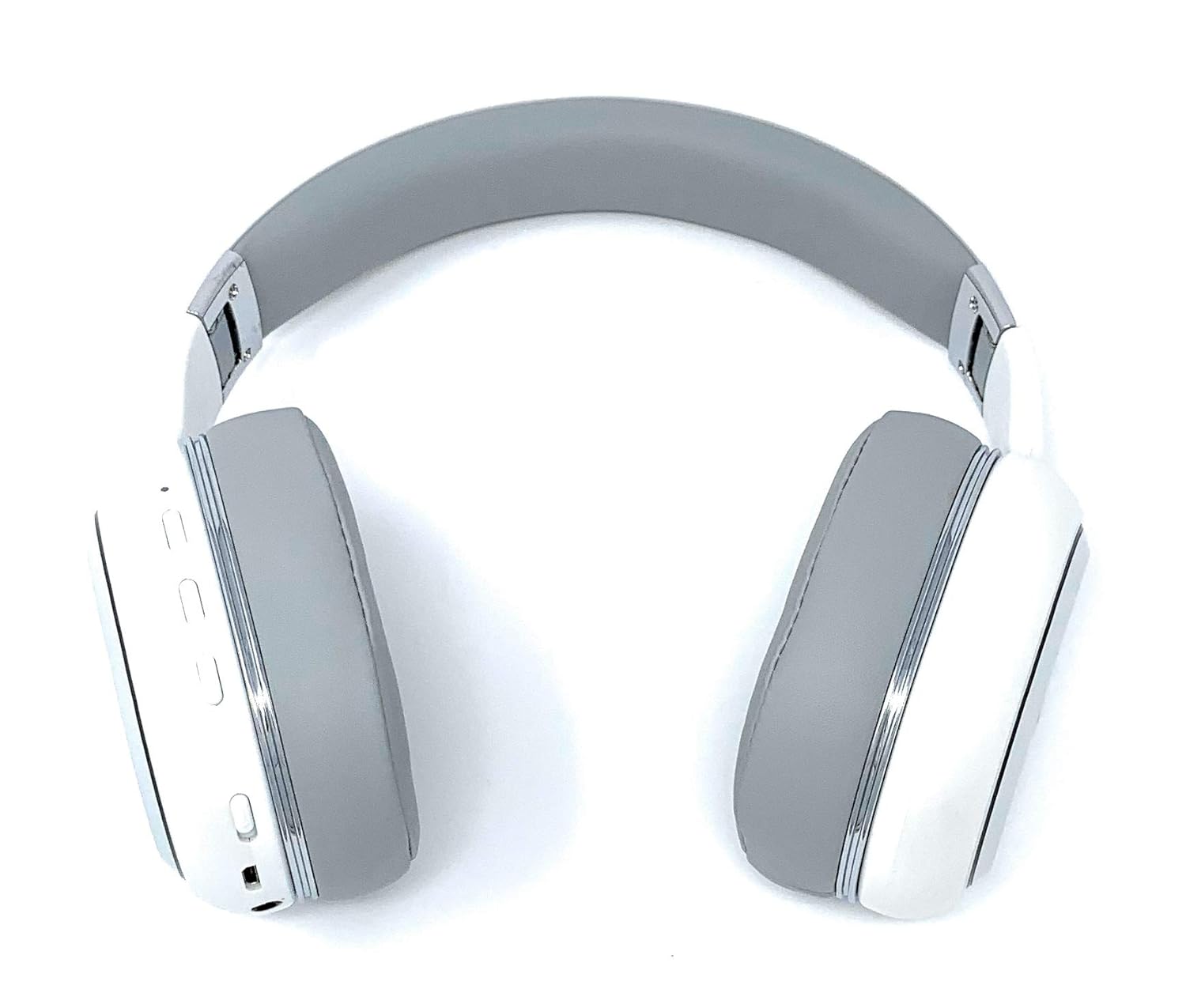
Image: A rear perspective of the Picun Elite P80S Wireless Headset, illustrating the placement of control buttons on the earcup.

Image: A detailed close-up of the right earcup hinge and the 'R' indicator on the Picun Elite P80S Wireless Headset, showing construction details.
Asennus
Kuulokkeiden lataaminen
Before initial use, fully charge the headset. Use the provided USB charging cable with any compatible USB adapter or device.
- Liitä USB-latauskaapeli kuulokkeiden latausporttiin.
- Liitä USB-kaapelin toinen pää virtalähteeseen.
- A full charge provides approximately 40 hours of game time or 60 hours of music/media playback in wireless mode.
Bluetooth-pariliitos
To connect your headset wirelessly:
- Varmista, että kuulokkeista on katkaistu virta.
- Pidä virtapainiketta painettuna, kunnes LED-merkkivalo vilkkuu osoittaen pariliitostilan muodostumista.
- Ota Bluetooth käyttöön laitteellasi (älypuhelin, tabletti, tietokone) ja hae käytettävissä olevia laitteita.
- Select "Picun P80S" from the list of found devices.
- Kun yhteys on muodostettu, LED-merkkivalo palaa tasaisesti tai vilkkuu hitaasti.
Langallinen yhteys
For a wired connection, use the provided AUX cable:
- Connect one end of the AUX cable to the headset's AUX port.
- Liitä toinen pää äänilaitteesi 3.5 mm:n ääniliitäntään.
- The headset can be used indefinitely in wired mode, regardless of battery charge.
Mikrofonin kiinnittäminen
The headset includes a detachable microphone for clear communication:
- Locate the microphone port on the headset.
- Gently insert the detachable microphone into the port until it clicks into place.
- The microphone is designed to reduce ambient noise for high-definition vocals.
Käyttöohjeet
Virta päälle/pois
- Virta päälle: Paina virtapainiketta muutaman sekunnin ajan, kunnes LED-merkkivalo syttyy.
- Virta pois: Paina virtapainiketta ja pidä sitä painettuna muutaman sekunnin ajan, kunnes LED-merkkivalo sammuu.
Musiikin toisto
- Toista/tauko: Paina Toisto/Tauko-painiketta kerran.
- Seuraava kappale: Pidä äänenvoimakkuuden lisäyspainiketta painettuna.
- Edellinen kappale: Pidä äänenvoimakkuuden vähennyspainiketta painettuna.
Puhelujen hallinta
- Puhelun vastaaminen/lopetus: Paina monitoimipainiketta kerran.
- Hylkää puhelu: Pidä monitoimipainiketta painettuna 2 sekunnin ajan.
Dual Shock/Vibration Mode
This mode enhances audio with deep bass and vibrations, ideal for music, movies, and gaming.
- Aktivoi/deaktivoi: Use the dedicated 'Vibration/Dual Shock Mode On-Off toggle switch' on the headset.
LED-valonäyttö
The headset features an LED light display.
- Kytke päälle/pois päältä: Use the dedicated 'LED Light Display On-Off button' on the headset.
Äänenvoimakkuuden säätö
- Lisää äänenvoimakkuutta: Paina äänenvoimakkuuden lisäyspainiketta.
- Vähennä äänenvoimakkuutta: Paina äänenvoimakkuuden vähennyspainiketta.
Huolto
Puhdistus
- Pyyhi kuulokkeet pehmeällä, kuivalla liinalla.
- Älä käytä hankaavia puhdistusaineita tai liuottimia.
- Keep the charging port and audio jacks free of dust and debris.
Varastointi
- Säilytä kuulokkeita viileässä, kuivassa paikassa, poissa suorasta auringonvalosta ja äärimmäisistä lämpötiloista.
- When not in use for extended periods, ensure the headset is fully charged before storing.
Vianetsintä
Ei Virtaa
- Varmista, että kuulokkeet on ladattu täyteen.
- Varmista, että latauskaapeli ja virtalähde toimivat oikein.
Ei ääntä
- Tarkista sekä kuulokkeiden että yhdistetyn laitteen äänenvoimakkuustasot.
- If using Bluetooth, ensure the headset is properly paired and connected.
- If using a wired connection, ensure the AUX cable is securely plugged into both the headset and the audio source.
- Testaa eri äänilähteellä tai laitteella.
Bluetooth-pariliitosongelmat
- Varmista, että kuulokkeet ovat pariliitostilassa (LED-valo vilkkuu).
- Kytke Bluetooth pois päältä ja päälle laitteellasi.
- Tyhjennä laitteesi aiemmat Bluetooth-yhteydet ja yritä pariliitosta uudelleen.
- Ensure the headset is within the effective range of your Bluetooth device.
Tekniset tiedot
| Ominaisuus | Kuvaus |
|---|---|
| Mallin nimi | Elite P80S |
| Yhteystekniikka | Bluetooth |
| Langaton viestintätekniikka | Bluetooth |
| Mukana olevat komponentit | Headset, Detachable AUX Microphone, USB Charging Cable, AUX Cable for Wired Transmission |
| Ikäryhmä (kuvaus) | Aikuinen |
| Materiaali | Keinonahkaa |
| Ohjaustyyppi | Äänenvoimakkuuden säätö, Kaukosäädin |
| Kaapeliominaisuus | Irrotettava |
| Tuotteen paino | 820 g (0.82 kilogrammaa) |
| Kohteiden määrä | 1 |
| Erikoisominaisuus | Melunvaimennus |
| Valmistaja | Picun |
| Laitteistoalusta | Pelikonsoli |
| Mikrofonin muoto | Built-In, Detachable AUX Microphone |
| Paristot vaaditaan | Ei (sisäinen ladattava akku) |
| Muototekijä | Korvan yli |
| Väri | Valkoinen |
| Melunhallinta | Aktiivinen melunvaimennus |
| Kuulokkeet Jack | 3.5 mm Jack |
Takuutiedot
The Picun Elite P80S Wireless Headset is covered by a manufacturer's warranty. For specific details regarding warranty terms, duration, and claims process, please refer to the warranty policy provided at the time of purchase or contact Picun customer support.
Asiakastuki
If you encounter any issues not covered in this manual or require further assistance, please contact Picun customer support through their official website or the contact information provided with your product packaging. Please have your product model (P80S) and purchase details ready when contacting support.


