Johdanto
Thank you for choosing the Macally Wireless Bluetooth Keyboard. This multi-device keyboard is designed to enhance your productivity across various platforms, including Mac, iOS, Windows, and Android devices. Featuring 110 keys, 20 Mac OS shortcuts, and a numeric keypad, it offers a comfortable and efficient typing experience. Its ultra-slim design and rechargeable battery make it an ideal companion for both work and leisure.

Image: The Macally Wireless Bluetooth Keyboard, showcasing its full layout and sleek silver design.
Pakkauksen sisältö
- Macally Wireless Bluetooth Keyboard
- Latauskaapeli
- Käyttöopas
Asennus
1. Näppäimistön lataaminen
Before initial use, fully charge the keyboard using the included charging cable. Connect the cable to the keyboard's charging port and a USB power source. The LED indicator will show charging status.

Image: Illustration showing the keyboard connected to a charging cable, emphasizing its rechargeable nature.
2. Pariliitos laitteiden kanssa
The Macally Wireless Bluetooth Keyboard supports connecting up to three Bluetooth-enabled devices simultaneously. Follow these steps to pair your devices:
- Kytke näppäimistö päälle virtakytkimellä.
- Press and hold one of the Bluetooth keys (BT1, BT2, or BT3) for a few seconds until the corresponding LED indicator starts blinking rapidly. This indicates pairing mode.
- On your device (computer, tablet, or smartphone), go to Bluetooth settings and search for available devices.
- Select "Macally Keyboard" (or similar name) from the list.
- If prompted, enter the pairing code displayed on your screen using the Macally keyboard and press Enter.
- Once paired, the LED indicator will stop blinking and remain solid for a few seconds before turning off.
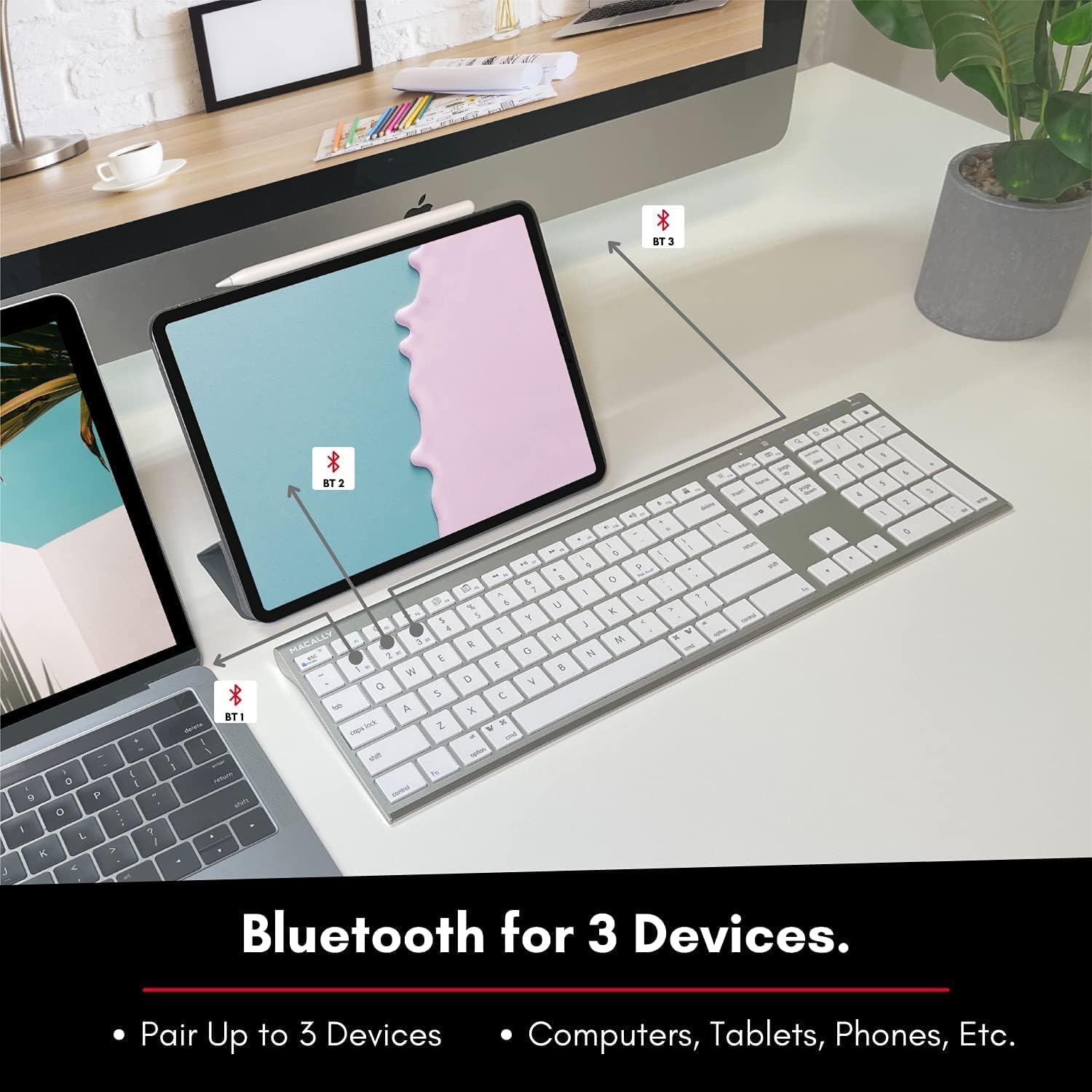
Image: The keyboard connected to a laptop and a tablet, illustrating its multi-device pairing capability.
Käyttöohjeet
Vaihtaminen laitteiden välillä
To switch between paired devices, simply press the corresponding Bluetooth key (BT1, BT2, or BT3) once. The keyboard will automatically connect to the selected device within a few seconds.

Image: Visual representation of the keyboard seamlessly switching between a smartphone, iMac, and laptop, highlighting the multi-sync feature.
Toimintonäppäimet ja pikanäppäimet
The keyboard features a full set of 110 keys, including a numeric keypad and 20 dedicated Mac OS shortcut keys. These shortcuts provide quick access to various functions such as brightness control, volume adjustment, media playback, and more. Refer to your device's operating system documentation for specific shortcut functionalities.
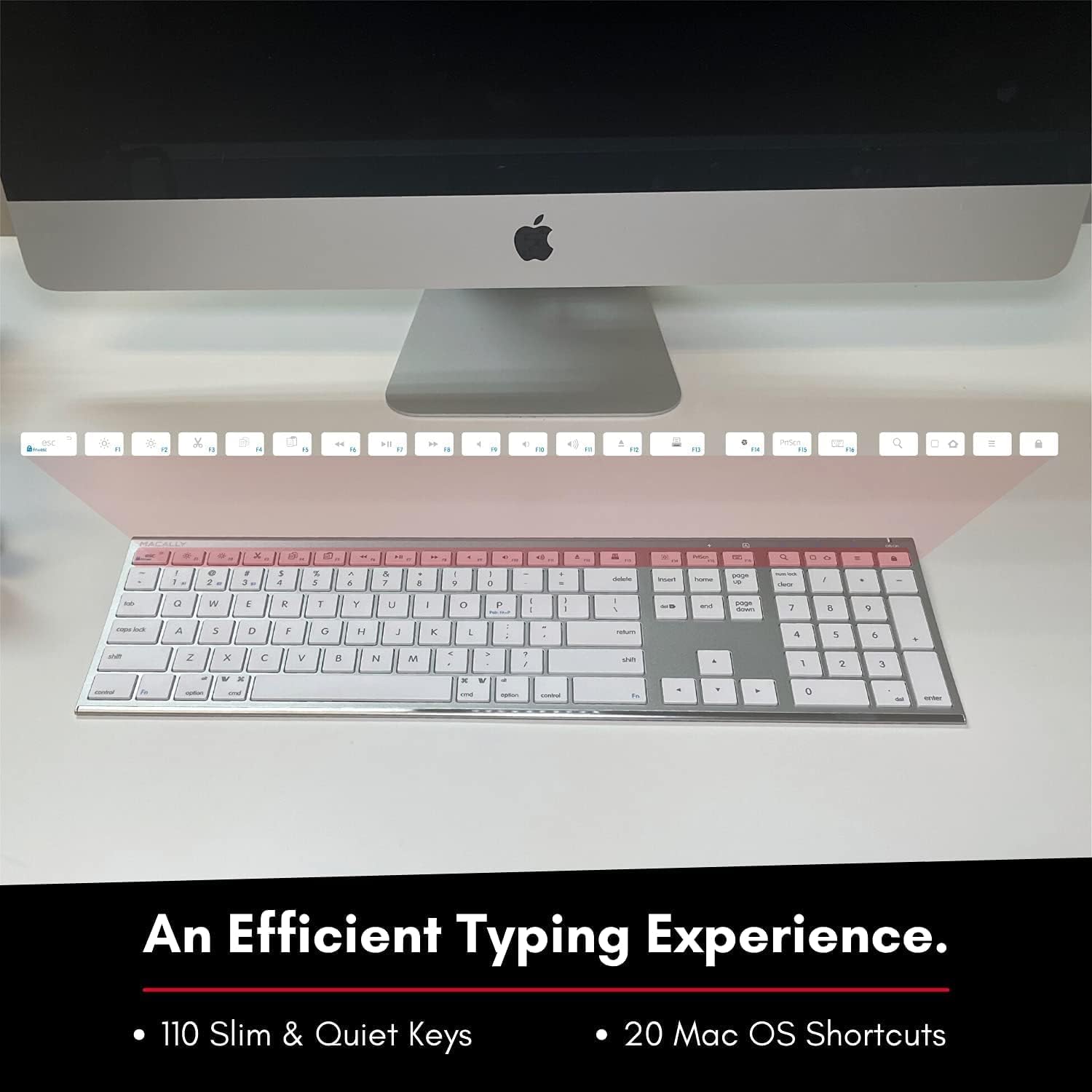
Image: Close-up of the keyboard's top row, highlighting the dedicated function and shortcut keys.
Yhteensopivuus
This keyboard is broadly compatible with a range of operating systems and devices, including:
- macOS
- Windows
- iOS (iPhone, iPad)
- Android

Image: The keyboard positioned in front of an iMac, indicating its compatibility with Mac systems.
Huolto
To ensure the longevity and optimal performance of your Macally Wireless Bluetooth Keyboard, follow these maintenance guidelines:
- Puhdistus: Pyyhi näppäimistön pinta pehmeällä, nukkaamattomalla liinalla. Pinttyneeseen likaan pyyhi kevyestiampKostuta liina vedellä tai miedolla puhdistusliuoksella. Vältä liiallista kosteutta.
- Akun hoito: The keyboard features a built-in rechargeable battery. To maximize battery life, avoid fully discharging the battery frequently. Charge the keyboard when the low battery indicator appears.
- Varastointi: Kun näppäimistöä ei käytetä pitkään aikaan, sammuta se akun säästämiseksi. Säilytä sitä viileässä, kuivassa paikassa, poissa suorasta auringonvalosta ja äärimmäisistä lämpötiloista.
- Vältä roiskeita: Pidä nesteet poissa näppäimistöstä, jotta sen sisäiset komponentit eivät vahingoitu.
Vianetsintä
Keyboard Not Responding or Typing Incorrectly
- Varmista, että näppäimistö on ladattu.
- Verify that the keyboard is powered on and the correct Bluetooth channel (BT1, BT2, or BT3) is selected for your device.
- Kokeile yhdistää näppäimistö uudelleen laitteesi kanssa.
- Check if the Fn lock is active. On the top right, there should be a lock symbol with an FN in the lock. If there is a Blue LED light on the panel which is on the top right, then press and hold Fn ja paina ESC to shut off the Fn lock.

Image: A troubleshooting tip for the Fn lock feature, showing the relevant keys.
Mouse Keys Issue (macOS)
- If your keyboard inputs are behaving like mouse movements, you may have "Mouse Keys" enabled.
- Go to System Preferences (or System Settings on newer macOS versions), then click on Esteettömyys. After that, scroll to Osoittimen ohjaus ja poistaa käytöstä Ota hiiren näppäimet käyttöön.

Image: A troubleshooting tip for disabling Mouse Keys in system settings.
Bluetooth-yhteysongelmat
- Varmista, että laitteesi Bluetooth on käytössä ja löydettävissä.
- Move the keyboard closer to your device to ensure a strong signal.
- Poista kaikki mahdolliset häiriönlähteet (esim. muut langattomat laitteet, suuret metalliesineet).
- Käynnistä sekä näppäimistö että laite uudelleen.
Tekniset tiedot
| Merkki | Macaalisesti |
| Mallinumero | ACEBTKEY-US |
| Tuotteen mitat | 18.11 x 6.3 x 0.91 tuumaa |
| Tuotteen paino | 14.9 unssia |
| Yhteystekniikka | Bluetooth |
| Avainten määrä | 110 |
| Yhteensopivat laitteet | MacOS, Windows, iOS, Android |
| Akku | 3 Lithium Polymer batteries (included, rechargeable) |
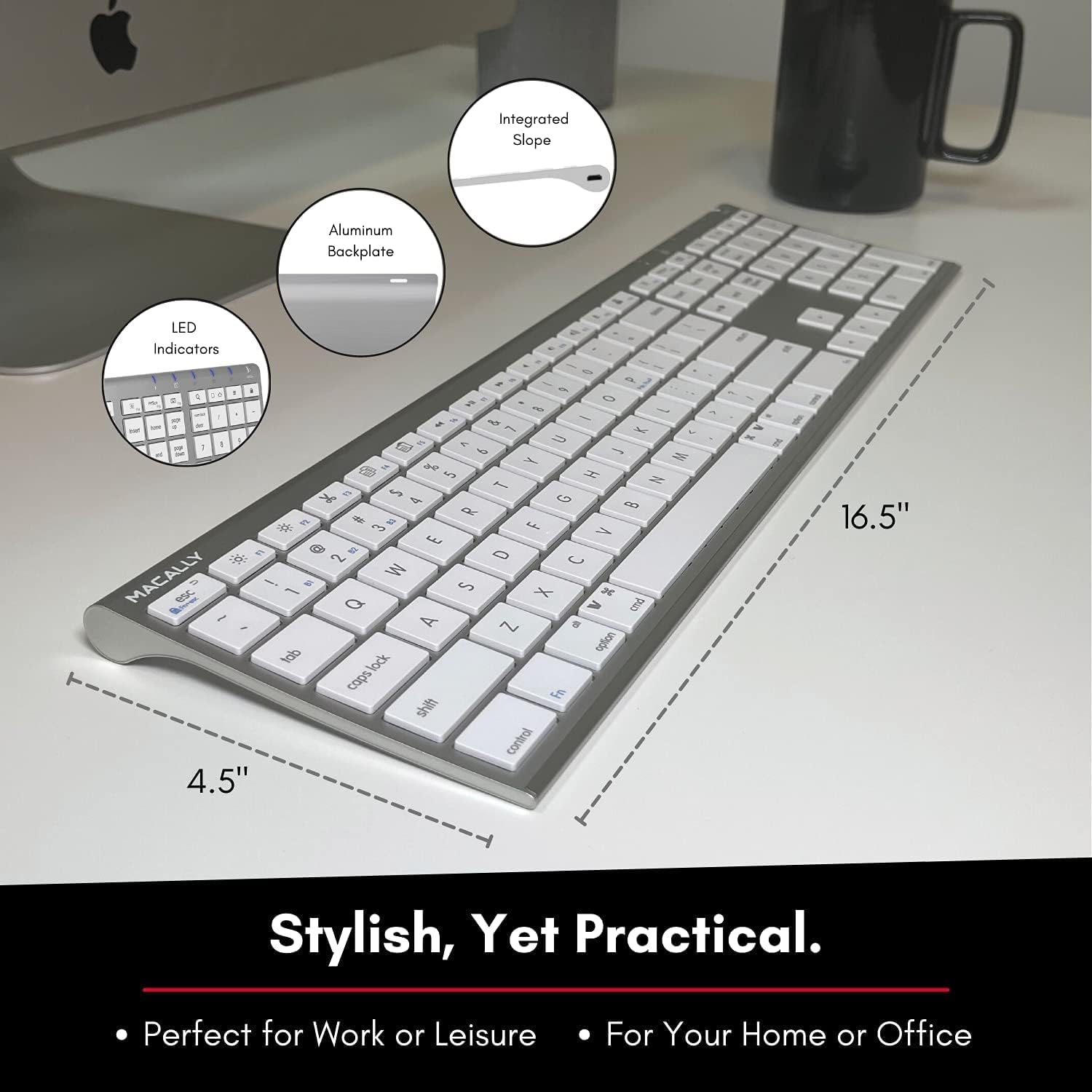
Image: Diagram illustrating the physical dimensions of the Macally Wireless Bluetooth Keyboard.
Takuu ja tuki
Macally is committed to delivering high-quality, user-friendly workflow solutions. For any product inquiries, technical support, or warranty information, please visit the official Macally websivustolla tai ota yhteyttä heidän asiakaspalveluunsa. Lisätietoja ja tukiresursseja löydät osoitteesta Macally Store on Amazon.


