1. Johdanto
Kiitos ostoksestasiasing the Marathon CL030050P Digital Desk Clock. This compact and versatile clock is designed for convenience, offering a clear digital display with a soft blue backlight, an alarm with snooze function, temperature display, and multi-language day of the week display. This manual provides detailed instructions for setup, operation, and maintenance to ensure optimal performance.
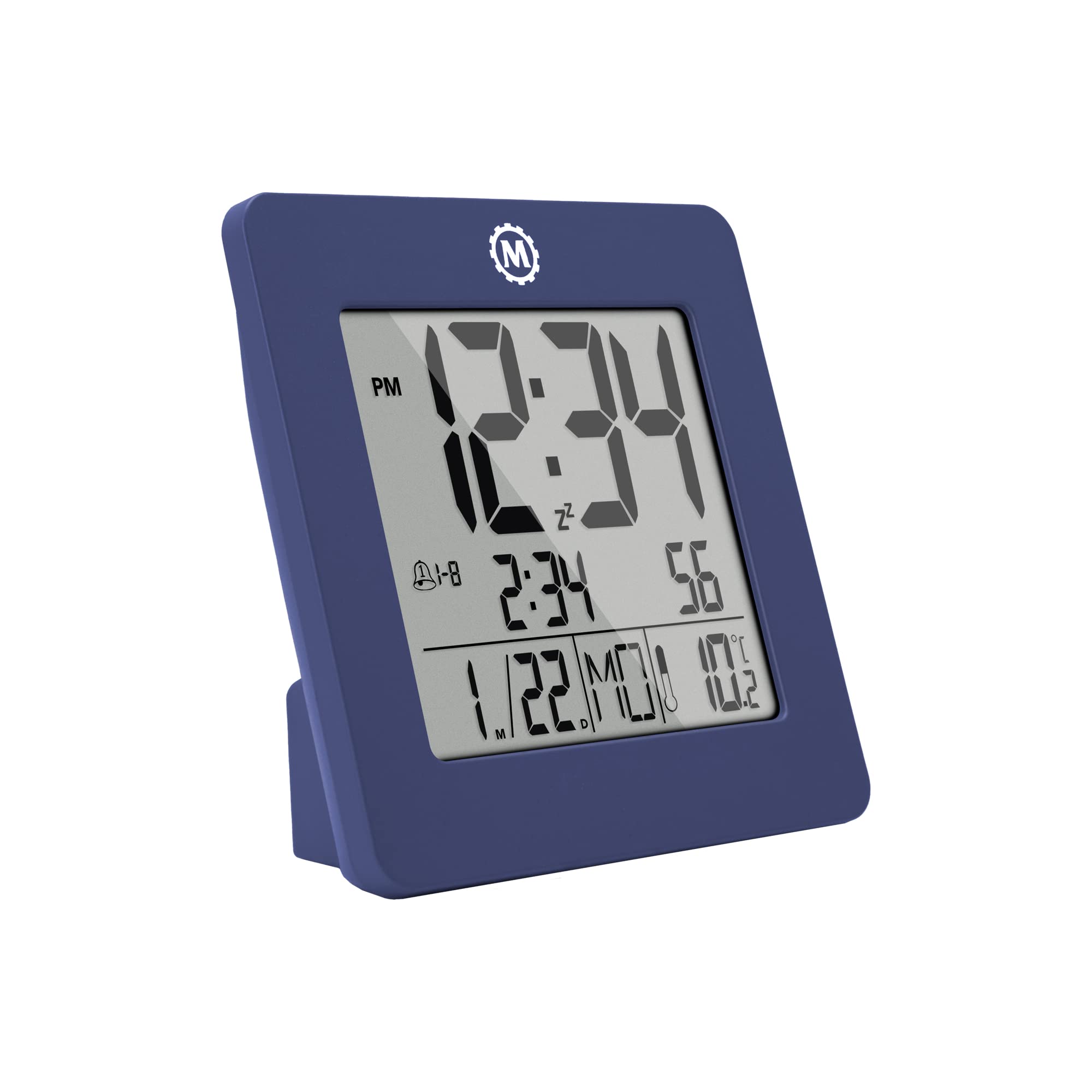
Kuva 1: Etuosa view of the Marathon CL030050P Digital Desk Clock.
2. Pakkauksen sisältö
- Marathon CL030050P Digital Desk Clock
- Käyttöopas (tämä asiakirja)
- Paristot (esiasennetut tai toimitetaan erikseen)
3. Asennus
3.1 Akun asennus
The clock operates on batteries. If batteries are not pre-installed, open the battery compartment cover on the back of the clock and insert the required batteries, ensuring correct polarity (+/-). Close the cover securely.
3.2 Initial Settings (Time, Date, Language, Temperature Unit)
The back of the clock features several buttons for configuration:
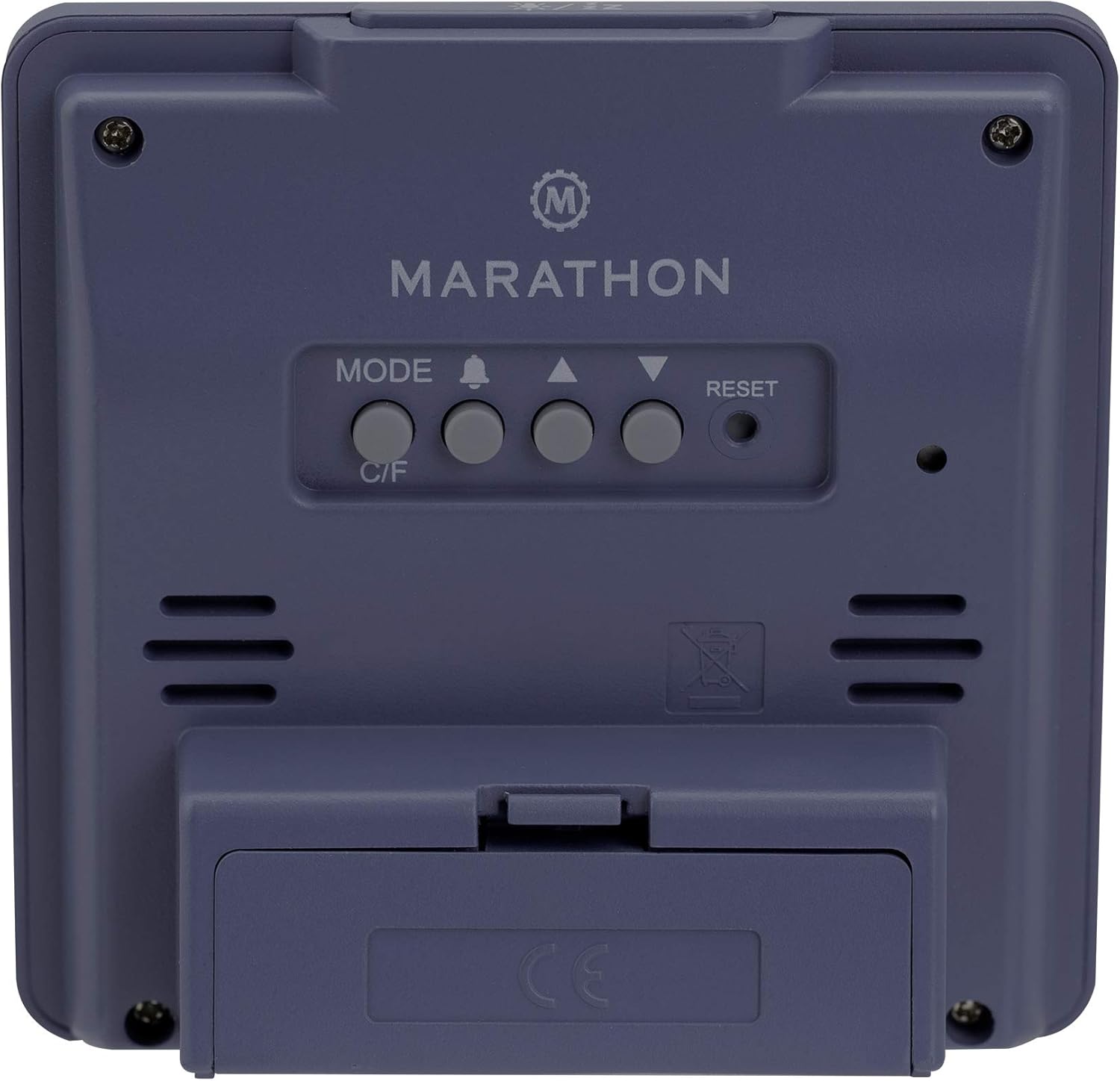
Kuva 2: Takaosa view of the clock with control buttons.
- Aseta aika ja päivämäärä: Paina ja pidä painettuna MODE -painiketta siirtyäksesi ajan asetustilaan. Käytä YLÖS (▲) ja ALAS (▼) buttons to adjust the flashing value (e.g., hour, minute, year, month, day). Press MODE uudelleen vahvistaaksesi ja siirtyäksesi seuraavaan asetukseen.
- 12/24 tunnin muoto: While in time setting mode, press the YLÖS (▲) -painiketta vaihtaaksesi 12 tunnin (AM/PM-ilmaisimella) ja 24 tunnin muotojen välillä.
- Viikonpäivän kieli: The day of the week can be displayed in 7 languages (English, Dutch, French, Spanish, Italian, Danish, German). This setting is typically adjusted within the date setting sequence. Use YLÖS (▲) or ALAS (▼) to select your preferred language when the day of the week is flashing.
- Temperature Unit (C/F): Paina C / F- button on the back of the clock to switch between Celsius (℃) and Fahrenheit (℉) temperature display.
4. Käyttöohjeet
4.1 Näyttötilat
The clock continuously displays time, date, and temperature. The large, high-contrast display ensures readability.
4.2 Taustavalon aktivointi
The clock features a soft blue Nightglow Super Glow backlight. To activate the backlight, press any button on the clock. The backlight will illuminate for a few seconds, providing temporary visibility in low-light conditions.
4.3 Hälytysasetus
- Paina ALARM (🔔) painiketta kerran view nykyinen hälytysaika.
- Paina ja pidä painettuna ALARM (🔔) button to enter alarm setting mode. The hour digit will flash.
- Käytä YLÖS (▲) ja ALAS (▼) -painikkeita säätääksesi tuntia. Paina ALARM (🔔) vahvistamiseksi ja siirtyäksesi minuuttien asetukseen.
- Adjust the minute using the YLÖS (▲) ja ALAS (▼) painikkeet. Lehdistö ALARM (🔔) vahvistaaksesi ja poistuaksesi hälytysasetustilasta.
- Voit aktivoida/deaktivoida hälytyksen painamalla ALARM (🔔) button briefly outside of setting mode. An alarm icon will appear/disappear on the display.
4.4 Torkku -toiminto
Kun hälytys soi, paina mitä tahansa painiketta (paitsi RESET) to activate the snooze function. The alarm will temporarily stop and sound again after a few minutes (snooze duration is typically fixed and cannot be adjusted). To turn off the alarm completely, press the RESET button or let it ring for its full duration.

Figure 3: The clock is compact and fits comfortably in hand.
5. Huolto
5.1 Puhdistus
Pyyhi kello pehmeällä, kuivalla liinalla. Älä käytä hankaavia puhdistusaineita tai liuottimia, sillä ne voivat vahingoittaa näyttöä taiasing.
5.2 Pariston vaihto
When the display becomes dim or the clock functions erratically, it is time to replace the batteries. Open the battery compartment on the back, remove the old batteries, and insert new ones, observing correct polarity. Dispose of old batteries responsibly.
6. Vianmääritys
- Näyttö on tyhjä tai himmeä: Tarkista paristojen asennus. Vaihda paristot tarvittaessa.
- Väärä aika/päivämäärä: Määritä aika- ja päivämääräasetukset uudelleen osiossa 3.2 kuvatulla tavalla.
- Hälytys ei soi: Ensure the alarm is activated (alarm icon visible on display). Check alarm volume if adjustable (this model may not have adjustable volume).
- Clock unresponsive: Paina RESET button on the back of the clock using a pointed object (e.g., a paperclip). This will reset the clock to factory defaults, and you will need to set the time and date again.
7. Tekniset tiedot
| Malli | CL030050P |
| Merkki | Maraton |
| Väri | French Blue |
| Koko | Pieni |
| Materiaali | Muovi |
| Näytön tyyppi | Digitaalinen |
| Ominaisuudet | Alarm, Temperature Display |
| Virtalähde | Paristokäyttöinen |
| Tuotteen mitat | 9.4 x 3.81 x 9.4 cm (3.7 x 1.5 x 3.7 tuumaa) |
| Tuotteen paino | 0.1 kilogrammaa (100 g) |
| Sisä-/ulkokäyttö | Sisätiloissa |

Figure 4: Product dimensions for the Marathon CL030050P Digital Desk Clock.
8. Takuu ja tuki
For warranty information or technical support, please refer to the warranty card included with your product or visit the official Marathon website. If you encounter any issues not covered in this manual, please contact customer service for assistance.


