1. Johdanto
Thank you for choosing the Macally USB Type C Wired Mouse. This manual provides detailed instructions for setting up, operating, and maintaining your new mouse. Designed for simplicity and reliability, this plug-and-play mouse offers comfortable use with adjustable DPI settings for various computing needs.
2. Pakkauksen sisältö
- Macally USB Type C Wired Mouse
- Käyttöohje
3. Asennus
The Macally USB Type C Wired Mouse is designed for easy plug-and-play functionality, requiring no additional drivers for most operating systems.
- Liitä hiiri: Locate an available USB-C port on your computer (MacBook Pro, iMac, PC, Laptop, Tablet, etc.). Insert the USB-C connector of the mouse cable firmly into the USB-C port.
- Automaattinen tunnistus: Your operating system should automatically detect and configure the mouse. No software installation is typically required.
- Aloita käyttö: Kun hiiri on tunnistettu, se on heti käyttövalmis.

Image: The Macally USB-C mouse connected to a laptop via its USB-C cable, demonstrating the plug-and-play setup.
Video: A demonstration of connecting the wired USB-C mouse to a laptop, highlighting its plug-and-play functionality for Type-C computers.
4. Käyttöohjeet
4.1 Peruskäyttö
The mouse features a standard 3-button layout for intuitive control:
- Vasen napsautuspainike: Käytetään kohteiden valitsemiseen, avaamiseen files ja komentojen suorittaminen.
- Hiiren oikeanpuoleinen painike: Used for accessing contextual menus and additional options.
- Vierityspyörä: Käytetään asiakirjojen selaamiseen ja web pages. The scroll wheel can also be pressed as a middle click button for specific functions in some applications.

Kuva: Ylhäältä alas -kuva view of the Macally USB-C mouse, clearly showing the left-click, right-click, and scroll wheel buttons.
4.2 DPI-säätö
The mouse features a dedicated DPI (Dots Per Inch) switch to adjust cursor sensitivity. This allows you to change the speed and responsiveness of the cursor to suit your preference or task.
- Paina DPI-painike (located below the scroll wheel) to cycle through the available sensitivity settings: 800, 1200, 1600, and 2400 DPI.
- Select the DPI setting that provides the most comfortable and efficient cursor movement for your current activity.
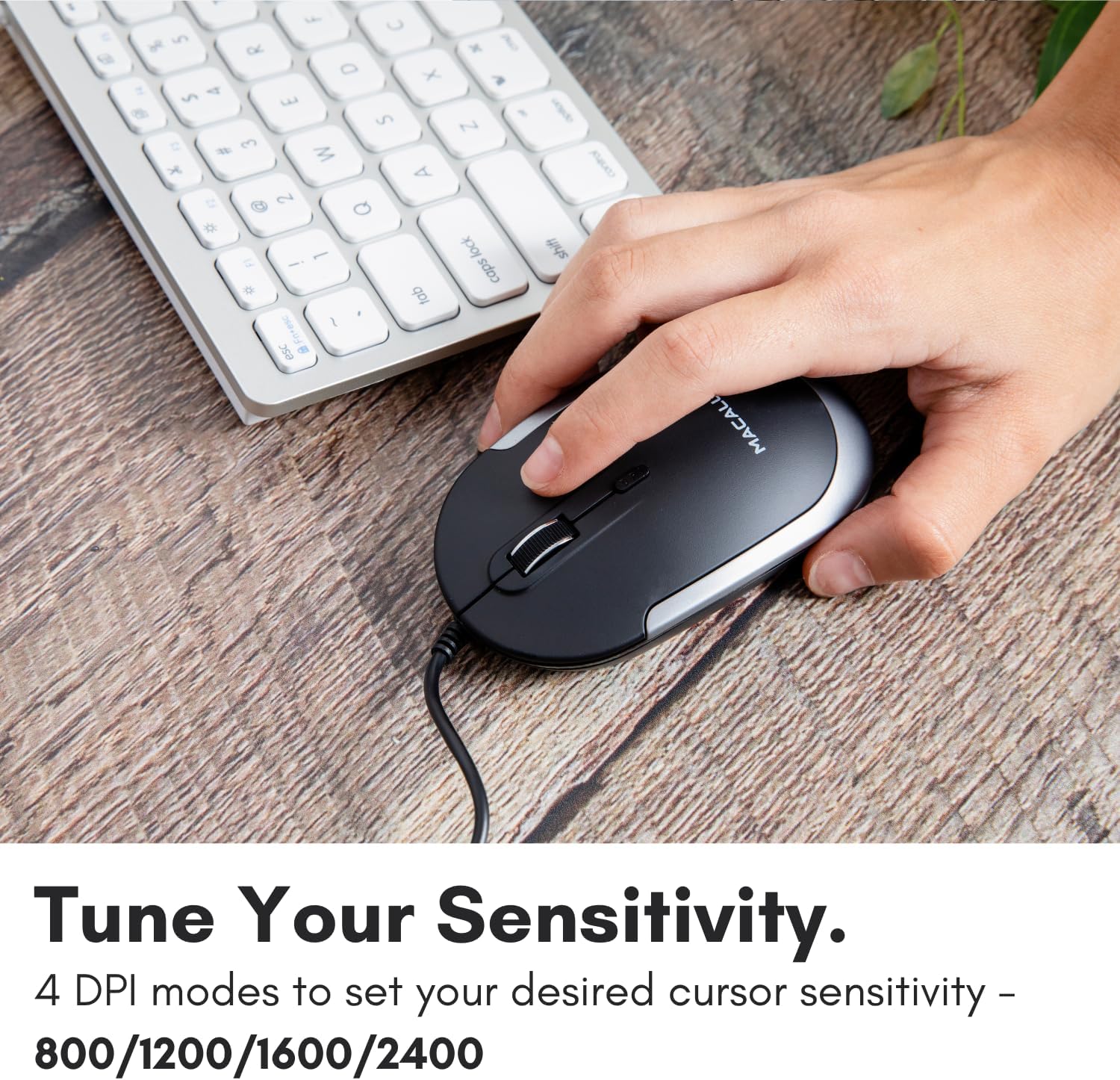
Image: A hand demonstrating how to press the DPI button on the Macally USB-C mouse to adjust sensitivity.
4.3 Yhteensopivuus
The Macally USB Type C Wired Mouse is universally compatible with a wide range of devices and operating systems:
- Mac (macOS)
- PC (Windows)
- iPadOS
- Android devices with USB-C ports

Image: The Macally USB-C mouse displayed with compatibility logos for Mac, PC, iPadOS, and Android operating systems.
5. Tärkeimmät ominaisuudet
- USB-C-liitäntä: Specifically designed for modern laptops and computers with USB-C ports, ensuring a reliable wired connection.
- Ohut ja kompakti muotoilu: With a height of only 1 inch, the mouse is slim, comfortable, and portable, fitting snugly in your hand.
- Hiljaiset napsautuspainikkeet: Reduces clicking noise by 90% compared to traditional mice, providing a quieter work environment.
- Säädettävä DPI: Easily switch between 800, 1200, 1600, and 2400 DPI settings for precise cursor control.
- 5 jalan kaapeli: Tarjoaa ample length for flexible setup and comfortable use, even with desktop computers.
- Monipuolinen muotoilu: Sopii sekä oikea- että vasenkätisille käyttäjille.

Image: The Macally USB-C mouse highlighting its elegant and slim design with dimensions.
Video: A detailed look at the Macally USB-C Optical Mouse, emphasizing its quiet click buttons and compatibility with Mac and PC.
6. Huolto
To ensure the longevity and optimal performance of your Macally USB Type C Wired Mouse, follow these simple maintenance guidelines:
- Puhdistus: Pyyhi hiiren pinta pehmeällä, kuivalla ja nukkaamattomalla liinalla. Pinttyneeseen likaan pyyhi kevyesti.ampKostuta liina vedellä tai miedolla puhdistusliuoksella. Vältä voimakkaiden kemikaalien tai hankaavien materiaalien käyttöä.
- Optinen anturi: Pidä hiiren pohjassa oleva optinen anturi puhtaana pölystä ja roskista. Käytä tarvittaessa vanupuikkoa tai paineilmaa.
- Kaapelihuolto: Avoid sharp bends or excessive pulling on the USB-C cable to prevent damage. Store the cable neatly when not in use.
- Varastointi: Kun hiirtä ei käytetä, säilytä sitä puhtaassa, kuivassa paikassa, poissa äärimmäisistä lämpötiloista.
7. Vianmääritys
If you encounter any issues with your Macally USB Type C Wired Mouse, please refer to the following common solutions:
| Ongelma | Ratkaisu |
|---|---|
| Hiiri ei vastaa. |
|
| Kohdistimen liike on epätasaista tai nykivää. |
|
| Buttons or scroll wheel are not working. |
|
8. Tekniset tiedot
| Merkki | Macaalisesti |
| Mallinumero | UCDYNAMOUSESG |
| Yhteystekniikka | USB-C-johdollinen |
| Liiketunnistustekniikka | Optinen |
| DPI-asetukset | 800, 1200, 1600, 2400 |
| Kaapelin pituus | 5 jalkaa (noin 1.5 metriä) |
| Painikkeet | 3 (Left, Right, Scroll Wheel/Middle Click) + DPI Switch |
| Tuotteen paino | 2.56 unssia (noin 72.5 grammaa) |
| Tuotteen mitat (PxLxK) | 2.8 x 4.21 x 1 tuumaa (noin 7.1 x 10.7 x 2.5 cm) |
| Yhteensopivuus | Mac (macOS), PC (Windows), iPadOS, Android (with USB-C) |
9. Takuu ja tuki
Macally provides a 1 vuoden takuu for this product. For technical support, troubleshooting assistance, or warranty claims, please contact Macally customer service. You can find contact information and additional resources on the official Macally websivusto:
Websivusto: www.macally.com
Macally also offers easy returns and lifetime support with your purchase.


