1. Johdanto
This manual provides detailed instructions for the DIERYA DK63 Wireless Mechanical Gaming Keyboard. Please read this manual thoroughly before using the product to ensure proper operation and to maximize your user experience. The DK63 is a compact 60% mechanical keyboard designed for versatility across various platforms, offering both wired and wireless connectivity options.

Image 1.1: DIERYA DK63 60% Mechanical Keyboard showcasing its compact layout and dimensions (292.8mm width, 101mm height).
2. Tärkeimmät ominaisuudet
- 60 % kompakti asettelu: The DK63 features a streamlined 60% layout, optimizing desk space while retaining essential functionality through function layer keys.
- Kaksoisyhteystilat: Seamlessly switch between wired (USB-C) and wireless (Bluetooth 5.1) connections.
- Usean laitteen tuki: Connects to up to 3 devices via Bluetooth, compatible with Mac, Windows, and Android operating systems.
- True Mechanical Switches: Equipped with durable mechanical switches (available in Blue, Brown, or Red variants) for a responsive typing and gaming experience.
- Dynaaminen RGB-taustavalo: Features 8 distinct lighting effects and supports 16.8 million colors for personalized aesthetics.
- Mukautettava ohjelmisto: Utilize the DIERYA customizable software for macro recording and remapping keyboard buttons.

Image 2.1: The DIERYA DK63 keyboard demonstrating its ability to connect to up to 3 devices via Bluetooth, compatible with Mac, Windows, and Android.

Kuva 2.2: Lähikuva view of the true mechanical switches on the DIERYA DK63 keyboard, highlighting their design for durability and responsiveness.
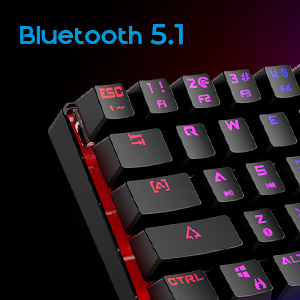
Image 2.3: Detail shot indicating Bluetooth 5.1 connectivity on the DIERYA DK63 keyboard.
3. Asennusopas
3.1 Langallinen yhteys
- Paikanna näppäimistön USB-C-portti.
- Liitä mukana toimitettu USB-C-kaapeli näppäimistöön.
- Liitä USB-C-kaapelin toinen pää tietokoneen vapaaseen USB-porttiin.
- Järjestelmä tunnistaa näppäimistön automaattisesti, ja se on käyttövalmis.
3.2 Langaton Bluetooth-yhteys
- Varmista, että näppäimistö on ladattu tai kytketty aluksi USB-C:n kautta.
- To switch to wireless mode, press Fn + R. The keyboard's indicator light will change to signify Bluetooth mode.
- To pair with a device, press and hold Fn+Z, Fn + X, tai Fn+C for 3-5 seconds. The corresponding key's backlight will flash rapidly, indicating pairing mode.
- On your device (computer, tablet, or smartphone), enable Bluetooth and search for available devices.
- Select "DIERYA DK63" from the list of available devices to complete the pairing process.
- Once paired, the key's backlight will stop flashing and remain steadily lit.
- Vaihda paritettujen Bluetooth-laitteiden välillä painamalla Fn+Z, Fn + X, tai Fn+C (short press) to select the desired device.
4. Käyttöohjeet
4.1 Toimintonäppäinyhdistelmät
The DK63 utilizes the Fn key to access secondary functions printed on the keycaps. Hold down the Fn key and press the desired key to activate its secondary function.
- Fn + 1! to 0): F1 to F10 keys.
- Fn + -_ and =+: F11 and F12 keys.
- Fn + P: Tulostusnäyttö.
- Fn + [: Kotiin.
- Fn + ]: Loppu.
- Fn + ;: Sivu ylös.
- Fn + ': Sivu alas.
- Fn + nuolinäppäimet: Navigation (e.g., Fn + Up Arrow for Page Up, Fn + Down Arrow for Page Down, etc., depending on specific keycap legends).
4.2 RGB-taustavalon säätö
The keyboard offers various lighting effects and customization options:
- Fn + \|: Selaa eri valaistustehosteita.
- Fn + Ylösnuoli: Lisää taustavalon kirkkautta.
- Fn + alanuoli: Vähennä taustavalon kirkkautta.
- Fn + vasen nuoli: Adjust lighting effect speed.
- Fn + oikea nuoli: Adjust lighting effect speed.
- Specific keys may have additional lighting controls indicated on their keycaps.

Image 4.1: Screenshot of the DIERYA customizable software, showing options for lighting effects, color selection, macro recording, and key remapping.
4.3 Customizable Software
The DIERYA DK63 supports dedicated software for advanced customization. This software allows users to:
- Record and assign macros to specific keys.
- Remap individual key functions.
- Fine-tune RGB lighting effects, colors, and patterns.
Please refer to the DIERYA official website for software download and detailed instructions on its usage.
Video 4.2: Virallinen tuotevideo-esittelyasing the DIERYA DK63 60% Mechanical Gaming Keyboard, highlighting its design and RGB lighting effects.
5. Huolto
To ensure the longevity and optimal performance of your DIERYA DK63 keyboard, follow these maintenance guidelines:
- Puhdistus: Regularly clean the keyboard with a soft, dry cloth. For deeper cleaning, use a can of compressed air to remove dust and debris from between the keycaps. If necessary, gently wipe keycaps with a slightly damp liinalla ja miedolla saippualiuoksella varmistaen, ettei nestettä pääse näppäimistöön.
- Vältä nesteitä: Älä läikytä nesteitä näppäimistölle. Jos nesteitä läikkyy, irrota näppäimistö välittömästi ja anna sen kuivua kokonaan ennen uudelleenkytkemistä.
- Varastointi: Säilytä näppäimistöä viileässä, kuivassa paikassa, poissa suorasta auringonvalosta ja äärimmäisistä lämpötiloista.
- Kaapelihuolto: Vältä USB-C-kaapelin liiallista taivuttamista tai kiertämistä, jotta se ei vaurioidu.
6. Vianmääritys
If you encounter issues with your DIERYA DK63 keyboard, refer to the following common solutions:
6.1 Näppäimistö ei vastaa (langallinen)
- Varmista, että USB-C-kaapeli on kytketty kunnolla sekä näppäimistöön että tietokoneeseen.
- Kokeile kytkeä näppäimistö tietokoneen toiseen USB-porttiin.
- Testaa näppäimistöä toisella USB-C-kaapelilla, jos sellainen on saatavilla.
- Käynnistä tietokone uudelleen.
6.2 Bluetooth-yhteysongelmat
- Ensure the keyboard is in Bluetooth mode (Fn + R).
- Varmista, että Bluetooth on käytössä laitteessasi.
- Make sure the keyboard is sufficiently charged. Low battery can affect Bluetooth performance.
- If already paired, try unpairing the keyboard from your device's Bluetooth settings and then re-pairing it.
- Ensure the keyboard is within the effective range of your Bluetooth device (typically up to 10 meters).
- Vältä muiden langattomien laitteiden aiheuttamia häiriöitä.
6.3 Taustavalo ei toimi tai on virheellinen
- Lisää kirkkautta käyttämällä Fn + ylänuoli.
- Selaa valaistustehosteita käyttämällä Fn + \|.
- Ensure the keyboard is not in a mode where backlighting is intentionally off or dimmed.
- If using the customizable software, check the lighting settings within the application.
7. Tuotteen tekniset tiedot
| Ominaisuus | Yksityiskohta |
|---|---|
| Mallinumero | DK63 |
| Merkki | DIERYA |
| Langaton tyyppi | Bluetooth 5.1 |
| Yhteystekniikka | USB-C, Bluetooth |
| Laitteistoalusta | Kannettava tietokone, PC |
| Tuotteen paino | 1.5 paunaa (noin 0.68 kg) |
| Tuotteen mitat (PxLxK) | 12 x 5.6 x 1.9 tuumaa (noin 30.5 x 14.2 x 4.8 cm) |
| Virtalähde | Paristokäyttöinen (1 litiumioniakku mukana) |
| Kytkintyyppivaihtoehdot | Sininen (Clicky), Ruskea (Tactile), Punainen (Linear) |
| Mukana olevat komponentit | USB-kaapeli |
8. Takuu ja tuki
DIERYA products are manufactured to high-quality standards. For information regarding warranty coverage, technical support, or service inquiries, please refer to the official DIERYA websivustolta tai ota yhteyttä suoraan heidän asiakastukeen. Säilytä ostokuitti ostotodistuksena takuuvaatimuksia varten.


