1. Johdanto
The HyperX Cloud Flight is a wireless gaming headset designed for extended use and immersive audio experiences. It features a robust 2.4GHz wireless connection, a long-lasting battery, and comfortable memory foam earcups. This manual provides essential information for setting up, operating, and maintaining your headset.
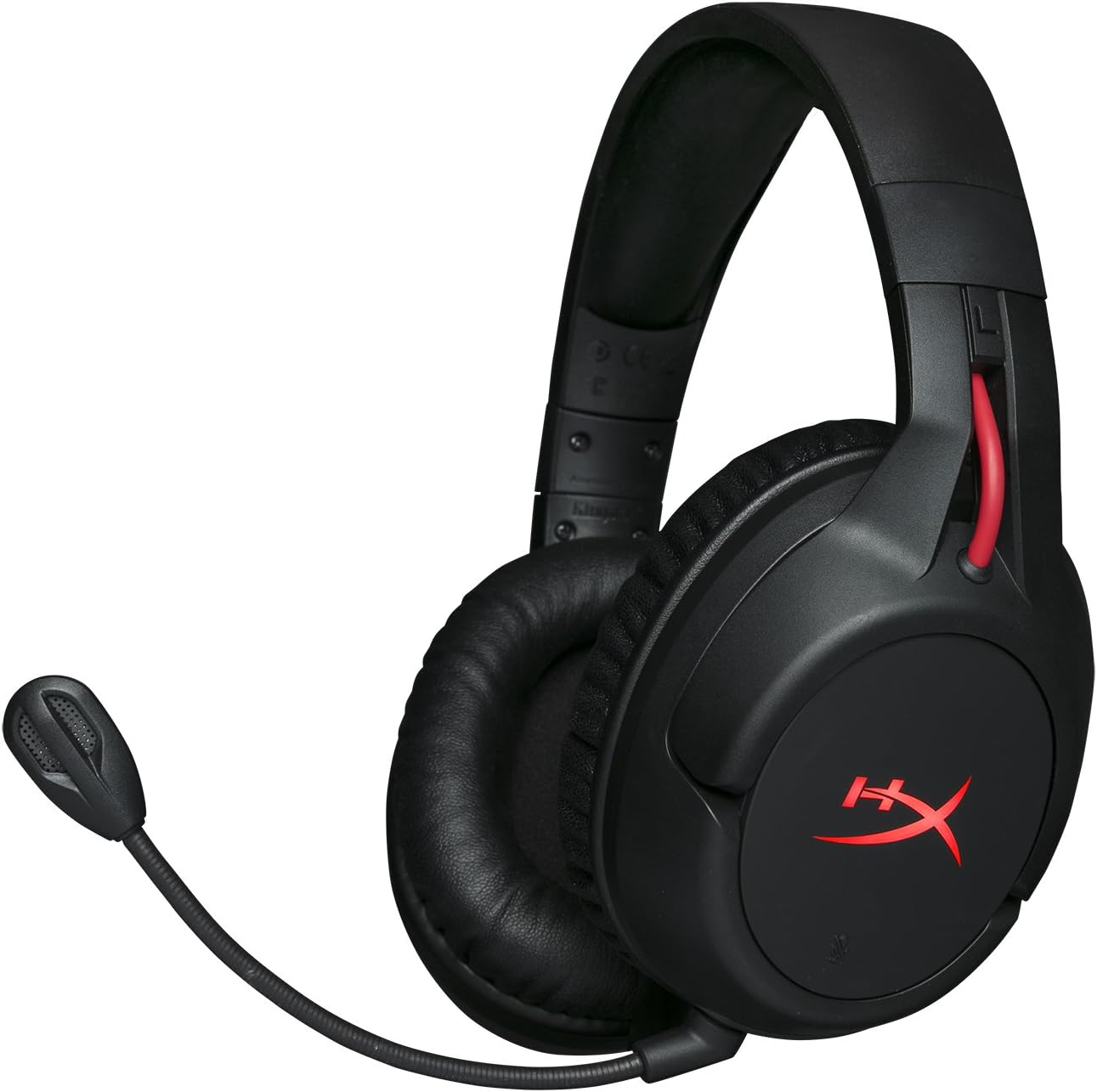
Figure 1.1: HyperX Cloud Flight Wireless Gaming Headset.
2. Pakkauksen sisältö
Varmista, että pakkauksessa on kaikki tarvittavat osat:
- HyperX Cloud Flight Headset
- Irrotettava melua vaimentava mikrofoni
- USB-latauskaapeli
- USB-langaton sovitin
- Käyttöopas

Figure 2.1: Included components of the HyperX Cloud Flight headset.
3. Tuotteen ominaisuudet
- Gaming-Grade Wireless: Utilizes a stable 2.4GHz wireless connection for reliable audio transmission.
- Pidentynyt akun käyttöikä: Up to 30 hours of battery life with LED lights off, allowing for prolonged gaming sessions.
- Ainutlaatuinen HyperX-mukavuus: Features comfortable memory foam earcups and a durable, adjustable steel slider for a secure and pleasant fit.
- Monen alustan yhteensopivuus: Compatible with PC, PlayStation 4, and PlayStation 5.
- Rotating Ear Cups: Ear cups rotate 90 degrees for comfortable resting around your neck and feature LED lighting effects.
- Intuitive On-Board Controls: Convenient controls for LED effects, microphone mute, power, and volume are located on the ear cups.
- Irrotettava melunvaimennusmikrofoni: Ensures clear communication and can be removed when not needed. The microphone functions only in wireless mode and is compatible with PC and PS4.
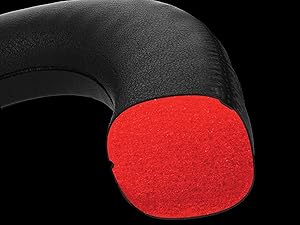
Figure 3.1: Headset designed for comfort during extended use.

Figure 3.2: Durable steel slider for adjustability and longevity.
4. Asennusohjeet
- Kuulokkeiden lataaminen: Before first use, fully charge the headset using the provided USB charging cable. Connect the micro-USB end to the headset and the USB-A end to a powered USB port.
- Connect USB Wireless Adapter: Insert the USB wireless adapter into an available USB port on your PC, PS4, or PS5.
- Kuulokkeiden virran kytkeminen: Press and hold the power button on the left earcup for 3-5 seconds until the LED indicator lights up. The headset will automatically pair with the USB adapter.
- Kiinnitä mikrofoni: Insert the detachable noise-cancelling microphone into the port on the left earcup. Ensure it clicks securely into place.
- Adjust Settings (PC/PS4/PS5):
- PC: Go to Sound Settings and select "HyperX Cloud Flight" as the default playback and recording device.
- PS4/PS5: Go to Sound/Audio Devices settings and ensure "HyperX Cloud Flight" is selected for both input and output.
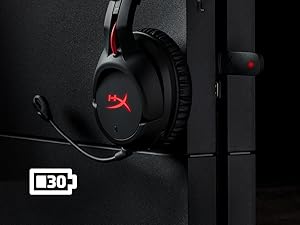
Figure 4.1: Connecting the USB adapter to a console for wireless operation.
5. Käyttöohjeet
- Virta päälle/pois: Press and hold the power button on the left earcup for 3-5 seconds.
- Äänenvoimakkuuden säätö: Use the volume wheel located on the bottom of the right earcup to adjust audio output.
- Mikrofonin mykistys: Press the button on the left earcup to mute/unmute the microphone. An audible indicator will confirm the status.
- LED-efektit: Briefly press the power button to cycle through LED lighting effects (Solid LED, Breathing LED, LED Off).
- Chat Mixer (PC/PS4): The headset features a chat mixer on the left earcup. The front button prioritizes game volume, while the rear button prioritizes chat volume.
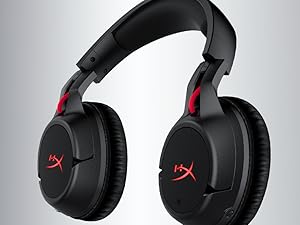
Figure 5.1: On-board controls for volume and microphone mute.
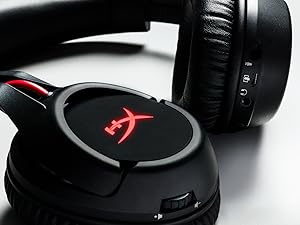
Figure 5.2: Detachable microphone for clear voice communication.
6. Lataus ja akunkesto
The HyperX Cloud Flight headset offers impressive battery performance:
- LED ei pala: Jopa 30 tuntia
- Hengittävä LED: Jopa 18 tuntia
- Tasainen LED: Jopa 13 tuntia
Battery life is tested at 50% headset volume. Audible indicators will notify you of low battery status. Use the provided USB charging cable to recharge the headset.
Video 6.1: Tuote ohiview näyttelyasing features including battery life.
7. Huolto ja hoito
- Store the headset in a clean, dry place when not in use.
- Clean earcups and headband with a soft, damp kangas. Vältä vahvoja kemikaaleja.
- Do not expose the headset to extreme temperatures or direct sunlight.
- Vältä kuulokkeiden pudottamista tai voimakkaiden iskujen kohteeksi altistamista.
8. Vianmääritys
- Ei ääntä/mikrofonia:
- Varmista, että kuulokemikrofoniin on kytketty virta ja että se on täyteen ladattu.
- Verify the USB wireless adapter is securely connected to your device.
- Check your device's sound settings to ensure "HyperX Cloud Flight" is selected as the default audio input/output.
- Confirm the microphone is properly attached and not muted.
- Poor Wireless Connection:
- Ensure the headset is within the 20-meter wireless range of the USB adapter.
- Minimize obstructions between the headset and the adapter.
- Vältä häiriöitä muista 2.4 GHz:n laitteista.
- Kuulokkeet eivät lataudu:
- Verify the USB charging cable is correctly connected to both the headset and a powered USB port.
- Kokeile toista USB-porttia tai latauskaapelia.
9. Tekniset tiedot
| Ominaisuus | Yksityiskohta |
|---|---|
| Mallin nimi | Cloud Flight |
| Yhteystekniikka | Langaton (2.4 GHz) |
| Wireless Range | Jopa 20 metriä |
| Yhteensopivat laitteet | PC, PS4, PS5 |
| Kuljettaja | Dynaaminen, 50 mm neodyymimagneeteilla |
| Kuuloketyyppi | Circumaural, suljettu takaisin |
| Taajuusvaste | 20Hz - 20,000Hz |
| Impedanssi | 32 ohmia |
| Äänenpainetaso | 106 dBSPL/mW at 1kHz |
| THD | <2 % |
| Kuulokkeiden paino | 300g (315g with mic) |
| Mikrofonielementti | Elektreettinen kondensaattorimikrofoni |
| Mikrofonin napakuvio | Melua vaimentava |
| Mikrofonin taajuusvaste | 100Hz - 7000Hz |
| Mikrofonin herkkyys | -45dBV (0dB=1V/Pa, 1kHz) |
| Battery Life (LED off) | 30 tuntia |
| Battery Life (Breathing LED) | 18 tuntia |
| Battery Life (Solid LED) | 13 tuntia |
| Materiaali | Memory Foam, Premium Leatherette, Steel |
| Tuotteen mitat (PxLxK) | 7.48 x 3.43 x 7.36 tuumaa |
| UPC | 196188048207 |
10. Takuu ja tuki
The HyperX Cloud Flight headset typically comes with a 2-year manufacturer's warranty. For technical support, warranty claims, or additional product information, please visit the official HyperX support websivustolla tai ota yhteyttä heidän asiakaspalveluunsa.
Lisätietoja ja tukiresursseja löydät osoitteesta HyperX-kauppa Amazonissa.


