1. Yliview
The Aerocool Cylon RGB Midi-Tower PC Case, model ACCM-PV10012.11, is designed to house computer components, offering both functionality and aesthetic appeal. It features a side window panel for showcasing internal hardware and an RGB LED illumination strip on the front panel for customizable lighting effects. This case supports ATX motherboards and provides ample space for various components, including multiple storage drives and cooling solutions.

Kuva 1: Etuosa view of the Aerocool Cylon RGB Midi-Tower PC Case, highlighting its distinctive RGB LED strip.
2. Pakkauksen sisältö
Varmista, että pakkauksessa on kaikki tarvittavat osat:
- Aerocool Cylon RGB Midi-Tower PC Case (ACCM-PV10012.11)
- Lisävarustelaatikko (sisältää ruuveja, tukikappaleita, nippusiteitä jne.)
- Käyttöopas (tämä asiakirja)
3. Turvallisuustiedot
Read and understand all safety instructions before installing or operating the PC case. Failure to do so may result in injury or damage to the product.
- Irrota aina virtajohto pistorasiasta ennen asennus- tai huoltotöitä.
- Käsittele kaikkia osia varoen vaurioiden välttämiseksi.
- Avoid touching electronic components directly; use anti-static precautions if possible.
- Keep small parts and accessories out of reach of children.
- Varmista kotelon asianmukainen ilmanvaihto ylikuumenemisen estämiseksi.
4. Asennus ja asennus
4.1 Asian valmistelu
Before installing components, remove the side panels to access the interior of the case.
- Aseta kotelo tasaiselle ja vakaalle alustalle.
- Locate the thumbscrews on the rear of the case securing the side panel.
- Unscrew the thumbscrews and carefully slide the side panel backward, then lift it off. Repeat for the other side panel if necessary.
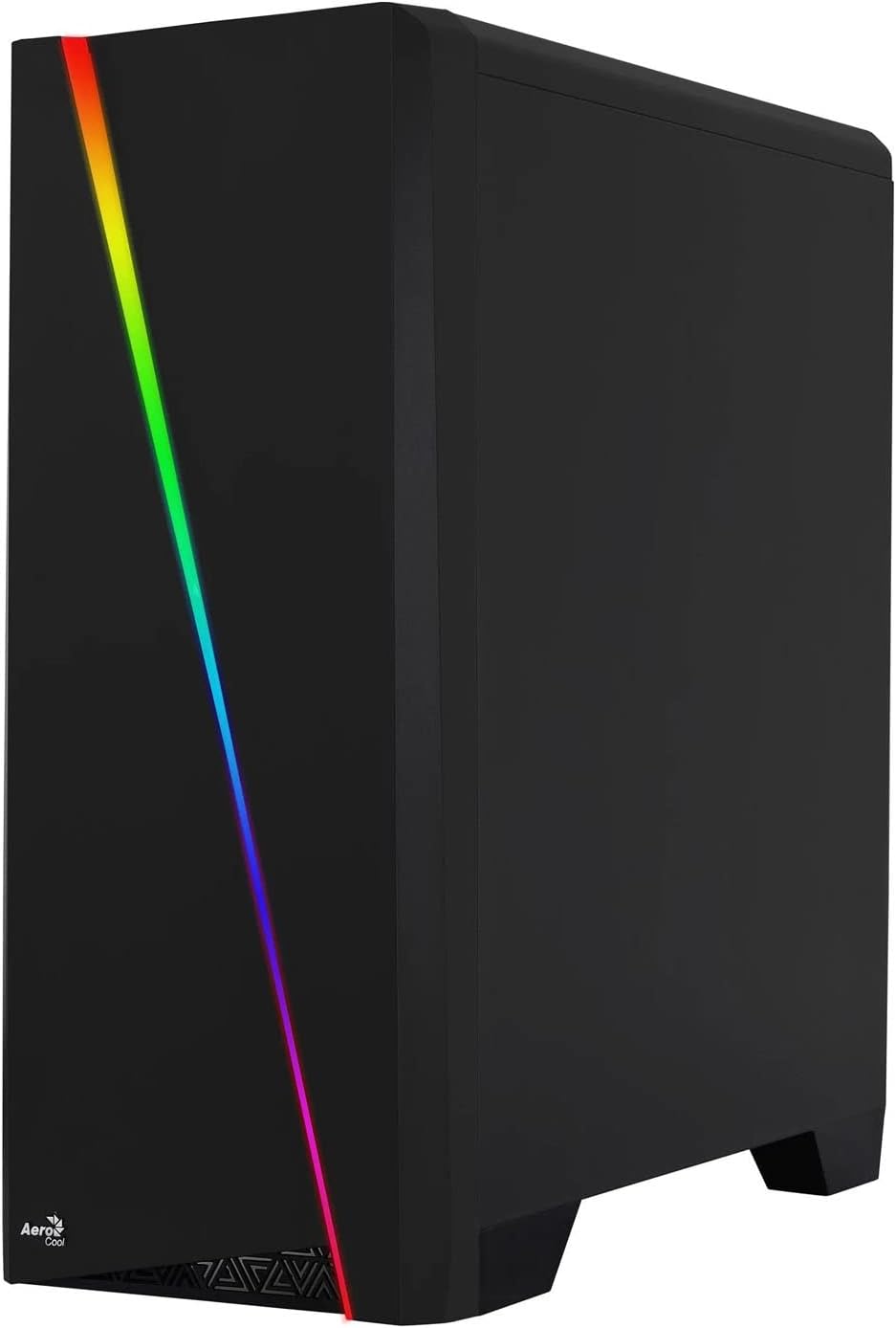

Figure 2: Left image shows the side panel attached, right image shows the side panel removed for access.
4.2 Emolevyn asennus
The Aerocool Cylon case supports ATX motherboards.
- Install the I/O shield that came with your motherboard into the opening at the rear of the case.
- Ensure motherboard standoffs are correctly aligned with your motherboard's screw holes. Install any missing standoffs from the accessory box.
- Aseta emolevy varovasti tukien päälle ja kohdista ruuvinreiät.
- Kiinnitä emolevy tarvikelaatikosta löytyvillä sopivilla ruuveilla.
4.3 Drive Installation (2.5" / 3.5")
The case provides bays for 2.5-inch and 3.5-inch drives.
- Locate the drive bays within the case. Refer to the case diagram for specific locations.
- For 3.5-inch HDDs, slide the drive into the designated tray or bay and secure it with screws.
- For 2.5-inch SSDs, mount the drive onto the designated bracket or tray and secure it with screws.
4.4 Virtalähteen (PSU) asennus
The PSU is typically mounted at the bottom rear of the case.
- Liu'uta virtalähde sille tarkoitettuun lokeroon kotelon takaosasta.
- Align the PSU's screw holes with those on the case.
- Secure the PSU with the provided screws.
4.5 Laajennuskortin (GPU) asentaminen
Install your graphics card or other expansion cards into the PCIe slots.
- Remove the necessary PCI-E slot covers from the rear of the case corresponding to your expansion card's size.
- Carefully insert the expansion card into the appropriate PCI-E slot on the motherboard until it clicks into place.
- Secure the expansion card with screws.

Kuva 3: Takaosa view of the PC case, showing the expansion slots and I/O area.
4.6 Fan / Liquid Cooling Radiator Installation
The Aerocool Cylon case supports various cooling configurations.
- Taka: 1 x 120mm fan (pre-installed or optional).
- Yläosa: Supports 2 x 120mm fans or 1 x 240mm radiator.
- Pohja: Tukee kahta 120 mm tuuletinta.
- Mount fans or radiators to their respective positions using the appropriate screws.
- Liitä tuulettimen virtajohdot emolevyyn tai tuulettimen ohjaimeen.

Figure 4: An interior shot of the case, illustrating potential fan and liquid cooling radiator placements.
4.7 Kaapelin hallinta
Effective cable management improves airflow and aesthetics.
- Route cables through the cutouts and behind the motherboard tray.
- Use cable ties (included in the accessory box) to bundle and secure cables.
4.8 Etupaneelin I/O-liitännät
Kytke etupaneelin kaapelit emolevyn vastaaviin liittimiin.
- USB 3.0: Liitä USB 3.0 -kaapeli emolevyn USB 3.0 -liitäntään.
- USB 2.0: Connect the USB 2.0 cables (x2) to the motherboard's USB 2.0 headers.
- HD-ääni: Liitä HD-äänikaapeli emolevyn ääniliitäntään.
- Virta/Nollaus/LEDit: Connect the small individual cables (Power SW, Reset SW, HDD LED, Power LED) to the motherboard's front panel headers according to your motherboard manual.
5. Operating the PC Case
Once all components are installed and connected, reattach the side panels and power on your system.
- Virta päälle: Paina kotelon yläosassa olevaa I/O-paneelia olevaa virtapainiketta.
- RGB-valaistuksen ohjaus: The front panel RGB LED illumination can be controlled via a dedicated button on the top I/O panel or through compatible motherboard software, depending on your setup. Refer to your motherboard manual for software control options.
6. Huolto
Säännöllinen huolto auttaa varmistamaan tietokoneesi kotelon ja komponenttien optimaalisen suorituskyvyn ja pitkäikäisyyden.
- Pölysuodattimen puhdistus: The case features dust filters (e.g., on the top and bottom). Regularly remove and clean these filters to prevent dust buildup and maintain good airflow. Use compressed air or a soft brush.
- Yleinen puhdistus: Käytä pehmeää, damp cloth to wipe down the exterior of the case. Avoid abrasive cleaners or solvents. For the transparent side panel, use a microfiber cloth to prevent scratches.
7. Vianmääritys
Jos kohtaat ongelmia, harkitse seuraavia yleisiä vianmääritysohjeita:
- Ei virtaa: Ensure the PSU is properly connected to the wall outlet and the power switch on the PSU is in the 'ON' position. Verify all power cables to the motherboard and components are securely seated.
- Tuulettimet eivät pyöri: Check that all fan cables are correctly connected to the motherboard or fan controller. Ensure the system is receiving power.
- RGB Not Working: Confirm RGB cables are properly connected. If using motherboard software, ensure it is installed and configured correctly.
- Löysät liitännät: Recheck all internal connections (power, data, front panel I/O) to ensure they are firmly seated.
8. Tekniset tiedot
| Ominaisuus | Erittely |
|---|---|
| Mallin nimi | ACCM-PV10012.11 |
| Asian tyyppi | Midi-Tower |
| Emolevyn yhteensopivuus | ATX |
| Mitat (PxLxK) | 16.26 x 7.8 x 18.07 tuumaa |
| Tuotteen paino | 8.36 kiloa |
| Materiaali | Akryyli |
| USB 3.0 -portit | 1 |
| USB 2.0 -portit | 2 |
| Jäähdytysmenetelmä | ilmaa |
| Fan Size (Rear) | 120 millimetriä |
| RGB-valaistus | Front Panel LED Strip |
9. Takuutiedot
The Aerocool Cylon RGB Midi-Tower PC Case is covered by a manufacturer's warranty. Please refer to the warranty card included with your product or visit the official AeroCool websivustolta löydät yksityiskohtaiset takuuehdot, mukaan lukien takuuajan ja korvausmenettelyt.
10. Tukea
For further assistance, technical support, or to download the latest drivers and software, please visit the official AeroCool websivusto:
Websivusto: www.aerocool.io
You may also contact AeroCool customer service through the contact information provided on their websivusto.


