1. Johdanto
This manual provides detailed instructions for the AGPTEK HDMI KVM Extender Receiver. This device is designed to extend HDMI video and KVM (Keyboard, Video, Mouse) signals over a single Cat 5/5e/6/7 Ethernet cable, supporting resolutions up to 1080p at 60Hz. Please note that this product is the receiver unit only and requires a compatible AGPTEK HDMI KVM Extender transmitter unit (sold separately) for operation.

Kuva 1.1: Yläosa view of the AGPTEK HDMI KVM Extender Receiver, showing the 'HDMI KVM EXTENDER RX Receiver' label.
2. Tuotteen ominaisuudet
- Teräväpiirtoinen lähetys: Transmits Ultra HD picture signals up to 1080p at 60Hz.
- Ethernet Cable Compatibility: Supports STP & UTP compliant CAT5/5e/6/7 cables.
- Laajennettu valikoima: Signal extension up to 120 meters (365 feet) over a single Ethernet cable.
- EDID Functionality: Copy EDID function to ensure compatibility with various display devices.
- Verkkostandardi: Supports standard 802.3 Ethernet 10/100/1000Mbps.
- KVM-toiminnallisuus: Transmits keyboard and mouse data via LAN.
- Tilan ilmaisimet: LED indicators for power and USB connection status.
- Kestävä muotoilu: Aluminum alloy housing for port stability and durability.
- Turvallisuus: Built-in ESD protection system for safer transmission.
- Usean vastaanottimen tuki: A single transmitter can connect to multiple receivers via a router or network switch for multi-screen display.

Image 2.1: Visual representation of key features including TCP/IP agreement, KVM support, 120m extension, concise design, and 1080p HD support.
3. Pakkauksen sisältö
Tarkista pakkauksen sisältö avatessasi varmistaaksesi, että kaikki osat ovat mukana:
- 1 x AGPTEK HDMI KVM Extender (Receiver Unit)
- 1 x CD (USB Driver Software)
- 1 x Virtalähde (DC 5V)
- 1 x Käyttöohje (Tämä asiakirja)
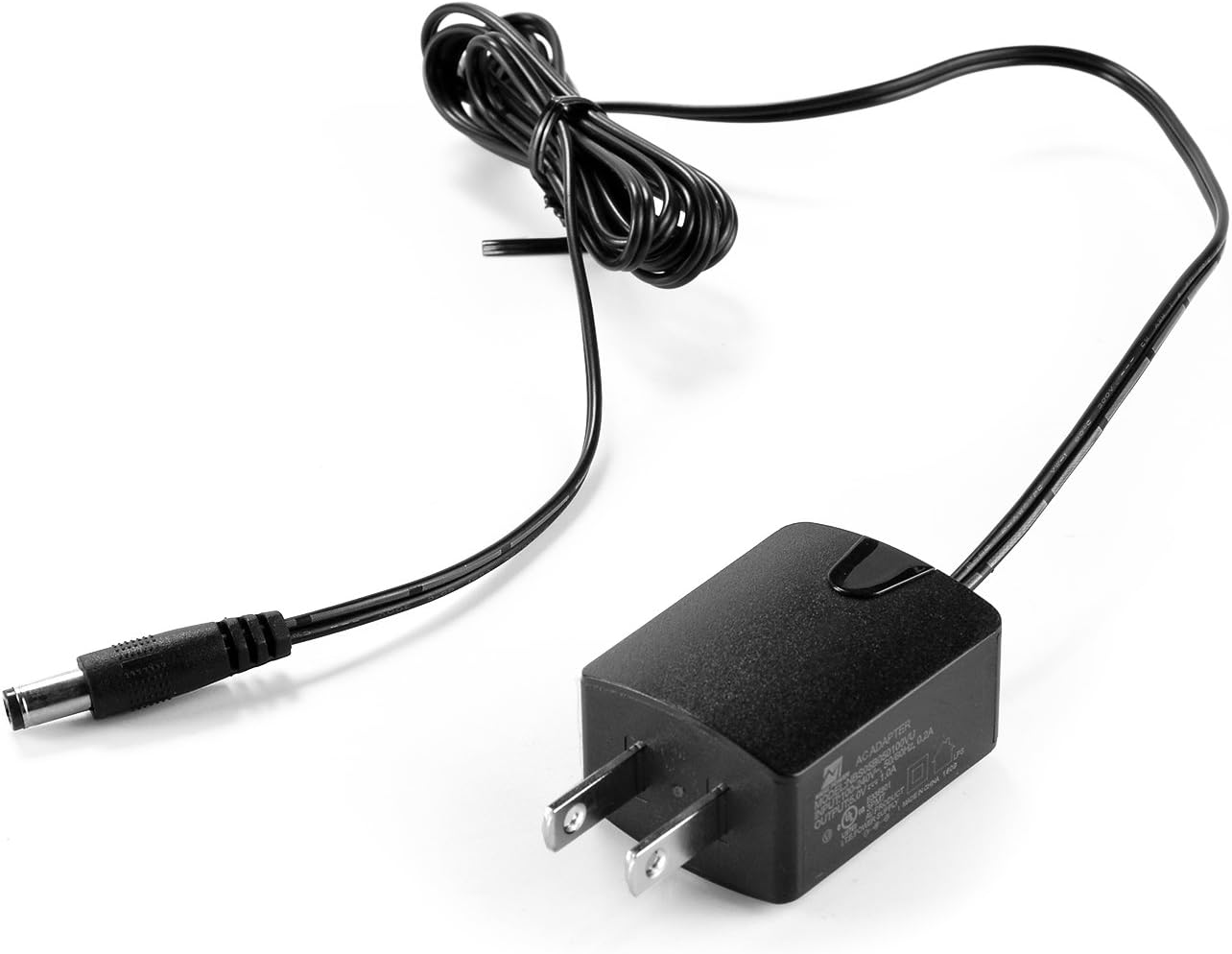
Image 3.1: The included DC 5V power adapter.
4. Asennusvaatimukset
Before proceeding with the setup, ensure you have the following:
- Lähetinyksikkö: A compatible AGPTEK HDMI KVM Extender transmitter unit. This receiver unit cannot function independently.
- Lähdelaite: A PC or other device with an HDMI graphics card (connected to the transmitter).
- Näyttölaite: A monitor, HDTV, or SDTV with an HDMI input port (connected to the receiver).
- Verkkokaapelit: UTP/STP CAT5E/6 network cables, compliant with the IEEE-568B standard. Recommended cable lengths for optimal performance: CAT5 up to 80m, CAT5E up to 100m, CAT6 up to 120m.
5. Asennusohjeet
Follow these steps to set up your AGPTEK HDMI KVM Extender Receiver:
- Yhdistä näyttö: Connect an HDMI cable from your display device (monitor, TV) to the HDMI OUT port on the receiver unit.
- Connect KVM Devices: Connect your USB keyboard and/or mouse to the USB ports on the receiver unit.
- Ethernet-kaapelin liittäminen: Connect a CAT5/5e/6/7 Ethernet cable from your network switch/router (or directly from the transmitter unit) to the LAN RX port on the receiver unit. Ensure the cable is securely seated.
- Liitä virta: Plug the provided DC 5V power adapter into the DC 5V port on the receiver unit, then plug the adapter into a power outlet.
- Lähettimen käynnistys: Ensure your AGPTEK HDMI KVM Extender transmitter unit is also powered on and correctly connected to your source device and the network.
- Vahvista tila: Check the LED indicators on the receiver unit. The power LED should be lit, and the LAN RX LED should indicate an active network connection.
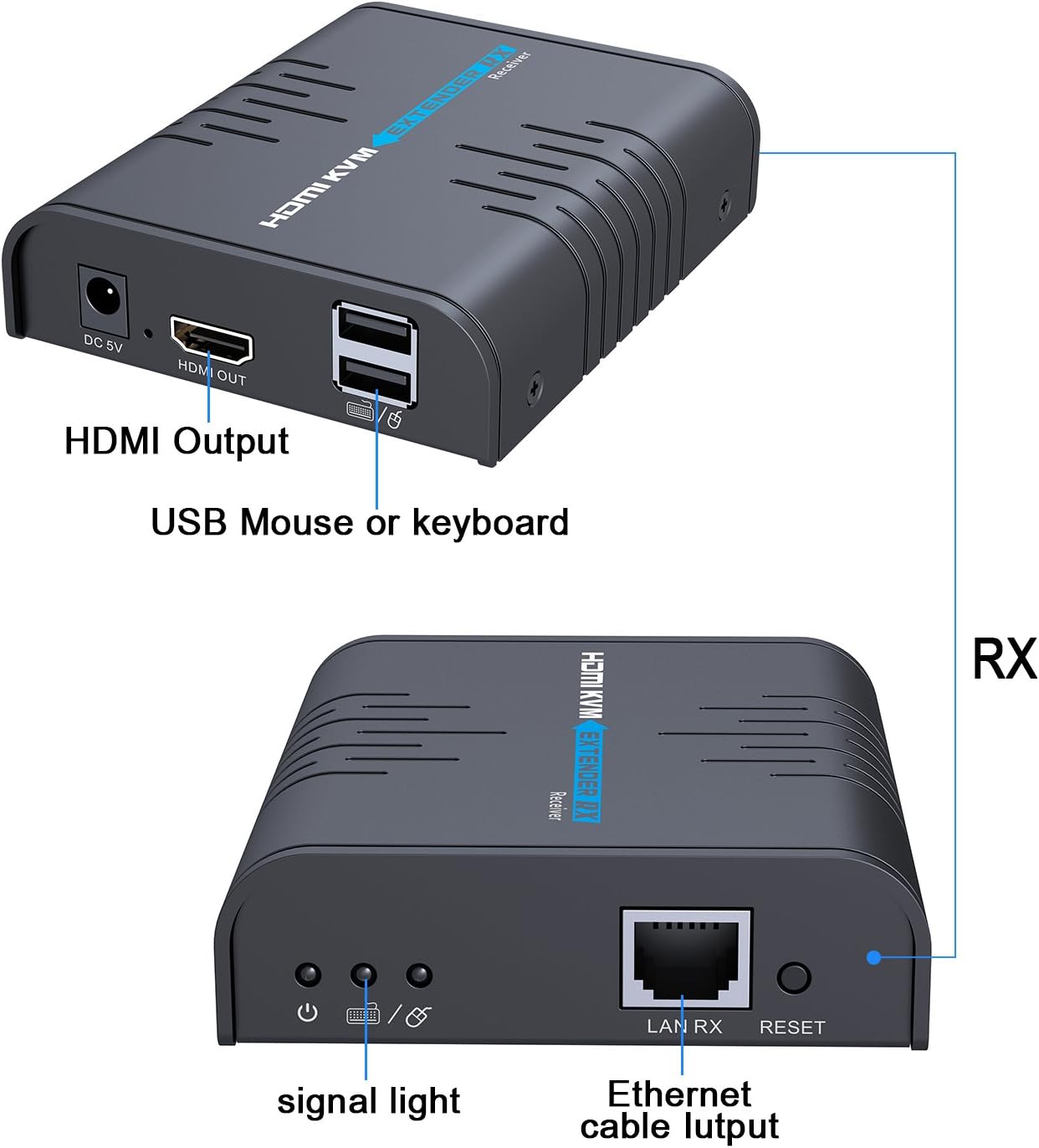
Image 5.1: Diagram showing the HDMI Output, USB ports for mouse/keyboard, signal light, Ethernet cable input (LAN RX), and Reset button on the receiver unit.

Kuva 5.2: Lähikuva view of the receiver unit with a USB mouse and keyboard connected, illustrating the KVM functionality.
System Diagram for Multiple Receivers:

Image 5.3: System diagram illustrating how a computer (source) connects to a transmitter (TX), which then connects to a router or switch. Multiple receiver units (RX) can connect to the same router/switch via Ethernet cables, each displaying the signal on a separate monitor.
6. Käyttö
Once all connections are made and both the transmitter and receiver units are powered on, the system should automatically detect and extend the HDMI and KVM signals. The display connected to the receiver will show the video output from the source device connected to the transmitter. The keyboard and mouse connected to the receiver will control the source device.
- Signaalin siirto: The video and audio signals, along with keyboard and mouse data, are transmitted over the Ethernet cable.
- Moninäyttötila: If you have multiple receiver units connected to the same network (via a router or switch) as the transmitter, each receiver will display the same source content, allowing for a multi-screen setup.
- USB-ajuri: If your keyboard or mouse is not recognized, install the USB driver software from the included CD on your source computer.
7. Vianmääritys
Jos kohtaat ongelmia, katso seuraavia vianmääritysvinkkejä:
- Ei näyttöä/signaalia:
- Ensure both the transmitter and receiver units are powered on and their respective power LEDs are lit.
- Verify all HDMI and Ethernet cables are securely connected and not damaged.
- Check that the Ethernet cable type (CAT5/5e/6/7) and length are within the recommended specifications (max 120m for CAT6).
- Confirm the display device is set to the correct HDMI input.
- Test the HDMI source and display directly without the extender to rule out issues with those components.
- Näppäimistö/hiiri ei toimi:
- Ensure the USB cables from the keyboard/mouse are firmly connected to the receiver's USB ports.
- Install the USB driver software from the provided CD on the source computer.
- Try connecting the keyboard/mouse directly to the source computer to confirm they are functional.
- Intermittent Signal/Disconnections:
- Check the quality and integrity of your Ethernet cable. A damaged or low-quality cable can cause instability.
- Ensure the power adapters for both transmitter and receiver are providing stable power.
- If using a network switch/router, ensure it is functioning correctly and not overloaded.
- Reduce the cable length if it is close to the maximum recommended distance.
- Huono kuvanlaatu:
- Ensure you are using high-quality HDMI and Ethernet cables.
- Check the resolution settings on your source device.
8. Tekniset tiedot
| Mallinumero | COMINU051167 |
| Merkki | AGPTEK |
| Yhteensopivat laitteet | Keyboard, Monitor, Mouse, Television |
| Liittimen tyyppi | HDMI |
| Väri | Musta |
| Tuotteen paino | 13.4 unssia (noin 380 g) |
| Pakkauksen mitat | 6.06 x 4.72 x 3.11 tuumaa |
| Maksimiresoluutio | 1080p @ 60Hz |
| Suurin siirtoetäisyys | 120m (CAT6) |
9. Huolto
To ensure the longevity and optimal performance of your AGPTEK HDMI KVM Extender Receiver, follow these maintenance guidelines:
- Puhdistus: Puhdista laitteen ulkopinta pehmeällä, kuivalla liinalla. Älä käytä nestemäisiä puhdistusaineita tai aerosoleja.
- Ympäristö: Säilytä laitetta viileässä, kuivassa paikassa, poissa suorasta auringonvalosta, lämmönlähteistä ja liiallisesta kosteudesta.
- Ilmanvaihto: Varmista riittävä ilmankierto laitteen ympärillä ylikuumenemisen estämiseksi. Älä tuki tuuletusaukkoja.
- Kaapelin hallinta: Avoid bending or kinking cables sharply, as this can damage them and affect signal quality.
- Virta pois: Disconnect the power adapter when the device is not in use for extended periods.
10. Takuu ja tuki
AGPTEK products are designed for reliability and performance. This product comes with a manufacturer's warranty. For specific warranty details, please refer to the warranty card included in your package or visit the official AGPTEK websivusto.
If you require technical assistance, encounter issues not covered in this manual, or need to inquire about warranty service, please contact AGPTEK customer support through their official channels. Have your product model number (COMINU051167) and purchase information ready when contacting support.