Johdanto
This manual provides detailed instructions for the Rapoo V510 Backlit Mechanical Gaming Keyboard. It covers setup, operation, maintenance, and troubleshooting to ensure you get the best experience from your device. The Rapoo V510 is designed for gamers, featuring durable mechanical key switches, anti-ghosting capabilities, and a spill-resistant design.
Asennus
Pakkauksen sisältö
- Rapoo V510 Mechanical Gaming Keyboard
- Pika-aloitusopas
Järjestelmävaatimukset
- Operating System: Windows 98SE/ME/2000/XP/Vista/Win7/Win8/Win10/MAC OS
- Käytettävissä oleva USB-portti
Näppäimistön liittäminen
- Unpack the Rapoo V510 keyboard from its packaging.
- Etsi tietokoneesta vapaa USB-portti.
- Kytke näppäimistön USB-liitin USB-porttiin.
- Käyttöjärjestelmäsi pitäisi automaattisesti tunnistaa ja asentaa tarvittavat ajurit. Perustoiminnot eivät yleensä vaadi lisäohjelmistojen asentamista.
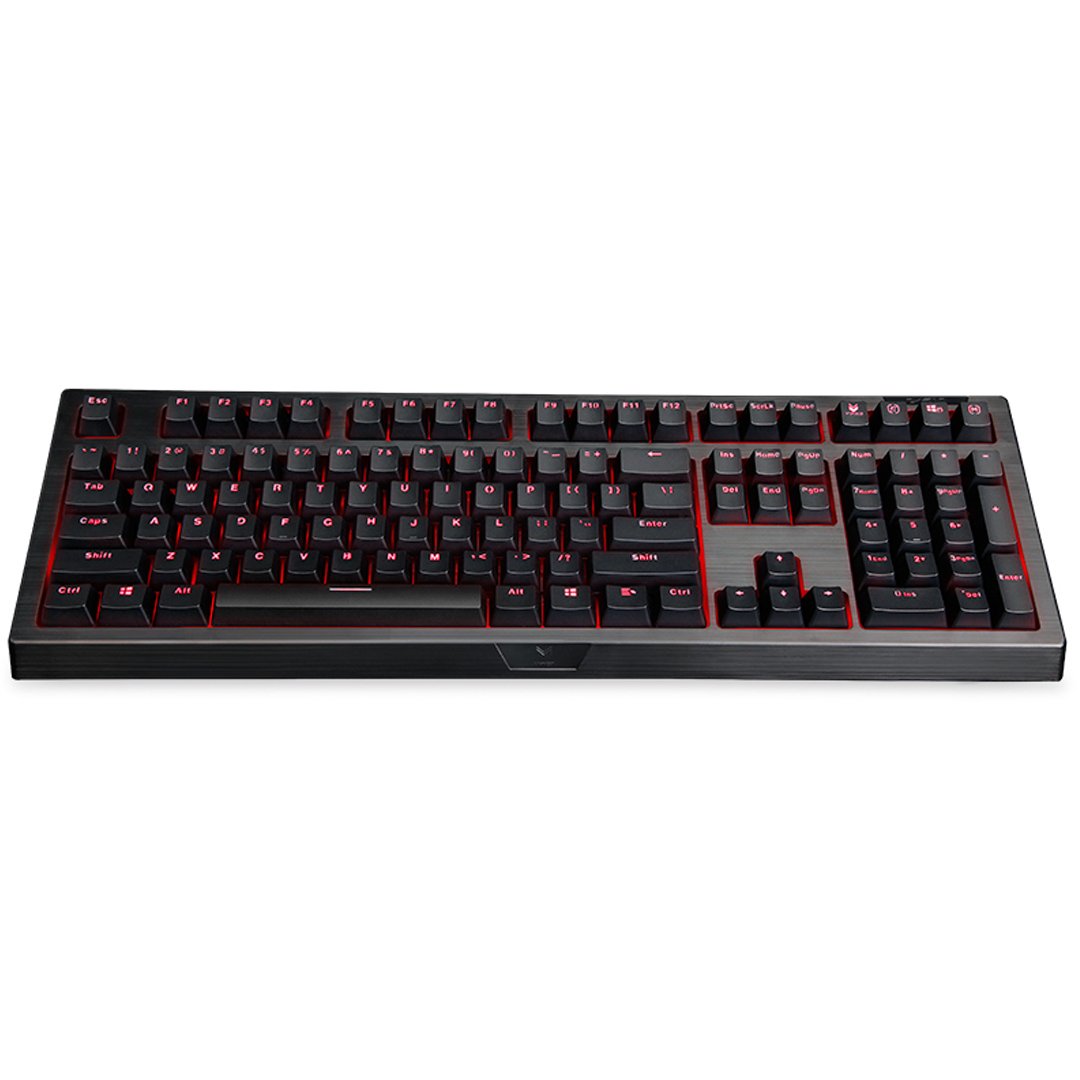
Kuva: Ylhäältä alas view of the Rapoo V510 keyboard, showcasing its full layout with red backlighting.
Näppäimistön käyttö
Tärkeimmät ominaisuudet
- Full Mechanical Keys: Experience high-speed response and tactile feedback with every keystroke.
- Kestävät kytkimet: Mechanical key switches are designed for a long lifespan, rated up to 60 million operations per key.
- Conflict-Free Design (Anti-Ghosting): Press multiple keys simultaneously without signal failure. This ensures every command is registered accurately, which is crucial for gaming.
- Gaming-Optimized Layout: The keyboard features a special key layout without a Windows key on the left side, preventing accidental interruptions during gameplay.
- Taustavalo: The keyboard includes backlighting for enhanced visibility in various lighting conditions.

Kuva: Lähikuva view highlighting the mechanical key switches of the Rapoo V510 keyboard.

Image: The Rapoo V510 keyboard with an icon indicating its conflict-free design, allowing multiple simultaneous key presses.

Image: The Rapoo V510 keyboard with certain keys highlighted, indicating its design for gamers.
Huolto
Näppäimistön puhdistus
Optimaalisen suorituskyvyn ja ulkonäön ylläpitämiseksi suositellaan säännöllistä puhdistusta.
- Irrota näppäimistö tietokoneesta ennen puhdistamista.
- Käytä pehmeää, nukkaamatonta liinaa hieman dampkastettu vedellä tai miedolla puhdistusliuoksella näppäinhattujen ja pinnan pyyhkimiseksi.
- Vältä voimakkaiden kemikaalien, hankaavien puhdistusaineiden tai liuottimien käyttöä.
- Käytä paineilmaa näppäinten välisten pölyn ja roskien poistamiseen.
Roiskeenkestävä muotoilu
The Rapoo V510 features a spill-resistant design to protect against accidental liquid spills. In case of a spill:
- Irrota näppäimistö välittömästi tietokoneesta.
- Invert the keyboard to drain any liquid.
- Wipe the surface thoroughly with a dry, clean cloth.
- Allow the keyboard to air dry completely before reconnecting it to your computer.

Image: The Rapoo V510 keyboard with an icon indicating its spill-resistant design.

Kuva: Lähikuva view of the Rapoo V510 key switches with water droplets, illustrating the keyboard's spill-resistant capabilities.
Vianetsintä
Näppäimistö ei vastaa
- Varmista, että USB-kaapeli on kytketty kunnolla sekä näppäimistöön että tietokoneen USB-porttiin.
- Kokeile kytkeä näppäimistö tietokoneen toiseen USB-porttiin.
- Restart your computer to refresh the USB connection.
- Testaa näppäimistöä toisella tietokoneella selvittääksesi, onko ongelma näppäimistössä vai alkuperäisessä tietokoneessa.
Avaimet eivät rekisteröidy tai näkyvät haamutilassa
- While the V510 has an anti-ghosting design, ensure no debris is lodged under the keycaps.
- Puhdista näppäimistö Huolto-osiossa kuvatulla tavalla.
- If specific keys are consistently failing, contact customer support for assistance.
Tekniset tiedot
| Merkki | Rapoo |
| Mallinumero | V510 |
| Väri | Musta |
| Yhteystekniikka | Langallinen |
| Näppäimistön kuvaus | Pelaaminen, Mekaaninen |
| Erikoisominaisuus | Backlit, Spill-resistant, Anti-ghosting |
| Tuotteen mitat (PxLxK) | 36.5 x 13.5 x 4.2 senttimetriä |
| Tuotteen paino | 940 g |
| Key Switch Life | Jopa 60 miljoonaa operaatiota |
| Yhteensopivat laitteet | Kannettava tietokone, pöytätietokone |
| Käyttöjärjestelmän tuki | Windows 98SE/ME/2000/XP/Vista/Win7/Win8/Win10/MAC OS |
Takuutiedot
The Rapoo V510 Backlit Mechanical Gaming Keyboard comes with a 3 vuoden takuu ostopäivästä lukien. Tämä takuu kattaa valmistusvirheet ja takaa luotettavan suorituskyvyn normaalissa käytössä. Säilytä ostokuitti takuuvaatimuksia varten.

Image: A badge indicating a 3-year warranty for Rapoo products, along with customer support contact details.
Asiakastuki
For technical assistance, warranty claims, or any other inquiries regarding your Rapoo V510 keyboard, please contact our customer support team:
- Puhelin: +91-84678-77770
- Sähköposti: response.india@rapoo.com