1. Johdanto
This manual provides comprehensive instructions for the installation, operation, and maintenance of your WiZ Smart LED Ceiling Light, model WZ509089. Please read this manual carefully before using the product to ensure safe and efficient operation. Keep this manual for future reference.
2. Tuote ohiview
The WiZ Smart LED Ceiling Light WZ509089 is a versatile lighting solution offering advanced features for modern homes. It provides 2100 lumens of brightness and a wide spectrum of lighting options, including 64,000 shades of white (from 2200K warm white to 6500K cool white) and 16 million colors. This smart light integrates seamlessly with Wi-Fi networks, allowing control via the WiZ app, remote control, and voice commands through Amazon Alexa or Google Home.
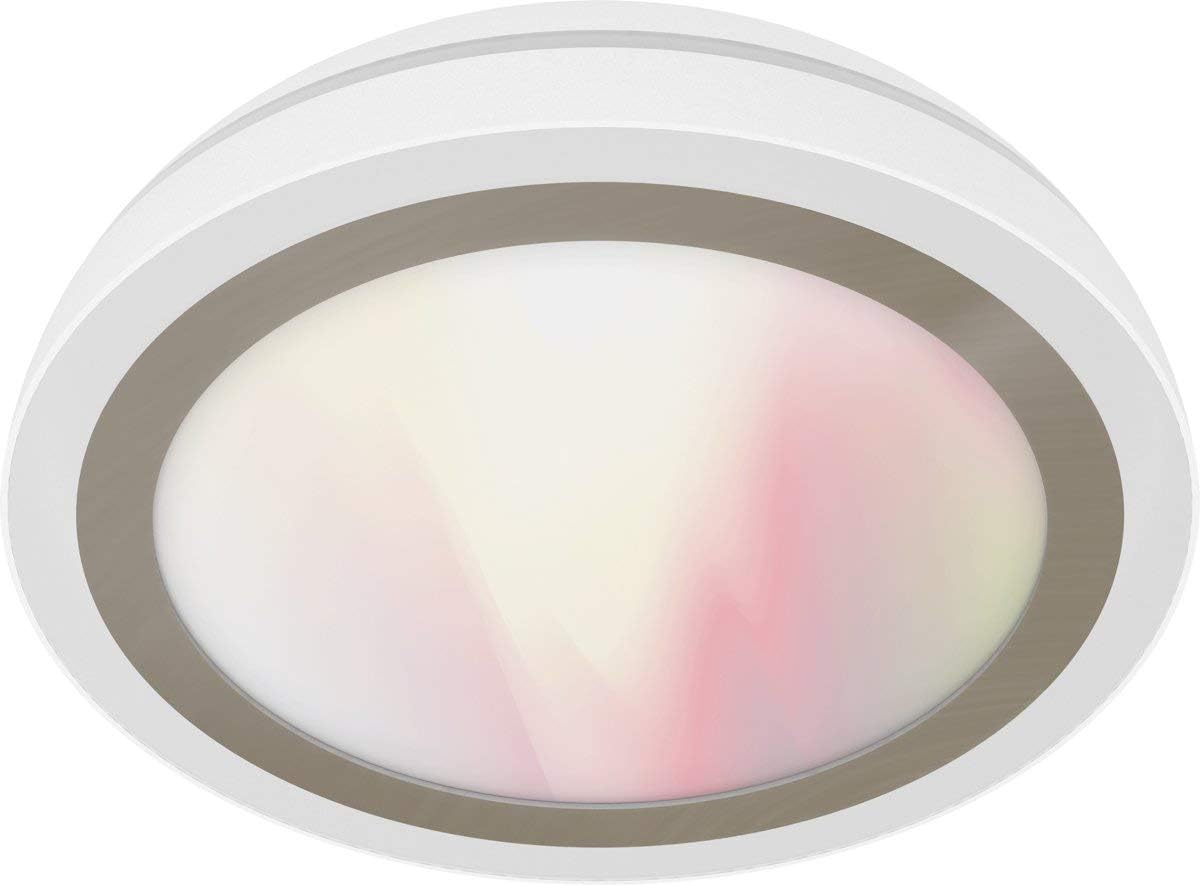
Figure 1: WiZ Smart LED Ceiling Light WZ509089. A white, circular WiZ Smart LED Ceiling Light, model WZ509089, with a translucent diffuser showing a soft gradient of white and pink light.
Tärkeimmät ominaisuudet:
- Himmennettävä valaistus: Säädä kirkkautta 1 %:sta 100 %:iin.
- Viritettävä valkoinen: Select from 64,000 shades of white light (2200K-6500K).
- Full Color Spectrum: Access 16 million colors for personalized ambiance.
- Älykäs ohjaus: Wi-Fi enabled for control via WiZ app (iOS/Android), IR remote control, Amazon Alexa, and Google Home.
- Napaa ei tarvita: Yhdistää suoraan olemassa olevaan Wi-Fi-verkkoosi.
- Dynaamiset valotilat: Pre-set modes for various activities and moods.
- Ajoitus: Program lighting schedules and presence modes.
3. Asennusohjeet
3.1. Asennus
- Turvallisuus ennen kaikkea: Before beginning installation, ensure the power supply to the ceiling fixture is turned off at the circuit breaker.
- Pura pakkauksesta: Carefully remove the WiZ Smart LED Ceiling Light from its packaging.
- Asennus:
- Attach the mounting bracket to the ceiling junction box using appropriate screws.
- Connect the electrical wires (Live, Neutral, Ground) from the ceiling to the corresponding wires on the light fixture. Ensure connections are secure.
- Kiinnitä valaisin kiinnitystelineeseen.
- Palauta virta: Once installed, restore power at the circuit breaker. The light should turn on, indicating it is ready for pairing.
3.2. Wi-Fi Pairing (WiZ App)
- Lataa sovellus: Download the WiZ app from the Apple App Store or Google Play Store.
- Luo tili: Open the app and create a new WiZ account or log in to an existing one.
- Lisää laite: Lisää uusi laite napauttamalla sovelluksessa "+"-kuvaketta.
- Valitse valotyyppi: Choose "Light" and follow the on-screen instructions.
- Pariliitostila: The light should be blinking, indicating it's in pairing mode. If not, turn the light off and on three times to activate pairing mode.
- Yhdistä Wi-Fi-verkkoon: The app will guide you to connect the light to your 2.4 GHz Wi-Fi network. Ensure your phone is also connected to the same network during setup.
- Täydellinen asennus: Once connected, you can name your light and assign it to a room.
4. Käyttöohjeet
4.1. WiZ App Control
The WiZ app provides full control over your light:
- Päällä/pois: Tap the light icon to turn it on or off.
- Kirkkaus: Use the slider to adjust brightness levels.
- Color/White Selection: Choose from the color wheel for 16 million colors or the white spectrum for various white shades.
- Tilat: Select from pre-set dynamic light modes (e.g., Cozy, Focus, Party).
- Aikataulut: Set timers for the light to turn on/off or change modes automatically.
- Energianvalvonta: Track energy consumption (if supported by the app version).
4.2. Remote Control (Sold Separately or Included)
If you have a WiZ remote control, you can perform basic functions:
- Päälle/pois-painike: Toggle power.
- Himmennyspainikkeet: Lisää tai vähennä kirkkautta.
- Kohtauspainikkeet: Cycle through pre-set scenes or favorite modes.
4.3. Ääniohjaus (Amazon Alexa / Google Home)
To enable voice control, link your WiZ account with your Amazon Alexa or Google Home app:
- Open Smart Home App: Avaa Amazon Alexa -sovellus tai Google Home -sovellus.
- Add Device/Skill:
- For Alexa: Go to "Skills & Games," search for "WiZ," and enable the skill.
- For Google Home: Go to "Set up device," then "Works with Google," and search for "WiZ."
- Linkitä tili: Follow the prompts to link your WiZ account.
- Tutustu laitteisiin: Ask Alexa or Google to "discover devices."
Kun linkitys on tehty, voit käyttää komentoja, kuten:
- "Alexa, laita [Valon nimi] päälle."
- "Hey Google, dim [Light Name] to 50%."
- "Alexa, set [Light Name] to blue."
- "Hey Google, change [Light Name] to warm white."
5. Huolto
The WiZ Smart LED Ceiling Light WZ509089 requires minimal maintenance.
- Puhdistus: Ensure the power is off before cleaning. Use a soft, dry cloth to wipe the surface of the light. Do not use abrasive cleaners or solvents, as they may damage the finish.
- Ei käyttäjän huollettavia osia: LED-komponentit ovat integroituja, eivätkä käyttäjä voi vaihtaa niitä. Älä yritä avata tai korjata valaisinta.
- Ohjelmistopäivitykset: Keep your WiZ app updated to ensure you have the latest features and security enhancements. The light's firmware may also update automatically via the app.
6. Vianmääritys
| Ongelma | Mahdollinen syy | Ratkaisu |
|---|---|---|
| Valo ei syty. | Ei virtaa; löysä johdotus; viallinen valaisin. | Check circuit breaker. Verify wiring connections. Contact customer support if issue persists. |
| Ei voi muodostaa yhteyttä Wi-Fi-verkkoon. | Incorrect Wi-Fi password; 5GHz network; light too far from router; light not in pairing mode. | Ensure 2.4GHz Wi-Fi. Re-enter password. Move light closer to router. Cycle power (off/on 3 times) to enter pairing mode. |
| Kaukosäädin ei toimi. | Batteries dead; remote not paired. | Replace batteries. Follow remote pairing instructions (refer to remote's manual). |
| Ääniohjaus ei reagoi. | WiZ account not linked; device not discovered; internet connection issue. | Verify WiZ skill/service is enabled and linked in Alexa/Google Home app. Ask to "discover devices." Check internet connection. |
7. Tuotteen tekniset tiedot
| Ominaisuus | Yksityiskohta |
|---|---|
| Merkki | WiZ |
| Mallinumero | WZ509089 |
| Valmistaja | Jedi |
| Valonlähteen tyyppi | LED |
| Valovirta | 2100 lumens (as per product title) |
| Värilämpötila | 2200K - 6500K (64,000 white shades) + 16 million colors |
| Wattage | 100 wattia |
| Hehkulamppuekvivalentti | 130 wattia |
| Voitage | 230 volttia |
| Materiaali | Akryyli |
| Väri | Valkoinen |
| Tuotteen mitat | 17 x 17 x 9 cm |
| Tuotteen paino | 1874 grammaa (1.87 kg) |
| Valvontamenetelmä | WiZ App, Remote Control, Voice (Alexa, Google Home) |
| Yhteydet | Wi-Fi (2.4 GHz) |
| Alueen valaistuksen luokitus | IP00 |
| CRI | 85 |
8. Takuu ja tuki
8.1. Takuutiedot
WiZ products are designed for reliability and performance. For specific warranty terms and conditions, please refer to the warranty card included with your product or visit the official WiZ websivusto. Säilytä ostokuitti takuuvaatimuksia varten.
8.2. Asiakastuki
If you encounter any issues not covered in this manual or require further assistance, please contact WiZ customer support. You can typically find contact information on the WiZ website or within the WiZ app.
- Online-tuki: Vierailla www.wizconnected.com/support (esimamplinkkiä, todellinen linkki voi vaihdella).
- Sovelluksen sisäinen tuki: Access support options directly through the WiZ app.


