Biconic Bluetooth Tough Weatherproof Portable Wireless Speaker User Manual
Model: ABC-AU-BS-103-BK
Merkki: Bytech
1. Tuote ohiview
The Biconic Bluetooth Tough Weatherproof Portable Wireless Speaker is designed for robust outdoor and indoor use, providing enhanced bass and clear audio. Its wireless capabilities allow for easy connection to various devices, and its durable, weatherproof construction ensures reliable performance in diverse environments.

Kuva 1.1: Etuosa view of the Biconic Bluetooth Speaker, showcasinsen kestävän rakenteen ja kaiutinritilän ansiosta.
Tärkeimmät ominaisuudet:
- Langaton yhteys: Seamless Bluetooth pairing with smartphones, tablets, and other compatible devices.
- Säänkestävä muotoilu: IPX6 water resistance protects against strong jets of water, making it suitable for outdoor use.
- Tehostettu basso: Delivers rich, deep bass for a superior audio experience.
- Kannettava: Compact design with a durable strap for easy transport.
- Pitkä peliaika: Up to 4 hours of continuous audio playback on a single charge.
2. Turvallisuustiedot
Lue kaikki turvallisuusvaroitukset ja ohjeet huolellisesti ennen tuotteen käyttöä varmistaaksesi turvallisen käytön ja estääksesi vaurioita.
- Älä altista kaiutinta äärimmäisille lämpötiloille (kuumille tai kylmille).
- Do not immerse the speaker in water. While it is IPX6 water resistant, it is not designed for submersion.
- Keep the speaker away from direct heat sources, open flames, and flammable liquids.
- Use only the provided charging cable and a compatible power adapter (5V/1A recommended) to charge the device.
- Do not attempt to disassemble, repair, or modify the speaker. This will void the warranty and may cause harm.
- Pidä poissa lasten ulottuvilta.
- Puhdista kaiutin pehmeällä, kuivalla liinalla. Älä käytä hankaavia puhdistusaineita tai liuottimia.
3. Pakkauksen sisältö
Varmista, että pakkauksessa on kaikki tarvittavat osat purettaessa:
- Biconic Bluetooth Tough Weatherproof Portable Wireless Speaker
- USB-latauskaapeli
- Käyttöopas (tämä asiakirja)
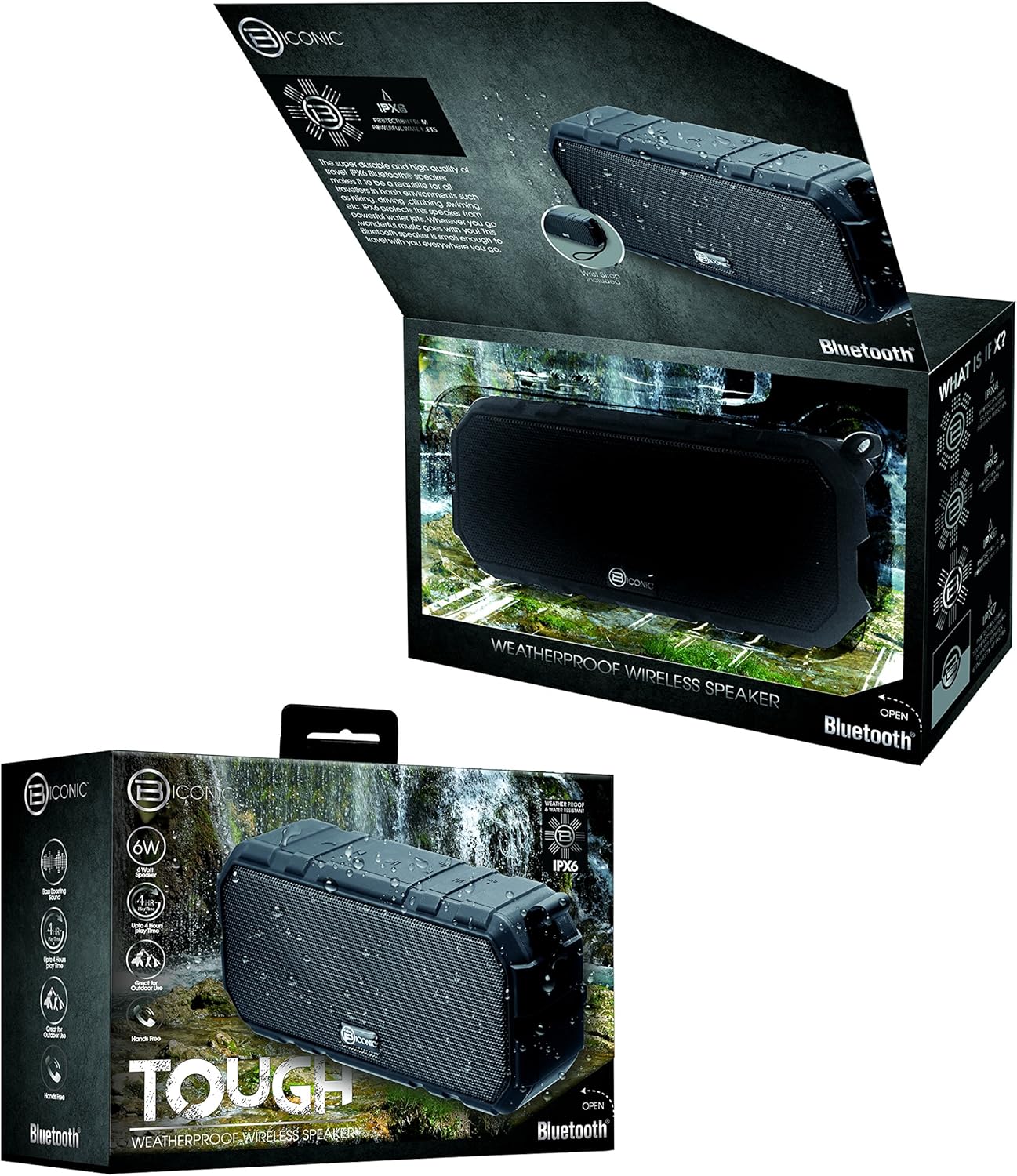
Figure 3.1: The Biconic Bluetooth Speaker shown with its retail packaging, indicating typical package contents.
4. Asennus
4.1 Kaiuttimen lataaminen
- Locate the charging port on the side of the speaker. This port is typically protected by a rubber flap to maintain water resistance.
- Avaa kumiläppä.
- Liitä mukana toimitetun USB-latauskaapelin pienempi pää kaiuttimen latausporttiin.
- Liitä USB-kaapelin suurempi pää USB-virtalähteeseen (esim. tietokoneen USB-porttiin tai USB-seinäsovittimeen).
- Latauksen merkkivalo syttyy, yleensä punaisena, osoittaen, että kaiutin latautuu.
- Once fully charged (approximately 2-3 hours), the indicator light will change color (e.g., turn off or turn blue/green). Disconnect the charging cable and close the rubber flap securely to maintain water resistance.
4.2 Virran kytkeminen päälle/pois
- Virran kytkeminen: Press and hold the Power button (usually marked with a power symbol) for a few seconds until you hear an audible tone or see an indicator light illuminate.
- Virran sammuttaminen: Press and hold the Power button again for a few seconds until you hear an audible tone or the indicator light turns off.
5. Käyttöohjeet
5.1 Bluetooth -pariliitos
Before first use, you need to pair the speaker with your Bluetooth-enabled device.
- Ensure the speaker is fully charged and powered on. It will automatically enter pairing mode, indicated by a flashing blue LED light.
- On your smartphone, tablet, or other Bluetooth device, go to the Bluetooth settings menu.
- Ota Bluetooth käyttöön, jos se ei ole jo käytössä.
- Scan for available devices. You should see "Biconic Speaker" or a similar name appear in the list.
- Select "Biconic Speaker" to connect. Once successfully paired, you will hear a confirmation tone, and the blue LED light on the speaker will stop flashing and remain solid.
- Jos salasanaa pyydetään, kirjoita "0000".
- Kaiutin muodostaa automaattisesti yhteyden uudelleen viimeksi pariliitettyyn laitteeseen virran kytkemisen jälkeen, jos laite on kantaman sisällä ja Bluetooth on käytössä.
5.2 Musiikin toisto
Once paired, you can control music playback directly from your connected device or using the speaker's controls.
- Toista/tauko: Press the Play/Pause button (often marked with a triangle or || symbol) once to play or pause music.
- Ääni kovemmalle: Press the Volume Up button (+) to increase the volume.
- Äänenvoimakkuutta pienemmälle: Press the Volume Down button (-) to decrease the volume.
- Seuraava kappale: Press and hold the Volume Up button (+) for a few seconds to skip to the next track.
- Edellinen kappale: Press and hold the Volume Down button (-) for a few seconds to go to the previous track.

Kuva 5.1: Yläosa view of the Biconic Bluetooth Speaker, highlighting the control buttons for power, volume, and playback.
5.3 Answering Calls (Hands-Free Function)
The speaker supports hands-free calling when connected to a smartphone.
- Vastaa puheluun: Kun puhelu saapuu, vastaa painamalla Toista/Tauko-painiketta kerran.
- Lopeta puhelu: Puhelun aikana voit lopettaa puhelun painamalla Toista/Tauko-painiketta kerran.
- Hylkää puhelu: Hylkää saapuva puhelu painamalla Toista/Tauko-painiketta muutaman sekunnin ajan.
6. Huolto
Asianmukainen huolto varmistaa kaiuttimen pitkän käyttöiän ja optimaalisen suorituskyvyn.
- Puhdistus: Pyyhi kaiutin pehmeällä, damp cloth. Do not use harsh chemicals, solvents, or abrasive cleaners. Ensure the charging port flap is closed before cleaning with a damp kangas.
- Varastointi: Säilytä kaiutinta viileässä, kuivassa paikassa, poissa suorasta auringonvalosta ja äärimmäisistä lämpötiloista, kun sitä ei käytetä pitkään aikaan.
- Akun hoito: To preserve battery life, fully charge the speaker before storing it for long periods. Recharge every 3-6 months if not used regularly.
- Vedenkestävyys: Always ensure the rubber flap covering the charging port is securely closed to maintain the IPX6 water resistance rating.

Figure 6.1: The Biconic Bluetooth Speaker demonstrating its water-resistant capabilities, highlighting the importance of proper sealing for maintenance.
7. Vianmääritys
| Ongelma | Mahdollinen syy | Ratkaisu |
|---|---|---|
| Kaiutin ei käynnisty. | Akku on tyhjä. | Lataa kaiutin täyteen. |
| Ei voi muodostaa pariliitosta Bluetooth-laitteen kanssa. | Bluetooth is off on your device; speaker is not in pairing mode; device is too far. | Ensure Bluetooth is enabled on your device. Power off and on the speaker to re-enter pairing mode. Move device closer to the speaker (within 10 meters). Forget the device on your phone and try pairing again. |
| Ei ääntä tai äänenvoimakkuus on alhainen. | Kaiuttimen tai laitteen äänenvoimakkuus on liian alhainen; kaiutinta ei ole kytketty. | Increase volume on both the speaker and your connected device. Ensure the speaker is properly paired and connected. |
| Äänen vääristymä. | Volume too high; interference; low battery. | Reduce volume. Move speaker away from other electronic devices. Charge the speaker. |
8. Tekniset tiedot
| Ominaisuus | Yksityiskohta |
|---|---|
| Mallinumero | ABC-AU-BS-103-BK |
| Merkki | Bytech |
| Yhteystekniikka | Bluetooth |
| Kaiuttimen suurin lähtöteho | 3 wattia |
| Äänilähtötila | Stereot |
| Vedenkestävyysluokitus | IPX6 (Water resistant, not submersible) |
| Akun tyyppi | 1 litiumioniakku (vaaditaan) |
| Peliaika | Jopa 4 tuntia |
| Tuotteen mitat | 2.54 x 2.54 x 2.54 cm |
| Tuotteen paino | 522 g |
| Asennustyyppi | Pöytälevy |
9. Takuu ja tuki
For warranty information and technical support, please contact Bytech customer service. Details are typically provided on the product packaging or the official Bytech websivusto.
Säilytä ostokuittisi mahdollisten takuuvaatimusten varalta.
Huomautus: Takuuehdot voivat vaihdella alueittain.


