1. Johdanto
The UGREEN Mini DisplayPort to HDMI VGA Adapter (Model 10427) is designed to connect devices equipped with a Mini DisplayPort (Mini DP) or Thunderbolt 1/2 output to an external display, monitor, HDTV, or projector via either an HDMI or VGA port. This adapter facilitates high-definition video and audio transmission (via HDMI) for an enhanced viewkokemusta.
2. Turvallisuustiedot
- Porttien yhteensopivuus: Before connecting, please confirm that the port on your laptop or source device is a Mini DisplayPort, Mini DP, Thunderbolt (1st Gen), or Thunderbolt 2. This adapter is EI compatible with Thunderbolt 3 or Thunderbolt 4 ports.
- Samanaikainen lähtö: The HDMI and VGA ports on this adapter cannot be used simultaneously. Only one display output (either HDMI or VGA) can be active at a time.
- Käsittely: Handle the adapter with care. Avoid excessive force when connecting or disconnecting cables.
- Ympäristö: Do not expose the adapter to extreme temperatures, humidity, or direct sunlight. Keep it away from liquids.
3. Pakkauksen sisältö
Varmista, että pakkauksessasi on kaikki tarvittavat osat:
- 1 x UGREEN Mini DisplayPort to HDMI VGA Adapter
- 1 x Käyttöohje
4. Tuote ohiview
The UGREEN Mini DisplayPort to HDMI VGA Adapter is a compact and versatile solution for connecting your Mini DP enabled devices to various display types. It features a Mini DisplayPort input and separate HDMI and VGA output ports.

Image: The UGREEN Mini DisplayPort to HDMI VGA Adapter, showing its Mini DP input, HDMI output, and VGA output ports. It is connected to a laptop, with external HDMI and VGA cables shown.
Tärkeimmät ominaisuudet:
- Kaksoislähtövaihtoehdot: Provides both HDMI and VGA output ports for broad compatibility with various displays.
- Korkean resoluution tuki: Supports resolutions up to 4K@30Hz via HDMI and 1080P@60Hz via VGA.
- Kullattu liitin: Features a 24K gold-plated Mini DisplayPort connector for enhanced signal transmission and durability.
- Kestävä kaapeli: Equipped with a flexible PVC cable for longevity and ease of use.
- Advanced Chipsets: Incorporates dual advanced chipsets for stable transmission and anti-jamming capabilities.
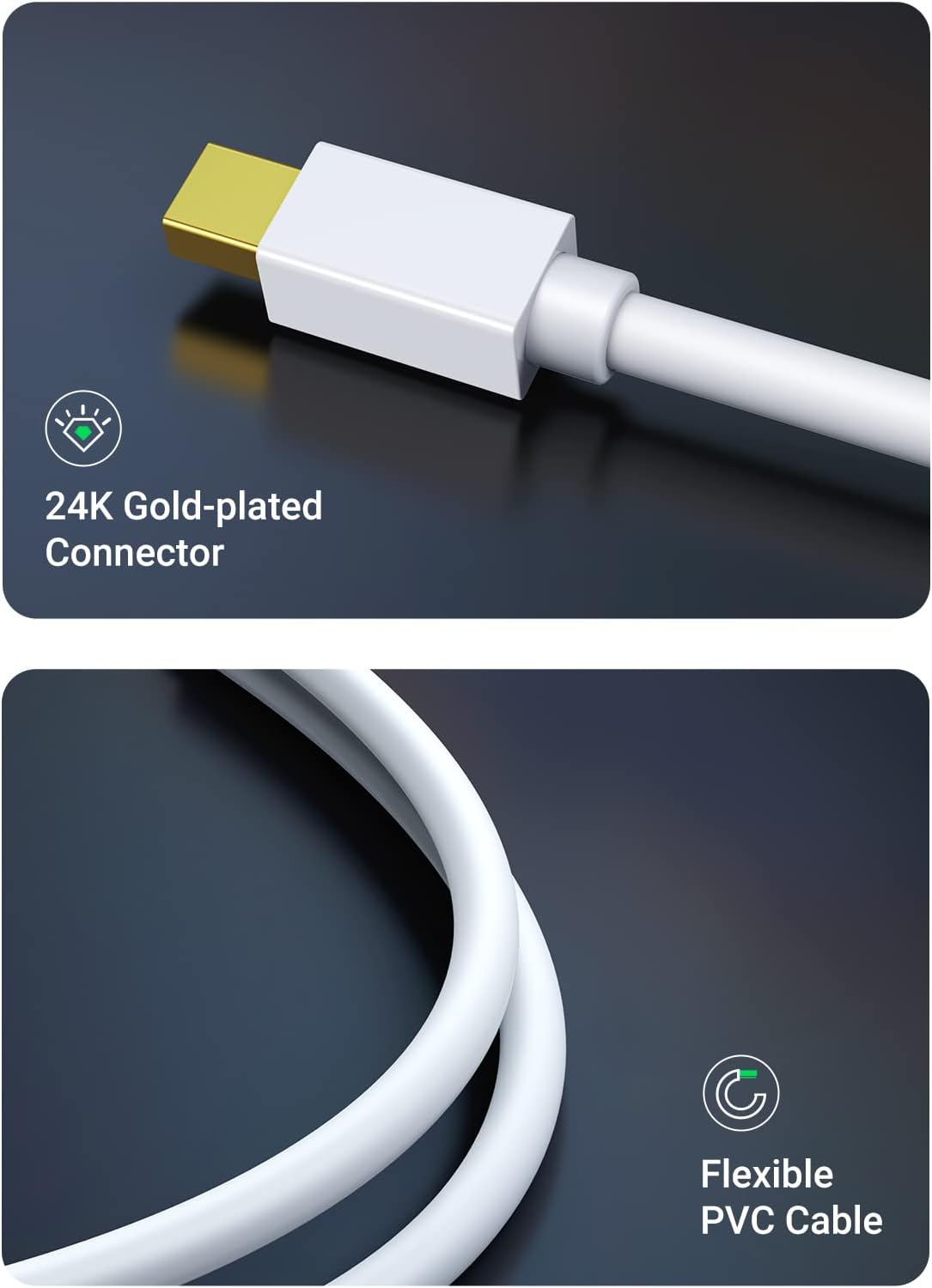
Kuva: Yksityiskohtainen view of the adapter's 24K gold-plated Mini DisplayPort connector and the flexible PVC cable, highlighting its construction quality.
5. Asennusohjeet
Liitä laite ulkoiseen näyttöön seuraavasti:
- Connect the Adapter to Source Device: Plug the Mini DisplayPort connector of the UGREEN adapter into the Mini DisplayPort or Thunderbolt 1/2 port on your laptop or source device.
- Yhdistä näyttöön:
- For HDMI Display: Connect an HDMI cable (not included) from your display to the HDMI port on the UGREEN adapter.
- For VGA Display: Connect a VGA cable (not included) from your display to the VGA port on the UGREEN adapter.
Important: Only one output (HDMI or VGA) can be used at a time. Connecting both will not result in dual display output.
- Käynnistettävät laitteet: Ensure both your source device and the external display are powered on.
- Määritä näyttöasetukset: Your operating system should automatically detect the external display. If not, you may need to manually configure display settings in your computer's system preferences (e.g., System Preferences > Displays on macOS, or Display Settings on Windows).

Image: A visual representation of the adapter's broad compatibility, illustrating connections from Mini DP source devices like MacBooks and Surface Pro to HDMI/VGA displays, monitors, and projectors.
6. Käyttöohjeet
Once connected, you can configure your display setup for various uses:
Näyttötilat:
- Peilitila: Duplicates your primary screen onto the external display. This is ideal for presentations or sharing content with an audience.
- Laajenna tila: Extends your desktop across both screens, allowing you to have more workspace. This is useful for multitasking, such as having different applications open on each display.
You can switch between these modes through your computer's display settings.

Image: A laptop connected to an external monitor, illustrating the visual difference between Extend Mode (desktop spread across two screens) and Mirror Mode (same content on both screens).
Audio Transmission (HDMI Only):
When using the HDMI output, the adapter transmits both video and audio signals. For VGA output, audio must be transmitted separately as VGA is a video-only interface.

Image: A laptop connected to a projector using the UGREEN adapter, demonstrating its use as an ideal projector assistant for presentations.
7. Vianmääritys
Jos kohtaat ongelmia, tutustu seuraaviin yleisiin ratkaisuihin:
- Ei näyttöä/signaalia:
- Ensure the Mini DisplayPort connector is fully inserted into your source device.
- Verify that the HDMI or VGA cable is securely connected to both the adapter and the display.
- Check that the correct input source is selected on your external display (e.g., HDMI 1, VGA).
- Restart your computer and external display.
- Try connecting the adapter to a different Mini DisplayPort on your source device, if available.
- HDMI and VGA Not Working Simultaneously: This adapter is designed to support only one output (HDMI or VGA) at a time. It does not support simultaneous dual display output.
- Ratkaisuongelmat:
- Ensure your display and cables support the desired resolution.
- Adjust the display resolution in your computer's system settings.
- For optimal performance, use high-quality HDMI or VGA cables.
- No Audio (HDMI):
- Check your computer's sound settings to ensure the HDMI output is selected as the default audio device.
- Verify that your HDMI display has built-in speakers or is connected to external audio.
- Välkkyvä tai epävakaa näyttö:
- Varmista, että kaikki liitännät ovat tukevat.
- Try a different HDMI or VGA cable.
- Pienennä näytön resoluutiota ja katso, jatkuuko ongelma.
8. Tekniset tiedot
| Ominaisuus | Erittely |
|---|---|
| Mallinumero | 10427 |
| Syöte | Mini DisplayPort (Mini DP), Thunderbolt 1/2 |
| Lähtö | HDMI, VGA (one at a time) |
| HDMI Resolution Support | Up to 4K@30Hz, 2560x1440@60Hz, 1920x1080@144Hz |
| VGA Resolution Support | Up to 1920x1200@60Hz, 1080P@60Hz (Full HD) |
| Äänen tuki | Vain HDMI |
| Väri | Valkoinen |
| Tuotteen mitat | 8 x 8 x 8 tuumaa (arvio, perustuu tuotetietoihin) |
| Tuotteen paino | 2.01 unssia |
| Yhteensopivat laitteet | 2015 and before MacBook Pro, Mac Pro, iMac, Mac mini, MacBook Pro Retina; 2017 and before MacBook Air; Microsoft Surface Pro 1/2/3/4/6, Surface Book, Surface Laptop 2, Surface Studio; Yoga, ThinkPad X1 Carbon, X230/X240s, L430/L440/L530/L540, T430/T440/T440s/T440p/T530/540p; Dell XPS 14/15/17 (before 2016); Alienware 14/17/18; Acer Aspire R7/S7/V5/V7; Intel NUC; Asus Zenbook. Ei tue: Surface Pro 7/Surface Book 2/Surface Studio 2, Thunderbolt 3/4. |

Image: A graphic demonstrating the high-resolution support of the adapter, showing 1080P@60Hz for VGA and 4K@30Hz for HDMI.
9. Huolto
- Puhdistus: Puhdista sovitin pehmeällä, kuivalla liinalla. Älä käytä nestemäisiä puhdistusaineita tai aerosoleja.
- Varastointi: Store the adapter in a cool, dry place when not in use. Avoid bending the cable sharply.
- Suojaus: Protect the connectors from dust and debris by using caps if available.
10. Takuu ja tuki
UGREEN products are designed to provide reliable performance. For warranty information or technical support, please refer to the warranty card included with your product or visit the official UGREEN website. You may also contact UGREEN customer service directly for assistance with product setup, operation, or troubleshooting.
UGREEN-virallinen Websivusto: www.ugreen.com


