Johdanto
This manual provides comprehensive instructions for the operation and maintenance of your new Sharp Aquos LCD TV Remote Control, model RRMCGA535WJSA. This genuine Sharp remote transmitter is designed to provide seamless control over your compatible Sharp Aquos LCD TV models. Please read this manual thoroughly before use to ensure proper functionality and to maximize your viewkokemusta.
Turvallisuustiedot
Noudata seuraavia turvaohjeita:
- Älä altista kaukosäädintä suoralle auringonvalolle, korkealle kosteudelle tai äärimmäisille lämpötiloille.
- Vältä kaukosäätimen pudottamista tai sen altistamista voimakkaille iskuille.
- Älä yritä purkaa tai muokata kaukosäädintä. Tämä voi mitätöidä takuun ja aiheuttaa vahinkoa.
- Pidä paristot poissa lasten ulottuvilta. Jos ainetta on nielty, hakeudu välittömästi lääkärin hoitoon.
- Hävitä käytetyt paristot paikallisten määräysten mukaisesti. Älä polta.
Pakkauksen sisältö
Varmista, että pakkauksessa on kaikki tarvittavat osat:
- Sharp Aquos LCD TV Remote Control (Model: RRMCGA535WJSA)
- Käyttöohje (tämä asiakirja)
Huomautus: Paristot eivät yleensä sisälly toimitukseen, ja ne on ostettava erikseen.
Tuote loppuview
Tutustu kaukosäätimen painikkeisiin ja ominaisuuksiin.

Kuva 1: Etuosa View kaukosäätimestä
This image displays the front of the Sharp Aquos remote control, showing all primary buttons including power, input selection, channel, volume, numeric keypad, and navigation controls. The Sharp and Aquos logos are visible at the bottom.
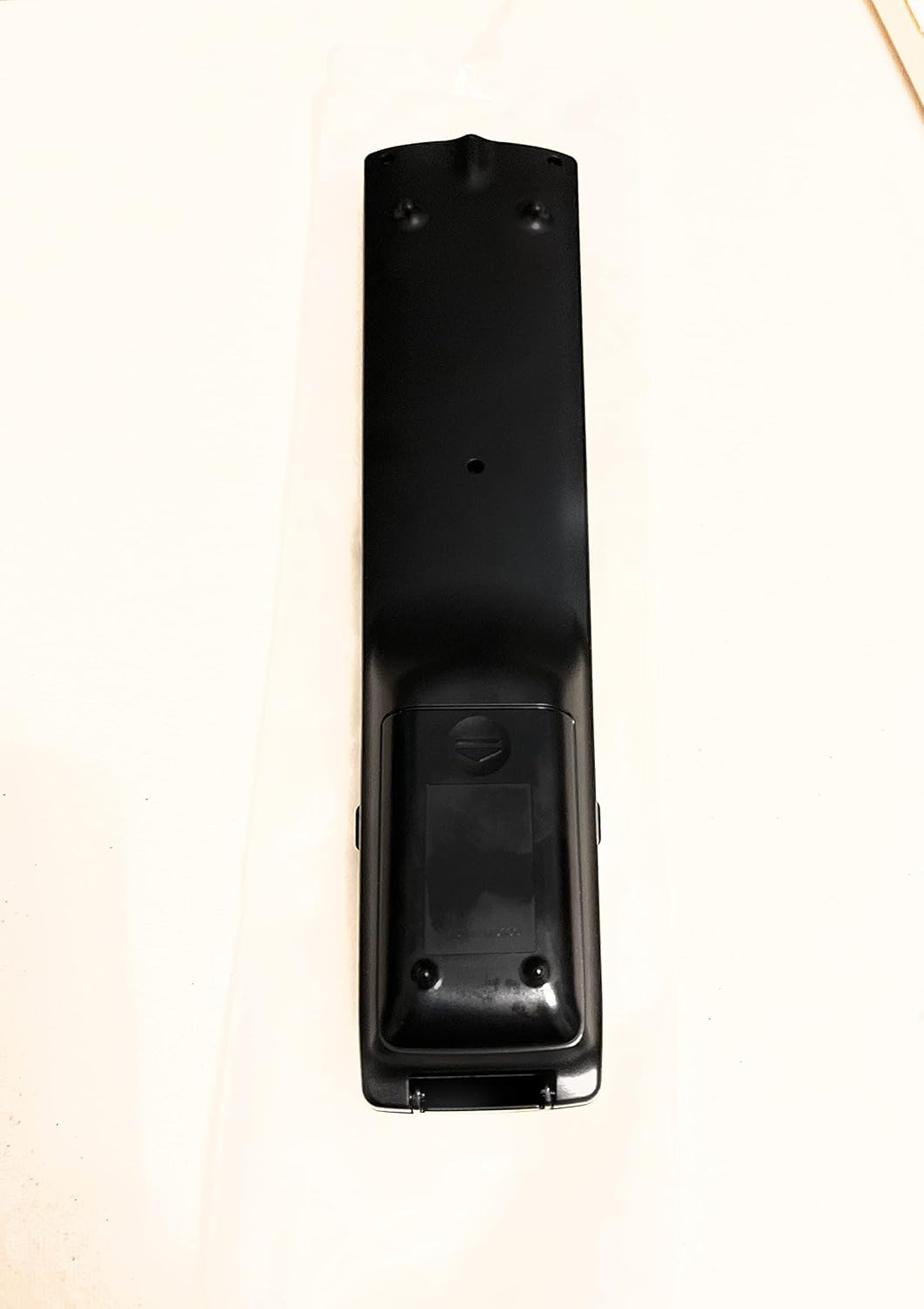
Kuva 2: Takaosa View kaukosäätimestä
This image shows the rear side of the Sharp Aquos remote control, highlighting the smooth, ergonomic design and the battery compartment cover.

Figure 3: Remote Control with Battery Compartment Open
This image illustrates the Sharp Aquos remote control with its battery compartment cover slid open, revealing the space for battery insertion.

Figure 4: Close-up of Hidden Panel
This close-up image shows the lower section of the Sharp Aquos remote control with its hinged panel opened, revealing additional function buttons such as SLEEP, AUDIO, AV MODE, and CC (Closed Caption).
Painikkeiden toiminnot:
| Painike | Toiminto |
|---|---|
| POWER | Kytkee television päälle tai pois päältä. |
| INPUT / SOURCE | Selects the input source (e.g., HDMI, AV, Component). |
| CH +/- | Vaihtaa TV-kanavaa ylös tai alas. |
| VOL +/- | Säätää äänenvoimakkuutta. |
| MYKISTÄ | Mykistää tai poistaa television äänen mykistyksen. |
| MENU | Avaa television näyttövalikon. |
| ENTER | Confirms selections within the menu. |
| Navigointinuolet (ylös/alas/vasemmalle/oikealle) | Navigoi valikkovaihtoehtojen välillä. |
| EXIT / RETURN | Poistuu nykyisestä valikosta tai palaa edelliseen näyttöön. |
| Numeerinen näppäimistö (0-9) | Syöttää kanavanumerot suoraan. |
| NUKKUA (under hidden panel) | Sets the TV to turn off automatically after a set period. |
| AUDIO (under hidden panel) | Valitsee äänitiloja tai kappaleita. |
| AV-TILA (under hidden panel) | Adjusts picture and sound settings for different content types. |
| Tekstitys (CC) (under hidden panel) | Turns closed captions on or off. |
Asennus
Akun asennus:
- Paikanna kaukosäätimen takaosasta paristolokero (katso kuva 2).
- Slide the battery compartment cover downwards to open it (refer to Figure 3).
- Insert two (2) AAA batteries (not included), ensuring the positive (+) and negative (-) terminals align correctly with the indicators inside the compartment.
- Liu'uta paristolokeron kansi takaisin paikalleen, kunnes se napsahtaa tukevasti.
Huomautus: Käytä aina saman tyyppisiä uusia paristoja. Älä sekoita vanhoja ja uusia paristoja tai erityyppisiä paristoja.
Käyttöohjeet
Peruskäyttö:
- Virta päälle/pois: Paina POWER button to turn your Sharp Aquos TV on or off.
- Äänenvoimakkuuden säätö: Paina VOL+ painiketta äänenvoimakkuuden lisäämiseksi ja ÄÄNENVOIMAKKUUS - äänenvoimakkuuden vähentämiseksi.
- Kanavan valinta: Käytä CH + or CH - buttons to change channels sequentially. Alternatively, use the numeric keypad to directly enter a channel number.
- Tulolähteen valinta: Paina INPUT or LÄHDE button to cycle through available input sources (e.g., HDMI 1, HDMI 2, AV, Component).
- Mykistä: Paina MYKISTÄ -painiketta mykistääksesi television äänen tilapäisesti. Palauta ääni painamalla uudelleen.
Valikon navigointi:
- Paina MENU button to display the TV's on-screen menu.
- Käytä Navigointinuolet (Up, Down, Left, Right) to move through menu options.
- Paina ENTER button to select a highlighted option or confirm a setting.
- Paina EXIT or PALATA button to close the menu or go back to the previous menu level.
Advanced Functions (Hidden Panel):
Some advanced functions are located under a hinged panel at the bottom of the remote control (refer to Figure 4). Gently open this panel to access buttons such as:
- NUKKUA: Asettaa ajastimen, jolloin televisio sammuu automaattisesti.
- AUDIO: Säätää ääniasetuksia tai valitsee ääniraitoja.
- AV-TILA: Cycles through preset picture and sound modes (e.g., Standard, Movie, Game).
- Tekstitys (CC): Ottaa tekstitykset käyttöön tai poistaa ne käytöstä.
Huolto
Puhdistus:
To clean the remote control, wipe it gently with a soft, dry cloth. Do not use liquid cleaners, abrasive cleaners, or chemical solvents, as these may damage the surface or internal components.
Akun vaihto:
Replace batteries when the remote control's response becomes sluggish or stops working. Follow the battery installation steps outlined in the "Setup" section. Always replace both batteries at the same time.
Vianetsintä
| Ongelma | Mahdollinen syy | Ratkaisu |
|---|---|---|
| Kaukosäädin ei toimi. | Tyhjät tai väärin asetetut paristot. | Vaihda paristot uusiin varmistaen oikean napaisuuden (+/-). |
| Kaukosäätimen kantama on huono. | Weak batteries; obstruction between remote and TV; infrared sensor on TV is blocked. | Replace batteries. Ensure no objects are blocking the line of sight between the remote and the TV's IR sensor. |
| Tietyt painikkeet eivät reagoi. | Dirt or debris under the button; internal malfunction. | Puhdista kaukosäädin. Jos ongelma jatkuu, kaukosäädin saattaa vaatia vaihtoa. |
| TV not responding to any remote commands. | TV is unplugged or turned off; TV's IR sensor is faulty. | Ensure the TV is powered on and plugged in. Test with another remote if available. Consult TV's manual for IR sensor location. |
Tekniset tiedot
| Ominaisuus | Yksityiskohta |
|---|---|
| Mallinumero | RRMCGA535WJSA |
| Merkki | Terävä |
| Yhteensopivat laitteet | Sharp Aquos LCD Televisions (various models, see product title for list) |
| Yhteystekniikka | Infrapuna (IR) |
| Virtalähde | 2 x AAA paristot (ei mukana) |
| Mitat (noin) | 8.8 x 2.4 x 0.9 tuumaa (pakkauksen mitat) |
| Paino (noin) | 4 unssia |
| Erikoisominaisuus | Ergonomic design, Hidden function panel |
Takuu ja tuki
Oikeudellinen vastuuvapauslauseke:
This item is provided in new condition. Please note that this item is offered "as is" as it is past its original manufacturer's warranty period. Any implied warranties are disclaimed to the fullest extent permitted by law.
Asiakastuki:
For further assistance or inquiries regarding your Sharp Aquos LCD TV, please refer to your television's original instruction manual or visit the official Sharp support website. For issues specifically with this replacement remote control, please contact the seller from whom it was purchased.


