Johdanto
This manual provides essential instructions for the setup, operation, and maintenance of your Logitech Stereo Headset H110. Please read this guide thoroughly before using the product to ensure optimal performance and longevity.
Pakkauksen sisältö
The Logitech Stereo Headset H110 package typically includes:
- Logitech Stereo Headset H110
- Käyttäjädokumentaatio (tämä käyttöohje)
Tuote loppuview
The Logitech Stereo Headset H110 is designed for clear audio communication and listening. It features a comfortable over-the-head design with an adjustable microphone.

Kuva 1: The Logitech Stereo Headset H110, showing the adjustable headband, earcups with foam padding, and the flexible microphone boom.
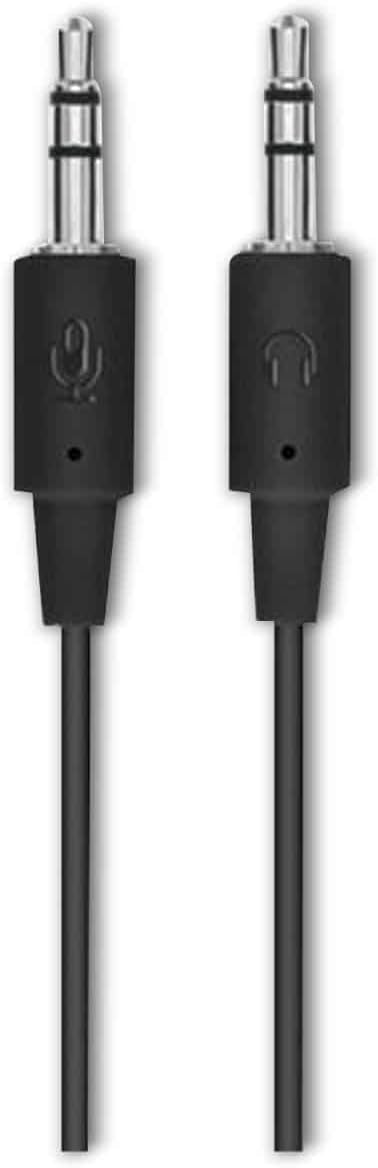
Kuva 2: The two 3.5mm audio jacks for the Logitech H110 headset. One jack is for audio output (headphones), and the other is for microphone input.
Asennus
- Liitä kuulokkeet:
The Logitech H110 headset uses two 3.5mm audio jacks. One jack is typically green for audio output (headphones), and the other is pink for microphone input. Connect the green jack to your computer's audio output port and the pink jack to your computer's microphone input port.
Huomautus: Some devices, such as laptops or smartphones, may use a single combined 3.5mm jack for both audio and microphone. An adapter (not included) may be required for compatibility with such devices.
- Kuulokkeiden säätäminen:
Adjust the headband for a comfortable fit on your head. The earcups should rest gently over your ears.
- Sijoita mikrofoni:
Position the flexible microphone boom so that the microphone is approximately 1-2 inches (2.5-5 cm) from your mouth for optimal voice clarity.
Käyttöohjeet
- Äänen toisto:
Once connected, your computer should automatically detect the headset as an audio output device. Play any audio (music, video, calls) to test the sound. Adjust the volume using your computer's system volume controls.
- Mikrofonin käyttö:
For voice communication (e.g., video calls, online gaming), ensure the headset microphone is selected as the input device in your computer's sound settings or within the application you are using. Speak clearly into the microphone.
Huolto
- Puhdistus:
Wipe the headset surfaces with a soft, dry cloth. Do not use liquid cleaners or abrasive materials. For the foam earpads, gently dab with a slightly damp liinalla tarvittaessa ja anna kuivua kokonaan ennen käyttöä.
- Varastointi:
Säilytä kuulokkeita puhtaassa, kuivassa paikassa, poissa äärimmäisistä lämpötiloista ja suorasta auringonvalosta. Vältä johdon sotkeutumista.
- Kaapelihuolto:
Do not pull on the cable to disconnect the headset. Always grasp the plug firmly. Avoid sharp bends or kinks in the cable to prevent internal damage.
Vianetsintä
| Ongelma | Mahdollinen ratkaisu |
|---|---|
| Kuulokkeista ei kuulu ääntä |
|
| Mikrofoni ei toimi |
|
| Huono äänenlaatu |
|
Tekniset tiedot
- Malli: H110
- Osanumero (P/N): 981-000271
- Liitettävyys: Dual 3.5mm audio jacks (one for audio, one for microphone)
- Mitat (K x L x S): Noin 5.91 x 2.36 x 0.79 tuumaa (15 x 6 x 2 cm)
- Paino: Noin 5.3 unssia (150 grammaa)
- Mikrofoni: Adjustable, noise-cancelling (typical for basic headsets)
- Korvakupit: Foam padded
Takuu ja tuki
Specific warranty information for the Logitech Stereo Headset H110 is typically provided with the product packaging or available on the official Logitech website. For technical support, product registration, or further assistance, please visit the official Logitech support page:
Huomautus: Warranty terms and conditions may vary by region and purchase date. Please retain your proof of purchase for warranty claims.


