Johdanto
The Pioneer Elite SC-07 is a high-performance 7.1 channel A/V receiver designed to integrate various audio and video components into a unified home entertainment system. It features advanced amplification, sound processing, and connectivity options to deliver an immersive audio-visual experience.
Keskeisiä ominaisuuksia ovat:
- 140W x 7 Direct Energy HD Amplifikaatio: Provides robust power output for clear and dynamic sound across all channels.
- Advanced Sound Processing: Incorporates Freescale Dual Core DSP and Freescale DSP Engines for precise audio rendering.
- Multi-Channel Acoustic Calibration System (MCACC): Automatically optimizes audio settings for your specific room environment.
- HDMI-liitännät: Multiple HDMI inputs for high-quality digital audio and video connections.
- Faroudja 1080p Video Scaler: Upscales video signals to 1080p for enhanced picture quality.
- Neural-THX Surround: Supports advanced surround sound formats for a cinematic experience.
Asennus
1. Pakkauksen purkaminen ja sijoittaminen
Carefully remove the receiver from its packaging. Place the unit on a stable, level surface with adequate ventilation. Ensure there is sufficient space around the receiver for airflow to prevent overheating.
2. Kaiuttimien kytkeminen
Connect your speakers to the corresponding speaker terminals on the rear panel of the receiver. Ensure correct polarity (+ to + and - to -) for each speaker. The SC-07 supports a 7.1 channel configuration.

Kuva 1: Rear panel connections of the Pioneer Elite SC-07 receiver. This image illustrates the various input and output ports, including speaker terminals, HDMI inputs, and analog audio/video connections, which are essential for connecting external devices and speakers.
- Etukaiuttimet: Liitä FRONT L/R -liittimiin.
- Keskikaiutin: Liitä CENTER-liittimeen.
- Surround-kaiuttimet: Liitä SURROUND L/R -liittimiin.
- Surround-takakaiuttimet: Connect to the SURROUND BACK L/R terminals for 7.1 channel setup.
- subwoofer: Connect to the SUBWOOFER PRE OUT terminal using an RCA cable.
3. Connecting Audio/Video Components
Use HDMI cables for connecting devices like Blu-ray players, game consoles, and set-top boxes to the HDMI IN ports. For older devices, use component video, composite video, or optical/coaxial digital audio connections as appropriate.
- HDMI: Connect HDMI OUT from your source devices to HDMI IN on the receiver. Connect the receiver's HDMI OUT to your TV or projector's HDMI IN.
- Analoginen ääni: For devices with RCA stereo outputs, connect to the corresponding analog audio input jacks.
- Digitaalinen ääni: For devices with optical or coaxial digital outputs, connect to the DIGITAL IN (OPTICAL/COAXIAL) jacks.
4. Virtaliitäntä
Once all audio/video and speaker connections are made, plug the receiver's power cord into a wall outlet.
Käyttöohjeet
1. Initial Power On and Basic Functions
Paina STANDBY/ON button on the front panel or the remote control to power on the receiver. The display will illuminate.
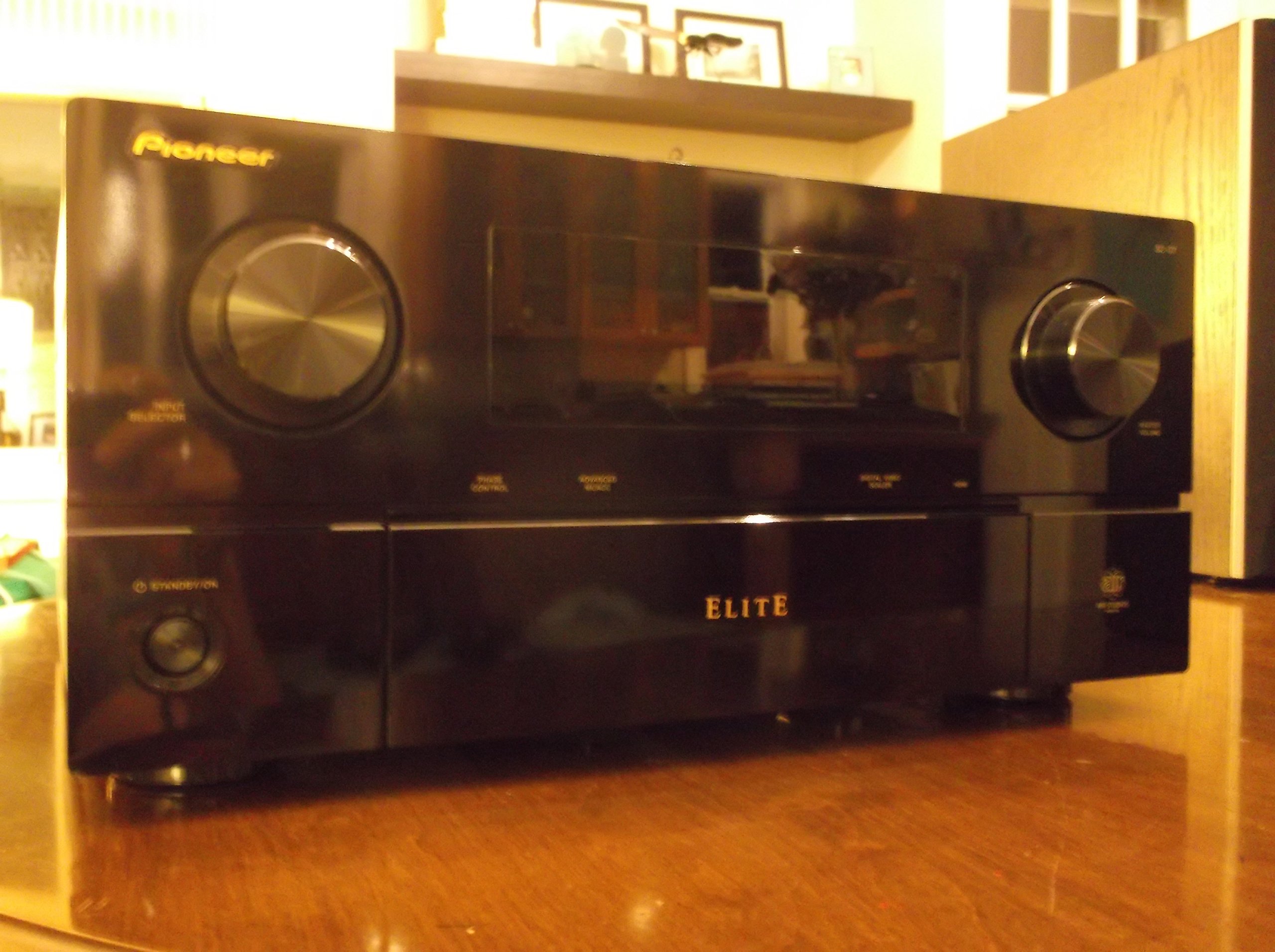
Kuva 2: Front panel of the Pioneer Elite SC-07 receiver and its remote control. This image highlights the main controls such as the input selector, master volume, and the central display, along with the remote for convenient operation.
- Tulon valinta: Käytä TULONVALITSIN knob on the front panel or the input buttons on the remote control to choose your desired audio/video source (e.g., BD/DVD, TV/SAT, CD).
- Äänenvoimakkuuden säätö: Säädä äänenvoimakkuutta PÄÄ-ÄÄNENVOIMAKKUUS etupaneelin nuppia tai ÄÄNENVOIMAKKUUS +/- kaukosäätimen painikkeita.
- Äänitilat: Paina SURROUND or EDISTYKSELLINEN SURROUND-ÄÄNI buttons on the remote to cycle through various listening modes (e.g., Stereo, Dolby Digital, DTS, THX).
2. Advanced MCACC Calibration
The Advanced Multi-Channel Acoustic Calibration System (MCACC) automatically measures your room's acoustic characteristics and optimizes the sound settings for your speaker setup. This process involves using a supplied microphone.
- Connect the supplied MCACC microphone to the ASETUKSET MIC liitin etupaneelissa.
- Place the microphone at your primary listening position, ideally at ear level.
- Follow the on-screen instructions (if connected to a display) or the front panel display prompts to start the MCACC calibration process.
- The receiver will emit test tones from each speaker to measure distance, level, and equalization.
- Once complete, save the settings. Remove the microphone.
3. Network Features (if applicable)
If your SC-07 model includes network capabilities, connect the receiver to your home network via an Ethernet cable to the LAN port on the rear panel. This enables features such as internet radio and media streaming from network devices.
Huolto
Proper maintenance ensures the longevity and optimal performance of your Pioneer Elite SC-07 receiver.
- Puhdistus: Regularly wipe the exterior of the receiver with a soft, dry cloth. For stubborn smudges, slightly dampKostuta liina vedellä. Vältä hankaavien puhdistusaineiden, liuottimien tai kemiallisten suihkeiden käyttöä, sillä ne voivat vahingoittaa pintaa.
- Ilmanvaihto: Ensure that the ventilation openings on the top and sides of the receiver are not blocked. Adequate airflow is crucial to prevent overheating, which can lead to performance issues or damage.
- Virtajohto: Periodically check the power cord for any signs of damage. If damaged, discontinue use and contact a qualified service technician.
- Liitännät: Occasionally check all cable connections (HDMI, speaker wires, etc.) to ensure they are secure. Loose connections can cause signal loss or intermittent audio/video.
Vianetsintä
If you encounter issues with your receiver, refer to the following common troubleshooting steps before seeking professional service.
- Ei virtaa:
- Tarkista, että virtajohto on kytketty kunnolla pistorasiaan ja vastaanottimeen.
- Varmista, että pistorasia toimii, kytkemällä siihen toinen laite.
- Ensure the receiver is not in standby mode.
- Ei ääntä:
- Confirm that the correct input source is selected.
- Tarkista kaiuttimien liitännät oikean napaisuuden ja tukevan kiinnityksen varmistamiseksi.
- Increase the master volume level.
- Ensure speakers are not muted or set to a very low level in the receiver's settings.
- Verify that the audio cables from your source device to the receiver are correctly connected.
- Ei videota:
- Ensure the correct input source is selected on the receiver and the correct input is selected on your TV.
- Check HDMI or other video cables for secure connections between the source, receiver, and TV.
- Kokeile ohittaa vastaanotin ja kytkeä lähde suoraan televisioon ongelman selvittämiseksi.
- Kaukosäädin ei toimi:
- Vaihda kaukosäätimen paristot.
- Varmista, ettei kaukosäätimen ja vastaanottimen infrapunatunnistimen välissä ole esteitä.
- Suuntaa kaukosäädin suoraan vastaanottimeen.
- Vääristynyt ääni:
- Check speaker wire connections for frayed strands or short circuits.
- Vähennä äänenvoimakkuutta nähdäksesi, väheneekö särö.
- Ensure the source audio is not distorted.
- Run the MCACC calibration again to re-optimize speaker settings.
Tekniset tiedot
| Ominaisuus | Erittely |
|---|---|
| Mallinumero | SC-07 |
| Merkki | Pioneer |
| Kanavat | 7.1 kanava |
| Lähtöteho | 140 Watts per channel (x7) |
| AmpLifaatiotyyppi | Direct Energy HD (ICEpower Class D) |
| Yhteystekniikka | HDMI, Analog, Digital Optical/Coaxial, LAN |
| Videon skaalaus | Faroudja 1080p Video Scaler |
| Äänenkäsittely | Freescale Dual Core DSP, Burr-Brown 8-channel Sampling Rate Converter, Wolfson DACs |
| Surround Sound Formats | Neural-THX Surround, Dolby Digital, DTS (and variants) |
| Tuotteen paino | 30 paunaa (noin 13.6 kg) |
| Pakkauksen mitat | 21.5 x 20.5 x 12.5 tuumaa (noin 54.6 x 52.1 x 31.8 cm) |
Takuu ja tuki
Warranty information for the Pioneer Elite SC-07 receiver is typically provided with the product at the time of purchase. Please refer to the warranty card or documentation included in the original packaging for details regarding coverage, terms, and conditions.
For technical support, service, or additional inquiries, please contact Pioneer customer support through their official website or the contact information provided in your product documentation. Keep your purchase receipt and product serial number readily available when contacting support.
Pioneer-virkamies Websivusto: www.pioneer-electronics.com


