
Johdanto
This manual provides comprehensive instructions for the setup, operation, and maintenance of your BLAUPUNKT 24WGC5501S 24-inch HD Ready Smart TV. This compact television features Google TV with integrated Chromecast, a clear 1366x768 LED display, Dolby Audio, Wi-Fi, Bluetooth 5.0, and various connectivity options. Please read this manual thoroughly before using your TV to ensure proper functionality and safety.
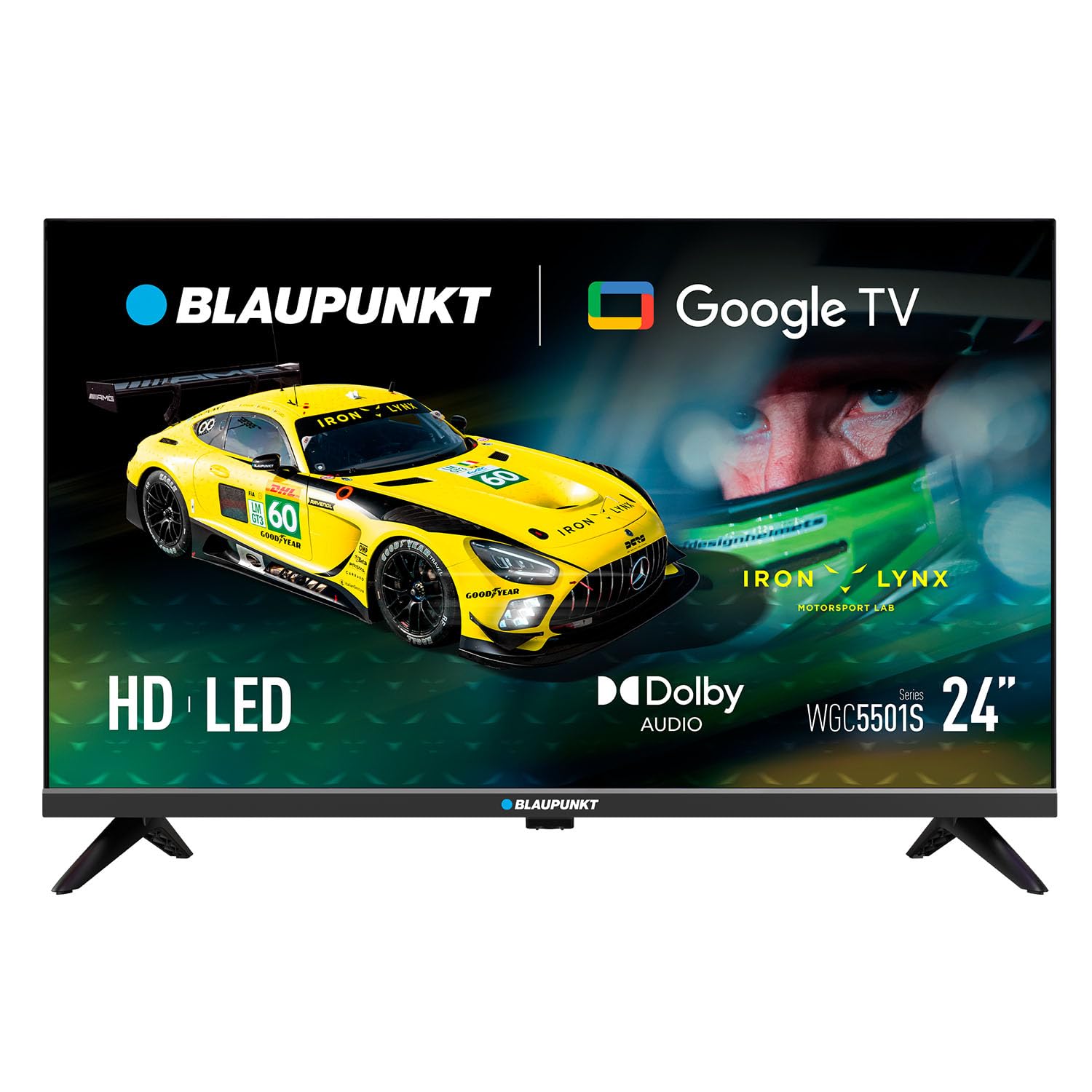
Kuva: Edessä view of the BLAUPUNKT 24WGC5501S 24-inch Smart TV, showcasinsen tyylikkään muotoilun ja näytön ansiosta.
Turvallisuustiedot
Always follow basic safety precautions when using this television to reduce the risk of fire, electric shock, and injury. Keep the TV away from water and moisture. Do not block ventilation openings. Use only attachments/accessories specified by the manufacturer. Unplug the TV during lightning storms or when unused for long periods. Refer to the full safety guidelines in the included printed manual.
Tärkeimmät ominaisuudet
The BLAUPUNKT 24WGC5501S Smart TV offers a range of features designed for a comprehensive entertainment experience:
- HD Ready -näyttö: 24-inch LED LCD screen with 1366 x 768 pixel resolution for clear visuals.
- Google TV 5.0: Intuitive smart TV platform with access to a wide array of streaming applications.
- Sisäänrakennettu Chromecast: Easily cast content from your mobile devices directly to the TV.
- Dolby Audio: Enhanced sound quality with 8W (2x4W) stereo speakers.
- Monipuoliset liitännät: Includes Wi-Fi, Bluetooth 5.0, 2 HDMI ports, 1 USB port, Ethernet, AV Mini, and SPDIF Optical Out.
- Integroitu viritin: Supports DVB-T/T2/C/S/S2 for various digital broadcasting standards.
- Käytännön toiminnot: Features like EPG, Teletext, PVR recording, HDMI-ARC, and HDMI-CEC for convenience.
- Kompakti muotoilu: Lightweight and VESA compatible (200 x 100 mm) for flexible placement.
Mitä laatikossa on
Varmista pakkauksesta purkamisen yhteydessä, että kaikki osat ovat mukana:
- BLAUPUNKT 24WGC5501S Smart TV
- Kaukosäädin
- Virtajohto
- User manual (printed version)
- Jalusta (2 kpl)
Asennus
1. Jalustan kiinnittäminen
- Aseta televisio varovasti kuvaruutu alaspäin pehmeälle ja tasaiselle alustalle, jotta näyttö ei vaurioidu.
- Kohdista jokainen jalustan osa television pohjassa oleviin vastaaviin uriin.
- Secure the stands using the screws provided (typically included with the stand pieces).

Kuva: Takaosa view of the TV, illustrating the VESA mounting points and the areas where the stand legs attach.
2. Seinäkiinnitys (valinnainen)
This TV supports VESA standard 200 x 100 mm wall mounts. Ensure you use a compatible wall mount bracket and follow the instructions provided with the mount. Disconnect the stand before wall mounting.
3. Ulkoisten laitteiden liittäminen
Televisiossa on useita portteja ulkoisten laitteiden kytkemiseen:
- HDMI (x2): Liitä Blu-ray-soittimet, pelikonsolit tai digisovittimet.
- USB 2.0 (x1): Median toistoon USB-asemilta.
- Lähiverkko (RJ45): Kiinteää internetyhteyttä varten.
- AV Mini: Vanhemmille analogisille laitteille.
- SPDIF Optical Out: Digitaaliseen äänentoistoon soundbar-kaiuttimiin tai kotiteatterijärjestelmiin.
- CI+ -paikka: For conditional access modules (CAM) for encrypted channels.
- Antenni-/satelliittitulo: For DVB-T/T2/C/S/S2 tuner connection.

Kuva: Vasen puoli view of the TV, detailing the HDMI, USB, and CI+ ports for various connections.

Kuva: Oikea puoli view of the TV, showing the power input connection.
4. Virtaliitäntä
Connect the power cable to the TV's AC input and then plug it into a suitable wall outlet (100–240 V AC).
5. Alkuasetukset
Ensimmäisellä käynnistyksellä televisio opastaa sinua alkuasetusten määrittämisessä:
- Kielen valinta: Valitse haluamasi kieli.
- Verkkoyhteys: Yhdistä Wi-Fi-verkkoon tai käytä Ethernet-kaapelia.
- Google-tilin kirjautuminen: Kirjaudu sisään Google-tililläsi käyttääksesi Google TV:n ominaisuuksia ja sovelluksia.
- Kanavan skannaus: The TV will scan for available digital channels via the connected antenna or satellite.
Käyttöohjeet
1. Kaukosäädin
Use the provided remote control to navigate the TV's functions. Insert two AAA batteries (not included) into the remote control, observing polarity.
- Virtapainike: Kytkee television päälle tai pois päältä.
- Äänenvoimakkuus +/-: Säätää äänenvoimakkuutta.
- Kanava +/-: Vaihtaa TV-kanavia.
- Navigointipainikkeet: Käytetään valikoissa liikkumiseen ja vaihtoehtojen valitsemiseen.
- Koti näppäin: Avaa Google TV:n aloitusnäytön.
- Sovelluspainikkeet: Direct access to popular streaming services like Netflix, YouTube, Prime Video, Disney Plus.
2. Google TV:n käyttöliittymä
The Google TV interface provides a personalized experience with recommendations based on your viewing habits. From the home screen, you can access:
- Sovellukset: Download and manage your favorite streaming applications.
- Live-TV: Käytä lähetyskanavia.
- Kirjasto: Your purchased or rented content.
- Sinulle: Personalized content recommendations.

Image: The Google TV 5.0 interface, showing various streaming app icons and content recommendations.
3. Sisäänrakennettu Chromecast
With Chromecast built-in, you can cast content from your compatible smartphone, tablet, or computer directly to your TV. Look for the Cast icon (a rectangle with three curved lines in the bottom-left corner) within supported apps on your mobile device.
4. Tuner Functions
- DVB-T/T2/C/S/S2: Supports various digital terrestrial, cable, and satellite broadcasting standards.
- EPG (elektroninen ohjelmaopas): View upcoming program schedules.
- Teksti-TV: Access text-based information services.
- PVR (henkilökohtainen videonauhuri): Tallenna TV-ohjelmia kytkettyyn USB-tallennuslaitteeseen.
5. Ääni- ja video-ominaisuudet
The TV features Dolby Audio for enhanced sound quality. The integrated stereo speakers provide 2 x 4 W (8 W total) output. It also supports HDR for improved contrast and color depth.

Image: Visual representation of Dolby Audio, emphasizing balanced and harmonious sound.

Image: Visual representation of HDR technology, highlighting enhanced detail in both bright and dark scenes.
Huolto
1. Puhdistus
- Näyttö: Pyyhi näyttö varovasti pehmeällä, nukkaamattomalla liinalla. Pinttyneisiin tahroihin käytä näytönpuhdistusliuosta, jota levität liinaan, älä suoraan näyttöön.
- TV-runko: Wipe with a soft, dry cloth. Avoid using abrasive cleaners or solvents.
- Irrota aina televisio pistorasiasta ennen puhdistamista.
2. Ohjelmistopäivitykset
The TV may receive software updates to improve performance and add new features. Ensure your TV is connected to the internet to receive these updates. You can usually check for updates in the TV's settings menu. Guaranteed software updates are not specified beyond the initial purchase.
Vianetsintä
Jos televisiossasi on ongelmia, katso seuraavia yleisiä ratkaisuja:
- Ei virtaa: Tarkista, että virtajohto on kytketty kunnolla sekä televisioon että pistorasiaan. Kokeile toista pistorasiaa.
- Ei kuvaa/ääntä: Varmista, että oikea tulolähde on valittu. Tarkista kaikki ulkoisten laitteiden kaapeliliitännät.
- Ei Internet-yhteyttä: Verify your Wi-Fi password. Restart your router and the TV. If using Ethernet, check the cable connection.
- Kaukosäädin ei toimi: Vaihda paristot. Varmista, ettei kaukosäätimen ja television infrapunatunnistimen välissä ole esteitä.
- Sovellusongelmat: Try restarting the app or clearing its cache in the TV's settings.
For more detailed troubleshooting, consult the full user manual (PDF) or contact customer support.
Tekniset tiedot
| Ominaisuus | Yksityiskohta |
|---|---|
| Mallin nimi | 24WGC5501S |
| Näyttötekniikka | LED LCD HD Ready |
| Resoluutio | 1366 x 768 px |
| Näytön koko | 59.9 cm (24 tuumaa) |
| Kuvasuhde | 16:9 |
| Typical Contrast | 2250:1 |
| Kirkkaus | 150–180 nits |
| Päivitystaajuus | 60 Hz |
| Viewkulma | 178° (K) / 178° (V) |
| Vastausaika | 9.5 ms |
| värit | 16.7 miljoonaa |
| Äänenvoima | 2 × 4 W (8 W total) |
| Äänitekniikka | Dolby Audio |
| Virittimen tuki | DVB-T/T2/C/S/S2 |
| CI+ -paikka | 1 |
| Smart TV -käyttöjärjestelmä | Google TV 5.0 |
| CPU | ARM Cortex-A55 Quad Core 1.45 GHz |
| GPU | G31MP2 Dual Core |
| RAM | 1 Gt |
| Flash-muisti | 8 Gt |
| Chromecast | Integroitu |
| Wi-Fi | 2T2R Integrated |
| Bluetooth | Versio 5.0 |
| HDMI-portit | 2 |
| USB 2.0 -portti | 1 |
| LAN (RJ45) | 1 |
| AV Mini Input | 1 |
| SPDIF Optical Out | 1 |
| Virtalähde | 100–240 V AC |
| Käyttökulutus | 17 W |
| Valmiustilan kulutus | ≤ 0.5 W |
| Verkon valmiustilan kulutus | 2 W |
| Energy Class SDR/HDR | E |
| Dimensions with Stand (L×W×H) | 536 × 156 × 360 mm |
| Dimensions without Stand (L×W×H) | 536 × 77 × 330 mm |
| Nettopaino jalustalla | 2.25 kg |
| VESA-asennus | 200 × 100 mm |
| EAN | 8594213441658 |
| Alkuperämaa | Tšekin tasavalta |

Image: The energy efficiency label for the 24WGC5501S model, showing its Class E rating and power consumption.
For more details on energy efficiency, scan the QR code or visit: https://eprel.ec.europa.eu/qr/2522775
Takuu
This BLAUPUNKT television comes with a two-year manufacturer's warranty. Please retain your proof of purchase for warranty claims. The warranty covers manufacturing defects under normal use. It does not cover damage caused by misuse, accidents, unauthorized modifications, or normal wear and tear. For specific terms and conditions, refer to the warranty documentation included with your product or contact BLAUPUNKT customer service.
Tukea
For technical assistance, product inquiries, or warranty support, please contact BLAUPUNKT customer service. Contact information can typically be found on the manufacturer's official website or in the printed user manual. Ensure you have your model number (24WGC5501S) and serial number ready when contacting support.